A well-designed administrative support coordinator business card is more than a simple way to share contact information. It can communicate professionalism, organization, reliability, and attention to detail before a conversation even begins. For administrative professionals who regularly interact with managers, clients, vendors, coworkers, and business partners, having a polished business card can make networking and professional communication easier.
Whether you are an administrative support coordinator, office coordinator, executive assistant, administrative assistant, or operations professional, a thoughtfully designed business card can help people remember who you are and what you do. The right template also saves time because you can customize an existing professional layout instead of designing every element from scratch.
This guide explains what to include on an administrative support coordinator business card, how to choose an effective design, and practical ways to make your card look professional and useful.
Why an Administrative Support Coordinator Business Card Matters
Administrative support coordinators often serve as an important connection point within an organization. Their responsibilities may include scheduling, communication, documentation, meeting coordination, office administration, and supporting internal teams or clients.
A professional business card reinforces that role. When someone needs to contact you later, a physical or digital business card gives them an easy reference for your name, job title, phone number, email address, and other relevant details.
A good business card can also help you:
- Make a professional first impression.
- Share contact information quickly during meetings and networking events.
- Strengthen your professional identity.
- Present your administrative role clearly.
- Make it easier for clients and colleagues to contact you.
- Maintain consistent branding with your organization.
Because administrative work is closely associated with organization and accuracy, the business card itself should reflect those qualities through clear typography, balanced spacing, and an uncluttered layout.
What to Include on an Administrative Support Coordinator Business Card
The most effective business cards provide essential information without overcrowding the design. Every element should have a clear purpose.
1. Your Full Name
Your name should be one of the most visible elements on the card. Use a readable font and make your name slightly larger or bolder than the supporting information.
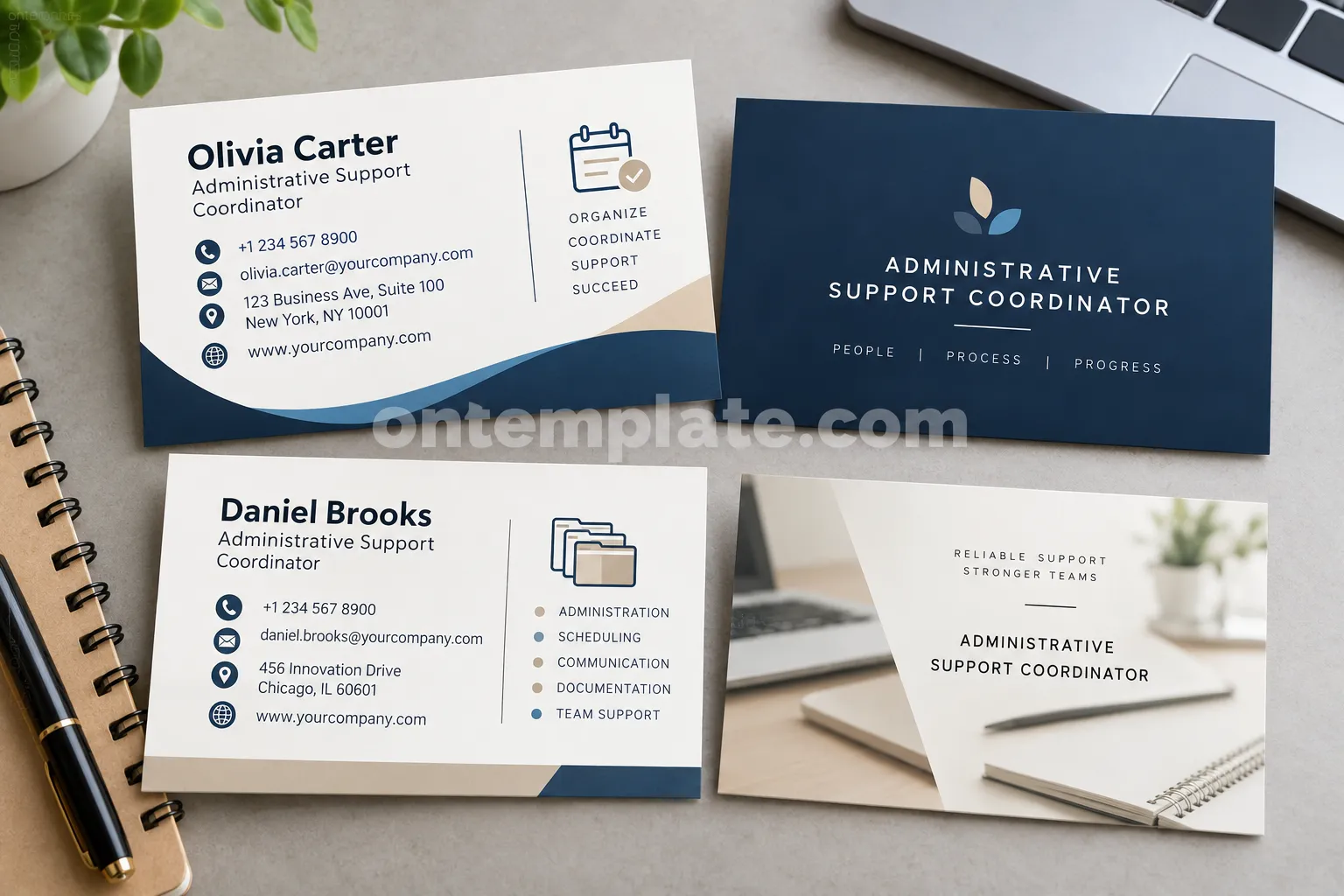
For example, you might display your name as Olivia Carter followed by your professional title underneath. This hierarchy allows someone to identify you immediately.
2. Professional Job Title
Include your exact job title, such as Administrative Support Coordinator. If your organization uses a different official title, use the title that best represents your current role.
A clear job title helps recipients understand your responsibilities and provides context when they need to contact you.
3. Contact Information
Include only the contact methods that are useful for your professional activities. Common options include:
- Business phone number
- Professional email address
- Company website
- Office address, when relevant
- Professional social media profile, when appropriate
Avoid filling the card with unnecessary personal information. A concise design is generally easier to read and more memorable.
4. Company Name and Branding
If you work for a company, consider including its name and approved brand elements. A company logo, brand color, or website can help connect your personal professional identity with the organization you represent.
Choosing the Right Business Card Design
The visual style of an administrative support coordinator business card template should reflect professionalism and organization. Fortunately, you do not need an elaborate design to achieve this.
Keep the Layout Clean
Administrative professionals often work with schedules, documents, processes, and multiple communication channels. A clean business card design naturally supports this professional image.
Use sufficient white space between your name, job title, contact information, and branding. Avoid placing too many decorative elements around important information.
Use Professional Typography
Choose fonts that remain readable at business-card size. Simple sans-serif fonts are often effective because they provide a modern and professional appearance.
Use font size and weight to establish a visual hierarchy. Your name and job title should be easy to locate, while contact information can use a slightly smaller size.
Select a Suitable Color Palette
Professional administrative business cards often work well with restrained color combinations such as navy and white, blue and gray, black and white, or neutral tones with one accent color.
The goal is not to use as many colors as possible. Instead, select colors that provide sufficient contrast and complement your company’s branding.
Business Card Ideas for Administrative Professionals
There are several design directions you can explore when creating an administrative support coordinator business card.
Minimalist Business Card
A minimalist design uses generous white space, simple typography, and limited decorative elements. This approach works particularly well for professionals who want a sophisticated and straightforward appearance.
Corporate Business Card
A corporate layout can incorporate company colors, a logo, and structured contact information. This is useful when the business card needs to align closely with an organization’s existing visual identity.
Modern Professional Business Card
A modern design can use geometric shapes, subtle lines, icons, and contemporary typography. These elements can add personality while maintaining a professional appearance.
Service-Focused Business Card
If your role involves supporting clients or multiple departments, consider highlighting a few relevant capabilities. Examples include scheduling, coordination, communication, documentation, and office administration.
Keep these descriptions brief. The business card should introduce your role rather than function as a complete resume.
How to Make an Administrative Support Coordinator Business Card More Effective
A template provides the foundation, but customization determines whether the final card feels personal and professional.
Use Consistent Information
Check every phone number, email address, website URL, and job title before printing. A small typing error can make it difficult for someone to contact you.
Prioritize Important Details
Ask yourself what information a new professional contact actually needs. Your name, title, phone number, and email address will usually be more important than decorative text.
Use Icons Carefully
Small phone, email, website, or location icons can help people scan the card quickly. However, icons should support the information rather than overpower it.
Match Your Professional Environment
A creative company may allow a more distinctive design, while a traditional corporate or professional-services environment may favor a restrained layout. Consider your workplace, audience, and industry before selecting the visual style.
Printing Tips for a Professional Business Card
After designing your card, pay attention to the printing process. A good design can lose its professional appearance if the final print quality is poor.
- Choose a durable business-card stock.
- Use a high-resolution design suitable for professional printing.
- Check the document dimensions and bleed requirements of your printer.
- Review the spelling and contact information carefully.
- Print a proof before ordering a large quantity.
- Make sure small text remains readable in the final printed size.
If you plan to distribute cards frequently, consider ordering enough copies for networking events, meetings, conferences, and professional introductions.
Digital Alternatives to a Printed Business Card
Printed cards remain useful, but digital networking has become increasingly common. A digital business card can complement a physical card and provide additional information without making the printed design crowded.
For example, a QR code can direct recipients to a professional profile, company website, contact page, or digital portfolio. If you add a QR code, make sure it is large enough to scan easily and test it before printing.
A digital version can also make it easier to update your information if your phone number, position, or company website changes.
Common Mistakes to Avoid
Even a professionally designed template can become ineffective if it contains too much information or lacks visual hierarchy.
Common mistakes include:
- Using too many fonts.
- Adding excessive decorative graphics.
- Using very small text.
- Including outdated contact information.
- Using low-resolution logos or images.
- Ignoring company branding guidelines.
- Adding too many social media accounts.
- Using colors with insufficient text contrast.
The best administrative business card designs make the important information immediately accessible. When someone looks at the card for only a few seconds, they should be able to identify your name, role, and preferred contact method.
How to Customize an Administrative Support Coordinator Business Card Template
Starting with a template can significantly simplify the design process. Instead of deciding every element from scratch, you can focus on adapting the layout to your professional identity.
- Replace the sample name with your full name.
- Update the job title to your official position.
- Add your preferred professional contact information.
- Insert your company logo if appropriate.
- Adjust colors to match your organization’s branding.
- Review spacing and typography.
- Proofread every detail.
- Export the finished design in a print-ready format.
Before printing, look at the card from a recipient’s perspective. The information should be easy to scan, visually balanced, and appropriate for the professional setting in which you will use it.
Who Can Use This Business Card Template?
Although the design is centered on administrative support coordinators, the same structure can work for many related positions.
- Administrative assistants
- Office coordinators
- Executive assistants
- Office managers
- Operations coordinators
- Administrative specialists
- Virtual assistants
- Business support professionals
- Reception and office support staff
Simply modify the job title and supporting information to reflect the specific position.
Final Thoughts on Administrative Support Coordinator Business Card Templates
A professional administrative support coordinator business card provides a simple but effective way to communicate your identity and contact information. The strongest designs focus on clarity, readability, consistency, and professional branding rather than unnecessary decoration.
Whether you choose a minimalist, corporate, or modern layout, make sure your business card accurately represents your role and makes your contact information easy to find. Starting with a well-structured administrative support coordinator business card template can save time and give you a polished foundation that is easy to customize.
With accurate information, professional typography, balanced spacing, and thoughtful branding, your business card can become a useful part of your everyday professional networking toolkit.
