The best form is not necessarily the longest one. It is the form that collects information you genuinely need, presents questions in a logical order, and makes completion easy for the person providing the information. A carefully designed template also helps staff work from the same structure, reducing inconsistent records and avoidable follow-up questions.
Client forms can be created in several formats, including Word documents, PDFs, spreadsheets, and online forms. The appropriate format depends on how information will be collected, edited, reviewed, stored, and shared. A small consultancy may prefer an editable Word document, while a team managing many records may benefit from a spreadsheet or structured digital form.
This guide explains how to plan an editable client form, what information to include, how to adapt it for different industries, how to choose between Word, Excel, and PDF formats, and how to turn a basic form into a repeatable client onboarding workflow.
What Is an Editable Clients Form Template?
An editable clients form template is a reusable document structure containing fields that can be changed to suit a particular organization, service, or client type. Instead of starting with a blank page, the user begins with predefined sections and then adjusts labels, questions, branding, instructions, and response areas.
The word “editable” is important because client requirements differ considerably. A marketing agency may need questions about goals, target audiences, competitors, websites, and budgets. An accountant may need financial information. A therapist may need a specialized intake process. A consultant may need business objectives, stakeholders, project scope, and operational constraints.
A strong template therefore separates reusable structure from organization-specific information. The structure might contain sections for identification, contact information, objectives, service requirements, communications, documentation, and authorization. Individual businesses can then modify those sections without rebuilding the complete document.
Templates are particularly valuable when multiple employees collect information from clients. A consistent structure makes records easier to review and helps prevent one employee from requesting information that another employee would normally collect at a different stage.
The same principle applies when a business serves multiple types of clients. Instead of maintaining completely unrelated forms, a core template can be supplemented with industry-specific sections. This approach creates consistency while still allowing customization.
For example, a general consulting form might contain client identity, contact information, business details, objectives, project requirements, and communication preferences. A specialized version could add fields for technical systems, compliance documentation, or stakeholder information without changing the core structure.
Why Use an Editable Client Form?
Client forms create a repeatable method for gathering information at the beginning of a relationship. Without a structured form, information may arrive through emails, phone calls, chat messages, handwritten notes, and informal conversations. Important details can then become difficult to locate or compare.
A form provides a central framework. Each client is asked broadly similar questions, which makes records more predictable and makes missing information easier to identify. This is especially useful when a client relationship moves from sales to onboarding, delivery, billing, or customer support.
Editable templates also reduce administrative work. Once a form has been carefully designed, employees can reuse it for future clients and make only the changes necessary for a specific engagement.
Another advantage is professional presentation. A clearly organized form communicates that the organization has a process. Sections, headings, response fields, and instructions can make even a relatively simple intake process feel deliberate and organized.
Finally, an editable structure makes continuous improvement easier. If a business discovers that a question is unnecessary, a field can be removed. If a recurring problem is caused by missing information, an additional question can be added and tested.
When designing a form, it is useful to distinguish between information that is essential, information that is useful, and information that is merely interesting. Every additional question creates effort for the client, so the form should have a clear reason for asking each important question.
Client intake templates are commonly organized around client identification, contact information, business or personal details, service needs, project requirements, financial information, and notes. The exact combination depends on the purpose of the form.
A general-purpose template should normally begin with simple questions before moving into more detailed information. Asking for a name and preferred contact method is less demanding than asking a new client to immediately provide a long description of a complicated problem.
Sections should also be visually distinct. A form that combines contact information, project requirements, payment details, and notes into one large block can become difficult to complete accurately.
Logical grouping reduces cognitive effort. For example, contact information can be grouped together, followed by organization details, service requirements, communication preferences, and administrative information.
Clear labels are equally important. “Phone” may be adequate for a simple form, while a more complex organization may need separate fields for mobile phone, office phone, preferred contact number, and permission to leave a message.
Core Components of an Editable Client Form
The first section usually identifies the client. Depending on the context, this may include full name, preferred name, organization, job title, client ID, and the date the information was collected.
Contact information should provide practical ways to communicate. Common fields include email address, phone number, physical address, mailing address, and preferred contact method.
Business clients may require additional organization information such as company name, website, industry, business address, primary contact, department, and role. These fields help distinguish the individual contact from the organization they represent.
Service information explains why the client is completing the form. A short description of the requested service can provide valuable context before the first meeting or project discussion.
Finally, a notes section can capture information that does not fit neatly into predefined fields. It should not become a substitute for thoughtful form design, but it is useful for unusual circumstances and additional context.
A well-designed form can also include a client status field. Examples might include prospective client, new client, active client, returning client, or inactive client. Status labels should reflect the organization’s actual workflow rather than introducing unnecessary complexity.
Another useful field is the source of the client relationship. This might be a referral, website inquiry, existing relationship, event, partner, advertisement, or another legitimate source. Tracking this information can help organizations understand where new business originates.
For recurring services, the form can include service preferences. Examples include preferred meeting frequency, communication channel, service package, delivery preferences, or scheduling constraints.
Where documentation is required, a form can include a checklist of documents received. This helps staff distinguish between information the client has supplied and information that is still outstanding.
Signatures and acknowledgements should be included only when they serve a real administrative or legal purpose. If an organization needs consent, authorization, or acknowledgement, the wording should be reviewed according to the relevant professional and jurisdictional requirements.
Good form design also considers future use. If the collected information will later be transferred into a CRM, spreadsheet, practice-management system, or other database, field names should be consistent and unambiguous.
How to Build an Editable Clients Form Template
Start by defining the purpose of the form in one sentence. For example, the purpose might be “collect the information required to prepare a new consulting engagement” or “capture the administrative information needed before a first therapy appointment.”
Next, identify who will complete the form. A client-facing form should use plain language and clear instructions, while an internal staff form can use more specialized terminology when appropriate.
Then list the information that must be collected. Separate mandatory information from optional information. This step prevents the common mistake of adding every conceivable question simply because the template has space.
After that, group the information into sections. A useful structure might be client details, contact information, organization information, needs and goals, service requirements, administrative information, and notes.
Finally, select the working format. Word is useful for narrative documents and flexible page layouts. Excel is useful for structured data and repeated records. PDF is useful when consistent presentation or printing matters, particularly when the PDF contains properly configured fillable fields.
The first draft should be tested before it becomes the standard form. Ask someone unfamiliar with the process to complete it without assistance. Their questions will often reveal unclear labels, missing instructions, awkward sequencing, or redundant fields.
Testing should also include a realistic scenario. A form may appear logical when viewed by its creator but become confusing when a client has to interpret the questions without background knowledge.
Review the completed form from the staff perspective as well. Ask whether the collected information is sufficient to perform the next step. A form is successful only when the data it collects supports the workflow that follows.
Consider the form’s physical length. A four-page document is not automatically better than a two-page document. Longer forms may be justified for specialized services, but unnecessary questions can reduce completion quality.
Use consistent field types. Text fields work well for names and short answers, checkboxes are useful for multiple selections, radio-style choices work for mutually exclusive options, and longer text areas should be reserved for questions that genuinely require explanation.
Once the structure works, apply branding. Add the organization’s name, logo where appropriate, typography, and restrained visual hierarchy. Branding should improve recognition without making the document harder to read.
A form should also have a version-control method. Include an internal version number or revision date when forms change frequently. This can help staff determine which version is current and reduce the risk of continuing to use outdated questions.
Choosing Between Word, Excel, and PDF
An editable clients form template word document is often the easiest option when users need to change wording, rearrange sections, add branding, or print a document. Word is particularly convenient for narrative information and forms that may be customized for individual clients.
Word documents also work well when a form contains paragraphs of instructions, consent language, or detailed questions. Tables can provide structured fields while preserving a familiar document format.
Excel becomes more useful when the information needs to be organized across multiple records. A spreadsheet can provide one row per client, separate columns for standardized fields, filters, sorting, validation, and simple calculations.
However, spreadsheets require careful design when they contain sensitive information. Access controls, file permissions, storage practices, backups, and sharing procedures should be considered before client information is placed into a shared workbook.
PDF is useful when presentation and consistency are important. A PDF can preserve page layout across devices and can be printed easily. For digital completion, a properly constructed fillable PDF is generally more useful than a static document that forces users to print and scan it.
The best format depends on the workflow rather than personal preference. Some organizations may maintain a master Word template, provide clients with a PDF version, and transfer selected information into a structured database or spreadsheet.
For example, a consultant could use Word to maintain the master intake document, export a client-facing PDF for review, and then record key fields in a CRM. This separates document presentation from operational data management.
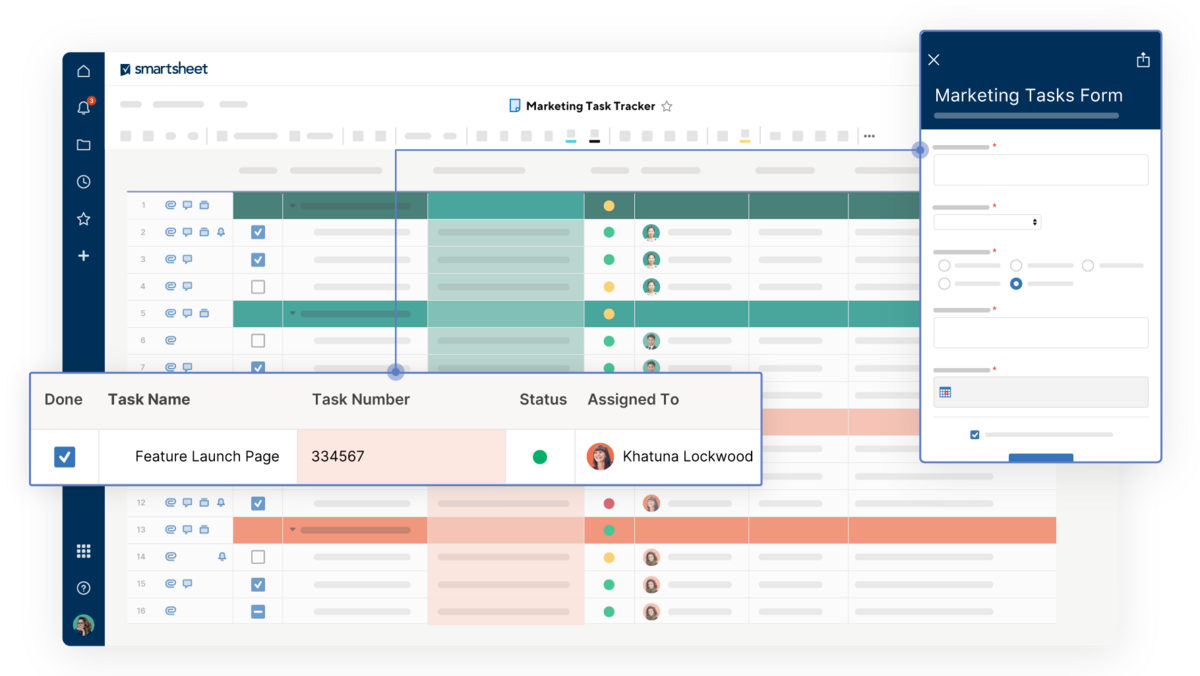
When a form must be completed on a phone, an online form may be more convenient than Word or PDF. Mobile usability becomes especially important when clients are expected to complete the form before an appointment.
There is no universal requirement that every organization use one format. The practical goal is to choose the simplest format that reliably captures the required information and fits the organization’s storage and review process.
Before choosing a format, consider whether the client needs to edit the document, whether staff need structured data, whether printing is necessary, whether signatures are required, and whether the information contains sensitive data.
These questions usually make the choice much clearer than simply selecting the format that looks most familiar.
When an Editable Clients Form Template Free Option Makes Sense
An editable clients form template free option can be a practical starting point for freelancers, small businesses, nonprofit organizations, and professionals who need a basic structure without commissioning a custom document.
Free templates are most useful when they provide a flexible framework rather than claiming to be universally appropriate. A general template can save design time while leaving the organization responsible for deciding which questions are actually relevant.
Before adopting a free template, inspect every field. Remove information that is unnecessary, revise language that does not fit the service, and add fields required by the organization’s workflow.
Also check the file format. A template described as editable may allow only certain changes, while a fully editable document may allow the structure, text, tables, and formatting to be modified.
Do not assume that a free template automatically meets legal, regulatory, professional, or privacy requirements. Specialized organizations should review their forms against the requirements that actually apply to their practice or jurisdiction.
Free resources can still provide valuable design inspiration. Looking at several examples can reveal different ways to organize contact information, service questions, payment sections, and notes.
One example may be excellent for its page layout while another may provide a better field structure. Combining useful design ideas can produce a more practical internal template than copying a single form without modification.
The most important criterion is usefulness. If a free template creates additional work because staff must constantly explain unclear questions or correct inconsistent answers, its initial cost advantage may disappear.
For that reason, test the template with a small number of real or simulated cases before making it standard. Look for incomplete answers, confusing fields, duplicate questions, and information that staff repeatedly have to request later.
A good template should become easier to use over time. Feedback from employees and clients can guide revisions and help the organization maintain a form that remains relevant as its services evolve.
Free should therefore be viewed as a starting condition, not a quality guarantee. The value of a template comes from how well it fits the workflow and how responsibly the collected information is handled.
How to Evaluate an Editable Clients Form Template Free Download
When searching for an editable clients form template free download, first determine whether the download is actually editable in the application you plan to use. A PDF may be printable but not editable, while a Word or spreadsheet file may provide much greater control.
Check the source before downloading. A reputable provider should make the intended file type clear and explain what the template is designed to collect.
Examine the document structure before putting it into production. Look for consistent labels, logical sections, sufficient writing space, and a clear distinction between required and optional information.
Pay attention to hidden assumptions. A form designed for a particular country, profession, or business model may include fields that are irrelevant elsewhere or omit information that your organization needs.
Finally, determine whether the template can be modified without damaging its layout. Editable does not always mean easy to edit. Tables, form fields, page breaks, and headers should remain stable when reasonable changes are made.
For business use, a useful download should also support a repeatable process. The document should be easy to save, rename, distribute, complete, review, and archive according to your organization’s procedures.
File naming is an often-overlooked part of the workflow. A consistent convention might combine a client identifier, document type, and revision date. Avoid storing multiple ambiguous files with names such as “final,” “final2,” and “new final.”
Templates should also have a clear owner. Someone should be responsible for reviewing the form periodically and approving changes so that staff do not create unofficial versions.
If several departments use the form, establish a master version and a documented process for requesting changes. This prevents small edits from creating multiple competing versions.
It is also useful to keep the form’s instructions separate from internal implementation notes. Clients should see instructions relevant to completing the form, while staff procedures can live in an internal workflow guide.
A carefully selected free template can save significant preparation time, but it should always be treated as a customizable starting point rather than a finished operational system.
Designing a Strong Client Data Form Template
A client data form template should distinguish between data that describes the client and data that describes the client’s current request. These are related but not identical categories.
Client identity data may remain relatively stable, while service requirements can change from project to project. Separating these categories makes it easier to update information without repeatedly asking the same questions.
Use standardized fields for information that will later be searched or filtered. For example, a preferred contact method should ideally use a consistent set of choices rather than allowing every client to invent a different wording.
Use free-text fields where the information genuinely requires explanation. A client describing a business problem may need several sentences, while a preferred contact channel may need only one selection.
Data quality improves when questions are specific. Instead of asking “Tell us about your needs,” a form might ask “What service are you requesting?” followed by “What outcome would you like to achieve?”
Another useful technique is conditional questioning. If a client selects a particular service, the form can reveal additional questions relevant only to that service. This reduces unnecessary reading and keeps the form shorter.
When conditional logic is unavailable, separate forms may be more practical. For example, a general client registration form can be followed by a service-specific questionnaire.
Data fields should also be designed for the system that receives the information. If a CRM requires a separate first-name and last-name field, a single “full name” field may create additional manual work later.
Dates, phone numbers, currencies, and other structured values should use consistent formats where possible. Consistency makes data easier to review and transfer.
Finally, avoid collecting highly sensitive information simply because a template has a blank field for it. Every sensitive field should have a legitimate purpose, appropriate safeguards, and a defined retention or handling process.
The goal is not to collect the maximum amount of data. The goal is to collect enough accurate information to make the next step in the client relationship easier and more reliable.

Creating a New Client Workflow Around the Form
A form becomes more valuable when it is connected to a defined workflow. Collecting information without deciding what happens next can create a database full of records that nobody reviews.
A simple workflow might begin with an inquiry, followed by form delivery, client completion, staff review, clarification of missing information, approval or qualification, onboarding, and service delivery.
Each stage should have an owner. For example, a coordinator may send the form, a manager may review the information, and an assigned specialist may conduct the first service meeting.
The form should capture information at the point where it is most useful. Asking a client for information months before it will be needed may increase the chance that the data becomes outdated.
Similarly, asking every question before the client has agreed to work with the organization can create unnecessary friction. Some information belongs at initial inquiry, while other information belongs after engagement.
A staged intake process can solve this problem. Stage one can collect basic contact and service information. Stage two can collect detailed requirements after the client confirms that they want to proceed.
Staff should also have a clear method for identifying incomplete forms. A simple status such as “awaiting client,” “under review,” or “complete” can make the process easier to manage.
Automated reminders may help in digital systems, but reminders should be proportionate. Clients are more likely to respond positively when the organization explains why the information is needed and provides clear instructions.
Once the form is complete, the collected information should move into the appropriate operational system. Avoid unnecessary manual transcription when a reliable structured import or integration is available.
Finally, close the loop. If the form reveals a specific request, ensure that the request appears in the project or service workflow rather than remaining buried in the original intake document.
The form should be the beginning of a useful process, not the final destination for client information.
Editable Client Forms for Different Industries
Different industries require different levels of specialization. A general business form may be appropriate for a freelancer, but a regulated profession or specialized service may require substantially different sections.
Professional services often need business objectives, project scope, stakeholders, deadlines, and communication preferences. These fields help clarify what the client expects and what the provider is being asked to deliver.
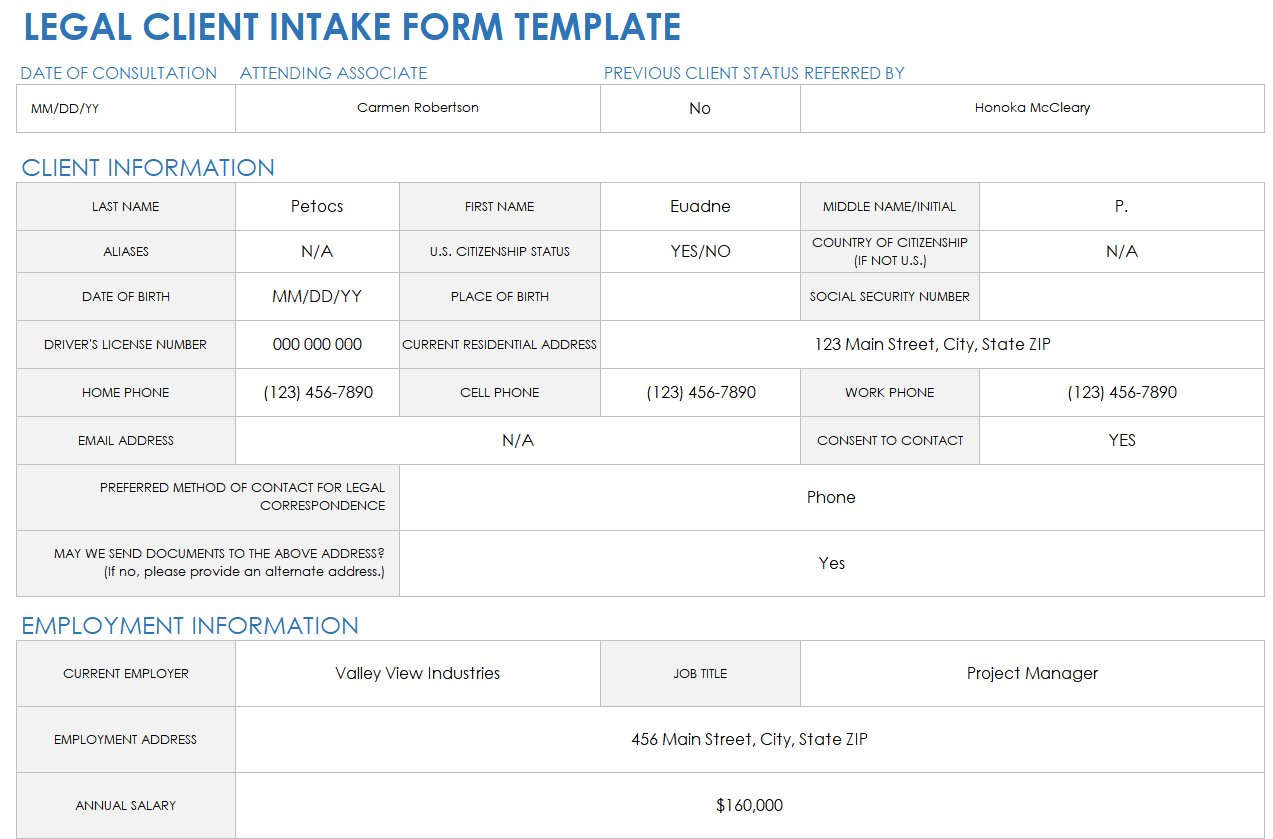
Legal practices may need information relating to the matter, relevant parties, dates, documentation, and communication preferences. Because legal requirements vary, a general template should not be presented as an official legal requirement.
Financial and accounting services may need information about the client, relevant financial documents, filing periods, business structure, and payment arrangements. The exact fields should reflect the actual service being delivered.
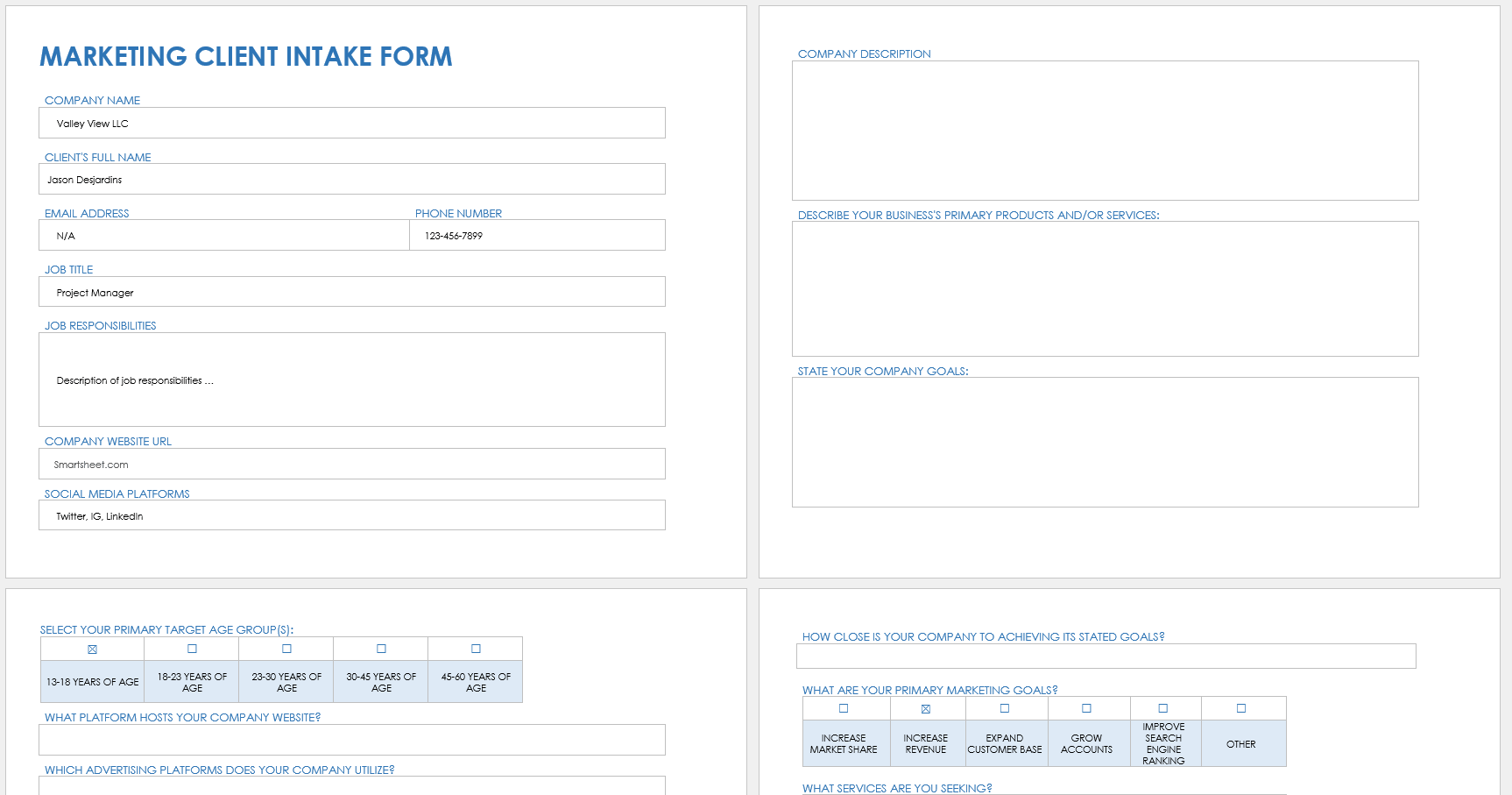
Marketing and creative agencies often benefit from fields covering company information, brand background, target audience, goals, current channels, competitors, budget expectations, and desired outcomes.
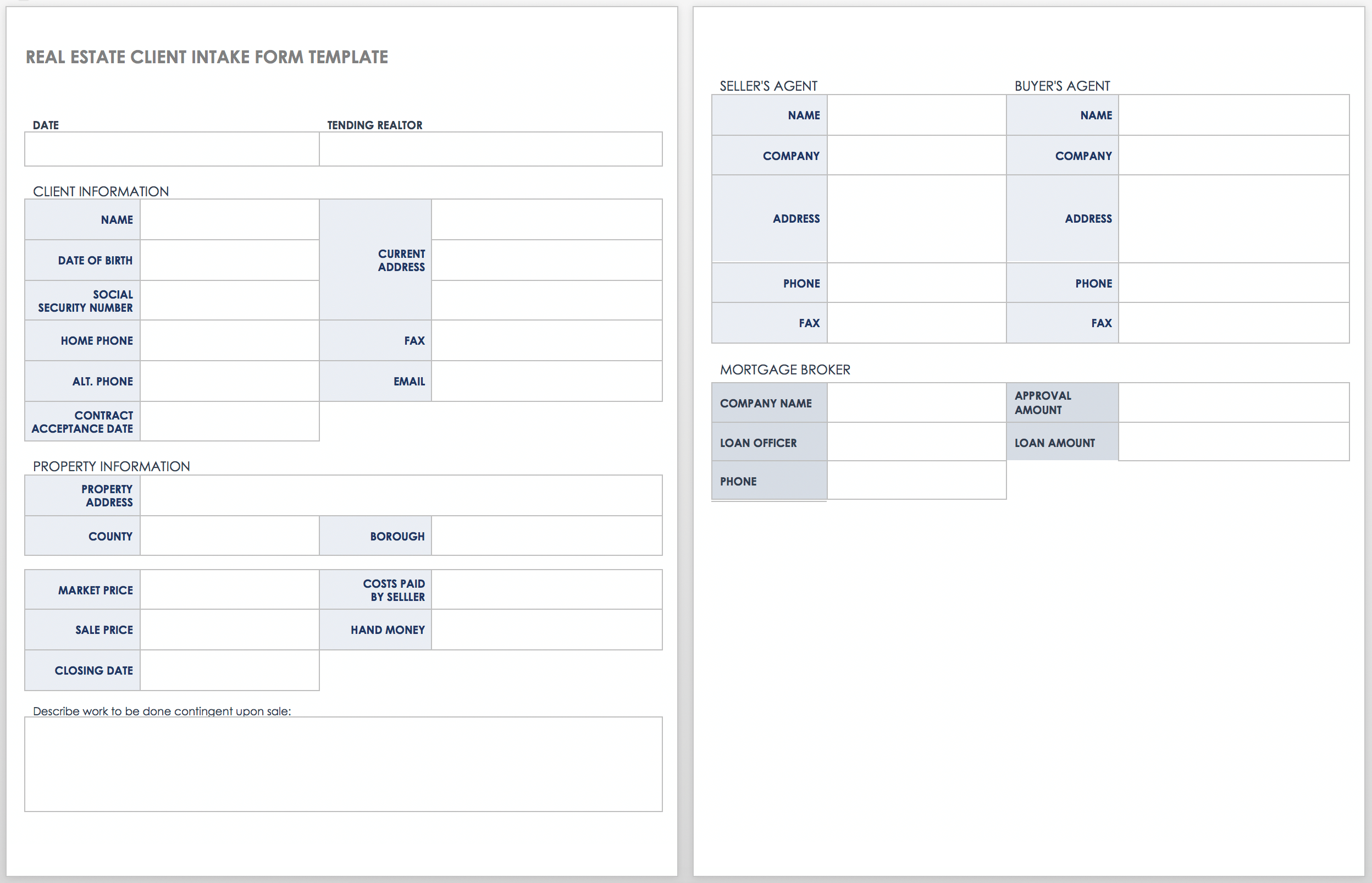
Real estate forms may need property information, transaction status, contact details, relevant professionals, and important dates. The exact structure can vary according to the transaction and jurisdiction.
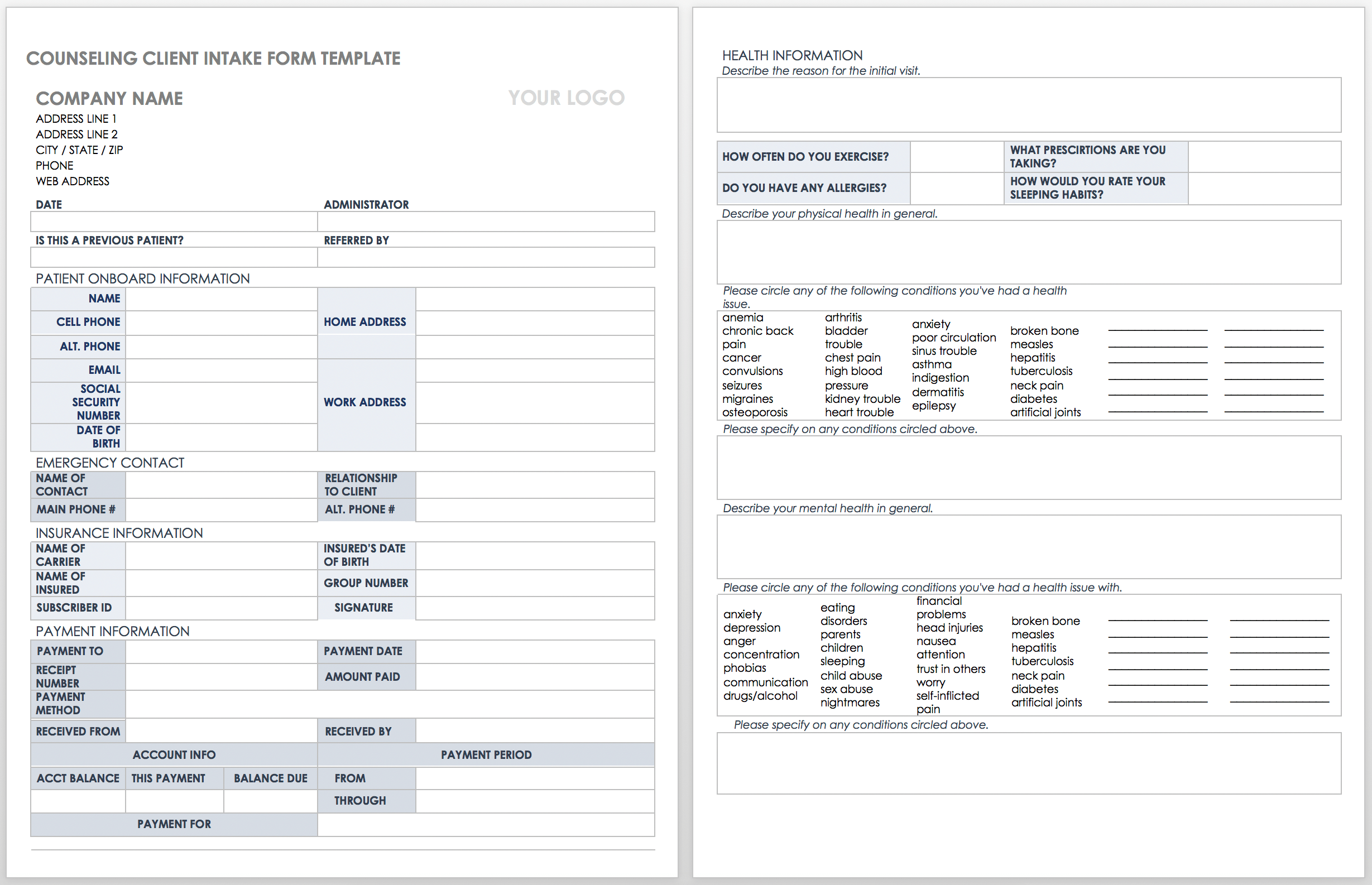
Health and therapy practices require additional care because client information can be highly sensitive. Forms should collect only information necessary for the service and should be handled according to applicable professional, privacy, and regulatory requirements.
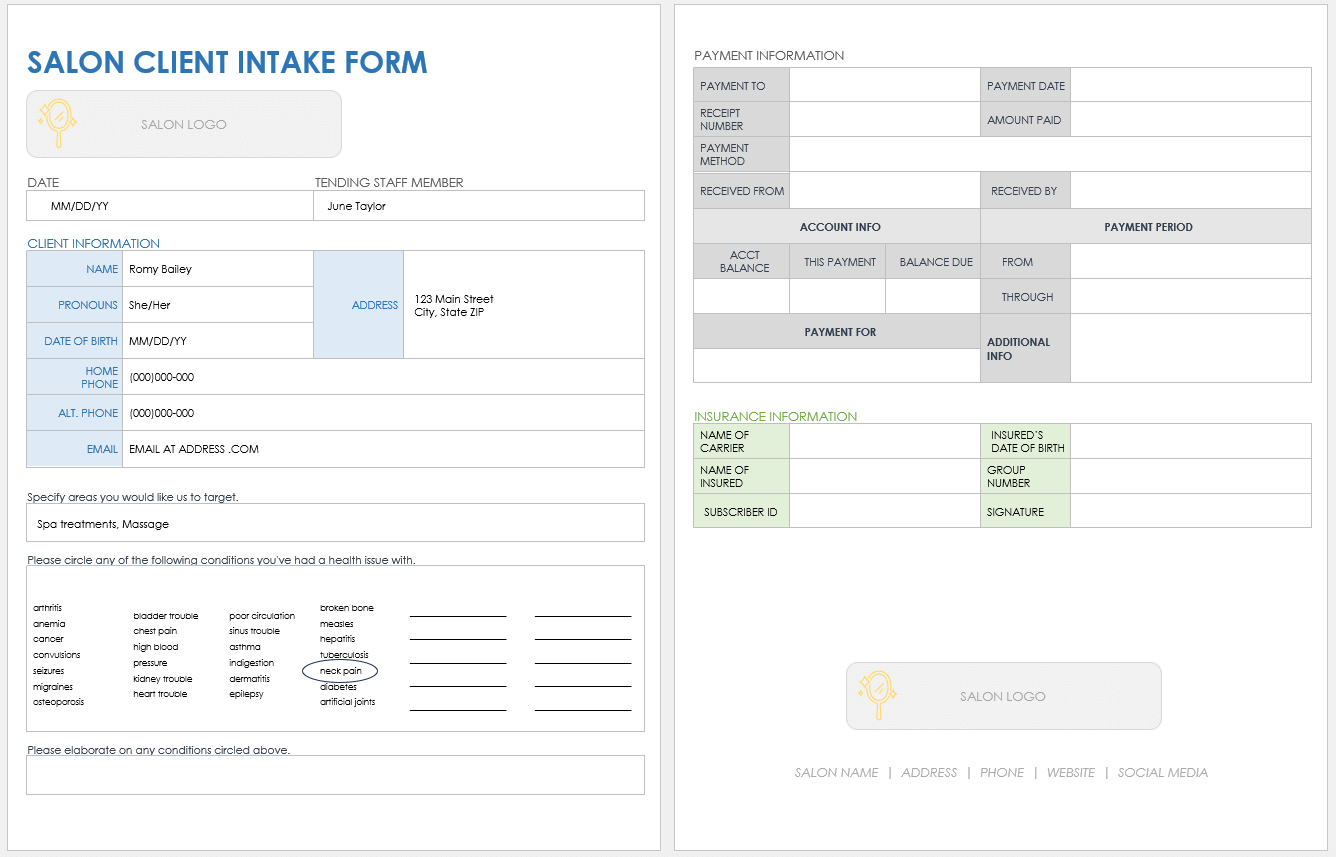
Retail, salon, wellness, and appointment-based businesses often need a shorter intake process. Contact details, appointment information, service preferences, relevant conditions or restrictions, and payment information may be sufficient depending on the service.
Nonprofit organizations may use client forms to understand eligibility, service needs, referral sources, contact information, and follow-up requirements. These forms should be designed with sensitivity to the client’s circumstances and the organization’s obligations.
The principle across all industries is the same: specialize the form only as much as necessary. A form should reflect the actual service workflow rather than becoming a questionnaire that collects information simply because it is possible to ask for it.
Industry-specific customization is most effective when it builds on a stable core structure. This allows organizations to maintain consistent client records while adding specialized questions where they are genuinely needed.

Using an Editable Clients Form Template for Therapy
An editable clients form template for therapy should be approached differently from a general business intake document. Therapy intake can involve personal, health, family, emergency, treatment, and insurance information, so the form should be designed with confidentiality and professional obligations in mind.
A therapy intake process may include identifying information, contact preferences, emergency contacts, presenting concerns, relevant history, current treatment, medications, insurance details, consent, and other information appropriate to the practice.
Not every practice needs every field. The form should reflect the clinician’s workflow, scope of practice, applicable professional standards, and relevant legal requirements.
Language should also be approachable. Clients may be completing the form during an already stressful period, so long blocks of complicated terminology can create unnecessary barriers.
For digital forms, accessibility and mobile usability matter. A client should be able to understand what is being asked, move between sections, and submit the information without unnecessary technical obstacles.
Therapy forms can also separate administrative information from clinical questions. This can make the experience less overwhelming and help staff identify which sections require review before the first appointment.
When specialized screening tools or assessments are used, they should be selected and administered according to the relevant professional context rather than inserted casually into a general template.
Privacy notices, informed consent, financial policies, telehealth information, emergency procedures, and other practice documents may need to accompany the intake form rather than being crowded into one document.
For therapy practices, a form should support the clinical relationship rather than dominate it. Clients should understand why information is requested and know how to ask for assistance when they cannot complete a section.
Electronic intake systems can make it easier to distribute forms before appointments, but the technology should be evaluated for appropriate security, access controls, and professional requirements.
A therapist should review the finished form periodically as practice policies, professional guidance, technology, and applicable requirements change.
Building a New Client Template Form
A new client template form should focus on the information required to move a new relationship to the next stage. It does not need to document every future interaction on day one.
Start with the basics: who the client is, how to contact them, what they are requesting, and what prompted the inquiry. These fields usually provide enough information to determine the appropriate next action.
Add service-specific questions after the basic information. This keeps the form approachable and prevents clients from facing a large block of specialized questions before they understand why they are being asked.
Include a clear space for goals. Asking what the client hopes to accomplish can reveal priorities that may not be obvious from a description of the requested service.
Finally, provide a concise section for next steps or internal notes. The completed form should make it easier for staff to decide what needs to happen next.
A practical new-client form might therefore contain five major sections: client information, contact information, needs and goals, service details, and next steps.
For returning clients, the process can be shortened. Instead of asking for unchanged information again, staff can confirm existing data and request only updates.
This approach reduces friction while keeping records current. It also recognizes that client information has a lifecycle and should not be treated as permanently accurate simply because it was collected once.
New client forms should also include a clear completion instruction. Explain whether every field is required, how long the form is expected to take, and where the client should ask questions.
When forms are digital, use appropriate validation. For example, an email field should expect an email-like value, while a date field should be clearly identified as a date rather than free text.
These small improvements can significantly reduce the amount of correction staff must perform after submission.
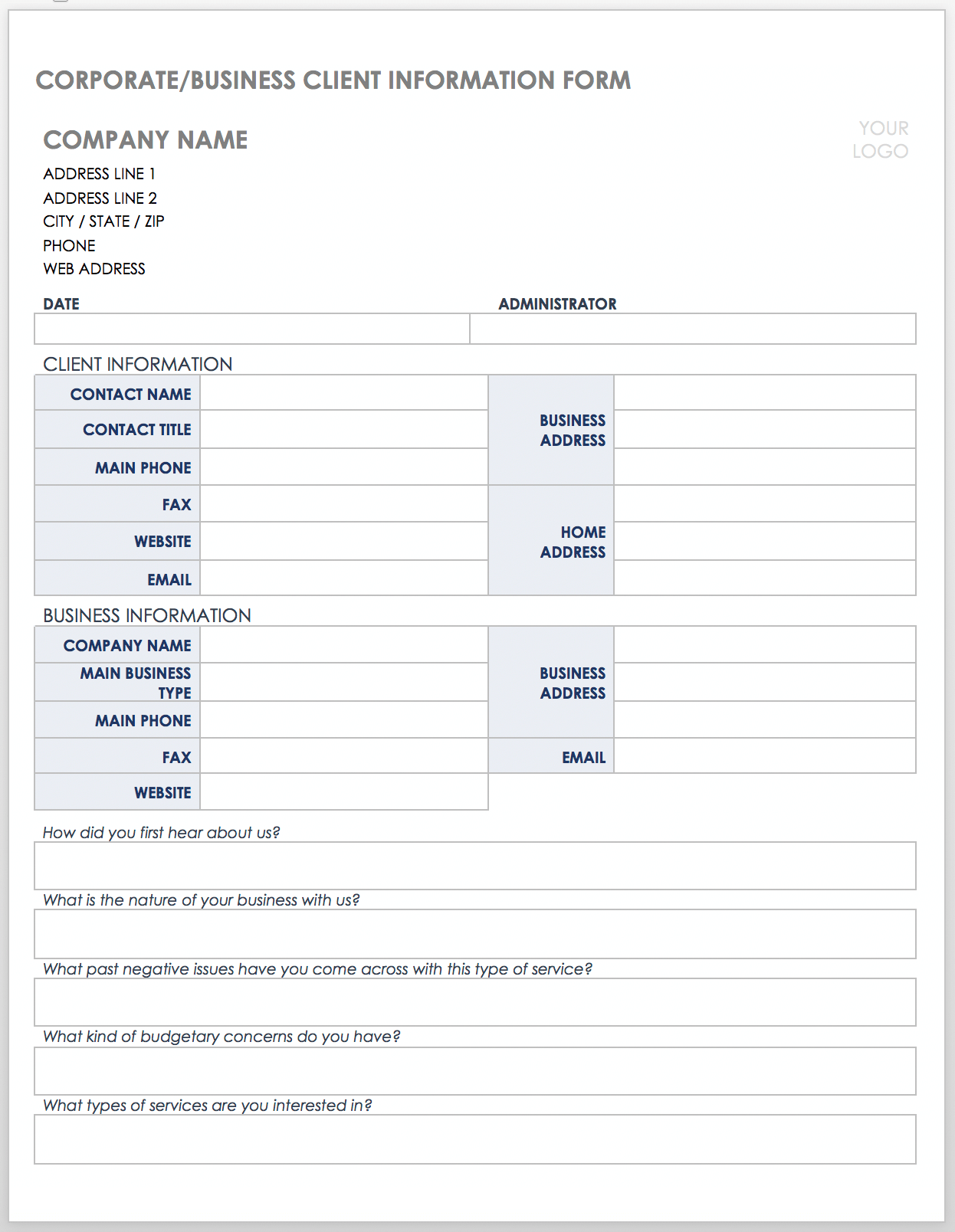
Designing a Client Set Up Process
A client set up form template should connect intake information to the operational steps required to create a working client record. The form is most effective when the information it collects has a clear destination.
For example, a consulting firm may use client information to create a project workspace, assign an account owner, establish billing information, and schedule a kickoff meeting.
A service business may use the same concept to create an account, record preferences, assign a staff member, and prepare an appointment.
The setup form should therefore distinguish between information provided by the client and actions that staff must perform. These are two different categories and should not be mixed unnecessarily.
A simple setup checklist might include client record created, contact information verified, agreement completed, billing details recorded, service selected, responsible employee assigned, and initial appointment scheduled.
These steps can be tracked separately from the client-facing form. The client supplies information, while the organization manages the resulting tasks.
This separation reduces confusion and helps prevent staff from treating a completed form as proof that every onboarding task has been completed.
Client setup should also include quality control. A quick review can verify that names are spelled correctly, contact information is complete, required documents are present, and the correct service or account type has been selected.
Where multiple employees handle onboarding, assigning ownership is especially important. A form can collect information perfectly while the workflow still fails if nobody is responsible for acting on it.
The strongest setup process therefore combines structured data, clear responsibilities, status tracking, and a defined handoff from intake to delivery.
That makes the editable form part of an operating system rather than merely a document that sits in a folder after submission.
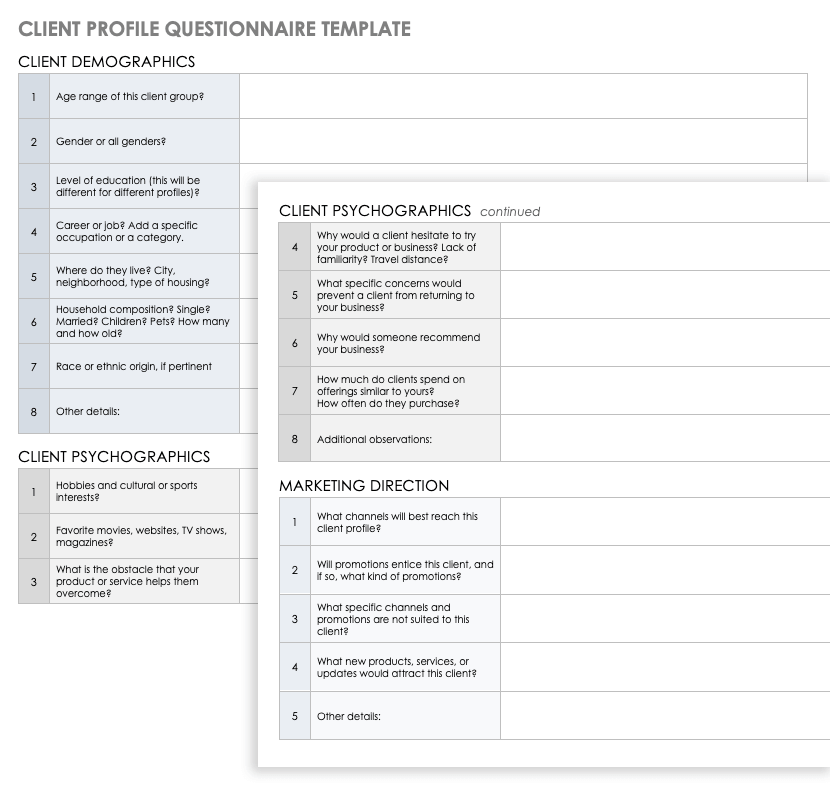
When to Use a New Client Form PDF
A new client form pdf can be useful when consistent page presentation, printing, or document archiving is important. PDF is particularly useful when the recipient should see the same layout regardless of the software used to open the file.
For paper workflows, a PDF can be printed and completed manually. This remains useful in environments where clients may not have convenient access to digital tools.
For digital workflows, a fillable PDF is preferable to a static PDF because clients can enter information directly into defined fields.
However, PDF is not always the most convenient digital format. Clients using smartphones may find an online form easier to complete, especially when the form contains many fields.
The correct choice depends on how the form will actually be used. A PDF can be an excellent final presentation format even when the master document is maintained in Word or another editable application.
PDF forms should be tested on multiple devices before distribution. Field alignment, text visibility, page breaks, and signature areas can behave differently depending on the software used to open the file.
If the document will be printed, check margins and writing space. A field that appears large on a desktop screen may be uncomfortable to complete on paper.
If the document contains sensitive information, consider how completed files will be transmitted and stored. Email attachments, shared folders, and personal devices may introduce risks that are unrelated to the design of the form itself.
A PDF should also have a clear filename and revision method. This makes it easier for staff and clients to distinguish the current version from an older document.
In short, PDF works best when consistency, printing, or controlled presentation is important, while editable source formats remain useful for ongoing maintenance.
The strongest workflow often treats PDF as one delivery format within a broader document-management process rather than the only version of the form.
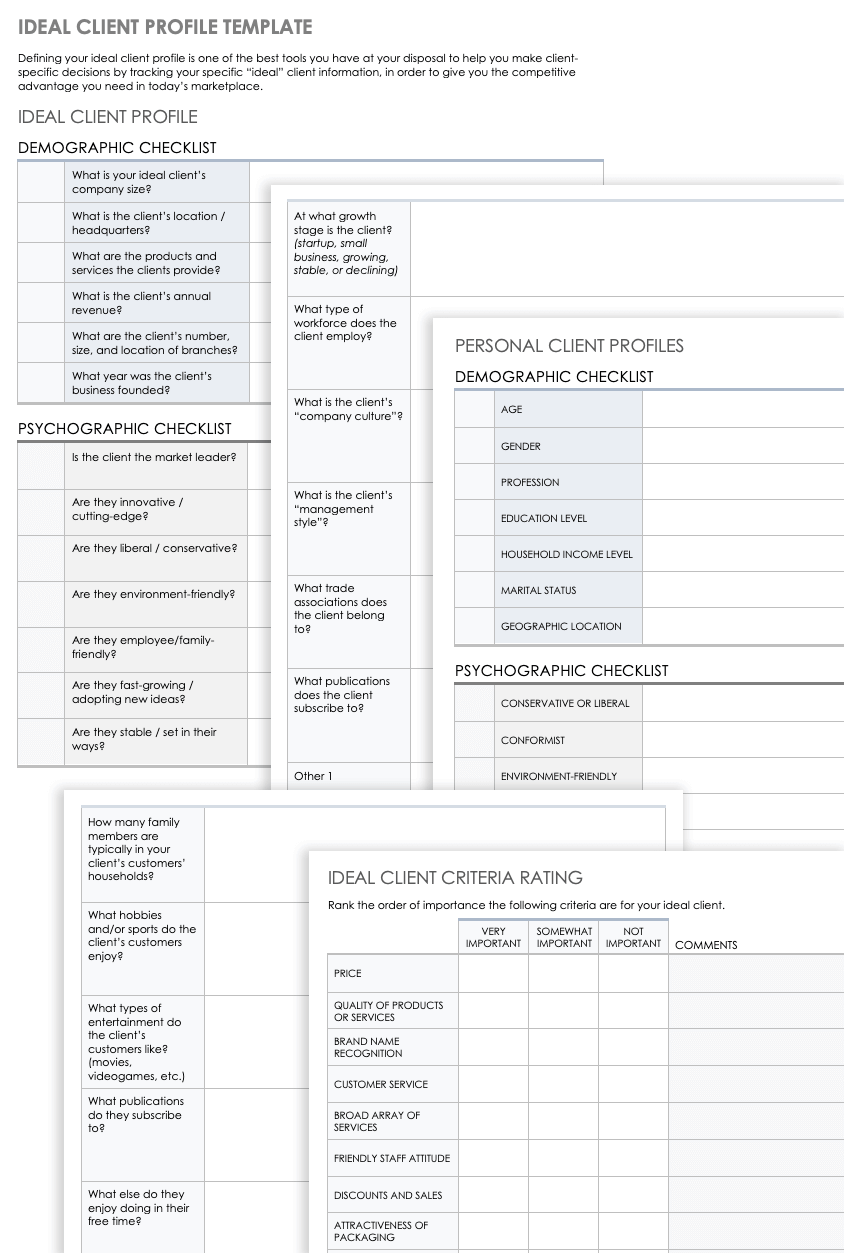
Using a New Client Sheet Template
A new client sheet template is especially useful when an organization needs to track multiple clients in a structured list. Unlike a narrative form, a sheet typically places one client record per row and one data category per column.
This structure makes it possible to sort clients, filter records, identify missing information, and create simple summaries. It can also support basic workflow tracking when carefully designed.
Columns might include client ID, client name, company, contact person, email, phone, service type, owner, status, start date, next action, and notes.
Not every field should be free text. Consistent status values such as “New,” “In Progress,” “On Hold,” and “Complete” can make filtering and reporting much easier.
Spreadsheets should not become oversized databases by accident. If the organization grows substantially or needs sophisticated permissions, audit trails, automation, or complex relationships, a dedicated system may be more appropriate.
For smaller teams, however, a well-structured sheet can be an effective operational tool. The important part is to define the fields and workflow before adding hundreds of records.
Use data validation where appropriate. Standardized dropdowns reduce spelling variations that can make filtering unreliable.
Freeze header rows and use readable column names. Avoid overly abbreviated labels that make the spreadsheet difficult for new team members to understand.
Separate client-facing information from internal commentary where possible. Internal notes may have different access requirements and should not automatically be exposed to every person who can view the client record.
Regular maintenance is essential. Remove duplicate records, update outdated contact information, and establish rules for inactive or closed clients.
A sheet works best when it remains intentionally simple. If employees need a training manual to understand what every column means, the structure may have become unnecessarily complicated.
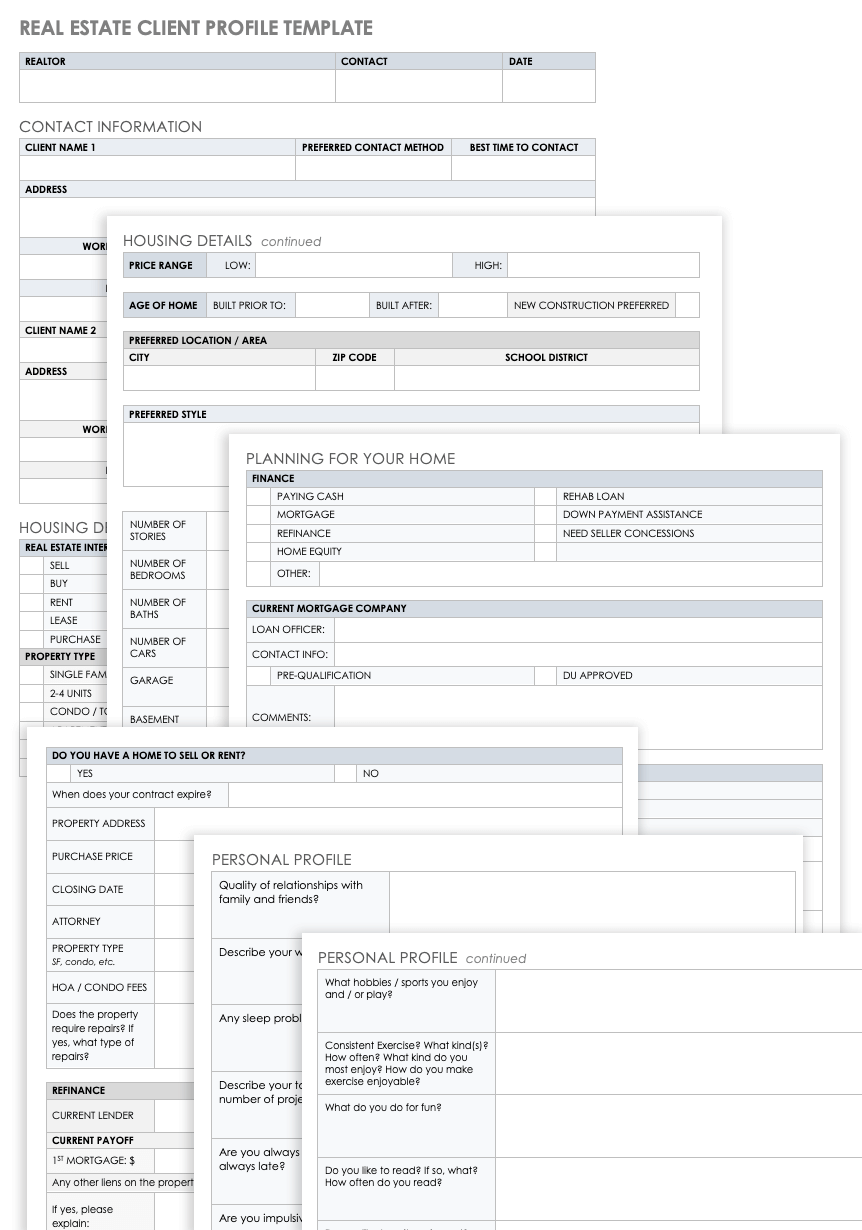
Common Mistakes When Creating Client Forms
One common mistake is asking too many questions. A form that attempts to capture every possible detail can discourage completion and reduce the quality of answers.
Another mistake is using vague wording. Questions such as “Additional information” or “Describe your needs” may be useful in some contexts, but they often produce inconsistent responses.
Forms can also fail when they use inconsistent terminology. If one section says “customer” and another says “client,” users may wonder whether the terms describe different categories.
Poor sequencing is another problem. Questions should generally move from simple identification toward more detailed information, rather than jumping randomly between topics.
Finally, many forms are designed for the person who created them rather than the person who completes them. Testing with real users is one of the best ways to uncover this problem.
Another frequent error is duplicating information across several sections. If the client must provide the same email address three times, the form creates unnecessary work and increases the chance of inconsistent answers.
Some forms also mix internal instructions with client-facing instructions. This can confuse clients and expose operational information that does not belong in the client version.
Overuse of open-ended questions can create another problem. Long answers are difficult to compare and may require additional interpretation. Use structured fields when a standardized response is sufficient.
At the opposite extreme, a form composed entirely of checkboxes may prevent clients from explaining unusual circumstances. A small number of carefully placed narrative fields can provide valuable context.
Forms also become outdated. Services change, contact preferences evolve, and workflows are redesigned. A review schedule helps prevent old forms from continuing to circulate.
The solution to most of these problems is not more technology. It is clearer purpose, better sequencing, appropriate field selection, user testing, and responsible maintenance.
Privacy, Security, and Responsible Data Collection
Client forms often contain personal or commercially sensitive information, so responsible data handling should be considered from the beginning of the design process.
Only collect information that has a legitimate purpose. Avoid adding sensitive fields merely because another template includes them.
Access should be limited according to job responsibilities. Employees who do not need certain information to perform their work should not automatically have access to it.
Storage matters as much as collection. A carefully designed form can still create risk if completed copies are stored indefinitely in uncontrolled locations.
Retention practices should be aligned with the organization’s professional, legal, contractual, and operational requirements. When in doubt, obtain appropriate professional advice rather than relying on a generic template.
Transmission should also be considered. Sending completed forms through ordinary email may not be appropriate for every type of sensitive information or every professional context.
Digital forms should be evaluated for account permissions, access controls, storage location, and how responses are exported or shared.
Paper forms require controls too. Physical documents should not be left in public areas, unattended reception desks, or unsecured filing locations.
Staff training is part of form security. Employees should understand which information is confidential, where completed forms belong, and who may access them.
For therapy and healthcare-related forms, privacy obligations can be particularly important. Professional practices should evaluate their documents and technology against the requirements that apply to their location and profession.
The safest template is not the one with the most security language. It is the one integrated into a process that responsibly controls collection, access, storage, use, and disposal of information.
Practical Example: A Consulting Client Intake
Consider a hypothetical consulting company that receives an inquiry from a growing business. The company needs enough information to determine whether the engagement is appropriate and prepare for an initial discovery call.
The first section collects the client’s name, company, job title, email, phone number, and preferred communication method. These fields establish the basic record.
The second section asks what service the client is interested in and what prompted the inquiry. This provides context without demanding a long technical explanation.
The third section asks about the desired outcome. For example, the client might want to improve an internal process, launch a new service, analyze operations, or create a strategic plan.
The fourth section collects practical constraints such as desired timing, key stakeholders, current systems, and relevant documents. These details help the consultant prepare for the first meeting.
The final section records internal next steps. Staff might mark the inquiry as awaiting review, discovery scheduled, proposal required, or not currently suitable.
This example demonstrates why the form should be designed around the workflow. The client is not asked to provide every detail that may eventually be needed.
Instead, the form gathers enough information to make the next decision. More detailed information can be collected after the engagement has been defined.
This staged approach can reduce completion time and improve the quality of the information provided.
It also prevents the intake document from becoming a substitute for discovery, consultation, or professional assessment.
A practical template should support human conversations rather than attempt to eliminate them.
Practical Solution: A Step-by-Step Implementation Plan
To implement an editable clients form template successfully, begin with a short requirements meeting involving the people who actually use client information. Ask what they need before starting work, what information is frequently missing, and which questions create unnecessary effort.
Create a master field list and divide it into required, conditional, optional, and internal fields. This becomes the foundation for the form instead of allowing the design to determine the data requirements.
Choose the simplest format that fits the workflow. Use Word when document editing and printing are priorities, Excel when structured records are central, PDF when consistent presentation is important, and an online form when mobile completion and structured submissions are more useful.
Build the first version with clear sections and plain language. Use descriptive labels, consistent field types, and enough space for responses. Keep instructions short and place them next to the relevant question.
Test the form with several realistic scenarios. Ask testers to complete it without verbal assistance and record every point where they hesitate or ask for clarification.
Revise the form based on those observations. Remove unnecessary questions, clarify ambiguous wording, and reorder sections where the workflow feels unnatural.
Next, create a simple operational procedure. Define who sends the form, who reviews it, what happens when information is missing, where the completed record is stored, and who owns the next step.
Establish a version-control process before the form is widely distributed. A master copy should have a clear owner, and changes should be reviewed rather than made independently by multiple employees.
Set a review interval appropriate to the business. A rapidly changing service may require more frequent review than a stable administrative process.
Finally, measure practical outcomes. Useful measures include completion rate, frequency of missing information, time spent correcting records, number of follow-up requests, and whether staff can move from intake to the next workflow step without unnecessary delays.
The objective is not to create the most sophisticated form. The objective is to create a reliable bridge between client information and useful action.
Reference Examples
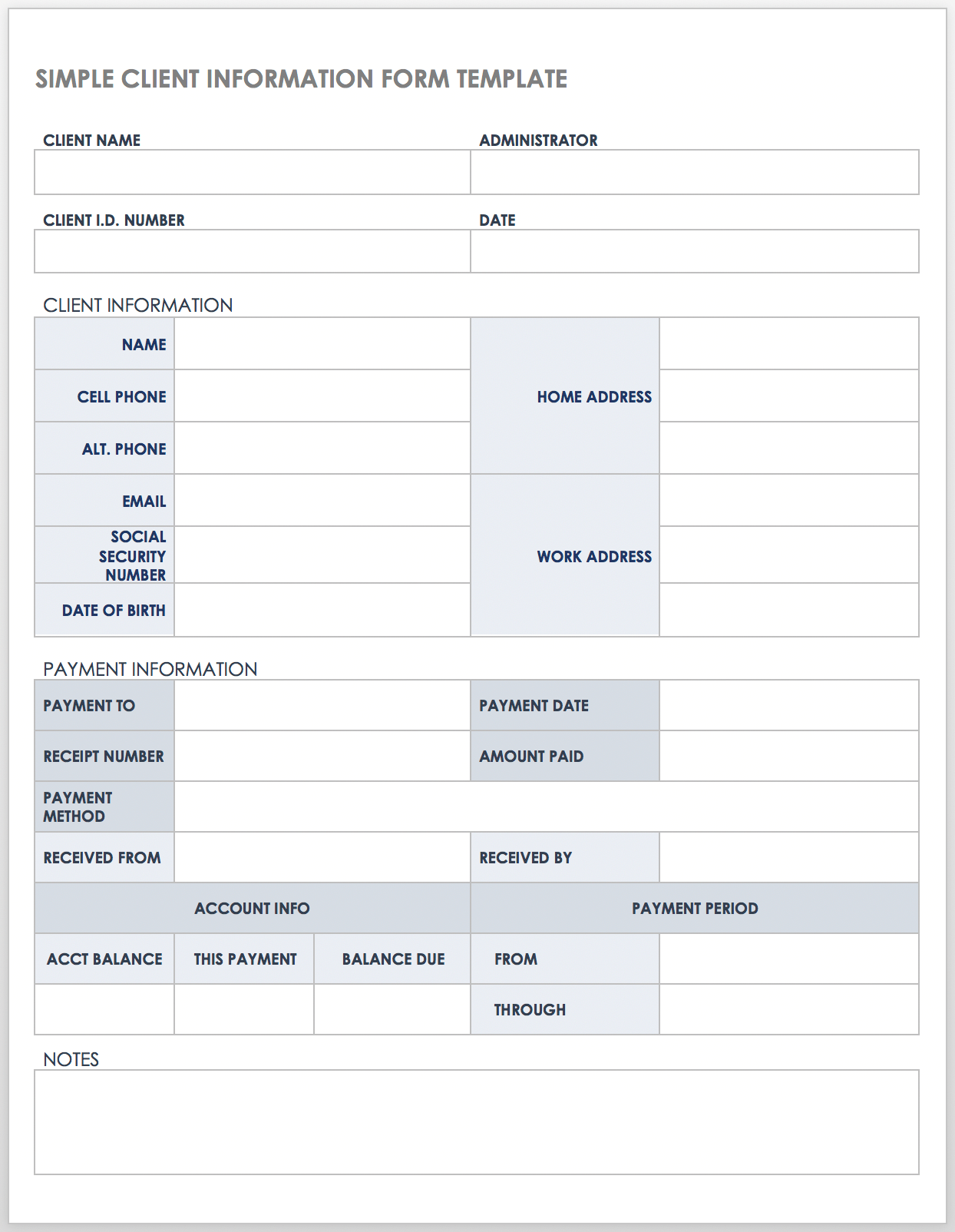
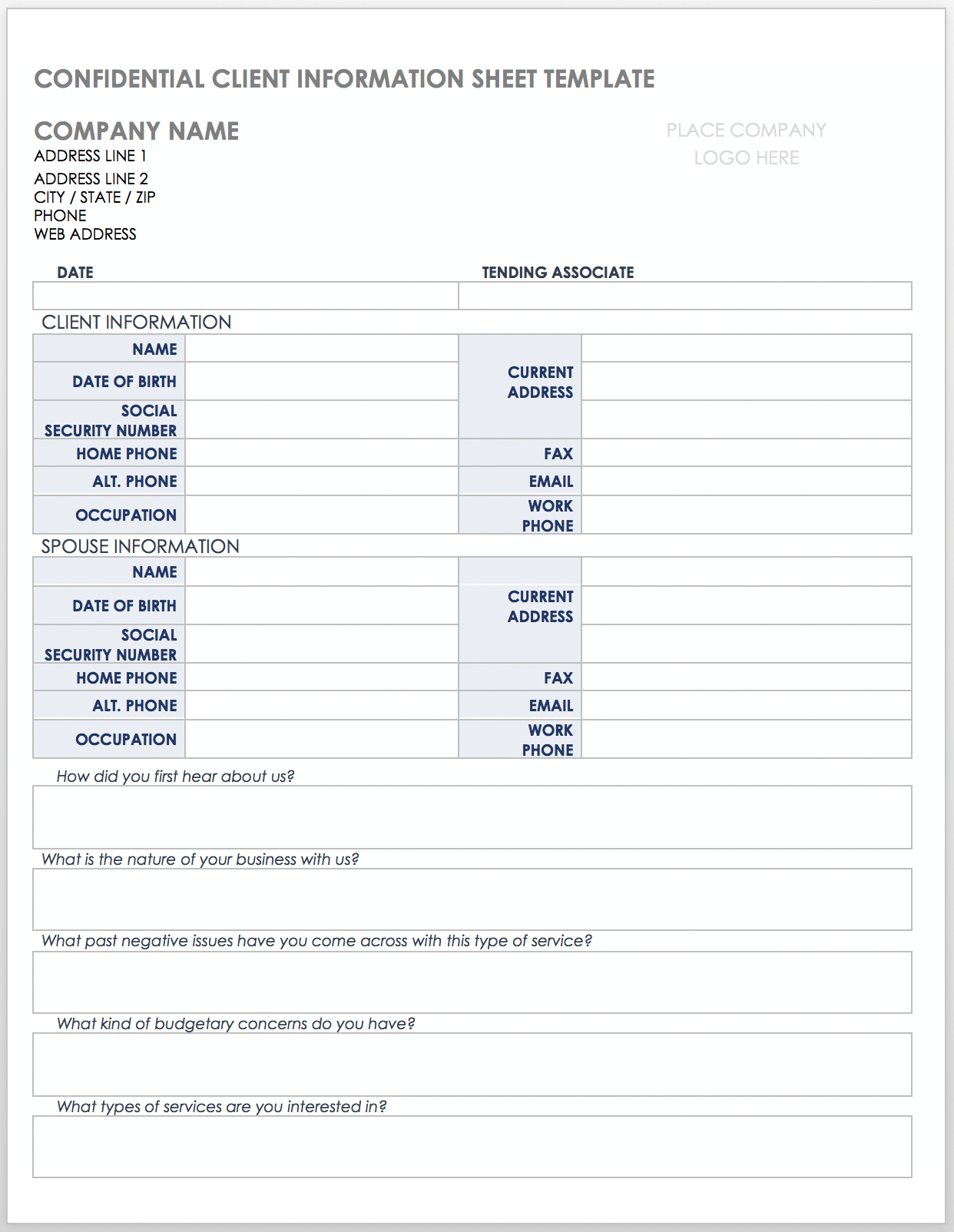
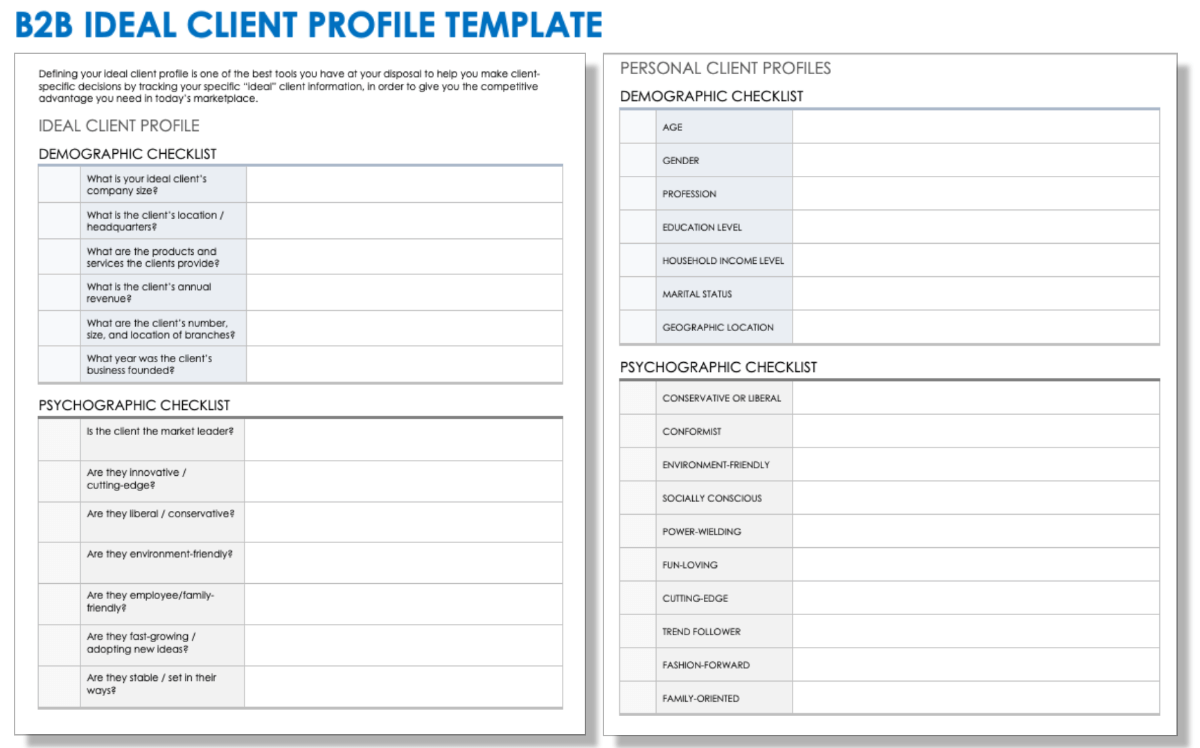
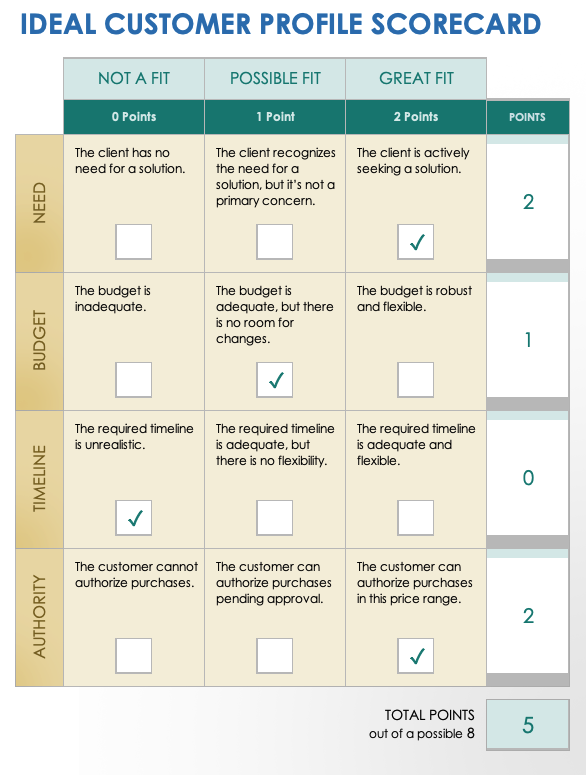
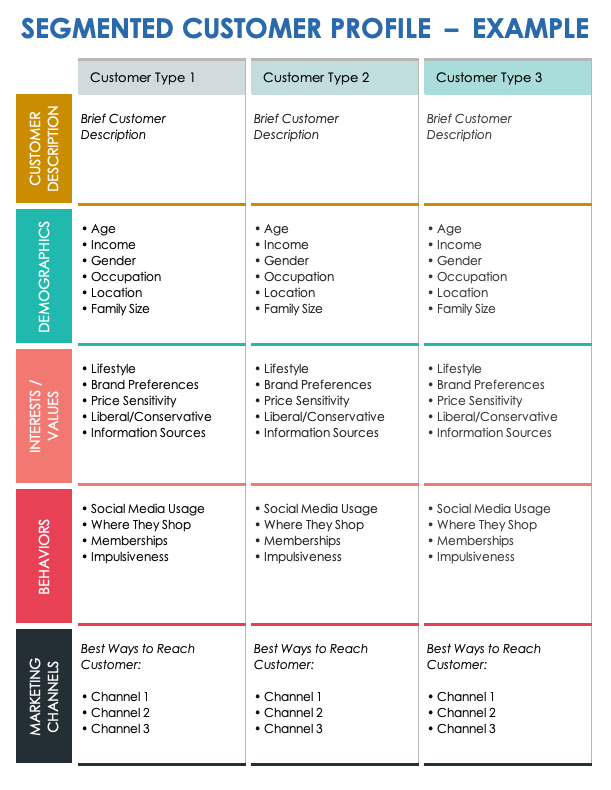
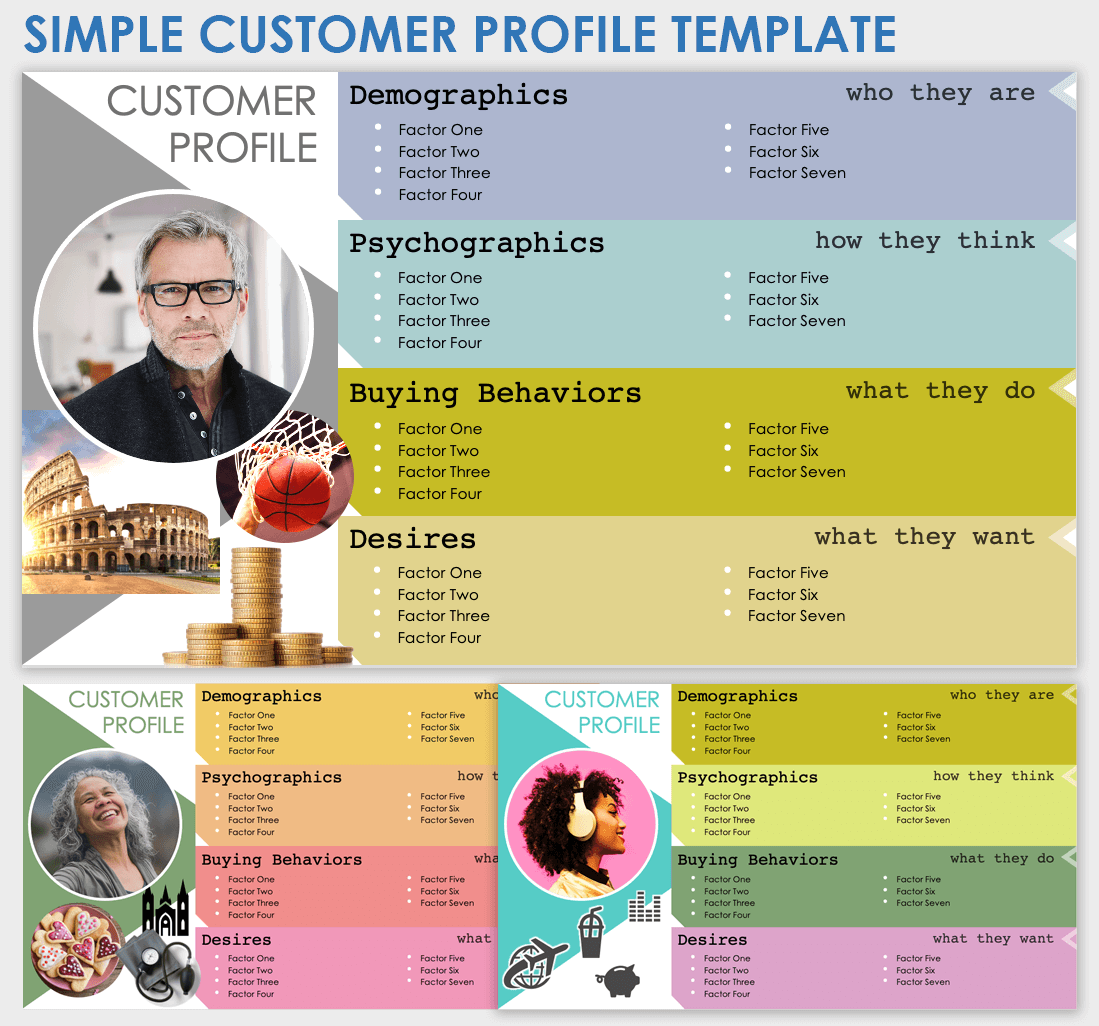
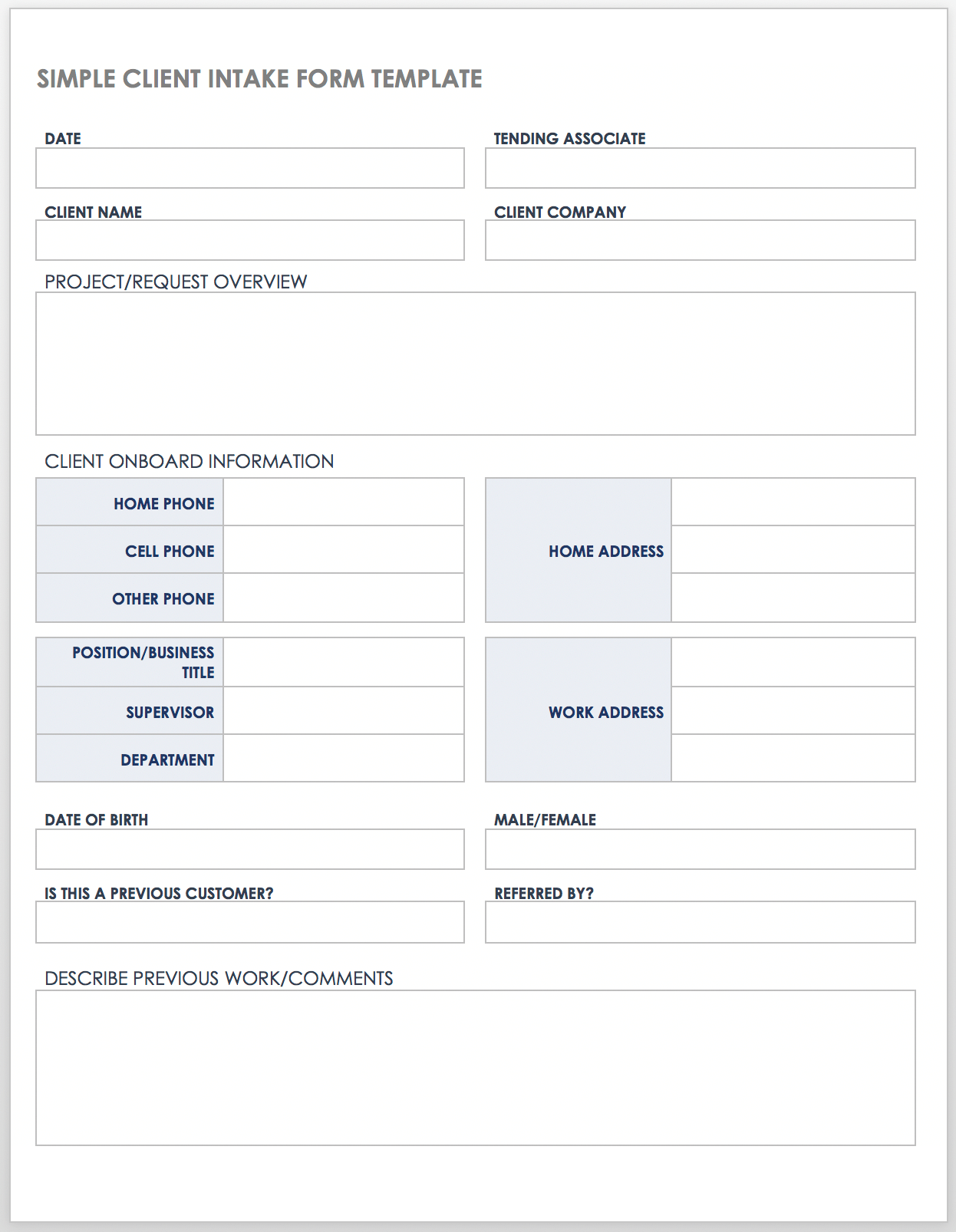
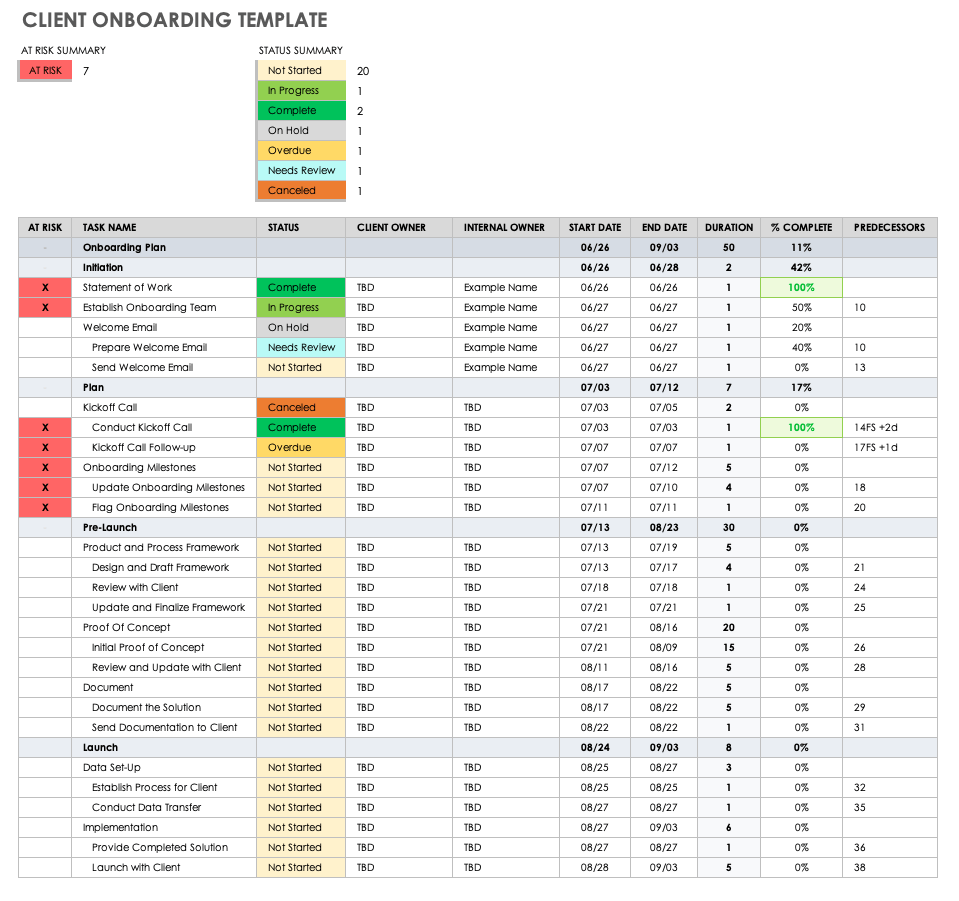
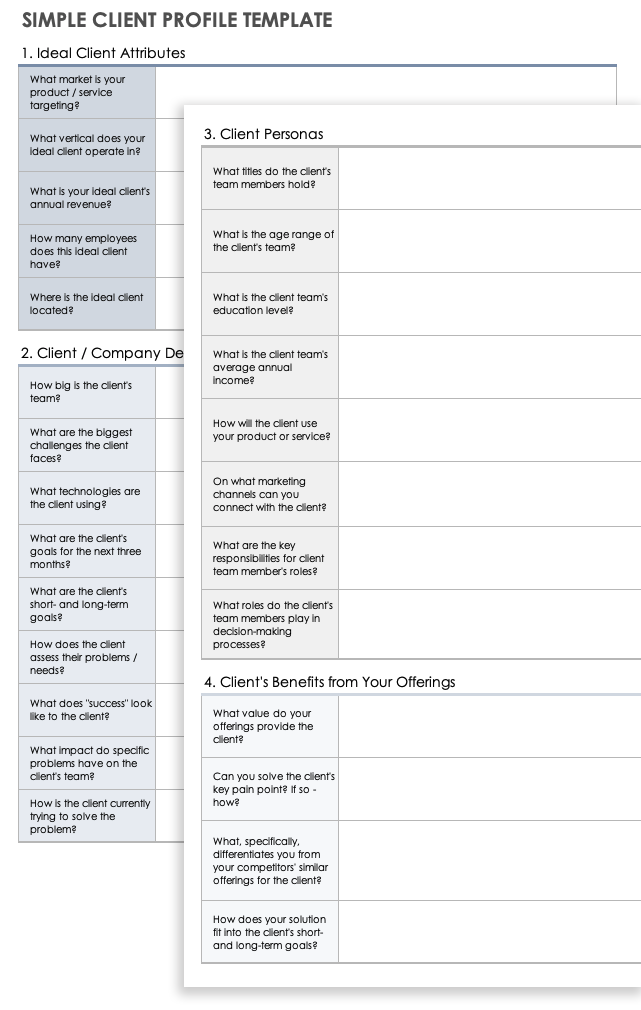
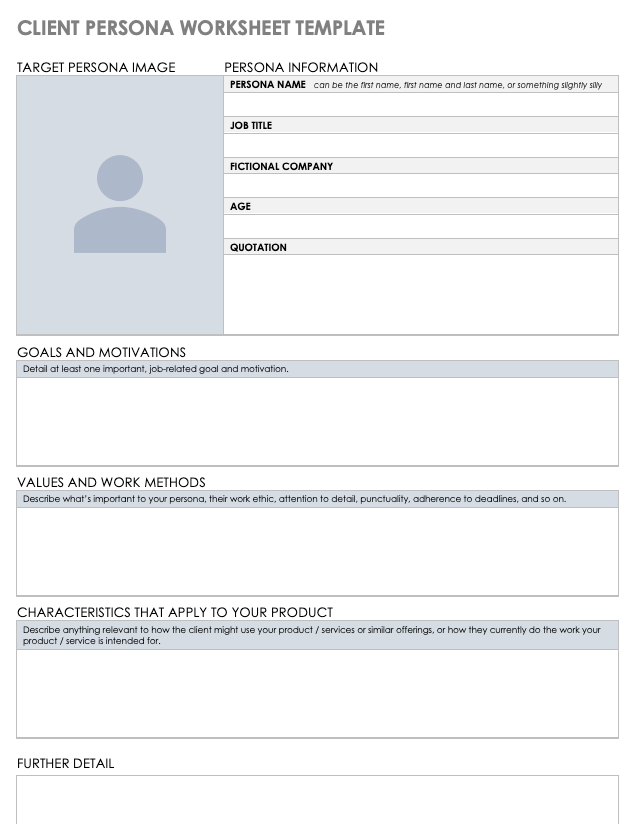
The following reference examples illustrate different approaches to client intake, information collection, profile development, onboarding, and structured client records. They are visual examples rather than universal forms or official requirements.
editable clients form template word
Source: Smartsheet
editable clients form template free
Source: Smartsheet
editable clients form template free download
Source: Smartsheet
editable clients form template pdf
Source: Smartsheet
editable clients form template download
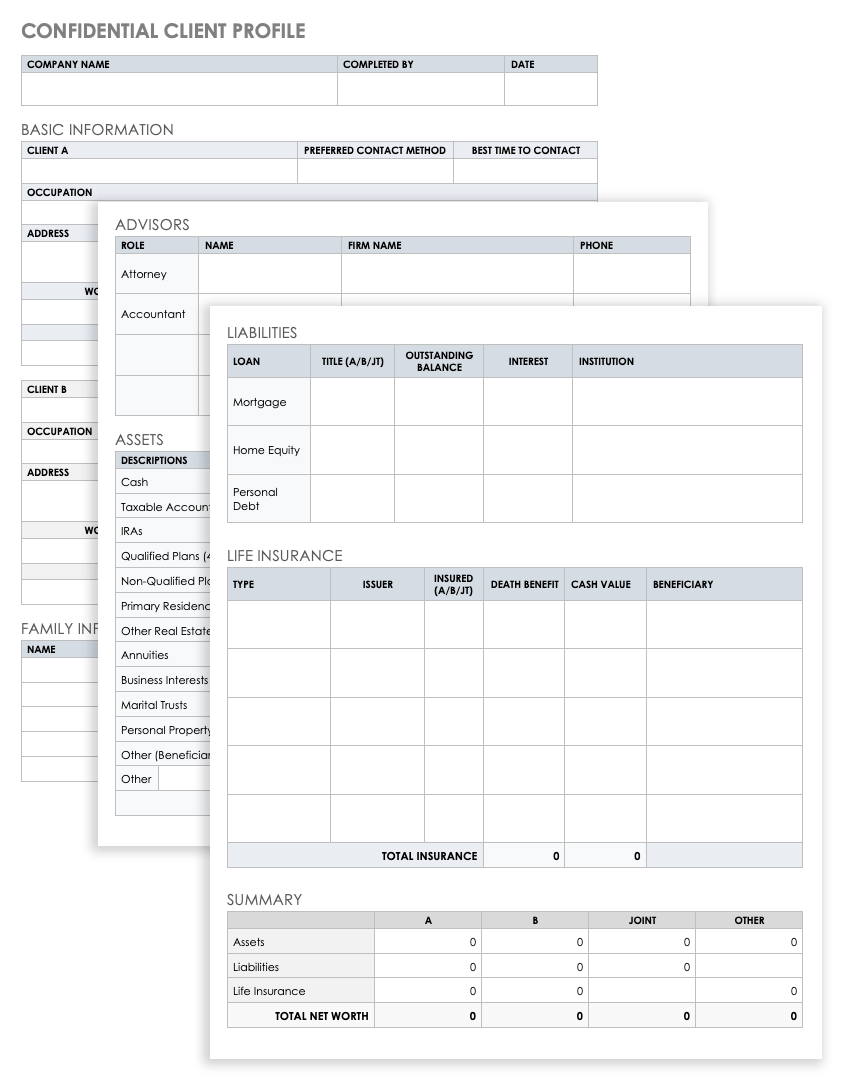
Source: Smartsheet
editable clients form template excel
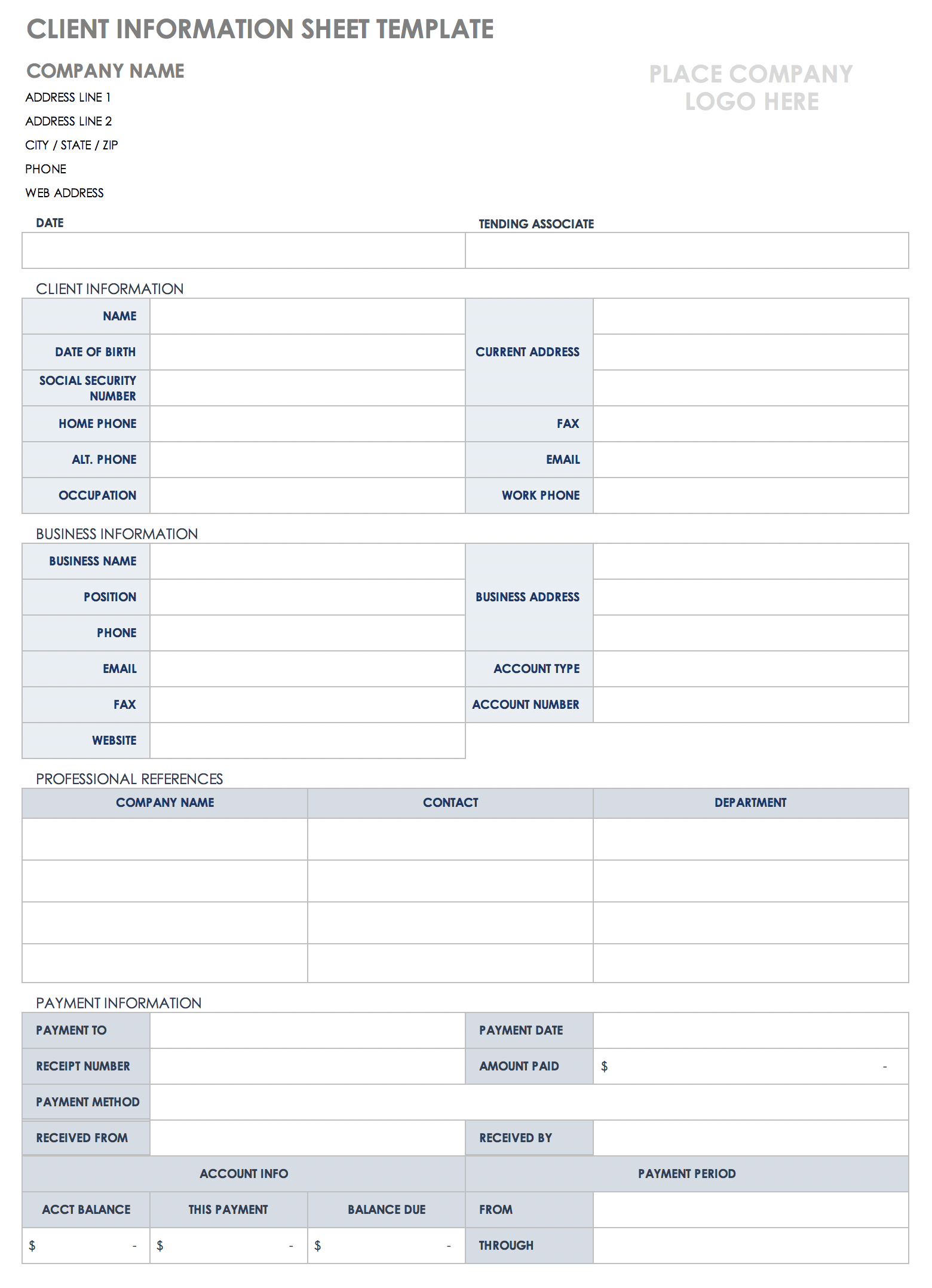
Source: Smartsheet
editable clients form template for therapy
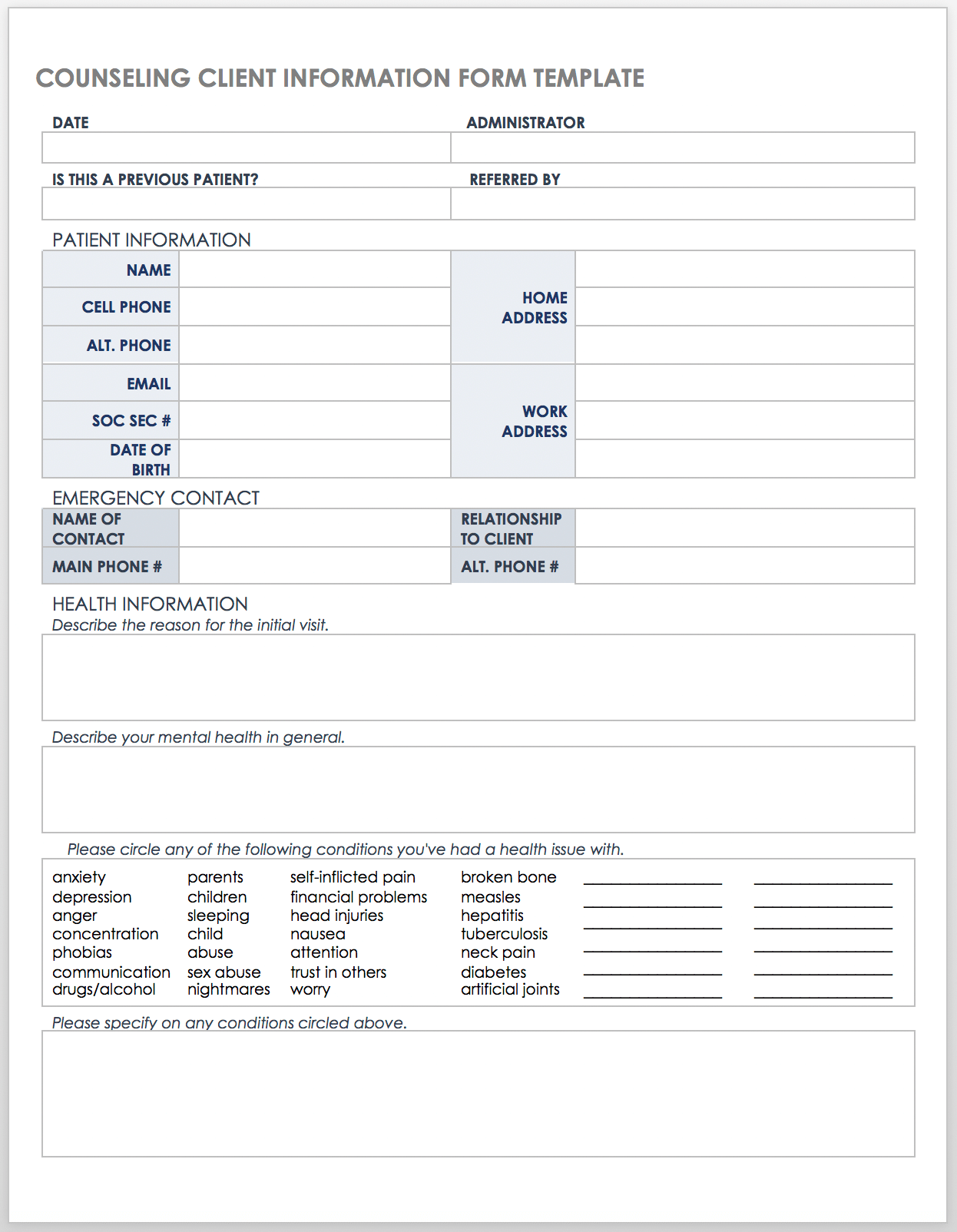
Source: Smartsheet
new client template form
Source: Smartsheet
client set up form template
Source: Smartsheet
client data form template
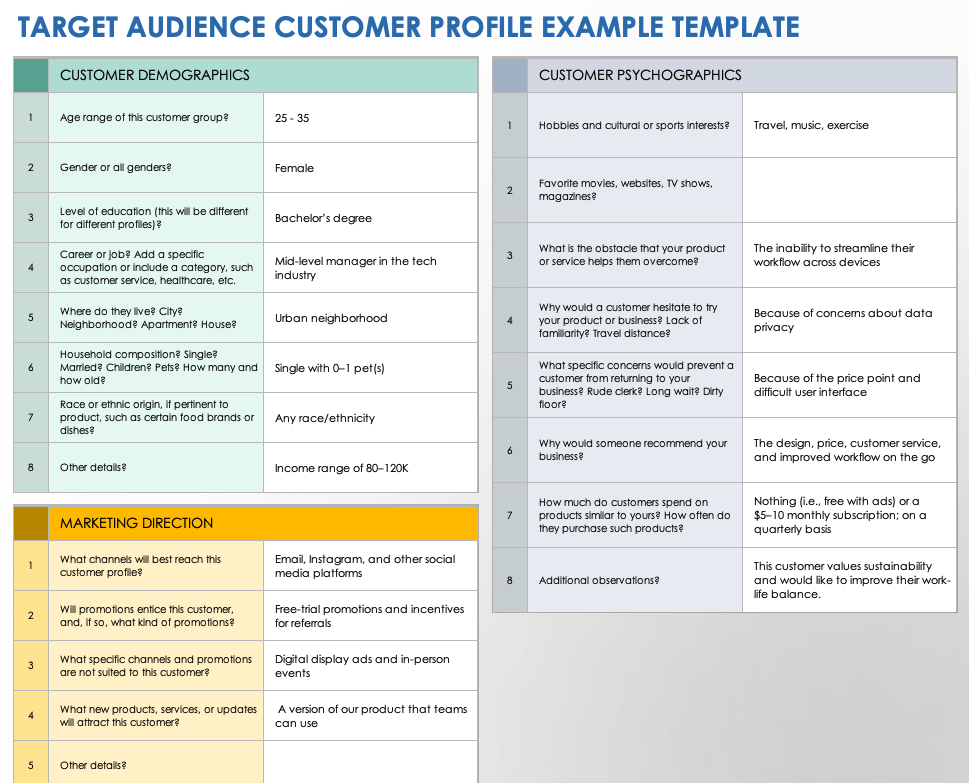
Source: Smartsheet
new client form pdf
Source: Smartsheet
new client sheet template
Source: Smartsheet
Frequently Asked Questions
What should an editable client form contain?
A general form usually includes client identification, contact information, relevant organization details, requested services, goals or needs, communication preferences, administrative information, and notes. Specialized industries may require additional sections.
Is Word a good format for an editable client form?
Yes. Word is useful when the form needs frequent text and layout changes, branding, printing, or narrative instructions. It is particularly practical for maintaining a master document that can be customized before distribution.
When should I use Excel instead of Word?
Excel is useful when you need to manage many client records in a structured table. It can support filtering, sorting, standardized fields, and basic tracking. It requires careful access and data-management practices when sensitive information is involved.
Is a PDF editable?
A PDF may be static or fillable. A static PDF generally preserves presentation but may require printing or additional software for editing. A properly configured fillable PDF can allow users to enter information directly into designated fields.
How long should a client intake form be?
There is no universal ideal length. The form should be long enough to collect information required for the next workflow step but short enough that clients can complete it accurately. Unnecessary questions should be removed.
Should every client receive the same form?
Not necessarily. A core form can provide consistency, while conditional sections or specialized versions can address different services. The important goal is to avoid collecting information that is irrelevant to the client.
What makes a client form easy to complete?
Clear labels, logical sections, plain language, adequate response space, consistent field types, concise instructions, and a sensible question sequence all improve usability.
Should a therapy intake form be different from a business intake form?
Yes. Therapy intake may involve sensitive personal and health information and should be designed around the clinician’s professional workflow and applicable privacy, legal, ethical, and regulatory requirements.
How often should a client form be updated?
Review the form whenever the service, workflow, professional requirements, technology, or information needs change. A periodic review is also useful for identifying questions that clients routinely misunderstand or leave incomplete.
Can a client form replace a consultation?
Usually not. A form is a structured information-collection tool. Depending on the service, professional judgment, discovery conversations, assessments, or consultations may still be necessary to understand the client’s situation fully.
Conclusion
An editable clients form template is most valuable when it is designed around a real workflow rather than treated as a generic document. The strongest templates collect necessary information, organize it logically, use clear language, support the appropriate file format, and connect directly to the actions that follow intake. Whether the final document is maintained in Word, Excel, PDF, or another system, the objective remains the same: make client information easier to collect, understand, protect, and use. A thoughtful template can reduce repetitive administration, improve consistency, create a more professional client experience, and give teams a dependable foundation for onboarding and ongoing service.
