For a small business, a spreadsheet may be enough to create a reliable starting point. Larger organizations may eventually move the same information into dedicated asset management software, but the underlying data structure remains important. A useful register needs consistent identifiers, clear ownership, dependable status values, meaningful dates, and rules for updating information. ISO 55000:2024 frames asset management around realizing value from assets across their life cycles, while ISO 55001:2024 provides requirements for an asset management system. :contentReference[oaicite:0]{index=0}
The practical challenge is not simply finding a template. The challenge is designing a log that people will actually maintain. If the form contains too many fields, users may skip important information. If it contains too few fields, managers may not be able to determine ownership, condition, warranty status, maintenance history, or replacement needs. The best approach is to begin with decisions the organization needs to make and then build the log around the information required for those decisions.
This guide explains how to design an asset management log, choose between Excel, Word, PDF, and Google Sheets formats, create an asset register, collect reliable information, conduct physical verification, connect the log with maintenance and financial records, and turn basic inventory data into useful management information.
Whether you are creating a first register for a small office or improving an established process across multiple locations, the goal is the same: create one dependable record that makes asset information easier to find, verify, maintain, analyze, and use.
What Is an Asset Log?
What is an asset log? In practical terms, an asset log is a controlled record of identifiable assets and the information needed to manage them. Each asset normally receives its own record or row, allowing the organization to connect the item with an identifier, description, location, custodian, condition, financial information, lifecycle status, and relevant events.
An asset log is closely related to an asset register, but the terminology can vary between organizations. Some teams use “asset log” for a simple operational record, while “asset register” may imply a more formal controlled record that supports accounting, compliance, maintenance, insurance, or audit activities. The important issue is not the label but whether the record supports the decisions the organization needs to make.
A useful log should answer basic questions quickly. What assets exist? How many are currently deployed? Where is a particular item supposed to be? Who has custody? When was it purchased? Is it under warranty? When was it last inspected? What condition is it in? Has it been repaired? Should it be replaced, transferred, returned, or retired?
The distinction between an asset log and a stock list is also important. A stock list often focuses on quantities of interchangeable goods or consumable inventory. An asset log usually focuses on individually identifiable items such as laptops, vehicles, machinery, cameras, servers, tools, furniture, or other equipment that remain under organizational control over a longer period.
Modern asset management also extends beyond physical objects. Depending on the organization’s scope, assets can include software, licenses, contractual rights, infrastructure, information, or other resources. ISO 55000 emphasizes that asset management is concerned with value, risk, and lifecycle considerations rather than merely keeping a physical list. :contentReference[oaicite:1]{index=1}
Why the Definition Matters
If an organization defines an asset too narrowly, important information may remain outside the register. If it defines an asset too broadly, the log can become difficult to maintain. A practical definition should identify which resources require individual control and which can be managed through quantities, categories, or another system.
For example, a company may assign unique asset IDs to laptops, monitors, vehicles, and specialized tools while tracking disposable stationery through a separate inventory process. The choice should reflect operational risk, value, accountability, and the cost of maintaining detailed records.
The definition should also explain what happens when an asset moves. A laptop transferred from Finance to Sales remains the same asset. Its asset ID should normally remain unchanged while its custodian, department, or location is updated. Keeping identity stable makes historical reporting much easier.
Another important principle is that retired assets should not simply disappear from the record. Changing the lifecycle status to “Retired,” “Disposed,” or another approved status preserves historical information and prevents the organization from confusing an old record with a missing asset.
When these definitions are agreed before data collection begins, the resulting asset management log template becomes much easier to use consistently across departments and locations.
Why an Asset Management Log Is Important
An effective asset log creates visibility. Without a central record, information tends to become fragmented between purchase invoices, email conversations, spreadsheets, maintenance notes, accounting systems, and employees’ memories. Fragmentation makes simple questions unnecessarily difficult to answer.
A centralized record can improve accountability because each asset can have a named owner, custodian, department, or responsible function. Accountability does not necessarily mean that the person is financially responsible for the asset; it means that someone knows what the asset is, where it should be, and what action is expected when something changes.
The log also supports operational planning. If several laptops are approaching the end of their planned service period, management can schedule replacements instead of waiting for multiple failures. If a machine has repeated repair events, maintenance data can support a more informed replacement decision.
Asset information can also support financial processes. Purchase cost, capitalization date, depreciation information, current value, and disposal information may be relevant to accounting records, although the operational register should not automatically be treated as the organization’s official accounting ledger unless the organization has designed it that way.
Finally, a dependable log improves audit readiness. During an internal review, an auditor may need to reconcile physical equipment against records, confirm responsible departments, review maintenance evidence, or investigate discrepancies. A structured register reduces the amount of manual reconstruction required.
Visibility, Accountability, and Risk
Asset visibility is especially valuable when equipment moves frequently. Portable computers, projectors, cameras, measurement instruments, tools, and temporary equipment can change hands many times during their useful lives.
A movement history helps explain those changes. Instead of overwriting a location field without explanation, the organization can record the old location, new location, date, reason, and person responsible for the transfer.
This history can also reveal process weaknesses. If equipment repeatedly appears in an unknown location, the problem may not be individual negligence. The organization may have a weak check-out process, inconsistent labeling, unclear responsibility, or insufficient update controls.
Risk information can be incorporated into the log through fields such as criticality, condition, maintenance priority, warranty status, compliance date, or replacement priority. Not every organization needs every field, but high-risk assets should generally receive more structured attention than low-risk items.
The objective is therefore not to create the longest possible spreadsheet. It is to create a record that makes important risks visible early enough for someone to act.
Core Fields in an Asset Management Log Template
The first version of an asset management log template should contain fields that support identification, accountability, location, condition, lifecycle decisions, and documentation. A practical structure can begin with a unique Asset ID, asset name, category, serial number, manufacturer, model, status, custodian, department, location, purchase date, purchase cost, warranty end date, condition, last verification date, and notes.
Asset ID is particularly important because it becomes the stable reference used across the register, labels, maintenance records, handover forms, audit reports, and other documents. It should be unique and should not change simply because an asset moves to another department.
The location field should be specific enough to find the item. “Head Office” may be adequate for a fixed server room asset in a small organization, but a portable laptop may need a more precise combination of site, floor, room, department, or assigned user.
Custodian and ownership fields should be defined carefully. “Owner” might refer to the business unit that controls the asset, while “custodian” might refer to the person currently using or safeguarding it. Keeping those concepts separate can prevent confusion when equipment is temporarily assigned to someone outside its owning department.
Status and condition should not be treated as the same thing. Status describes lifecycle or availability, such as In Use, Available, In Repair, In Storage, Lost, Retired, or Disposed. Condition describes physical or operational state, such as Excellent, Good, Fair, Poor, or Damaged.
Recommended Data Categories
Identity fields establish what the asset is. These include Asset ID, asset name, category, serial number, manufacturer, and model.
Location and custody fields explain where the asset should be and who is responsible for it. These can include site, building, room, department, custodian, and assigned user.
Financial fields can include purchase date, purchase cost, capitalization date, depreciation method, current book value, supplier, contract reference, and disposal value when applicable.
Lifecycle fields show whether the item is planned, ordered, received, deployed, maintained, transferred, stored, retired, or disposed. Organizations should use a controlled set of statuses rather than allowing unlimited free-text descriptions.
Evidence fields can include purchase order references, invoice references, photographs, warranty documents, inspection records, service reports, transfer forms, and disposal certificates. These fields can link the register to supporting evidence without placing every document directly inside the spreadsheet.
Choosing the Right Format
The best format depends on the size of the asset population, number of users, frequency of updates, reporting requirements, and level of control required. A small organization with one administrator may manage effectively with a spreadsheet, while a distributed organization with frequent asset movements may need a dedicated system.
Excel remains useful because it is familiar, flexible, and capable of formulas, filters, data validation, conditional formatting, pivot tables, and charts. It is often a practical first step when the organization is establishing its process rather than buying software immediately.
Google Sheets is useful when several authorized users need to work from the same cloud-based register. Its collaboration features can reduce the problem of multiple competing spreadsheet versions, although access controls, ownership, backups, and change management still need to be designed properly.
Word is better suited to structured forms, handover documents, policies, inspection forms, and printable records than to large datasets. A Word document may be useful when someone needs to sign an equipment handover or complete a physical inspection.
PDF is primarily useful as a stable presentation or printable record. It is generally less convenient for ongoing data entry than Excel or Google Sheets, but it can be valuable for approved forms, archived reports, inspection records, and documentation that should not be casually edited.
When Excel Is a Good Starting Point
Excel is a strong starting point when the organization has a manageable number of assets, a small number of editors, relatively predictable update activity, and someone who can take ownership of the master workbook.
A useful workbook can contain separate tabs for the asset register, maintenance log, movement history, check-out records, lookup lists, and dashboard. Keeping related information in separate tables prevents the main register from becoming an enormous collection of repeated maintenance entries.
Dropdown lists can standardize values for status, condition, category, department, location, and priority. This matters because “In use,” “In Use,” “Active,” and “Currently used” can become four different values in analysis even though users intended the same thing.
Conditional formatting can highlight overdue warranties, upcoming inspections, missing custodians, assets marked for replacement, or records that have not been physically verified within the organization’s review interval.
The important limitation is that a spreadsheet is only as reliable as its governance. If several uncontrolled copies exist, users edit formulas, or nobody is responsible for updates, the technical capabilities of Excel will not solve the underlying process problem.
How to Build an Asset Management Log Step by Step
Start by defining scope. Decide which asset categories belong in the log, which items require individual IDs, which records will remain in accounting or maintenance systems, and which information needs to be synchronized between systems.
Next, establish a naming convention. Use stable asset IDs that are unique, readable, and practical to print on labels. Avoid encoding information that changes frequently into the ID. For example, an ID that contains a department name can become misleading after a transfer.
Then define controlled values. Decide in advance which statuses, conditions, categories, departments, locations, and criticality ratings will be accepted. This creates consistency before data entry begins.
After that, collect source information. Gather purchase records, existing spreadsheets, equipment lists, warranty documents, maintenance records, employee handover forms, and relevant accounting information. Treat imported data as unverified until it has been reconciled.
Finally, perform physical verification. Walk through the relevant locations, identify assets, scan or read asset tags, compare serial numbers, confirm custodians, inspect condition, and record discrepancies. A register built entirely from old paperwork can reproduce old errors.
Step 1: Define the Scope
Scope determines what the log is supposed to accomplish. A company might include laptops, desktops, monitors, servers, vehicles, machinery, tools, and office equipment while excluding low-value consumables.
Some organizations may also include leased assets. This is useful because leased equipment still creates operational responsibilities even if ownership remains with another party.
Software and subscriptions can also be managed, but they often require different fields. License counts, renewal dates, assigned users, subscription costs, and contract terms do not fit neatly into a physical equipment register.
For that reason, it is often better to define related asset categories and separate supporting tables instead of forcing every type of asset into one giant worksheet.
A clearly documented scope prevents arguments later about whether an item was “supposed” to be in the register and makes the audit process more objective.
Step 2: Create Unique IDs and Labels
A permanent asset ID creates the bridge between the physical object and the digital record. The identifier should be unique and durable enough to remain useful for the asset’s entire lifecycle.
Labels can contain the asset ID as text and may also include a barcode or QR code. The code can accelerate scanning, but the label should remain readable even if the scanning system is temporarily unavailable.
Serial numbers should also be recorded whenever available. The manufacturer serial number is not a replacement for the organization’s internal asset ID because serial-number formats vary and some items may not have reliable serial numbers.
For harsh environments, label materials should be selected for durability. A paper label that falls off during normal use creates a significant tracking problem even if the database is perfectly designed.
The label should not expose unnecessary sensitive information. An internal identifier is usually safer than printing personal details or confidential operational information on the physical asset.
Step 3: Perform a Baseline Inventory
The baseline inventory establishes the initial population. Teams should work systematically by site, room, department, or asset category rather than searching randomly.
For each item, verify the physical identifier against the register. If an item exists physically but has no record, create a controlled exception rather than silently adding it without investigation.
If a record exists but the physical item cannot be found, mark it for investigation. Do not immediately classify it as lost unless the organization’s investigation process supports that conclusion.
Condition should be assessed consistently. A simple rating scale can be supported with definitions, such as “Good: normal wear with no material operational limitation” and “Poor: significant deterioration requiring planned corrective action.”
Photographs can be particularly useful for high-value or difficult-to-identify equipment. They provide visual evidence that can help distinguish similar models and support future verification.
Once the baseline is complete, discrepancies should be categorized. Typical categories include missing asset, duplicate record, incorrect location, incorrect custodian, incorrect serial number, damaged asset, unrecorded asset, and retired asset still shown as active.
Prioritize discrepancies by risk. A missing laptop may require faster investigation than a mislabeled chair because the consequences and information-security implications are different.
The objective is not to make the first inventory perfect. It is to establish a controlled baseline and a process for correcting exceptions.
A good register becomes more valuable over time because each verified event improves confidence in the underlying information.
Designing the Register for Daily Use
A register that looks impressive but takes too long to update will gradually become inaccurate. Design the workflow around the people who will enter information most frequently.
Use simple field names. “Last Physical Verification Date” is clearer than an unexplained abbreviation. If a field requires special rules, document them in a data dictionary.
Use dropdowns where practical. Free-text fields should be reserved for information that genuinely varies, such as notes or detailed descriptions.
Keep one authoritative master record. If users need filtered views, create controlled views rather than separate copies that can diverge from the source.
Record changes as events when history matters. Moving an asset should create a movement record rather than merely changing the current location.
Separate current state from history. The main register can show the current location and custodian, while a movement table records the sequence of previous assignments.
Make required fields obvious. At minimum, a deployed asset should normally have an ID, description, status, location or custodian, and verification information.
Do not make every field mandatory. Excessive mandatory fields encourage users to enter meaningless placeholders simply to complete a form.
Use validation rules to prevent impossible dates, duplicate asset IDs, invalid status values, and inconsistent categories where the software supports those controls.
Finally, test the template with real examples before deploying it. A template that works perfectly with five sample rows may behave differently when it contains thousands of records.
Asset Maintenance and Lifecycle Tracking
Asset management becomes substantially more useful when the register connects the current inventory with lifecycle events. Acquisition, deployment, use, maintenance, transfer, storage, retirement, and disposal should form a coherent history.
A lifecycle approach helps management consider more than purchase price. An asset can become expensive because of maintenance, downtime, energy consumption, licensing, spare parts, support contracts, or operational inefficiency.
ISO 55001:2024 places greater emphasis on lifecycle management and links asset-related decision-making with organizational objectives, risk, performance, expenditure, and value. :contentReference[oaicite:2]{index=2}
Maintenance records should normally reference the same Asset ID used in the main register. This makes it possible to calculate maintenance cost by asset, review recurring failures, and identify equipment with unusually high service demand.
Warranty information should also be connected to lifecycle planning. An upcoming warranty expiry can trigger an inspection or replacement assessment rather than becoming a date that is discovered only after a failure.
Disposal should be treated as a controlled event. The record should identify the disposal date, method, approval where applicable, residual value when relevant, and supporting documentation.
For information-bearing devices, disposal may also involve data sanitization. The exact technical procedure should follow the organization’s security requirements and applicable regulations rather than being improvised inside the asset register.
Lifecycle management therefore turns the log from a static inventory into an operational history that supports better decisions throughout the asset’s useful life.
Using Data Collection and Audits Effectively
Data quality determines the value of the entire system. A sophisticated dashboard cannot compensate for inaccurate locations, missing IDs, inconsistent status values, or stale ownership information.
Data collection should therefore have defined procedures. Decide who collects information, what evidence is required, how discrepancies are recorded, and who approves corrections.
Physical audits can be scheduled based on risk. High-value or critical assets may require more frequent verification, while low-risk assets can potentially be reviewed less often.
Sampling can be useful for routine quality checks, but organizations should distinguish a sample-based control from a complete physical inventory. The two activities answer different questions.
Audit results should produce actionable exceptions. A report that simply says “inventory checked” is less useful than a report showing 12 missing items, 7 location discrepancies, 3 untagged devices, and 5 records requiring correction.
Analyzing Asset Data
Once the register is reliable, basic analysis can reveal patterns. Count assets by category, department, site, status, condition, age, and replacement priority.
Financial analysis can compare original cost, accumulated depreciation, current book value, maintenance expenditure, and expected replacement requirements. These figures should be reconciled with accounting records where financial reporting depends on them.
Operational analysis can identify assets that spend too much time in repair, remain unused, move frequently, or have recurring service issues.
Risk analysis can prioritize assets based on criticality, condition, failure consequences, compliance exposure, and replacement lead time.
The most valuable analysis is usually decision-oriented. Instead of producing dozens of charts, create a small set of measures that help managers decide what to buy, repair, transfer, retain, replace, or retire.
A dashboard might show total assets, active assets, assets in repair, assets overdue for verification, upcoming warranty expirations, assets approaching planned replacement, and unresolved discrepancies.
These measures create a direct connection between the register and management action.
Practical Examples
Consider a company with 120 laptops distributed across several departments. A basic register might record Asset ID, serial number, assigned employee, department, location, purchase date, warranty date, condition, and status.
During a quarterly verification, the team discovers that eight laptops have changed departments without corresponding updates. Instead of treating those as isolated errors, management can investigate why transfers are not being recorded.
A second example involves a maintenance-intensive production machine. The main register shows its current condition, while a linked maintenance log records every service event, cost, downtime period, and technician observation.
After repeated failures, management can compare repair costs and operational disruption against the expected cost of replacement. The decision is then based on lifecycle information rather than a single repair invoice.
A third example involves loan equipment such as projectors and cameras. A check-out table can record who received the item, the date issued, expected return date, actual return date, purpose, and condition at return.
This approach is especially useful when the equipment is shared by many employees. It creates a clear chain of custody without forcing the main register to contain every transaction as a separate asset row.
Common Mistakes to Avoid
One of the most common mistakes is creating a spreadsheet without assigning ownership. Someone must be responsible for maintaining the master register, coordinating corrections, and enforcing update procedures.
Another mistake is allowing multiple master files. Names such as “Asset Register Final,” “Asset Register Final 2,” and “Asset Register Updated” are warning signs that governance has failed.
Deleting old assets is another common problem. Retired or disposed assets should normally remain in historical records so the organization can explain what happened to them.
Overloading the register is also counterproductive. If users are required to complete dozens of fields for every minor asset, data quality may decline because people enter placeholders or skip fields.
Another error is confusing condition with status. An asset can be in use and in poor condition, or available and in excellent condition. Combining both concepts into one field makes reporting less precise.
Ignoring movement history creates another weakness. Current location alone does not explain how an asset reached its present location or who previously had custody.
Finally, organizations sometimes treat the template itself as the solution. A template is only a structure. The real system consists of the template, people, procedures, controls, evidence, review schedules, and decisions that surround it.
Practical Solution: Build a Maintainable Asset Management System
The most practical solution is to start small, establish a reliable baseline, and then expand only when the process proves what additional information is actually needed. Begin with a controlled asset register containing unique IDs, descriptions, categories, serial numbers, locations, custodians, status, condition, and essential dates.
Create a second table for movements and a third for maintenance if those events occur frequently. Use the same Asset ID across all tables. This relational approach prevents the main register from becoming a massive history table while preserving the information needed for analysis.
Next, create a short operating procedure. Define who can create an asset record, who can change ownership, who can update location, who can retire an asset, how corrections are approved, and how often the register is verified.
Then establish a recurring review cycle. Review upcoming warranty dates, overdue maintenance, unresolved discrepancies, assets without custodians, assets marked for replacement, and records that have not been verified within the organization’s chosen interval.
Finally, use the information to make decisions. A good asset management log template should help the organization determine where assets are, whether they are being used effectively, which items require attention, and where future spending should be directed.
If the spreadsheet becomes difficult to control because of user volume, multiple sites, frequent transactions, or audit requirements, the same structure can become the foundation for dedicated asset management software. Moving systems should preserve the established asset IDs and field definitions rather than forcing the organization to rebuild its information from scratch.
The key implementation principle is simple: make the correct action easier than the incorrect action. A transfer form should be faster than sending an informal email. A controlled dropdown should be easier than typing a status manually. A barcode or QR code should make identification faster than searching hundreds of rows.
Good governance should also distinguish current information from historical evidence. The current register should remain easy to read, while supporting logs preserve changes, inspections, repairs, transfers, and disposal events.
When these practices are combined, the asset management log becomes a practical operational tool rather than a document that is updated only before an audit.
Reference Examples
The following examples illustrate different ways asset records, forms, lifecycle information, policy documents, and planning materials can be represented visually. They are examples of formats and concepts, not claims that every organization should use the same design.
asset management log template
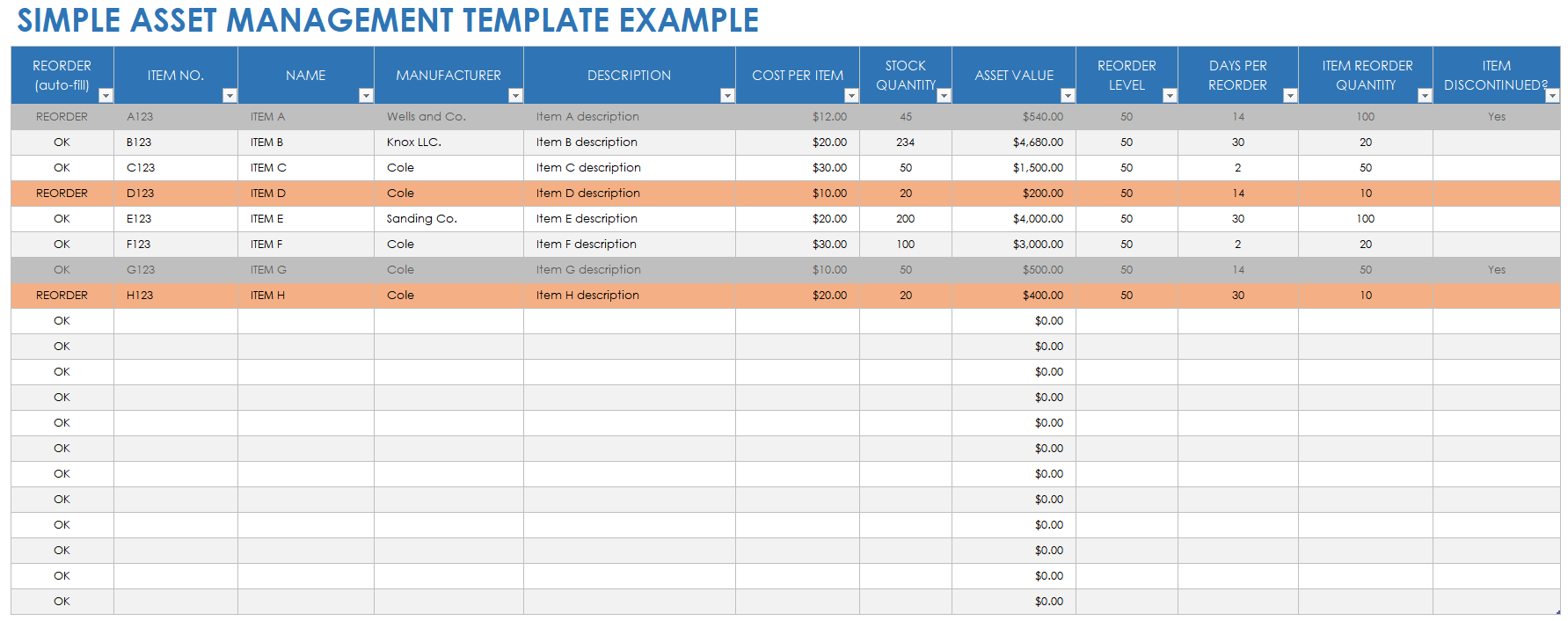
Source: Smartsheet, Simple Asset Management Template example.
asset management log template excel
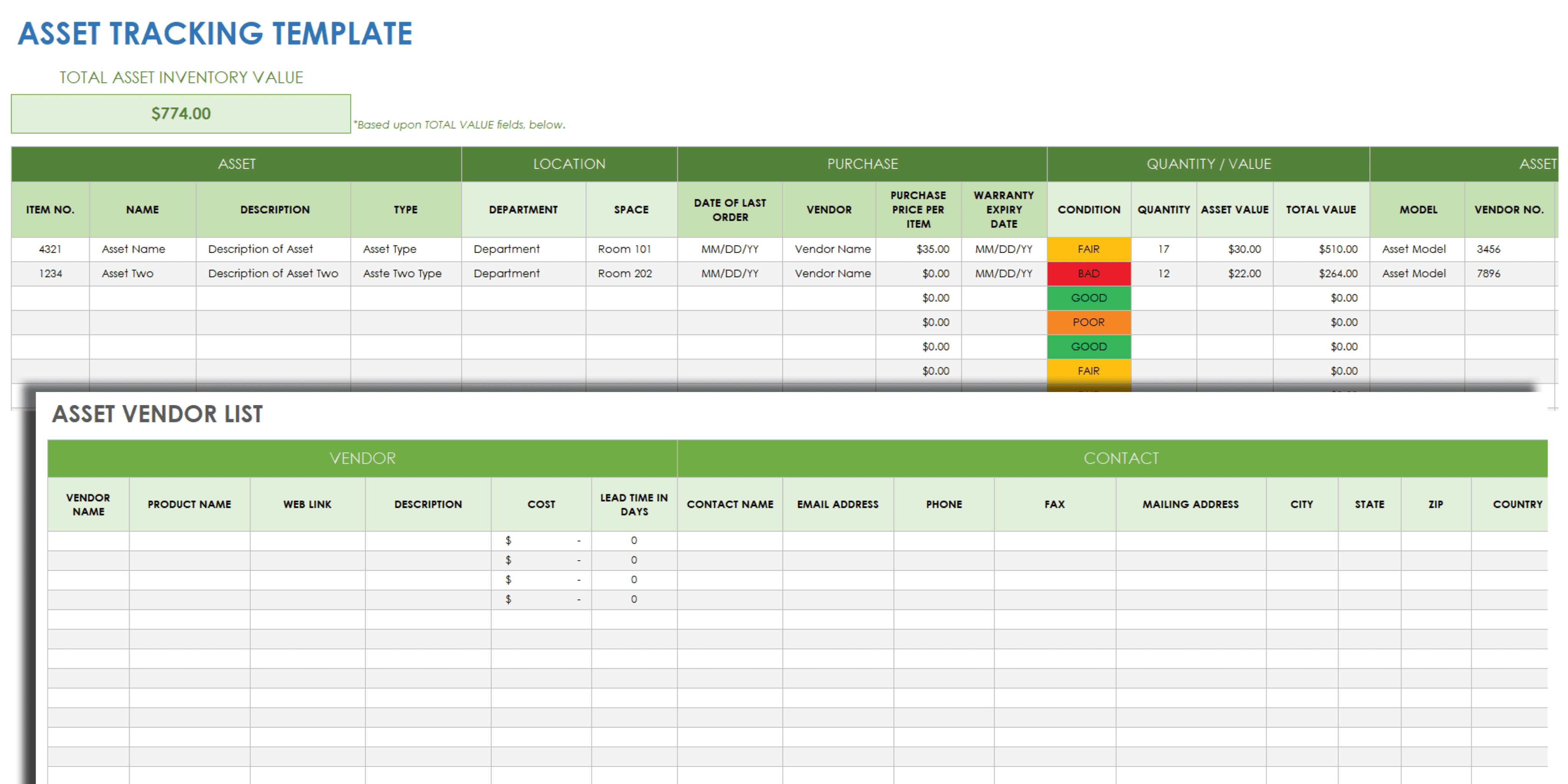
Source: Smartsheet, Asset Tracking Template example.
asset management log template free download
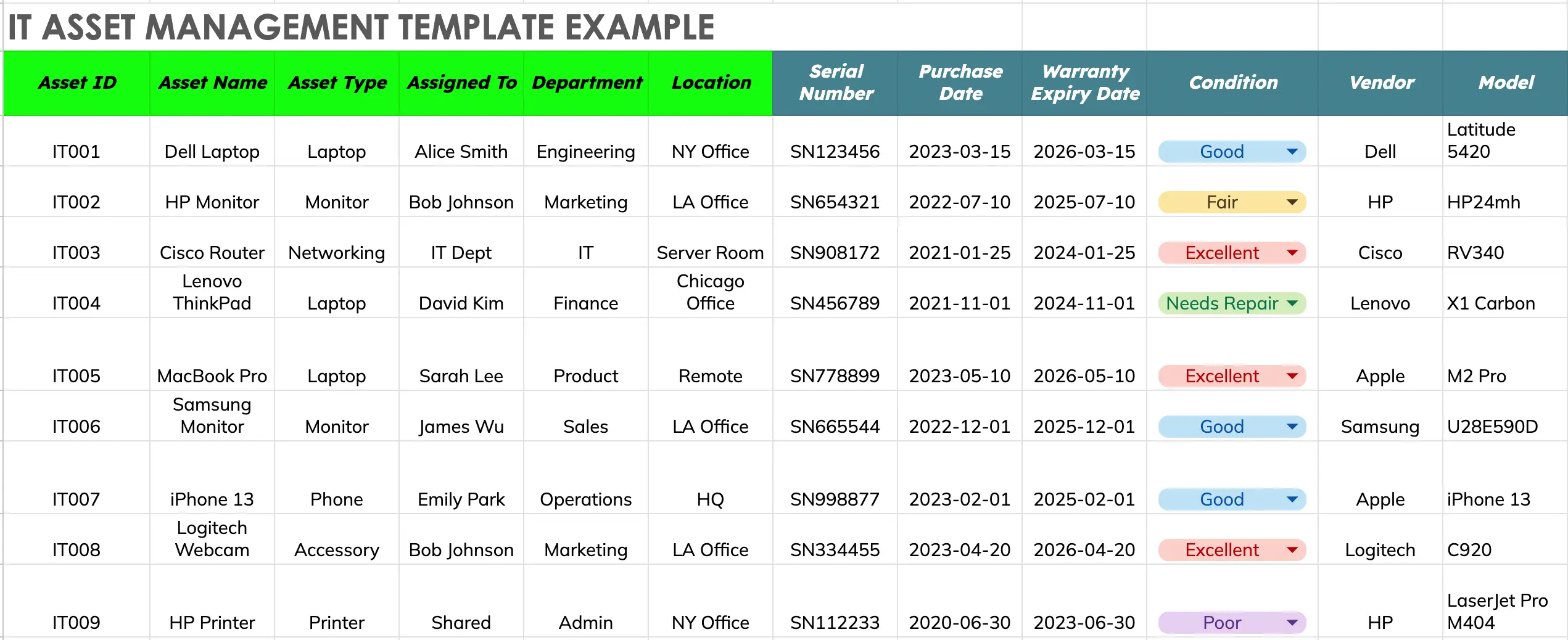
Source: AssetLoom, IT Asset Management Template example.
asset management log template free
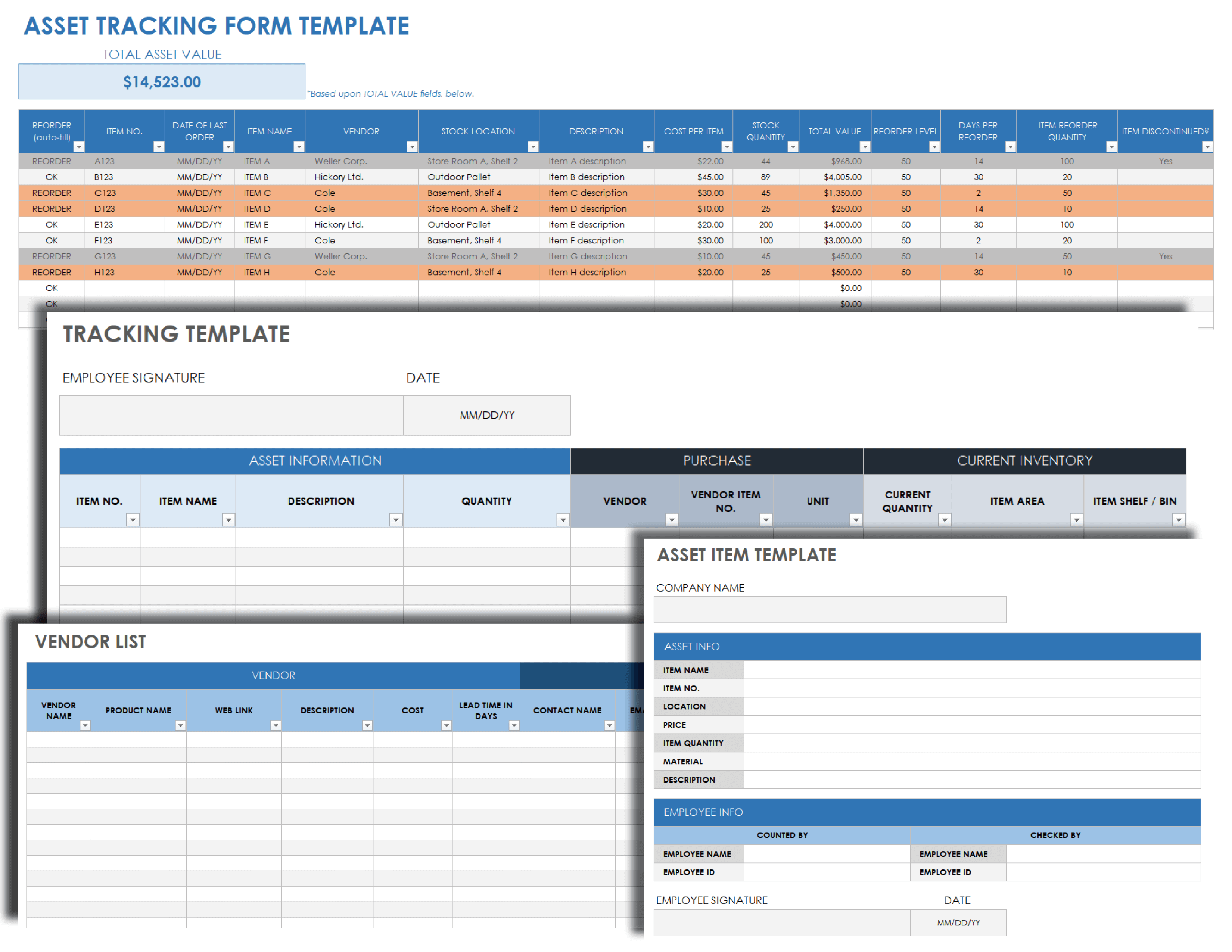
Source: Smartsheet, Asset Tracking Form example.
asset management log template pdf
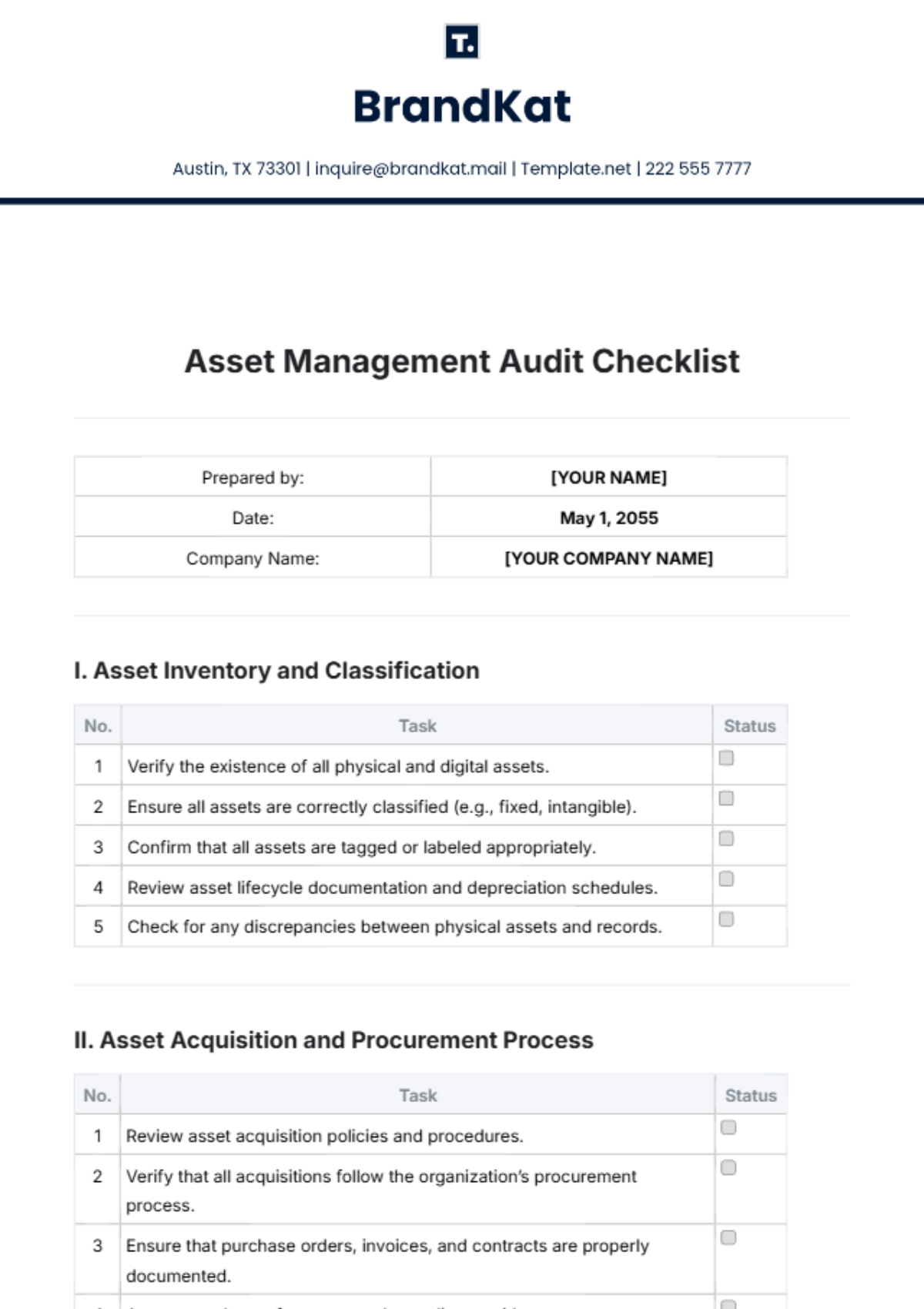
Source: Template.net, Asset Management Audit Checklist template.
asset management log template google sheets
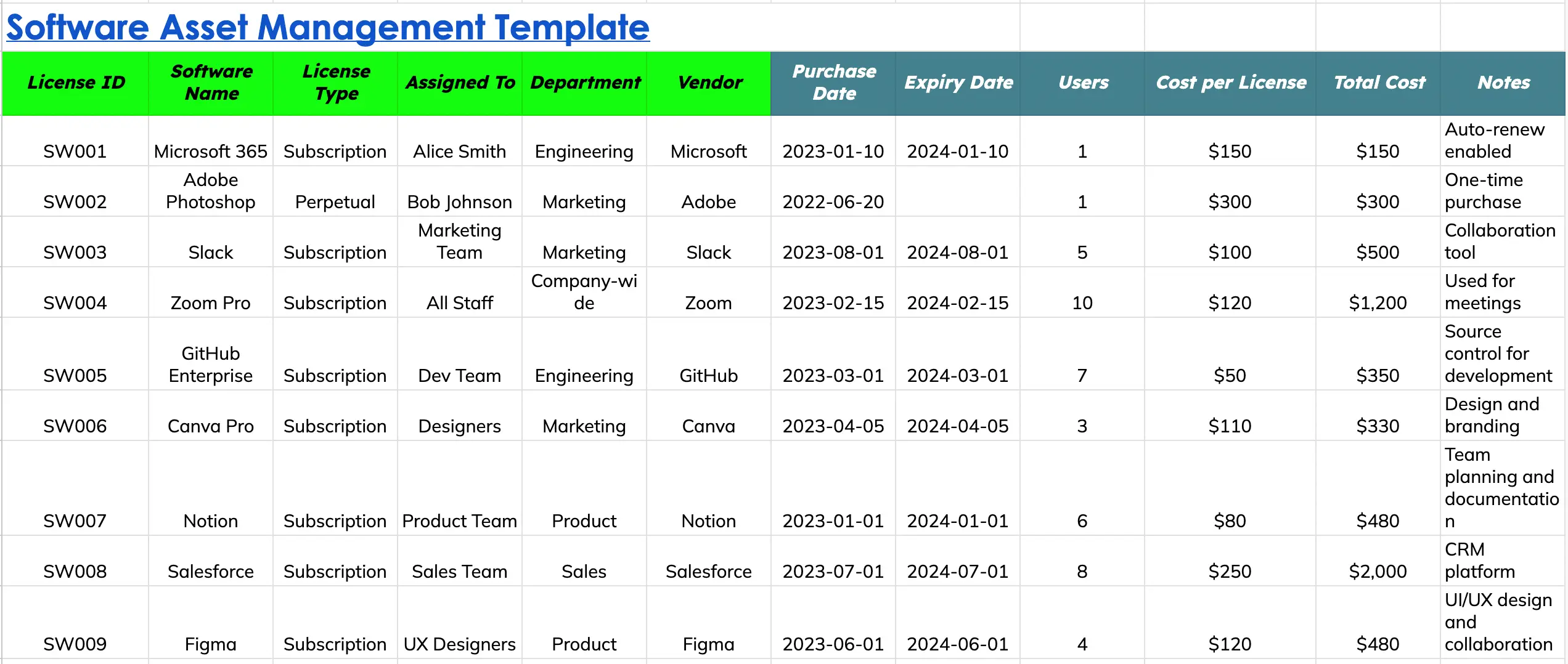
Source: AssetLoom, Software Asset Management Template example.
asset management log template word
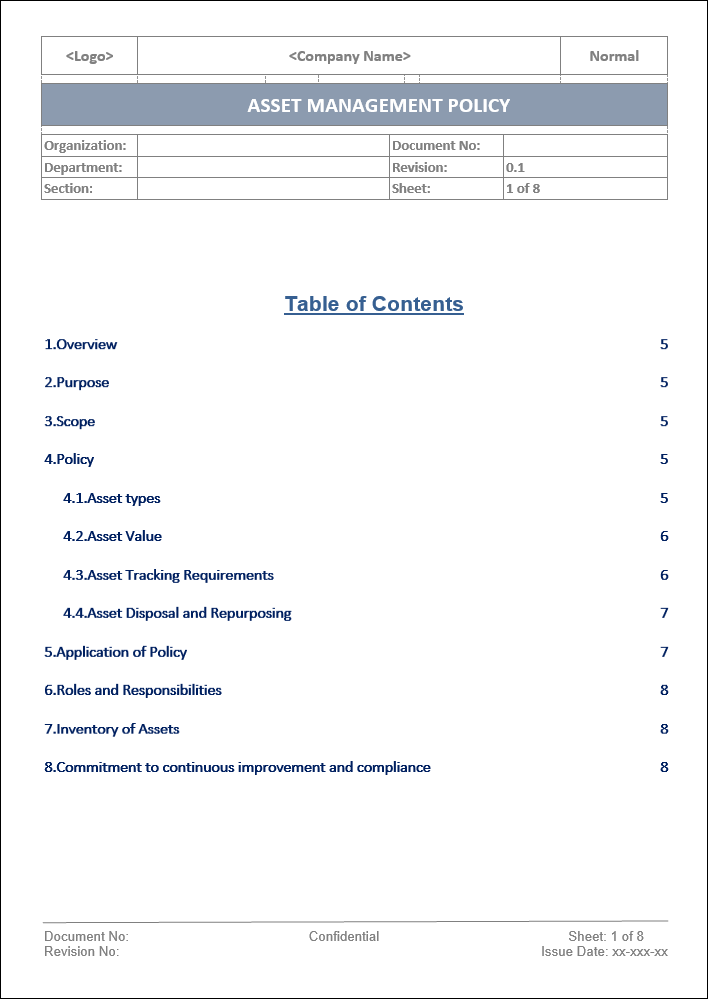
Source: ITSM Docs, Asset Management Policy template.
asset management document template
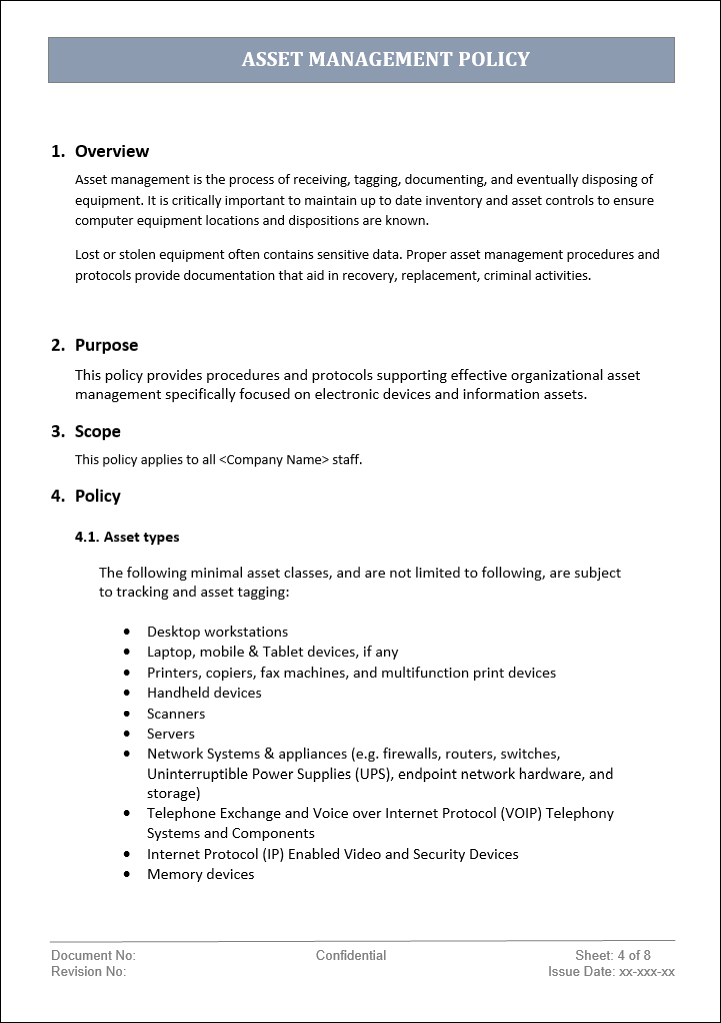
Source: ITSM Docs, Asset Management Policy document example.
what is an asset log
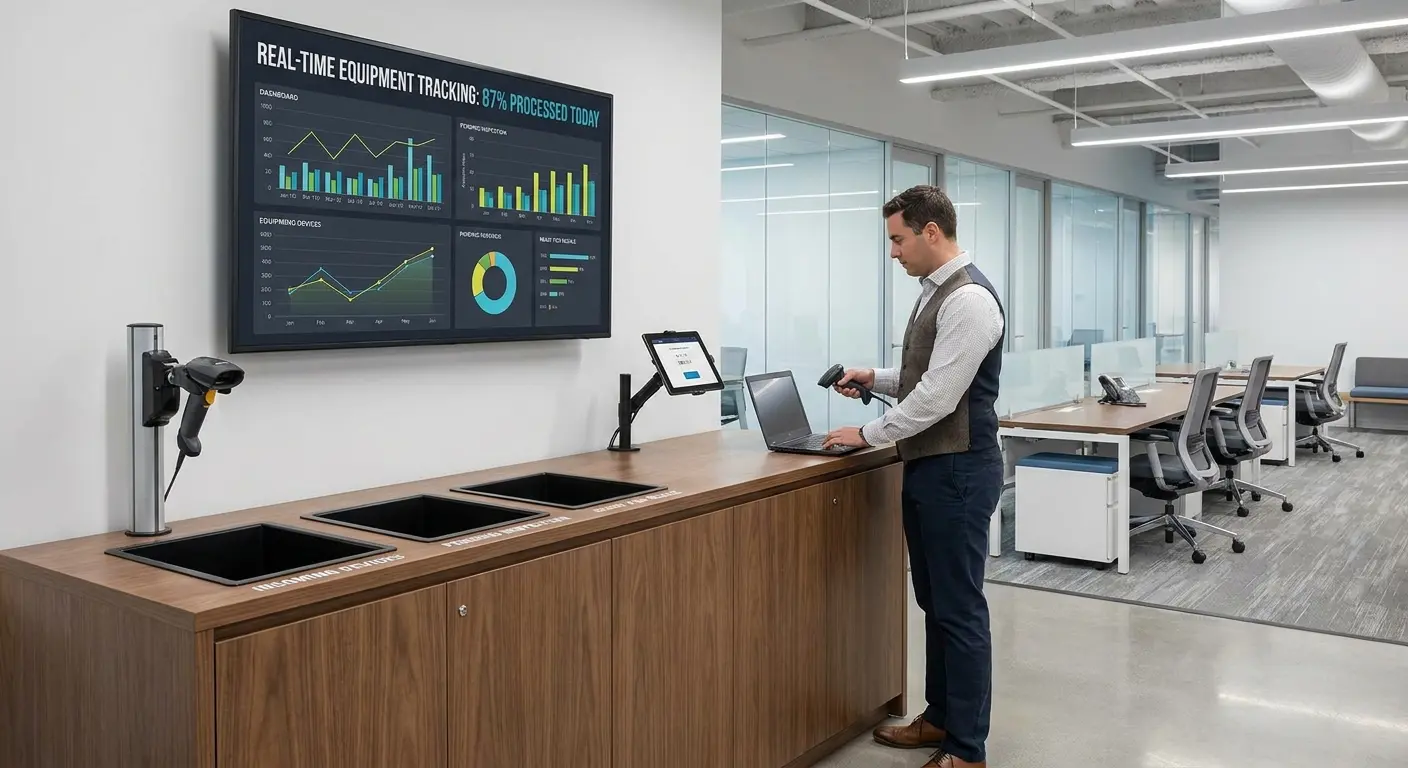
Source: GroWrk, equipment tracking and lifecycle workflow illustration.
asset management form template
Source: Smartsheet, Asset Tracking Form example.
asset management register template

Source: Smartsheet, Fixed Asset Tracking and Depreciation Schedule example.
asset management plan template

Source: AssetInfinity, Asset Lifecycle Management Process diagram.
asset management strategy template
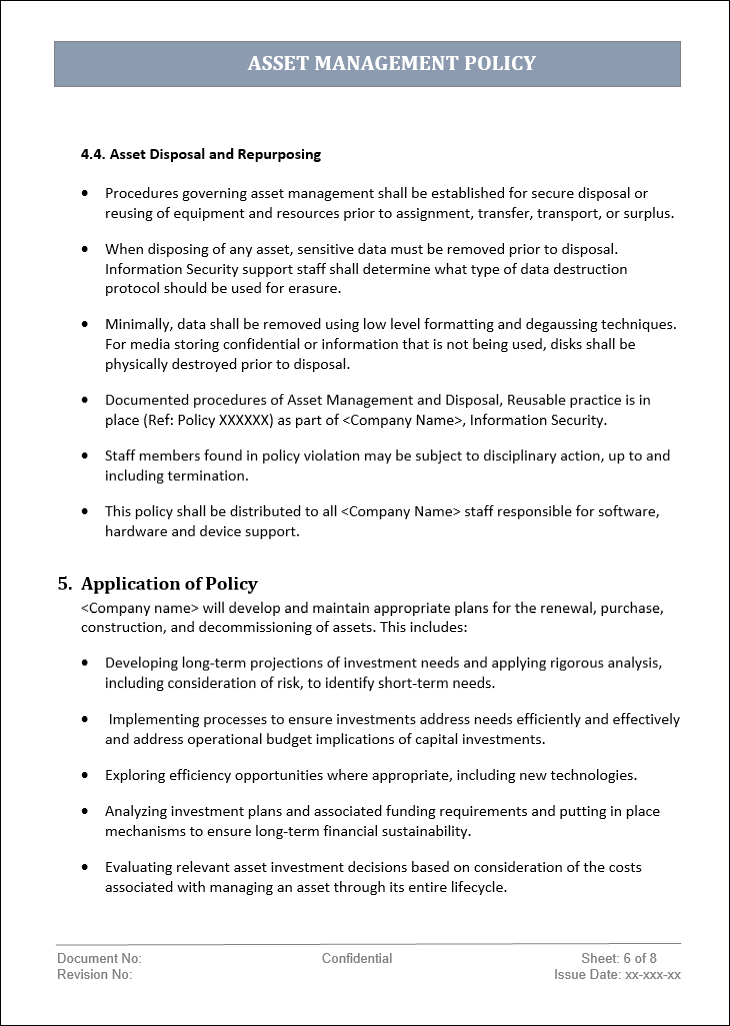
Source: ITSM Docs, Asset Management Policy example covering planning and lifecycle considerations.
Additional Visual Examples for Auditing, Verification, and Process Design
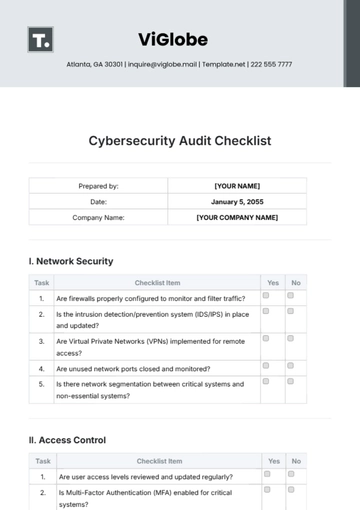
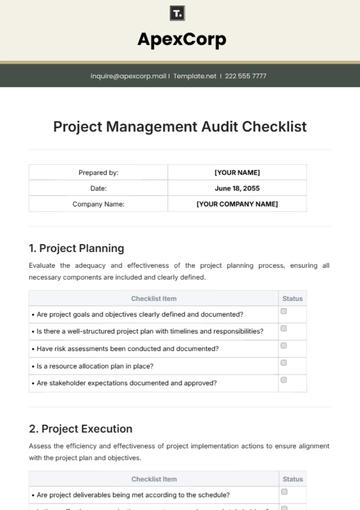
Audit design is closely connected to asset management because a register is only useful when the organization can periodically test whether its information remains accurate. An audit checklist can turn broad review objectives into repeatable questions that different reviewers can apply consistently.
A useful audit begins by defining the population being tested. The reviewer should know which locations, departments, categories, or asset IDs are within scope before beginning physical verification.
The audit should then compare records with physical evidence. This can involve checking asset tags, serial numbers, locations, custodians, condition, and supporting documents.
Discrepancies should be recorded separately from general observations. A missing asset, incorrect location, damaged device, or duplicate record requires a specific corrective action and owner.
The resulting checklist can become evidence that the verification process was performed, while the asset register remains the primary operational record.
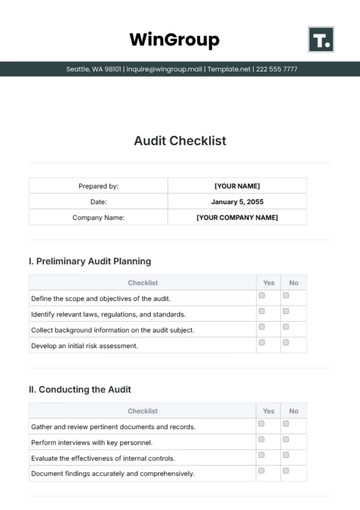
Internal audit procedures benefit from consistent documentation because reviewers need to distinguish between evidence, conclusions, and corrective actions. A structured checklist helps maintain that distinction.
For asset management, the checklist might include questions about asset identification, record completeness, location accuracy, condition assessments, maintenance evidence, ownership, and disposal records.
The checklist should not replace the asset register. Instead, it provides a controlled mechanism for testing the reliability of the register.
When discrepancies appear repeatedly in the same field, management should consider whether the problem is procedural. Repeated location errors, for example, may indicate that transfer events are not being recorded promptly.
Corrective actions should have clear owners and due dates. Otherwise, the audit simply identifies problems without improving the underlying process.
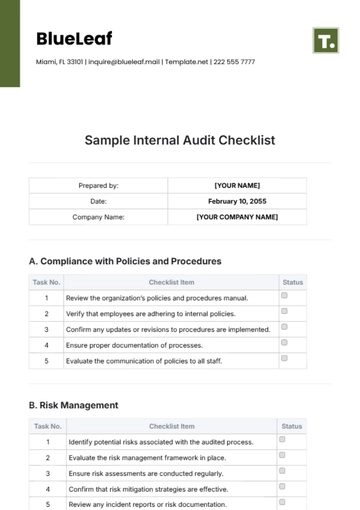
Cybersecurity considerations become particularly important for IT assets because computers, mobile devices, servers, and storage systems may contain organizational information. An IT-focused asset register can therefore connect physical identification with security controls.
Fields may include device type, operating system, assigned user, encryption status, security classification, network location, warranty, lifecycle status, and disposal state.
However, sensitive security information should not automatically be placed in a broadly accessible spreadsheet. Access should reflect the sensitivity of the information being recorded.
For higher-risk environments, the asset record may need to integrate with configuration management, endpoint management, vulnerability management, or security systems rather than attempting to duplicate all technical information manually.
The asset register should remain the authoritative reference for ownership and lifecycle information while specialized systems remain responsible for technical details they can collect more accurately.
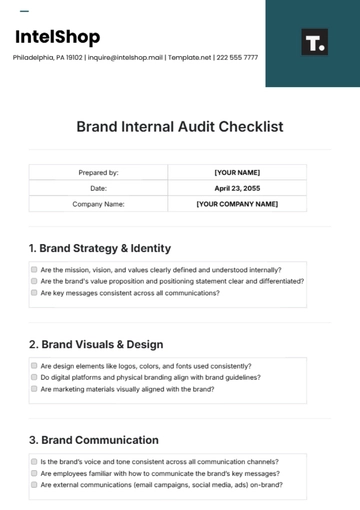
Brand and document controls can also affect asset management. Organizations sometimes maintain equipment records alongside corporate documentation, purchasing evidence, and operational procedures.
Consistent document identification makes it easier to determine which form or policy version was used during a transaction. This matters when asset processes change over time.
A controlled document should normally identify its title, owner, version, effective date, and review responsibility. Those details help distinguish an approved procedure from an outdated draft.
The same principle can be applied to asset forms. A handover form should identify what asset was issued, to whom, when, and in what condition.
Clear document controls reduce ambiguity when historical records are reviewed months or years after an asset transaction occurred.
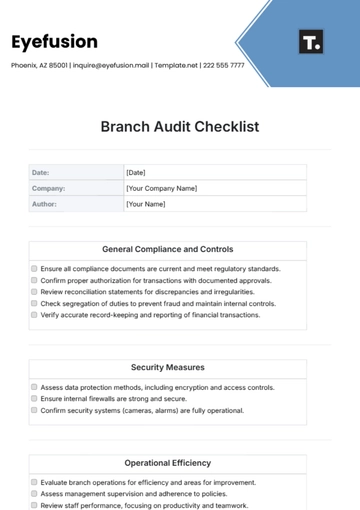
Branch and multi-site operations introduce another challenge: assets can move between locations while ownership remains centralized. A good register should therefore distinguish organization, site, department, room, and custodian where necessary.
Location codes should be standardized. If one person records “Jakarta HQ” and another records “Head Office Jakarta,” reports may incorrectly treat them as separate locations.
Transfer procedures should require the old and new locations, transfer date, responsible parties, and any condition change to be recorded.
For organizations with frequent inter-site movements, a dedicated movement log can reduce the number of edits made directly to the main register.
Regular reconciliation between movement records and the current register can identify assets whose current locations have not been updated correctly.
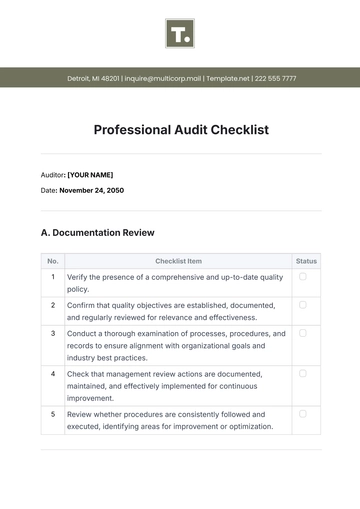
Professional audit documentation can be useful when an organization needs a repeatable approach that can be understood by people outside the asset management team.
For example, an audit record can identify the review scope, reviewer, date, sample or population examined, evidence considered, discrepancies found, and corrective actions assigned.
This structure creates a traceable connection between the register and the organization’s assurance activities.
It also makes future reviews easier because the next reviewer can understand how the previous review was conducted without relying on informal explanations.
The best documentation is proportional to risk. A simple office equipment inventory does not necessarily require the same level of evidence as critical infrastructure or regulated equipment.
Accounts and financial controls provide another useful perspective because asset information often intersects with purchase transactions, capitalization, depreciation, insurance, and disposal.
The operational register should be reconciled with financial records when the two systems are expected to describe the same asset population.
Differences do not always indicate errors. An accounting system may use capitalization rules that differ from an operational asset register, so organizations should document the relationship between the systems.
When reconciliation differences are found, investigate whether they result from timing, classification, disposals, transfers, or actual data errors.
Clear ownership of reconciliation prevents financial and operational teams from assuming that the other department is responsible for correcting discrepancies.
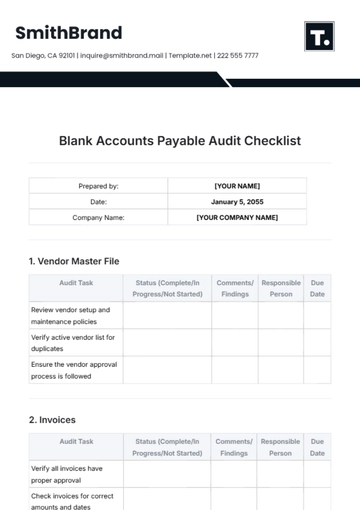
Accessibility and usability should also influence template design. A log that is difficult to read, navigate, or complete can reduce data quality even when the fields are technically correct.
Use clear labels, logical column ordering, sensible date formats, and consistent terminology. Avoid unexplained abbreviations that new users may interpret differently.
For printed forms, provide enough writing space for the information people actually need to record. For digital forms, reduce unnecessary typing by using controlled selections where appropriate.
Accessibility should be considered especially when multiple teams use the same form. The template should not depend on one person’s knowledge of hidden conventions.
A short data dictionary can explain the meaning of each important field and provide examples of acceptable entries.
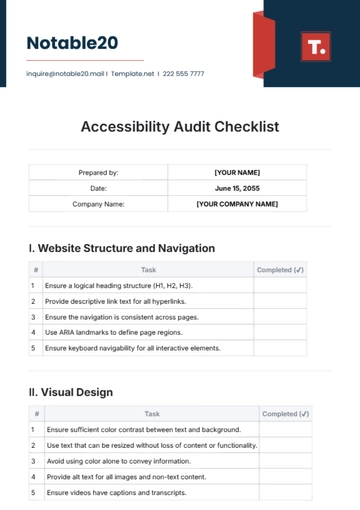
Active Directory and related technical systems demonstrate why asset management sometimes overlaps with identity and access management. A device may be assigned to a person, but the technical system may contain separate information about accounts, administrators, and authentication.
The asset register should not attempt to become a complete identity directory. Instead, it can maintain the asset-to-user relationship needed for accountability while specialized systems manage authentication details.
When equipment changes users, both the asset register and relevant technical systems should be updated according to the organization’s process.
Offboarding is particularly important because equipment assigned to departing employees needs to be returned, inspected, and either redeployed, stored, repaired, or retired.
Connecting the asset record with an offboarding checklist can make the return process more reliable.
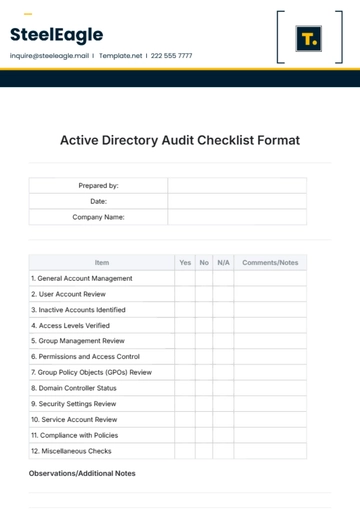
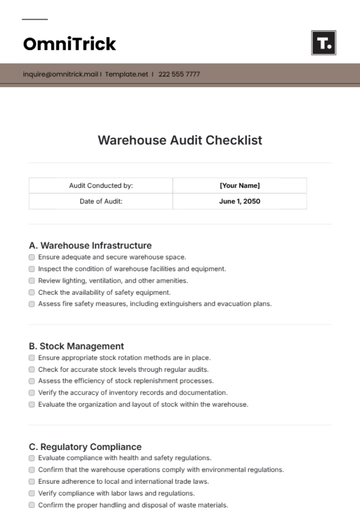
Warehouse and storage environments create different asset management requirements. Equipment may be physically present but not currently deployed, making status and exact location particularly important.
A warehouse location should ideally identify the area, rack, shelf, bin, or other practical position needed to find the item.
Storage records should distinguish available equipment from equipment awaiting repair, inspection, disposal, or redeployment.
Periodic cycle counts can be used to verify selected categories or locations without requiring a full inventory every time.
For high-volume environments, barcode or QR scanning can reduce manual entry and improve the speed of physical verification.
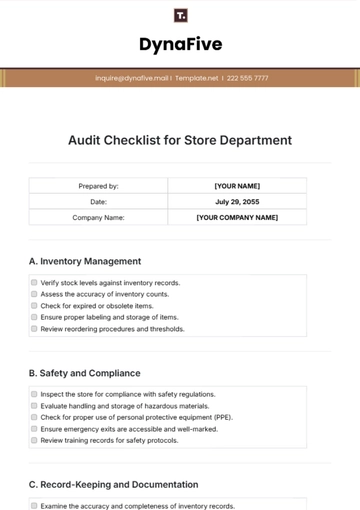
Specialized equipment requires more detailed controls because the consequences of inaccurate information may be greater. Medical, laboratory, production, or technical equipment may have inspection, calibration, certification, or maintenance requirements.
In these cases, the register should connect each asset with the relevant compliance or service dates without pretending to replace the specialized technical record.
Critical dates should generate clear actions. Knowing that a calibration is due is useful only if someone receives enough advance notice to schedule the work.
Equipment condition should also be recorded using criteria appropriate to the equipment type. A generic “Good” rating may not be sufficient for specialized equipment.
Where safety or regulatory requirements apply, organizations should follow their applicable official procedures rather than treating a generic template as an official compliance requirement.
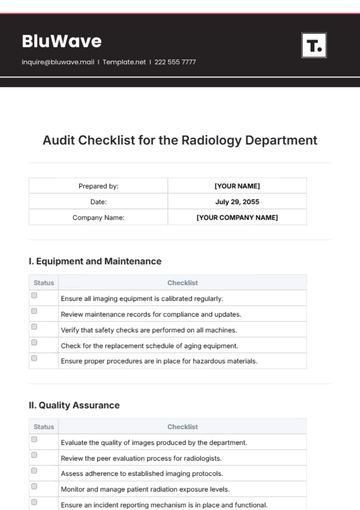
Manufacturing and industrial environments often require close coordination between asset records and operational maintenance. Equipment may have planned service intervals, inspection requirements, spare-part dependencies, and production-criticality ratings.
A maintenance log can record the work performed, date, technician, downtime, cost, findings, and next action. Linking these events to the Asset ID creates a history that can support reliability analysis.
Criticality can be used to prioritize work. A failure of one asset may stop an entire production line while another may have a minor operational effect.
Replacement planning should therefore consider business consequences as well as age. An old but non-critical asset may be less urgent than a newer asset whose failure would create significant disruption.
Asset management works best when maintenance, operations, finance, and procurement use the same core identifiers and agree on how lifecycle information is interpreted.
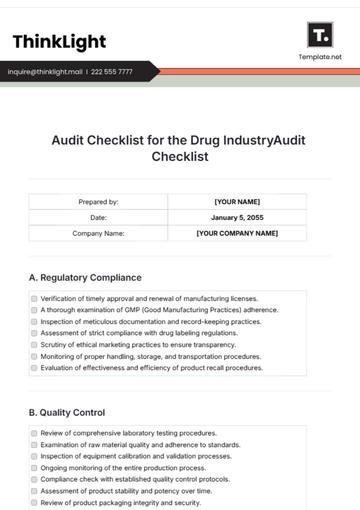
External audits can test whether the organization’s asset controls work independently of the people who normally operate them. A reviewer may select records and trace them to physical assets, supporting documents, approvals, or maintenance evidence.
A strong register makes these tests easier because the Asset ID acts as the common reference across evidence.
External review should not encourage organizations to add fields simply because an auditor once asked a question. Fields should be retained when they support a repeatable control or decision.
Where an audit identifies a weakness, the organization should address the process rather than merely correcting the individual row that was sampled.
That approach creates sustainable improvement instead of short-term preparation for the next review.
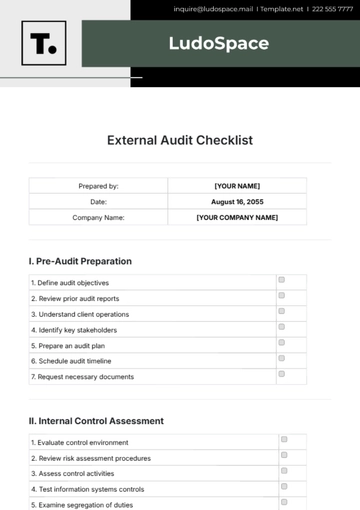
Supplier information can also be valuable in an asset register. Knowing the supplier, purchase reference, warranty terms, and support contact can shorten the time required to arrange repairs or replacements.
Supplier data should be standardized where possible. A single vendor can otherwise appear under multiple spellings, reducing the accuracy of reporting.
Warranty dates should be monitored separately from general purchase dates because the two dates answer different operational questions.
For assets supported by service contracts, the register can store the contract reference and next review date while detailed contract terms remain in the appropriate contract repository.
This creates a useful balance between central visibility and specialized document management.
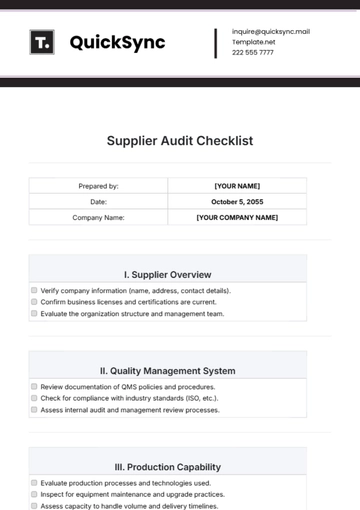
Quality assurance processes reinforce the same principle: information should be complete enough to support the intended control and simple enough to remain current.
Quality checks can look for missing serial numbers, invalid statuses, duplicate Asset IDs, blank custodians, inconsistent locations, and overdue verification dates.
Automated validation can identify many errors before they reach management reports. However, automation should support human review rather than replace physical verification where physical existence matters.
Trend analysis can show whether data quality is improving. A declining number of unresolved discrepancies may indicate that the process is becoming more reliable.
Conversely, a sudden increase in missing records after a system migration may indicate a data conversion problem that requires investigation.
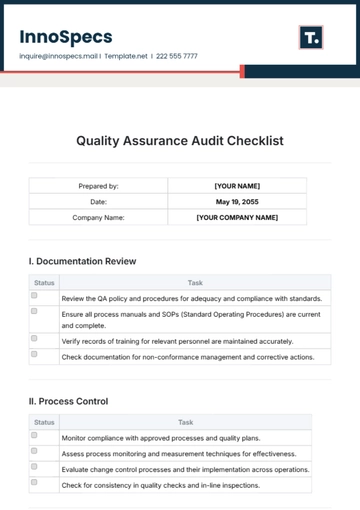
Workplace inspections provide another practical application. Office equipment, facilities assets, emergency equipment, and shared resources can be reviewed alongside location and condition information.
Inspection results should be connected to the relevant asset where the finding concerns a specific item.
This makes it possible to distinguish a general workplace observation from a recurring problem associated with one particular asset.
Inspection schedules should be realistic. A schedule that is impossible for staff to maintain will eventually produce overdue records and reduce confidence in the system.
Organizations should periodically review whether inspection frequency still reflects risk and operational needs.
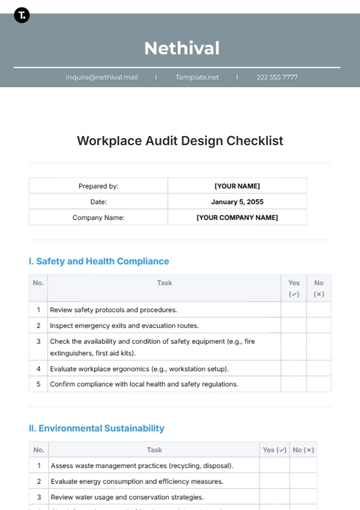
Human resources processes can also intersect with asset management when equipment is assigned to employees. The asset record should support the operational handover process without becoming a substitute for the organization’s personnel system.
When an employee receives equipment, the handover should identify the asset, condition, issue date, and acknowledgment required by the organization’s policy.
When employment ends or equipment is reassigned, the return or transfer should create another lifecycle event.
This approach is especially useful for remote and hybrid teams because equipment may be distributed across homes, offices, warehouses, and temporary locations.
Clear responsibility for each event prevents the register from becoming stale when personnel or working arrangements change.
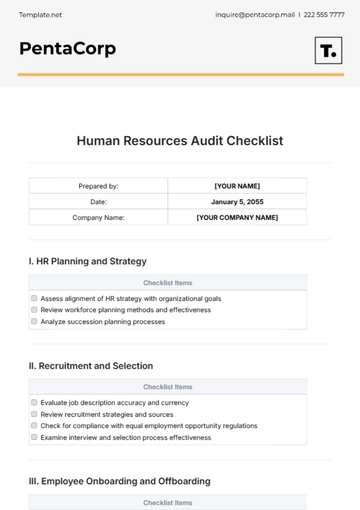
Quality control can be applied directly to the asset data itself. Before publishing a management report, check whether required fields are populated and whether totals reconcile with the underlying records.
Duplicate detection is particularly important. Two rows representing the same physical laptop can cause incorrect counts, values, and maintenance histories.
Data validation should also identify invalid dates, such as a disposal date that occurs before an acquisition date, when such a sequence is impossible.
Exception reports are often more useful than reviewing every row manually. They allow the responsible team to focus attention on records that require action.
Quality controls should be documented so that they remain consistent when responsibility changes from one employee to another.
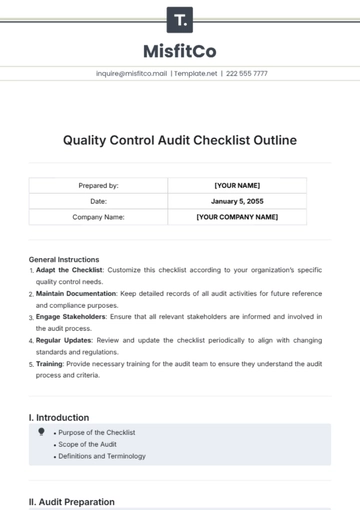
Project management provides a useful framework for implementing a new asset register. The work can be divided into scope definition, data preparation, template design, physical verification, reconciliation, user training, deployment, and review.
Each stage should have an owner and a clear completion criterion. For example, data preparation might be complete only when legacy records have been imported and duplicates identified.
Implementation should include time for testing. Users should try common scenarios such as adding a new asset, transferring an asset, sending equipment for repair, changing a custodian, and retiring an asset.
Testing these scenarios exposes weaknesses that may not be visible when users simply enter static inventory data.
After launch, collect feedback and refine the process carefully. Changes to field definitions should be controlled because they can affect historical data and reporting.
Frequently Asked Questions
What should an asset management log contain?
A practical log should normally contain a unique Asset ID, asset description, category, serial number where available, location, custodian, department, status, condition, important purchase or warranty dates, and notes. Additional fields should be added when they support a real operational, financial, compliance, or lifecycle decision.
Is Excel suitable for asset management?
Excel can be suitable for small and moderately complex asset populations when the workbook has a clear owner, controlled values, backups, access controls, and defined update procedures. As the number of users, locations, transactions, and integrations grows, dedicated software may provide stronger control.
Should every asset have a unique ID?
For individually controlled assets, a unique internal ID is generally useful. It provides a stable reference that can remain unchanged when the asset moves, changes department, or receives maintenance.
What is the difference between an asset log and an asset register?
The terms are often used interchangeably, but organizations may use “asset register” for a more formal controlled record and “asset log” for a simpler operational record. The important distinction is the information, controls, ownership, and processes surrounding the record rather than the title.
Should retired assets remain in the register?
Normally, historical records should be retained rather than deleted. Changing the status to retired or disposed preserves the lifecycle history and allows the organization to explain what happened to assets that are no longer active.
How often should assets be physically verified?
There is no single interval suitable for every organization. Verification frequency should reflect asset value, criticality, movement frequency, risk, regulatory considerations, and the organization’s ability to perform the checks consistently.
Can a Google Sheets file replace asset management software?
For some small teams, a well-governed Google Sheets register can provide an effective starting point. It becomes less suitable when the organization needs complex permissions, automated lifecycle events, large-scale scanning, integrations, detailed audit trails, or sophisticated workflow controls.
Should maintenance records be kept in the main asset register?
For occasional maintenance, a simple last-service date and next-service date may be enough in the main register. When an asset has frequent service events, a separate maintenance log linked by Asset ID is usually easier to analyze and maintain.
What makes an asset management log template effective?
An effective template is clear, controlled, maintainable, and aligned with real decisions. It should make identification, custody, location, condition, lifecycle status, and required actions easy to understand without burdening users with unnecessary fields.
Conclusion
The strongest asset management log template is not necessarily the largest or most sophisticated template. It is the one that creates a dependable connection between physical assets, responsible people, locations, lifecycle events, financial information, maintenance activities, and management decisions.
Start with a clear scope, establish stable Asset IDs, standardize important values, verify the baseline physically, and create simple rules for transfers, maintenance, disposal, and corrections. Keep historical information instead of deleting it, and separate current asset information from transaction histories when the volume of events makes that structure more useful.
Choose the file format according to the workflow. Excel can provide a flexible starting point, Google Sheets can support controlled collaboration, Word can support forms and documentation, and PDF can provide stable printable or archived records. None of these formats automatically creates good asset management; the surrounding process determines whether the information stays accurate.
As the organization grows, use the register to identify trends in utilization, condition, maintenance, warranty exposure, replacement needs, and lifecycle cost. When the spreadsheet reaches its practical limits, the same carefully designed data structure can guide a transition to dedicated asset management software.
Ultimately, an asset management log template should help people make better decisions with trustworthy information. When the register is current, consistently maintained, and connected to the asset lifecycle, it becomes more than an inventory document: it becomes a practical management tool for protecting assets, controlling costs, reducing risk, and realizing value.
The most effective approach is to treat the asset management log as a living operational record: simple enough to update every day, structured enough to support analysis, and controlled enough to remain trustworthy as the organization changes.
