The phrase modern operations form template can describe several related documents, including daily operation forms, checklists, inspection forms, resource allocation records, corrective-action forms, operational plans, and manual-based forms. The best format depends on what the organization needs to control: tasks, people, equipment, resources, compliance, incidents, approvals, or performance.
A strong form should make the right action easier rather than simply collect more information. A manager should be able to understand who completed it, what was checked, what changed, which issues remain open, and what happens next without interpreting a large amount of unstructured text.
Modern operational documentation also needs to work across different formats. A form may begin as a Word document, become a printable PDF, operate as an Excel or spreadsheet tracker, or be converted into a digital form. The underlying information architecture should remain consistent even when the presentation changes.
This guide explains how to design a practical operations form system, how to choose between forms and manuals, how to structure operational data, how to use templates responsibly, and how to build a workflow that remains useful as an organization grows.

What Is a Modern Operations Form Template?
A modern operations form template is a reusable document framework for recording information associated with routine or planned operational activity. It normally contains predefined fields, instructions, checkboxes, tables, approval areas, status indicators, and space for observations or corrective actions.
The word “modern” does not necessarily mean visually elaborate. In operational documentation, modern design is usually about usability. A good form removes unnecessary fields, uses clear labels, separates required information from optional notes, and makes the next action obvious.
The template should also reflect the workflow around the form. For example, a daily operations checklist may begin with opening checks, continue through active operations, record exceptions, and finish with a supervisor sign-off. The document is therefore part of a process rather than an isolated piece of paperwork.
Another defining feature is adaptability. A useful template can be adjusted for different departments without rebuilding the entire document. Fields such as department, location, responsible person, date, shift, task, status, comments, and approval can often serve as a common foundation.
For organizations using several forms, consistency becomes especially important. Similar headings, numbering conventions, terminology, revision information, and approval structures help employees recognize how documents fit together.
Why Operations Forms Matter
Operational work often involves many small decisions that are easy to forget. A form provides a deliberate place to record those decisions. This is especially valuable when responsibilities move between shifts, teams, locations, contractors, or managers.
Forms also create repeatability. If ten employees perform the same inspection, each person should ideally evaluate the same essential conditions. A well-designed template reduces the chance that one person remembers a critical check while another does not.
Documentation can support accountability without turning every activity into bureaucracy. The goal is not to document every trivial event. The goal is to capture information that affects safety, quality, cost, customer service, compliance, continuity, or management decisions.
A structured form can also improve handoffs. Instead of relying on a verbal statement such as “everything is fine,” the next person can see completed checks, outstanding issues, responsible owners, and due dates.
Finally, accumulated forms can become a source of operational learning. Repeated problems can reveal process weaknesses, recurring equipment issues, resource constraints, training gaps, or unclear responsibilities.

Core Components of an Effective Operations Form
1. Document identification
Every controlled operational form should identify itself clearly. Useful information may include a document title, form number, department, revision number, effective date, owner, and document status.
Identification becomes increasingly important when an organization has multiple versions of similar forms. Without revision control, employees can accidentally use an outdated checklist after procedures have changed.
The title should describe the activity rather than use an internal nickname that new employees may not understand. “Daily Equipment Readiness Checklist” is generally more useful than a vague title such as “Form 12.”
Where appropriate, include a small revision history showing what changed and when. This is particularly useful for operational documents that are reviewed regularly.
Keep document identification compact. The first page should communicate the form’s purpose immediately instead of consuming valuable space with administrative information.
2. Ownership and responsibility
A form should make responsibility visible. At minimum, this may involve the person completing the form, the department, the location, and the date or operating period.
For activities requiring approval, add an appropriate reviewer or authorizer. The responsible person and approving person do not always need to be the same individual.
Responsibility fields should correspond to actual roles. Avoid creating approval steps simply because they look professional. Every signature or approval should have a clear operational purpose.
If the form is used across shifts, include shift information or an equivalent identifier. This can make it much easier to trace an issue to a particular operating period.
For digital forms, responsibility can also be connected to user accounts, timestamps, or workflow notifications. The principle remains the same: the record should make ownership understandable.
3. Tasks, checks, and status
The operational core of a form is usually a list of tasks, checks, questions, or data points. These should follow the actual sequence of work whenever possible.
Use clear status options such as complete, incomplete, not applicable, pending, or requires attention when those states genuinely matter. Avoid offering so many choices that users have difficulty deciding which one to select.
Checkboxes work well for binary checks, while tables are better for repeated records such as equipment readings, inventory quantities, task owners, or scheduled activities.
Every checklist item should be specific enough that two reasonably trained employees can interpret it in roughly the same way. “Check equipment” is weak because it leaves the meaning open. “Verify emergency stop is accessible and functional” is more actionable.
If a failed check requires a response, the form should provide a connected field for the issue, responsible owner, corrective action, or due date.
Modern Design Principles for Operational Forms
A modern operations form template should be designed around the user’s working environment. A warehouse form may need large fields and minimal typing, while an office planning form can support more narrative information.
Information hierarchy matters. The most important fields should appear first, while supporting notes and reference material should be positioned later in the workflow.
Visual grouping also helps. Related fields should sit together, and unrelated sections should be separated clearly. Consistent spacing and headings make a long form easier to scan.
Do not confuse decoration with usability. Colors, icons, and branding can improve recognition, but they should never make important information harder to read.
A modern form should also consider accessibility. Use readable type, sufficient contrast, descriptive labels, and logical field order. If the document may be printed, make sure critical fields remain usable without relying on color.
Choosing Between Word, PDF, and Excel
The right file format depends on how information will be entered, reviewed, calculated, stored, and shared. Microsoft Word is often useful when the document contains instructions, policies, narrative procedures, and formatted sections.
PDF is generally useful when the final layout needs to remain stable. A PDF can serve as a controlled reference or printable form, although the organization should decide whether it needs a fillable PDF rather than a document intended only for printing.
Excel is more suitable when the form contains repeated records, calculations, schedules, resource quantities, status tracking, or analysis. Spreadsheet-based operational documents can also support filters, formulas, summaries, and dashboards when properly designed.
A practical system may use more than one format. For example, the operating procedure can be maintained in Word, distributed as PDF, while the associated daily activity tracker operates in Excel.
The important principle is to keep the underlying information model consistent. Changing the file format should not change the meaning of the operational record.
Operations Forms Versus Operations Manuals
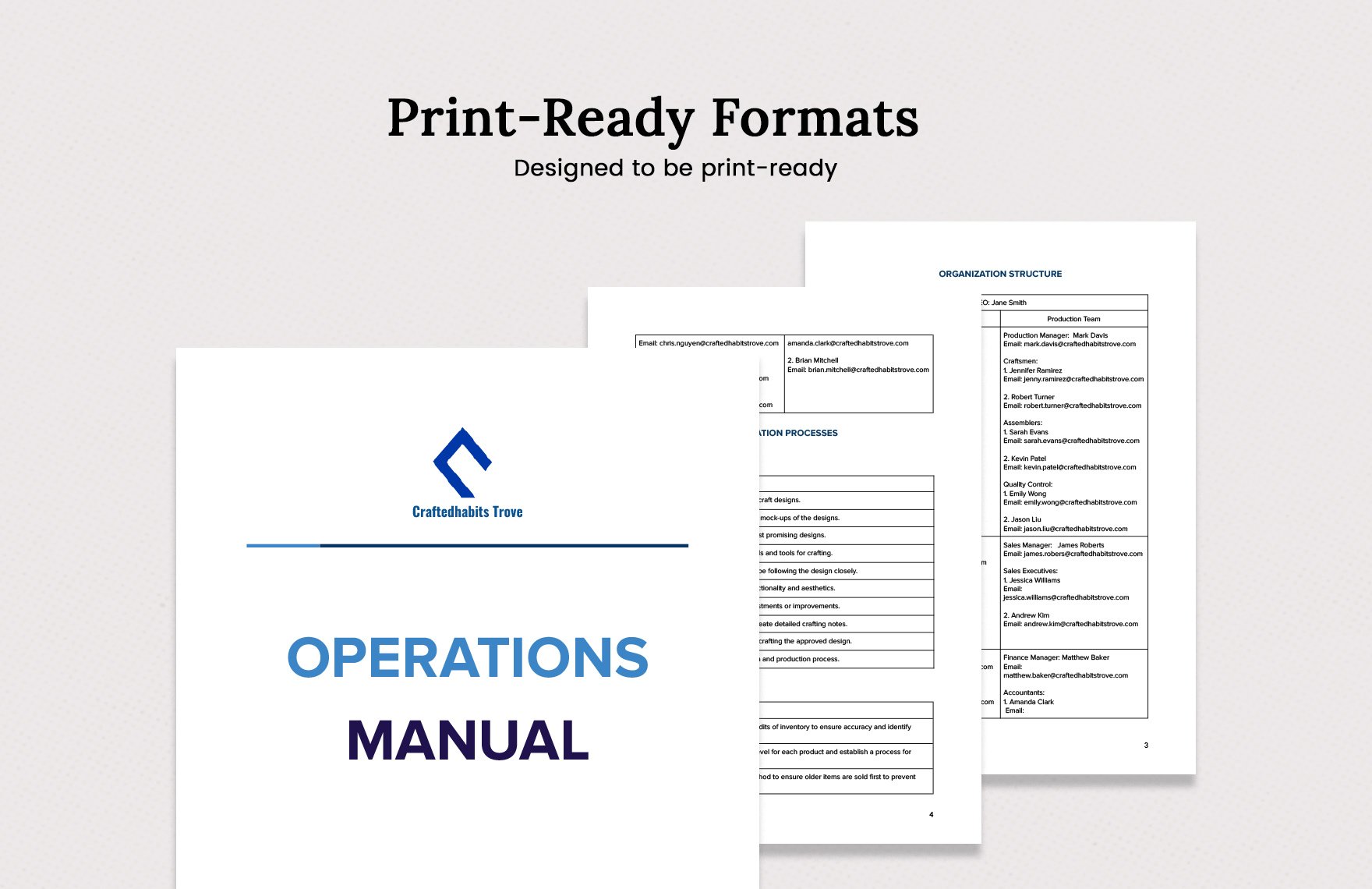
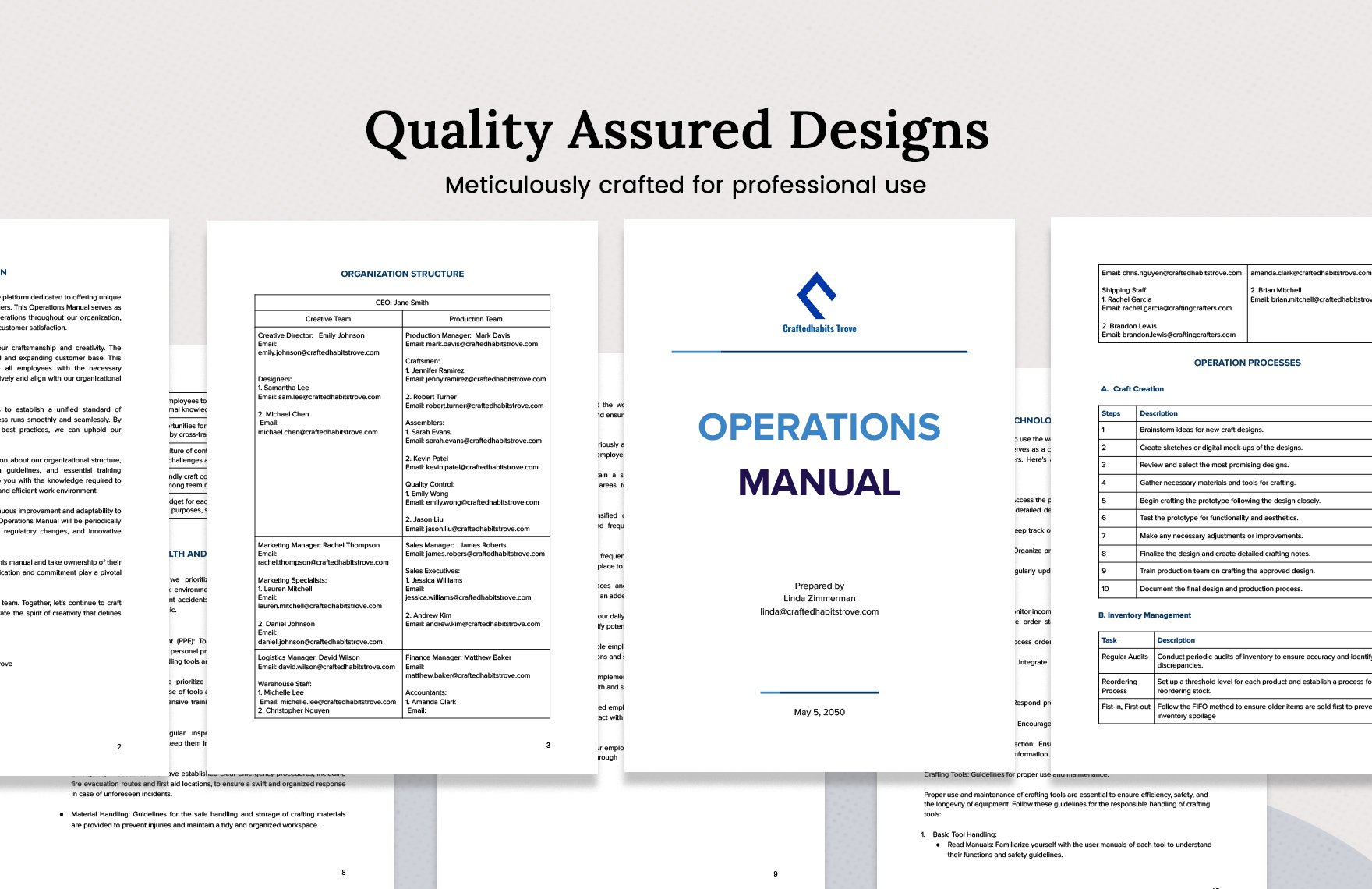
An operations form captures an event, activity, check, decision, or record. An operations manual explains how the organization operates and provides guidance for performing recurring activities.
A manual may contain policies, procedures, roles, process descriptions, standards, escalation rules, and references to supporting forms. A form, by contrast, is usually used during or immediately after the activity.
The two documents should support each other. A procedure might instruct an employee to perform a daily inspection, while the corresponding checklist provides the actual record of that inspection.
This distinction prevents an operations manual from becoming overloaded with blank tables and prevents individual forms from becoming overloaded with lengthy instructions.
Where a process is complex, the best solution is often a short form linked conceptually to a detailed procedure. The employee gets enough guidance to complete the form correctly without having to read the entire manual each time.
How to Build a Modern Operations Form Template Step by Step
Step 1: Define the operational purpose
Begin with one sentence describing what the form is intended to accomplish. If the purpose cannot be stated clearly, the document may be trying to serve too many functions.
For example, a form could be designed to confirm daily readiness before opening a facility. That purpose immediately suggests fields for date, location, responsible person, readiness checks, exceptions, and approval.
Next, identify who will complete the form and who will use the information afterward. A form completed by frontline employees and reviewed by managers needs different information from a planning worksheet used only by executives.
Define the operational decision the form supports. If the record does not influence an action, decision, review, or requirement, consider whether the field is necessary.
Finally, define how often the form will be used. A form completed hourly needs to be much faster to complete than a monthly operational review.
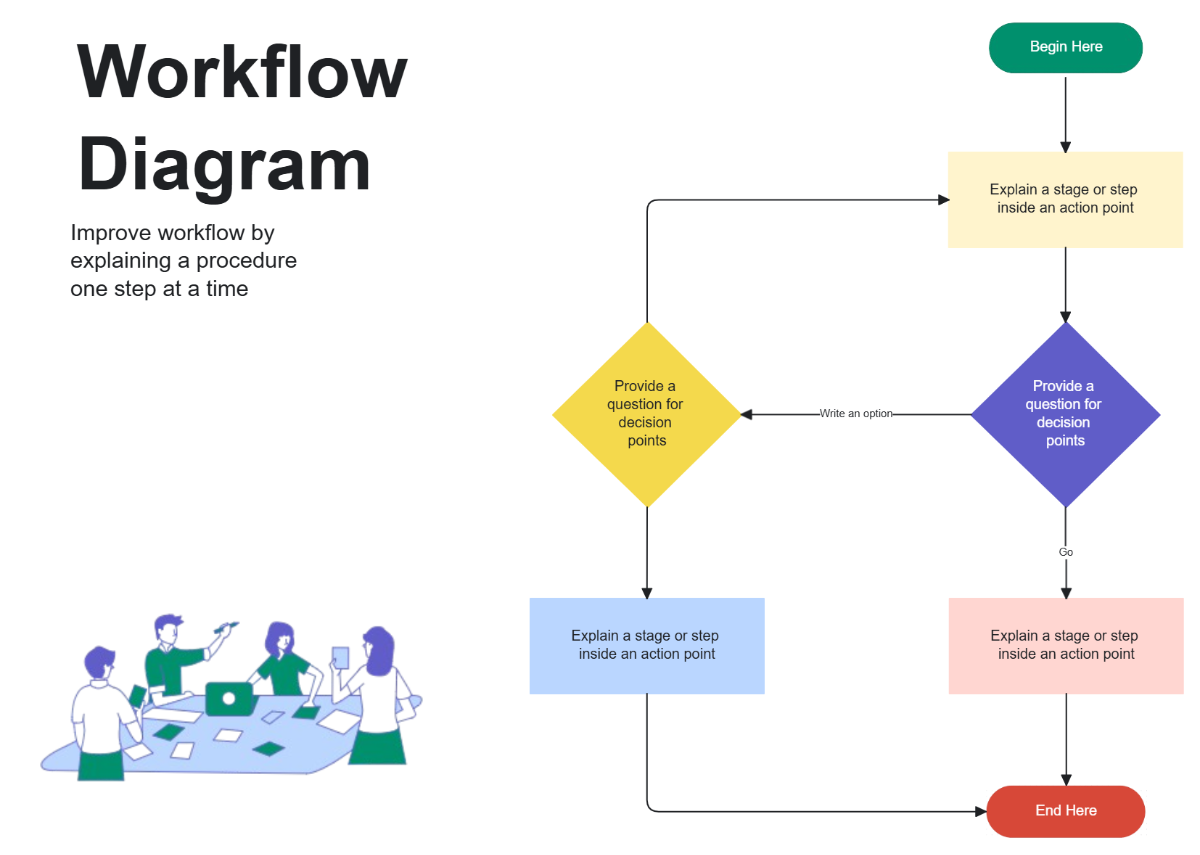
Step 2: Map the workflow
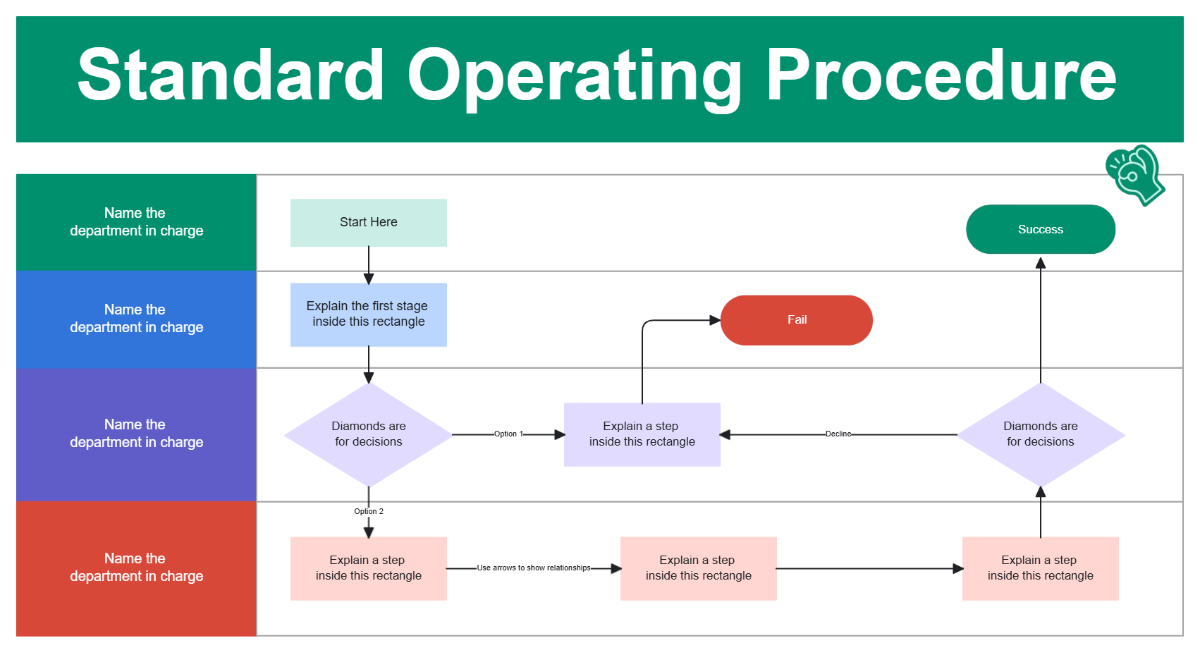
Before designing fields, map the real process. Write down what happens before the form is started, what the user does while completing it, and what happens after submission or approval.
This can reveal missing handoffs. For example, a corrective-action form may capture the problem but fail to assign ownership. Adding a responsible person and due date can turn passive documentation into an actionable workflow.
Consider exceptions as carefully as normal operations. The form should explain what happens when a task fails, information is unavailable, equipment is damaged, or an approval cannot be obtained.
Workflow mapping also helps eliminate redundant forms. Two departments may be collecting the same information under different document names. Combining or linking records can reduce administrative work.
Use the simplest workflow that provides sufficient control. More steps do not automatically produce better operations.
Step 3: Build the field structure
Once the workflow is understood, create a field inventory. Group fields into identification, operational activity, observations, exceptions, actions, and approval.
Use consistent field types. Dates should look like dates, quantities should use appropriate numeric fields, and yes-or-no decisions should not require long narrative responses.
For repeated activities, use a table. A table can contain the item, expected condition, actual condition, status, responsible person, and notes.
Do not make every field mandatory. Required fields should be limited to information that is genuinely necessary to complete or interpret the record.
Review the completed field list from the perspective of someone working under time pressure. If the user would reasonably ask, “Why do I have to enter this?”, the field deserves another review.

Data Collection and Operational Records
Operational forms become valuable when the information collected can be compared over time. That means field definitions should remain stable enough to support meaningful analysis.
For example, if a form tracks equipment status, the meaning of “operational,” “limited,” and “out of service” should be defined. Otherwise different employees may use the same labels differently.
Dates and times should be captured consistently. If a record involves multiple events, use separate fields rather than putting several dates into one notes box.
Numeric information should have units. A field labeled “temperature” is incomplete if the reader does not know whether the expected unit is Celsius or Fahrenheit.
Free-text notes still have an important role. They allow users to explain unusual circumstances that structured fields cannot anticipate. The goal is to balance structured data with useful context.
Using Excel for Operational Tracking
An Excel-based operational form can be particularly effective when the organization needs to manage repeated rows of information. Common examples include inventory records, maintenance schedules, action registers, staffing plans, and operational performance trackers.
Keep the input area separate from calculations where possible. Users should know exactly which cells they are expected to edit and which cells contain formulas.
Use validation rules when they improve consistency. Dropdowns can reduce spelling differences in categories such as status, department, priority, or responsible team.
Protect formulas and structural cells when accidental changes could damage the workbook. At the same time, avoid locking the document so tightly that legitimate maintenance becomes difficult.
When a spreadsheet becomes a recurring operational system, establish naming, versioning, backup, and ownership practices. A spreadsheet should not become a hidden database that only one employee knows how to maintain.

Using Word for Operational Documentation
Word is particularly useful for an operations manual template because it supports headings, tables, page numbers, headers, footers, revision information, and long-form procedures.
Use styles rather than manually formatting every heading. This makes navigation and automatic tables of contents much easier to maintain.
Keep recurring sections consistent. If each procedure uses purpose, scope, responsibility, prerequisites, procedure, records, exceptions, and references, readers learn where to find information.
Separate instructions from examples. An example should be clearly recognizable as an example so users do not mistake sample values for mandatory organizational requirements.
When a Word manual is finalized, create a controlled PDF when a stable distribution copy is required. Keep the editable source under appropriate document control.
Operational Planning and the Role of Forms
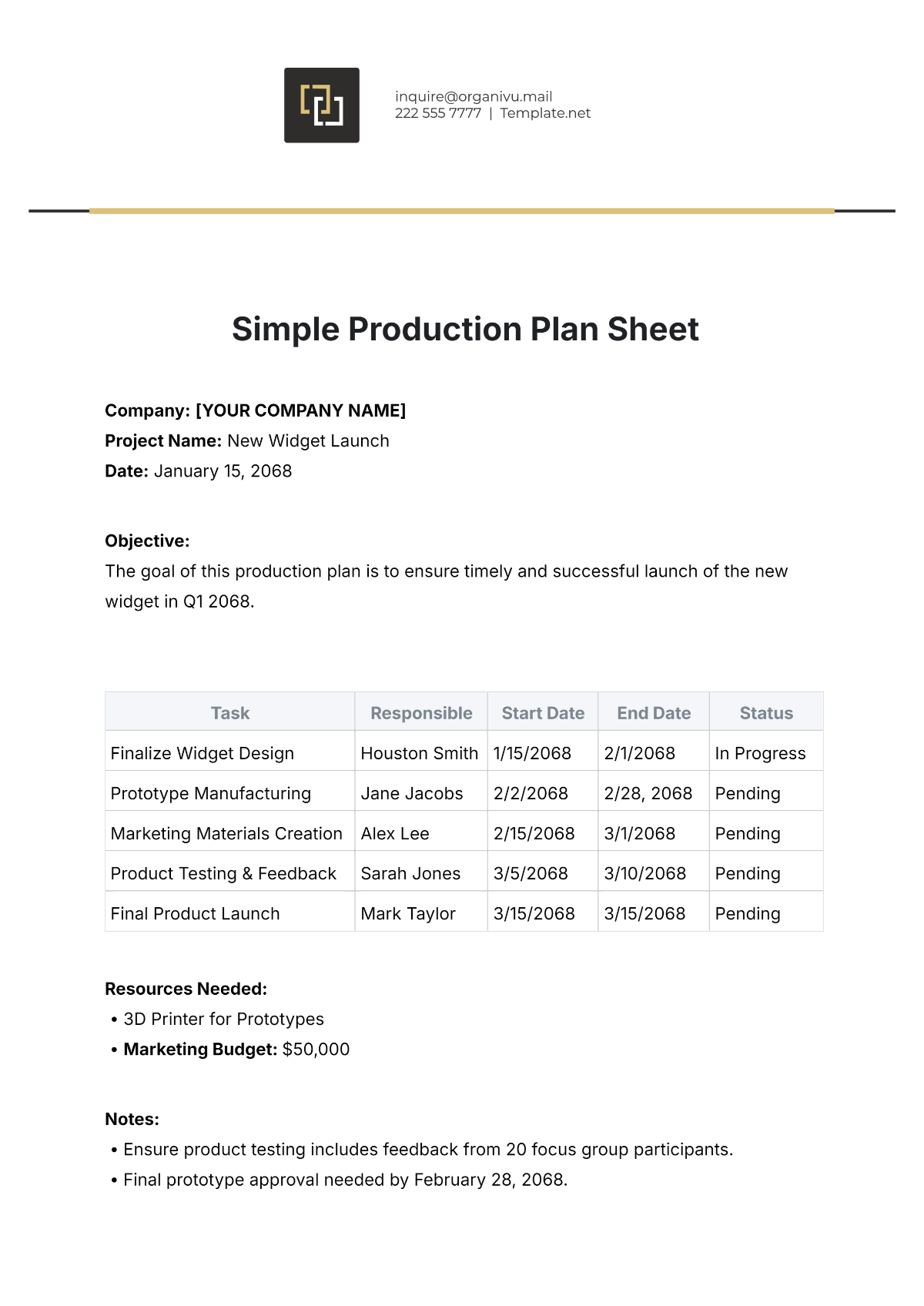
Planning forms differ from routine checklists because they focus on future work. They may identify objectives, activities, resources, owners, timelines, dependencies, risks, and expected outcomes.
A plan should connect high-level goals with operational actions. A useful structure might include objective, activity, responsible owner, start date, end date, required resources, status, evidence, and next step.
For a hypothetical facilities improvement project, the plan might identify inspections, repair priorities, purchasing requirements, contractor coordination, completion dates, and acceptance checks.
The plan should also distinguish planned work from completed work. Mixing these states can make a document appear more successful than it actually is.
Regular review is essential. A plan that is never updated becomes a historical document rather than a management tool.
Operations Forms for Compliance and Risk Management
Compliance-oriented forms should be based on actual obligations, policies, standards, or internal controls rather than generic checkboxes copied from another organization.
Separate evidence from interpretation. A field asking whether a control was performed is different from a field asking whether the control was effective.
Risk-related forms should capture enough information to support prioritization. Depending on the context, this may include the hazard or issue, potential consequence, existing control, owner, corrective action, and review date.
Do not present a generic template as an official regulatory form. Requirements vary by industry, jurisdiction, organization, and activity, so templates should be adapted and reviewed against the applicable rules.
Where the form supports a regulated process, involve the appropriate subject-matter expert before implementation. A polished design does not make a document legally or operationally sufficient.
Practical Examples of Modern Operations Forms
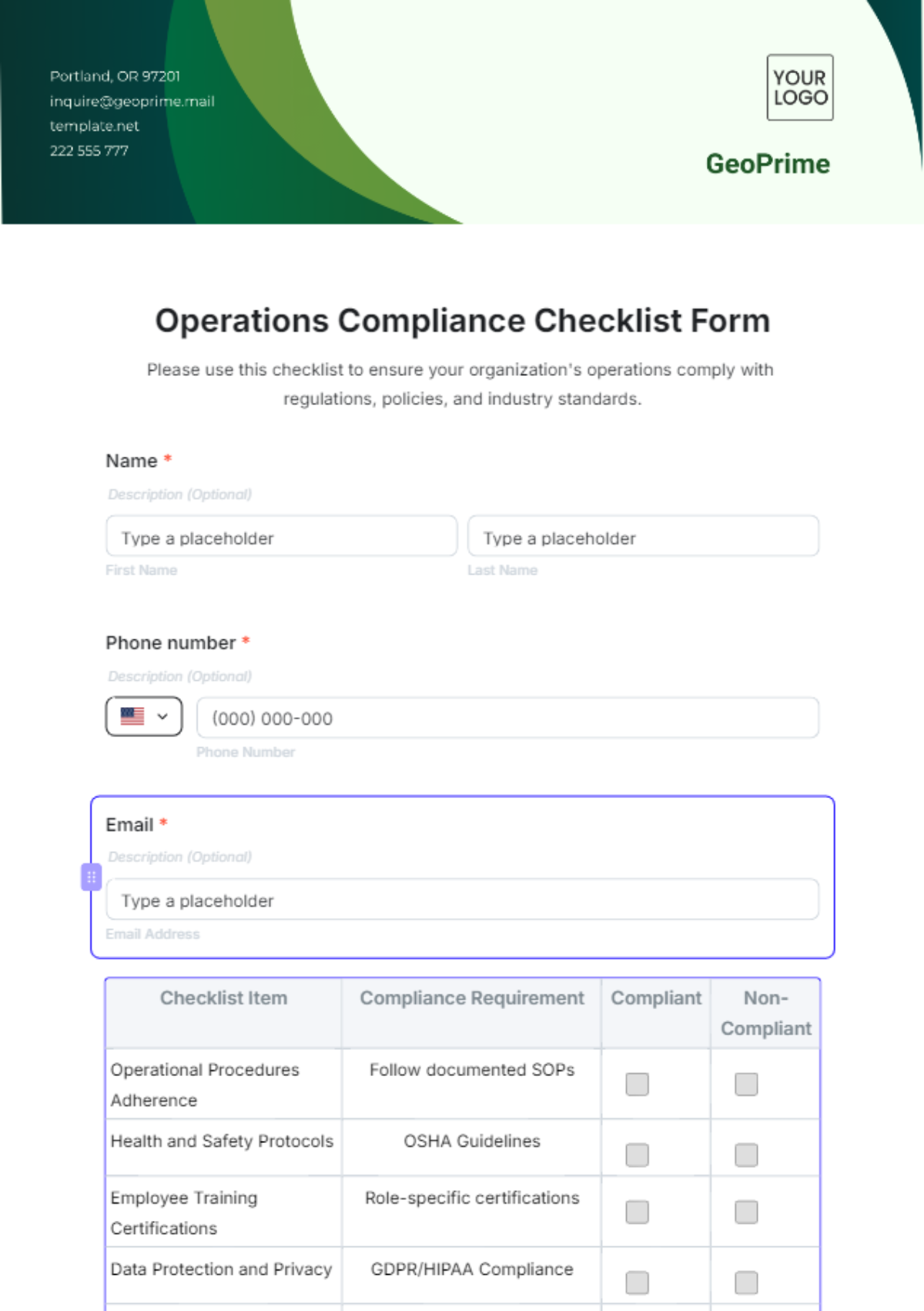
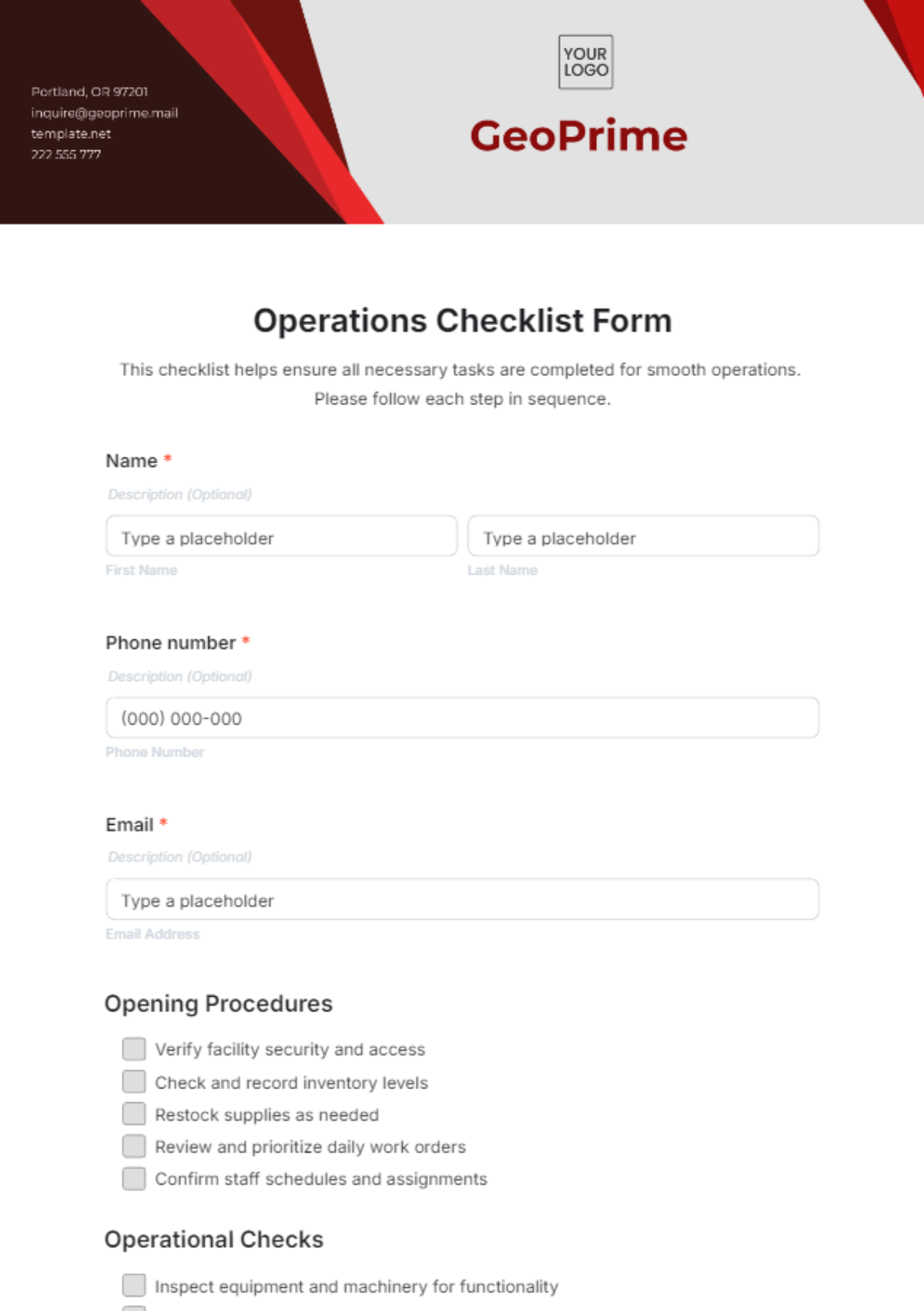
A daily operations checklist could contain opening checks, staffing confirmation, equipment readiness, inventory status, safety observations, incidents, and supervisor sign-off. It should be quick enough to complete without interrupting essential work.
A maintenance request form could capture the requester, location, asset, problem description, priority, requested completion date, assigned technician, materials, work performed, and completion approval.
An operational incident form could record when and where an event occurred, what happened, immediate actions, affected operations, responsible owner, follow-up actions, and closure information.
A resource allocation form could document personnel, equipment, materials, budget, allocation period, purpose, and approving authority. This can help managers see whether resources are being assigned to the right operational priorities.
An operations review form could be used weekly or monthly to record key activities, unresolved issues, performance observations, resource constraints, upcoming priorities, and decisions requiring management attention.
How to Analyze Information Collected Through Operations Forms
Data analysis should begin with a clear management question. Do not build charts merely because the form contains numbers. Decide what decision the analysis should support.
For recurring operational issues, count the number of occurrences by category, location, process, or time period. This can reveal patterns that individual records do not make obvious.
For overdue actions, compare due dates with completion dates and identify owners or departments with recurring delays. The objective is not simply to rank employees but to understand where workflow design may be creating bottlenecks.
For quality checks, examine failure categories and corrective actions. Repeated failures in the same area may indicate that the procedure, training, equipment, or control needs improvement.
For resource planning, compare planned allocations with actual usage. Significant differences may suggest inaccurate assumptions, changing demand, or inefficient resource deployment.

Reporting and Management Review
Operational reporting should convert records into decisions. A manager rarely needs to read every completed checklist, but may need to know how many exceptions occurred, which actions remain open, and which risks require attention.
A useful operational report normally separates completed activity from unresolved issues. This distinction prevents routine completion data from hiding problems that require intervention.
Use concise summaries supported by traceable records. If a report states that an issue is recurring, the underlying forms should make it possible to understand where that conclusion came from.
Reporting frequency should match operational speed. A high-frequency process may require daily review, while a stable administrative process may only need a monthly review.
Keep management reports focused. The objective is to highlight decisions, exceptions, trends, resource requirements, and risks rather than reproduce every detail from the source forms.

Common Mistakes to Avoid
Overloading the form
The first common mistake is trying to make one document do everything. A form that contains instructions, policy statements, extensive history, multiple unrelated checklists, and management reporting fields can become difficult to use.
A better approach is to separate related functions. Use the manual for detailed guidance, the checklist for execution, and the report for management review.
Collecting information nobody uses
Every field creates a small administrative cost. If nobody reviews or acts on the information, consider removing the field.
Using vague language
Terms such as “check,” “review,” “complete,” or “acceptable” may be too vague without criteria. Where consistency matters, define what the user should actually verify.
Ignoring exceptions
A form that only supports successful completion provides little value when something goes wrong. Include a practical path for documenting exceptions and assigning corrective action.
Failing to control versions
Operational documents change. Without revision information, employees may use obsolete instructions or forms without realizing it.

How to Keep an Operations Manual Current
An operations manual should be treated as a living document. Processes change when equipment, software, staffing structures, customer requirements, suppliers, facilities, or internal controls change.
Assign ownership for each major section. Someone should be responsible for knowing whether the documented process still reflects actual work.
Schedule reviews according to risk and change frequency. A highly dynamic process may need frequent review, while a stable procedure may require less frequent attention.
Encourage employees to report discrepancies between the written process and actual practice. These discrepancies can reveal either a documentation problem or an underlying process problem.
Record meaningful revisions. A short revision note explaining what changed, why it changed, and when it became effective can be more valuable than simply changing a version number.
Practical Solution: Build a Usable Operations Form System
The most practical way to implement a modern operations form template is to start with one high-value process rather than redesign every operational document at once. Choose a process that is repeated frequently and currently suffers from inconsistent execution, poor handoffs, or incomplete records.
First, observe the process as it actually happens. Interview the people who perform the work, but also watch the workflow directly when possible. Document the normal sequence, exceptions, decisions, handoffs, and information needed after completion.
Second, create the minimum useful field set. Start with identity, activity, status, exceptions, ownership, action, and approval where relevant. Avoid adding fields simply because another template contains them.
Third, test the form with real users. Ask them to complete it while performing a realistic task. Watch where they hesitate, skip fields, misunderstand labels, or duplicate information already available elsewhere.
Fourth, revise the form and define its supporting procedure. Explain the meaning of important fields, acceptable responses, escalation rules, and what happens after submission.
Fifth, establish ownership and review. Decide who maintains the template, who approves changes, where completed records are stored, how long they are retained, and how users are notified when the form changes.
Sixth, analyze the first collection cycle. Look for missing data, repeated exceptions, unnecessary fields, and patterns that suggest process improvements.
Seventh, standardize only after the pilot works. Once the design proves useful, apply the same information architecture to related forms so the organization develops a coherent operational documentation system.
Reference Examples
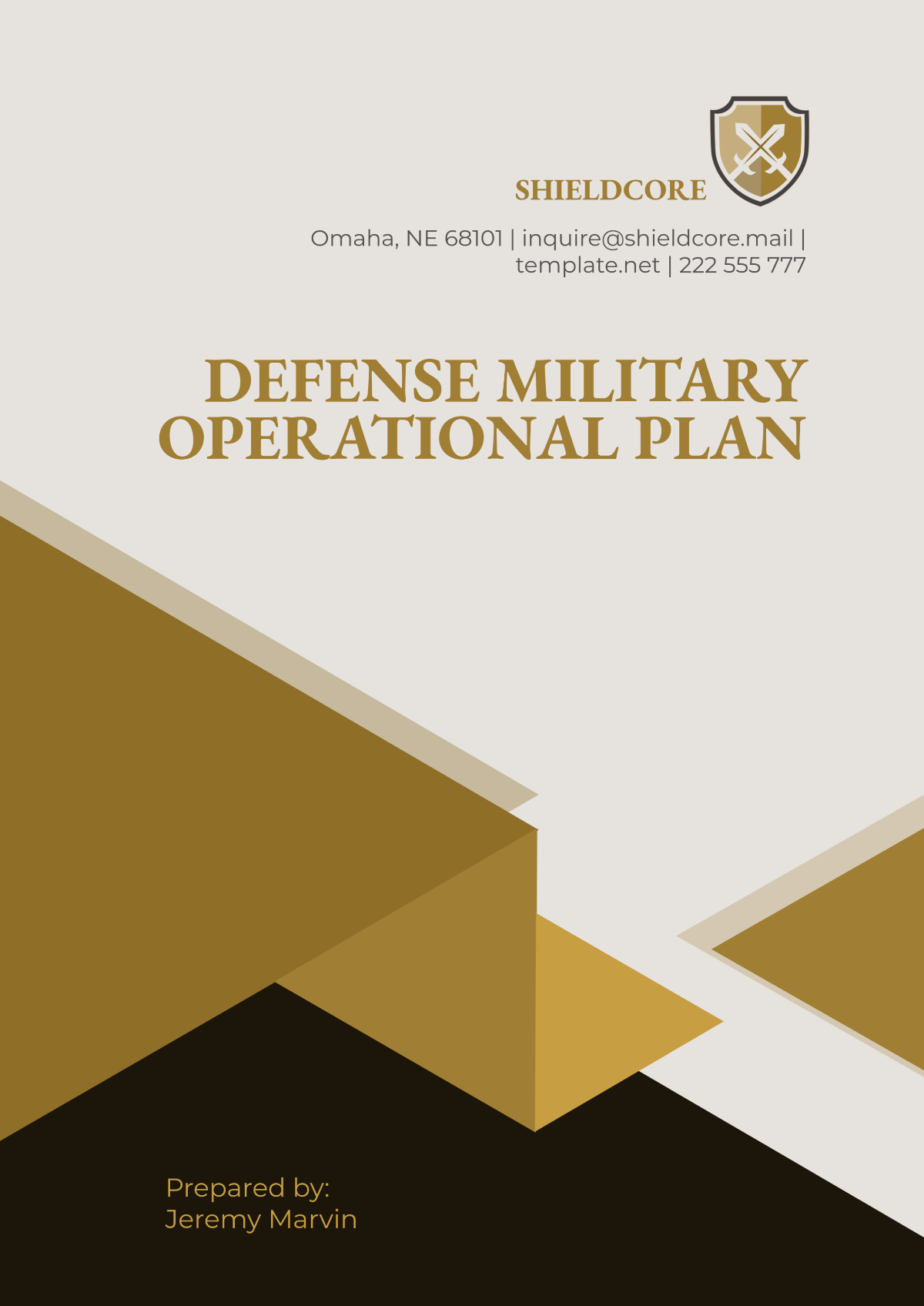
The following reference examples illustrate different visual approaches to operational manuals, checklists, plans, and related documentation. They are examples of document presentation rather than universal requirements.
modern operations form template pdf
Source: Template.net
modern operations form template free download
Source: Template.net
modern operations form template free
Source: Template.net
modern operations form template word
Source: Template.net
modern operations form template excel
Source: Template.net
modern operations form template army
Source: Template.net
modern operations form template download
Source: Template.net
manual of operations template
Source: Template.net
office operations manual template
Source: Template.net
operations manual template word
Source: Template.net
operations manual template word free
Source: Template.net
plan of operations template
Source: Template.net
Frequently Asked Questions
What should a modern operations form template contain?
A practical form usually contains document identification, date or operating period, location or department, responsible person, operational checks or tasks, status, observations, exceptions, corrective actions, and approval fields where appropriate. The exact structure should reflect the process rather than follow a universal checklist.
Is a modern operations form template better in Word or Excel?
Neither format is automatically better. Word is usually stronger for narrative procedures and manuals, while Excel is useful for repeated operational records, calculations, schedules, and structured tracking. Many organizations use both.
Can an operations form be converted into a PDF?
Yes. A Word or spreadsheet document can generally be exported or printed to PDF. Before distribution, check that fields, tables, page breaks, and instructions remain readable and that the PDF represents the intended controlled version.
What is the difference between an operations form and an operations manual?
A form records an activity, decision, inspection, request, or result. A manual explains how operations should be performed and provides policies, procedures, roles, standards, and supporting guidance. They work best as complementary documents.
How often should an operations template be reviewed?
Review frequency should reflect how quickly the process changes and how important the document is to operational risk. A review should also occur after significant changes to equipment, systems, responsibilities, policies, facilities, or workflows.
Should every field in an operations form be mandatory?
No. Required fields should be limited to information needed to complete the workflow or interpret the record. Too many mandatory fields can encourage users to enter meaningless data simply to finish the form.
How can I make a form easier for employees to complete?
Use clear labels, logical sequence, concise instructions, consistent response types, sensible defaults, and only the fields that matter. Test the form with actual users and revise it based on where they hesitate or make errors.
Can a modern operations form template support continuous improvement?
Yes. If forms consistently capture issues, causes, actions, owners, and outcomes, the collected records can reveal recurring problems. Management can then use those patterns to improve procedures, training, resources, equipment, or workflow design.
Conclusion
A modern operations form template should make operational work clearer, more consistent, and easier to manage. The strongest templates are not necessarily the longest or most visually elaborate; they are the ones that capture the right information at the right point in the workflow, connect exceptions to action, clarify responsibility, and remain easy for employees to use. Whether the final document is a Word form, PDF, spreadsheet, checklist, operational plan, or section of a broader manual, the same principle applies: design the document around the real work it is intended to support.
