Digital selling has many moving parts. A salesperson may need to understand the target audience, define a value proposition, prepare a presentation, organize prospect information, forecast revenue, write follow-up messages, and document the next action. A well-designed outline connects those activities so that the sales process feels deliberate rather than improvised.
This guide explains what a digital sales outline should contain, how to build one, which formats work best for different situations, how to use data to improve decisions, and how to turn a basic outline into a practical sales operating document. The examples are intentionally adaptable so the same framework can work for B2B services, ecommerce, consulting, software, digital products, agencies, and other sales environments.
The goal is not to create the longest possible document. The goal is to create a useful working structure that helps a seller answer five important questions: who is the buyer, what problem matters, what solution is being offered, what evidence supports the offer, and what should happen next.
A strong outline also improves consistency. When several people sell the same product, a common framework reduces differences in how prospects are qualified, how benefits are explained, how objections are handled, and how follow-up is documented. The result is a sales process that can be reviewed and improved instead of remaining dependent on individual habits.
What Is a Digital Sales Outline Template?
A digital sales outline template is a reusable framework for organizing the information and actions required to sell a product or service through digital channels. It can function as a planning document, presentation blueprint, sales playbook, campaign outline, or combination of these depending on the needs of the seller.
The word “digital” does not necessarily mean that the document must be complicated or automated. A simple document stored online can qualify if it helps the sales process stay organized. What matters most is that the structure supports repeatable decisions and makes important information easy to locate.
A useful outline normally starts with the commercial objective and then moves toward the audience, offer, positioning, sales process, content, follow-up, metrics, and next steps. The exact order can change, but the relationship between these components should remain logical.
For example, a consultant selling a digital transformation service might begin with a quarterly revenue target, define the ideal client profile, identify common operational problems, establish a discovery process, prepare a presentation, define proposal stages, and assign follow-up actions. Each part supports the next.
The same concept can be simplified for a solo creator selling a downloadable resource. In that case, the outline may focus on audience research, product positioning, landing-page messaging, email promotion, purchase objections, pricing, checkout experience, and post-purchase communication.
Why a Structured Sales Outline Matters
Sales activity often becomes inefficient when information is scattered across email threads, spreadsheets, presentation files, CRM records, notebooks, and messaging applications. A structured outline gives the seller a central framework for deciding what information matters and where it belongs.
It also helps separate strategy from activity. Calling prospects, sending emails, publishing content, and scheduling demonstrations are activities. The outline should explain why those activities are being performed, which audience they target, what outcome they are intended to produce, and how success will be evaluated.
Another advantage is easier onboarding. A new sales representative can understand a product faster when the organization has already documented its target customer, common problems, value proposition, qualification questions, presentation flow, objections, and follow-up approach.
Consistency is particularly important when sales messages are reused across multiple channels. The central sales story should remain recognizable whether it appears in a presentation, proposal, email, product page, sales call, or follow-up document.
A template also makes review easier. Managers can compare planned targets with actual performance, identify weak stages in the sales process, and revise the outline without rebuilding the entire system. In this sense, the document becomes a living management tool rather than a file that is created once and forgotten.
Core Components of a Digital Sales Outline Template
1. Sales Objective
Begin with a clear commercial objective. The objective might be to generate qualified leads, increase recurring revenue, launch a new product, enter a new market, improve conversion, increase average order value, or support a specific campaign.
A good objective gives the rest of the outline direction. If the objective is vague, the audience definition, messaging, sales activities, and metrics are likely to become vague as well. Write the objective in operational language that the sales team can understand.
For example, instead of writing “increase sales,” a hypothetical business might define an objective such as “build a repeatable digital acquisition process for mid-sized service businesses and improve the number of qualified opportunities entering the pipeline each month.”
The objective should also include a timeframe. A monthly, quarterly, launch-based, or annual objective creates a practical boundary for planning. Different timeframes can use the same template, but the depth of forecasting and reporting should match the planning period.
Keep the objective visible near the beginning of the document. Every major activity should eventually connect back to it. If an activity cannot be linked to the objective, it deserves to be questioned before it consumes sales resources.

2. Target Audience and Buyer Profile
The next component defines who the sales process is designed to reach. This may include company characteristics, job responsibilities, purchase motivations, budget considerations, operational problems, buying triggers, and preferred communication channels.
A useful buyer profile should describe the customer as a decision-making participant rather than merely a demographic category. A business buyer may care about cost, implementation time, risk, integration, productivity, compliance, or internal approval. A consumer may care more about convenience, price, trust, features, social proof, or speed.
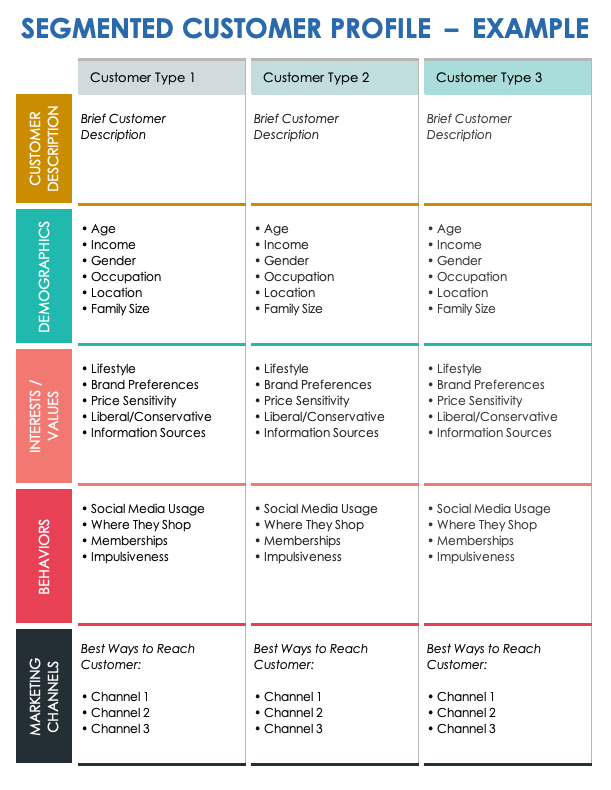
Segmentation can make the outline much more useful. Instead of creating one generic message for every prospect, divide the audience into practical groups that have meaningful differences in needs or buying behavior.
For each segment, document the primary problem, desired outcome, likely objections, decision criteria, relevant proof, and recommended call to action. This information can later be reused in presentations, emails, landing pages, proposals, and sales conversations.
A strong audience section should also identify who is not a good fit. Excluding poor-fit prospects can protect sales capacity and improve the quality of the pipeline. Qualification is not simply about finding reasons to sell; it is also about identifying situations where the offer is unlikely to create meaningful value.
3. Value Proposition and Positioning
The value proposition explains why the prospect should care about the offer. It should connect a customer problem with a meaningful business or personal outcome instead of simply listing product features.
A practical structure is problem, consequence, solution, benefit, and evidence. First identify what the buyer is struggling with. Then explain what the problem costs in time, money, risk, missed opportunity, complexity, or frustration. Introduce the solution and explain the resulting benefit.
Positioning adds context. A product may be positioned around simplicity, speed, reliability, specialization, flexibility, premium service, affordability, or a particular use case. The correct position depends on what matters to the intended customer.
Avoid creating a value proposition that could describe almost any competitor. Strong positioning becomes more useful when it is specific enough to explain why the offer is relevant to a particular audience.
Use the same central value proposition across the sales outline, but adapt the wording to the communication format. A presentation can use a concise headline, a proposal can provide more detail, and an email can turn the idea into a short buyer-focused message.

Building the Sales Process
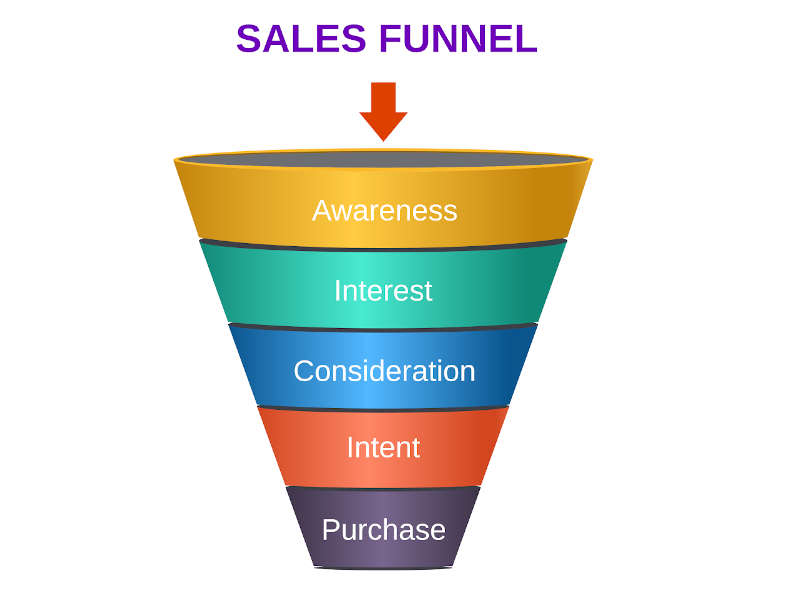
A sales outline becomes operational when it defines how a prospect moves from initial awareness toward a commercial decision. The process should be simple enough to use consistently but detailed enough to identify important handoffs and decision points.
A typical process may include prospecting, qualification, discovery, solution presentation, objection handling, proposal, negotiation, closing, delivery, and post-sale expansion. Not every business needs every stage, and some digital purchases may compress several stages into a single online journey.
Each stage should have a purpose and an exit condition. For example, discovery may be complete when the buyer’s primary problem, desired outcome, decision process, and timeline are understood. A proposal stage may begin only after the prospect confirms that the solution is relevant.
Defining exit conditions prevents sales representatives from treating every contact as equally ready to buy. It also makes pipeline reviews more meaningful because managers can distinguish between genuine opportunities and records that simply remain open without a clear next step.
Document the expected action at every stage. If the next step is not clear, the prospect may remain inactive. A useful sales outline therefore connects each stage to a responsible person, required information, expected action, and measurable outcome.
Research and Data Collection
Sales planning should begin with evidence rather than assumptions. Relevant information may come from previous customer conversations, sales records, product analytics, customer service questions, market research, website behavior, surveys, interviews, competitor reviews, and other trustworthy sources.
Customer interviews can be particularly useful for discovering language that customers naturally use when describing their problems. Those phrases can influence messaging because they reflect the buyer’s perspective rather than the seller’s internal terminology.
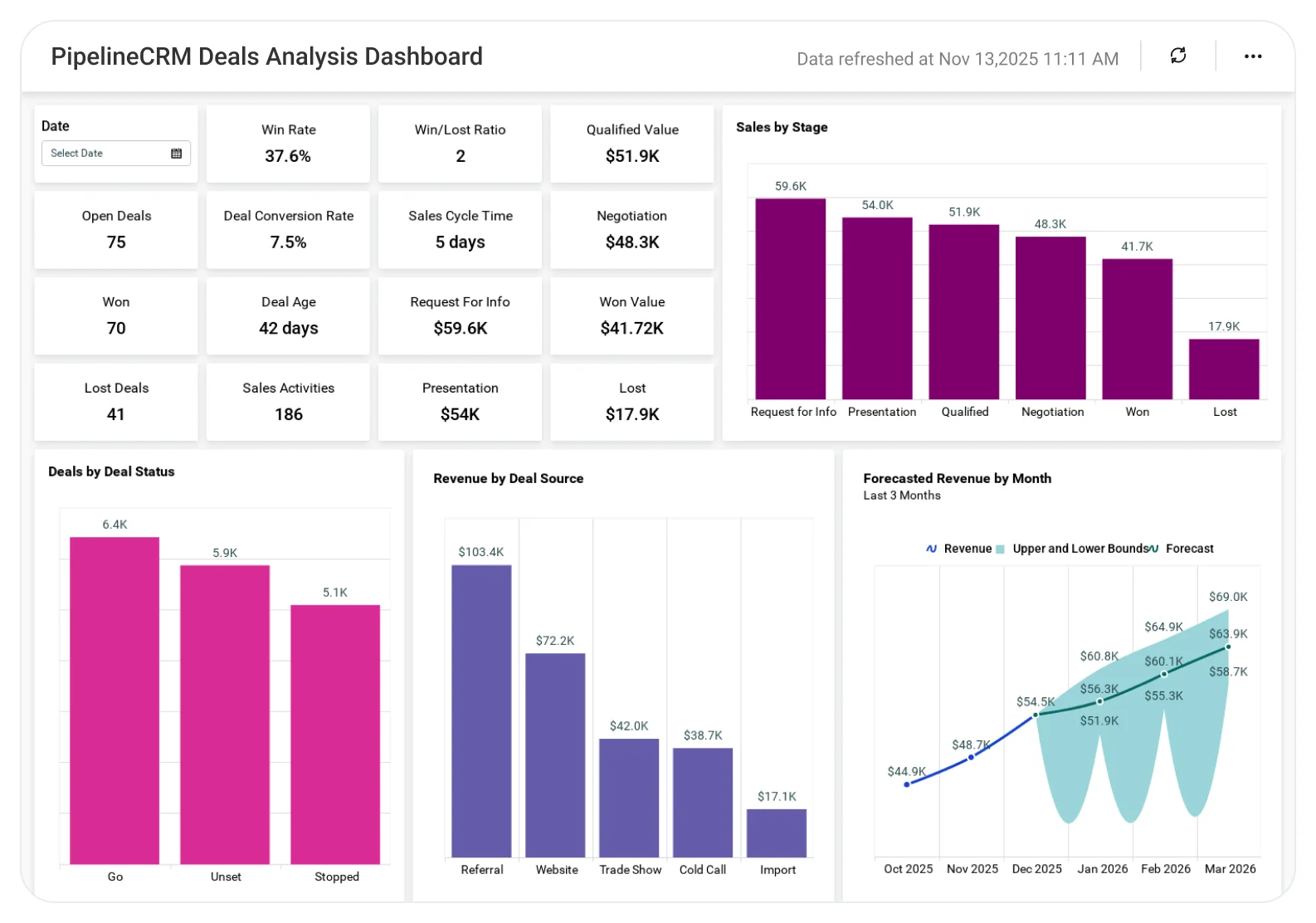
Existing sales data can reveal patterns that are easy to miss during individual conversations. Look for differences between successful and unsuccessful opportunities, common objections, average time between stages, frequently requested features, lead sources, and reasons for lost deals.
Qualitative information should not be ignored simply because it is difficult to put into a spreadsheet. Notes from discovery calls, proposal feedback, support conversations, and customer interviews can explain why a numerical trend is happening.
When collecting information, separate verified observations from hypotheses. If a team believes that price is the main objection, treat that as a hypothesis until enough customer evidence supports it. This distinction reduces the risk of building an entire sales strategy around an unsupported assumption.

Using Sales Data in the Outline
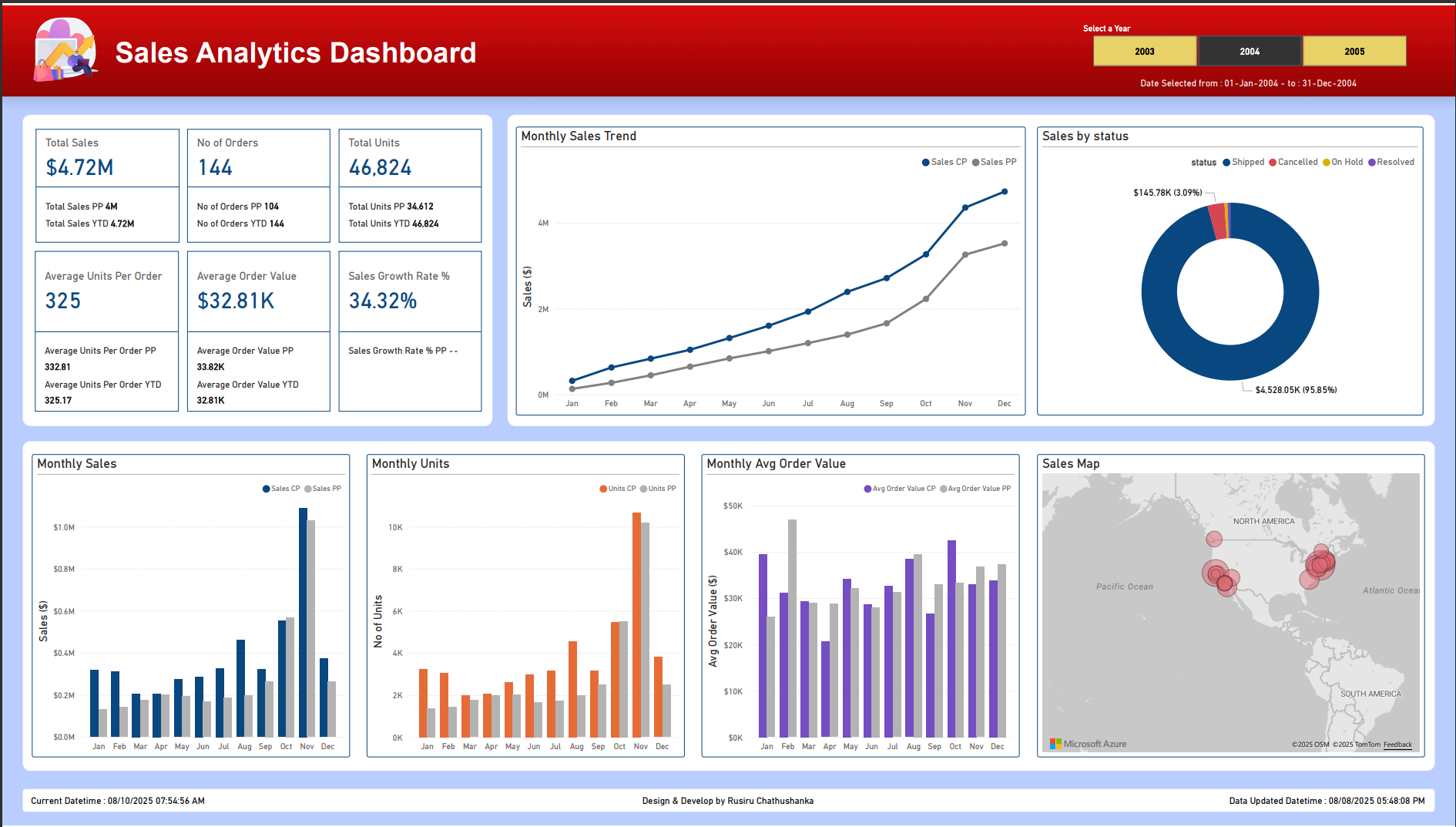
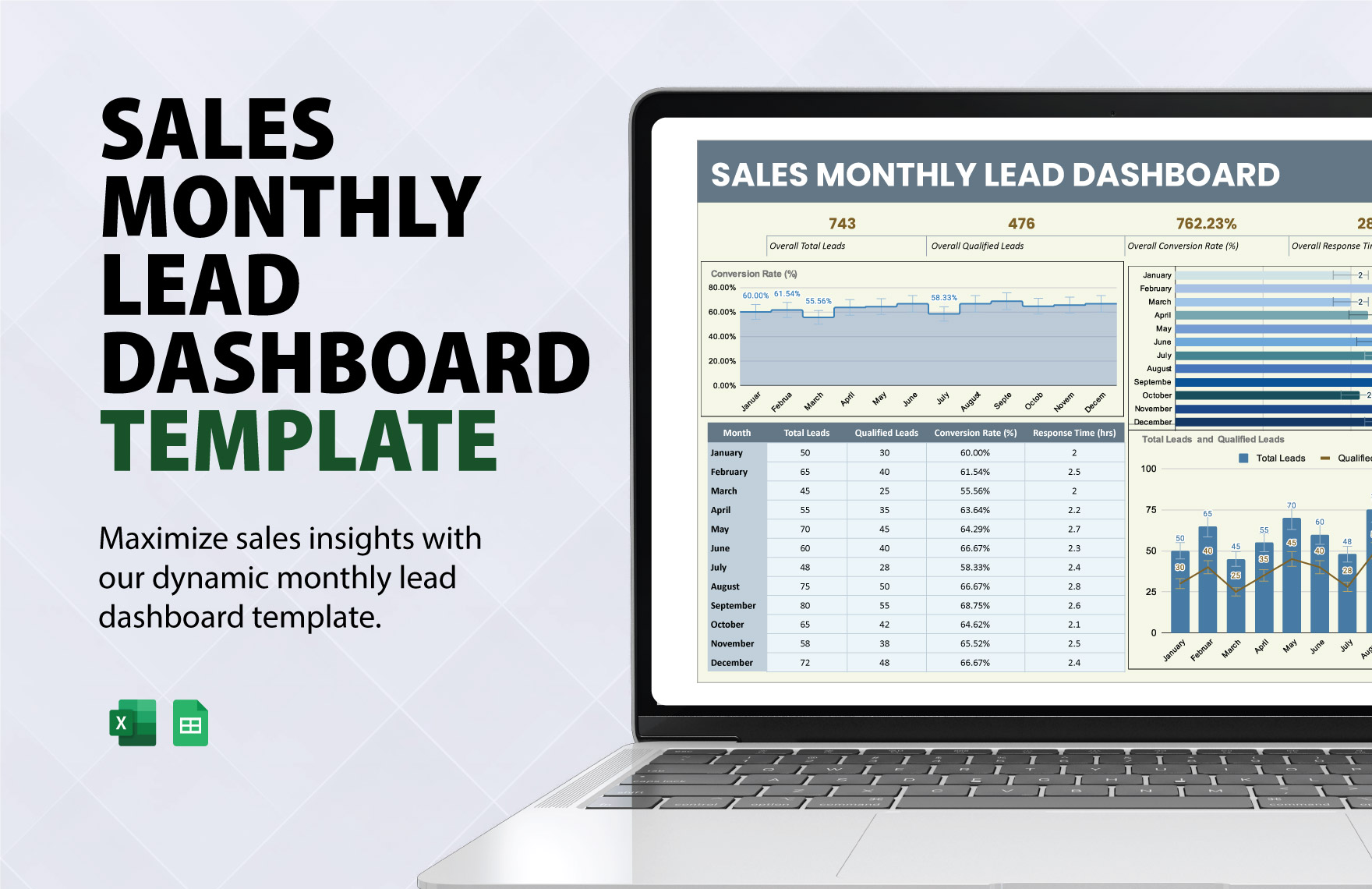
Data becomes useful when it helps someone make a decision. A digital sales outline should therefore avoid becoming a collection of numbers with no interpretation. Every important metric should have a reason for being included.
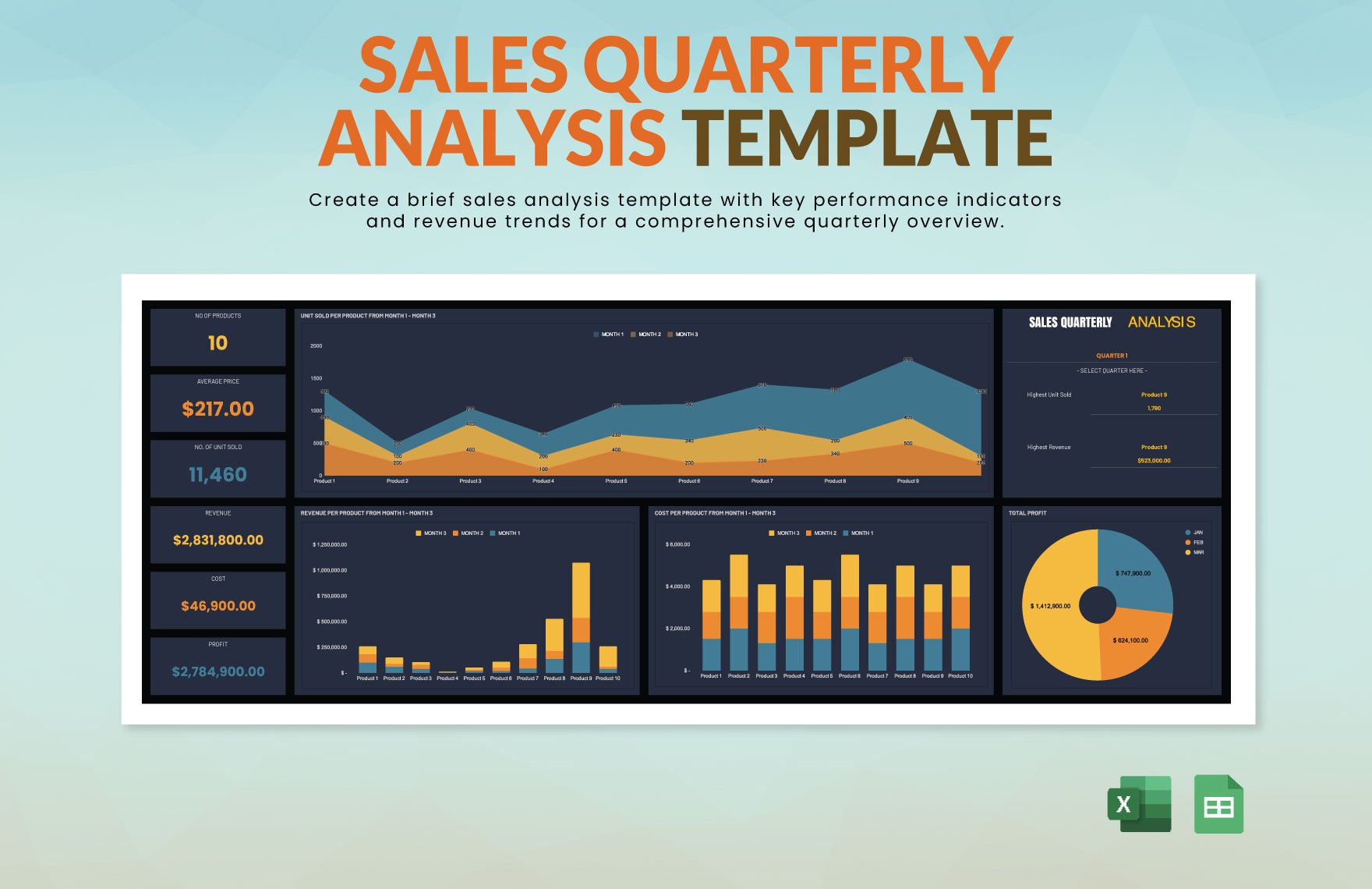
Revenue is an outcome metric, while pipeline size, qualified opportunities, activity levels, stage conversion, response rates, and sales-cycle duration can provide additional context. The right combination depends on the business model and the decisions the sales team needs to make.
For example, if revenue is below target but qualified pipeline is healthy, the problem may be later in the sales process. If activity is high but qualified opportunities remain low, the issue may be audience selection or qualification. If proposals are frequent but few are accepted, the team may need to investigate positioning, value communication, pricing, or buyer alignment.
Forecasting should be treated as a planning exercise rather than a promise. A forecast becomes more useful when the assumptions behind it are visible. Document the pipeline sources, expected timing, deal stages, and confidence criteria used to create the forecast.
Keep dashboards focused. A sales outline does not need dozens of metrics. A small set of meaningful measures that lead to specific actions is generally more useful than an impressive-looking dashboard that nobody uses to make decisions.

Creating a Sales Presentation Outline
A presentation should not simply reproduce the entire sales plan. The presentation has a different purpose: it guides the buyer through a persuasive sequence that explains the situation, demonstrates relevance, establishes value, reduces uncertainty, and makes the next step clear.
A practical sales presentation can begin with the buyer’s situation, followed by the problem, consequences, desired outcome, proposed solution, key benefits, proof, implementation approach, commercial terms, and next steps.
Use evidence selectively. A case study, demonstration, customer result, process diagram, comparison, or product walkthrough can make the solution easier to evaluate. Evidence should support the buyer’s decision rather than exist only as decoration.
Slides should also have a clear job. If a slide cannot answer a question, explain an important point, demonstrate evidence, or move the decision forward, it may not deserve space in the presentation.
The closing section should be specific. Rather than ending with a generic “thank you,” define the proposed next action, such as scheduling a technical review, approving a proposal, starting a trial, confirming requirements, or agreeing on a follow-up date.

Digital Sales Outline Formats
Document-Based Format
A document format works well when the outline needs substantial explanation. It is useful for sales plans, internal playbooks, account strategies, discovery frameworks, proposal preparation, and management reviews.
The document can contain headings, tables, checklists, notes, definitions, and examples. Its biggest advantage is depth. A representative can understand not only what to do but also why a particular action is recommended.
Document-based outlines are especially useful when several departments need to collaborate. Marketing can contribute audience information, product teams can provide feature details, customer success can provide retention insights, and sales can add buyer objections and field feedback.
The main risk is excessive length. A document that becomes difficult to scan may be ignored. Use concise sections, descriptive headings, tables where appropriate, and clear action fields to preserve usability.
For recurring work, create a standard master structure and duplicate it for individual campaigns, products, accounts, or planning periods. This makes comparisons easier while allowing each sales initiative to remain customized.

Spreadsheet Format
A spreadsheet is useful when the outline includes many structured records. Leads, opportunities, revenue forecasts, sales activities, budgets, product performance, and conversion calculations can all be organized in rows and columns.
One advantage of a spreadsheet is that it can connect planning fields with calculations. For example, a sales forecast can use expected units, price, probability, and timing to create a working projection. The model can then be updated as actual information changes.
Spreadsheets are also useful for comparing scenarios. A seller can create conservative, expected, and aggressive cases without changing the underlying sales strategy. This can help management understand how assumptions affect the plan.
However, spreadsheets should not become dumping grounds for every available data point. Keep the main sheet focused on decisions and move supporting detail into additional tabs when necessary.
Use clear field names, consistent date formats, controlled categories, and simple formulas. A spreadsheet that only its creator understands is not a scalable sales tool.

Presentation Format
A presentation format is best when the outline must communicate a strategy to a group. It can be used for sales kickoffs, account reviews, quarterly planning, product launches, executive discussions, or customer-facing proposals.
Presentation outlines should prioritize hierarchy. The audience should understand the main message before being asked to process supporting details. A useful slide structure often moves from context to problem, strategy, execution, measurement, and decision.
Charts and diagrams should simplify information rather than overwhelm the viewer. If the underlying data is complex, use the presentation to show the important pattern and provide detailed data separately.
Visual consistency also matters. Repeated layouts, typography, terminology, and positioning make the presentation easier to follow. The goal is not to make every slide identical but to make the information architecture predictable.
When preparing a customer-facing deck, remove internal commentary and assumptions that the customer does not need to see. Internal planning and external persuasion are related but should not be treated as the same document.

Email and Follow-Up Planning
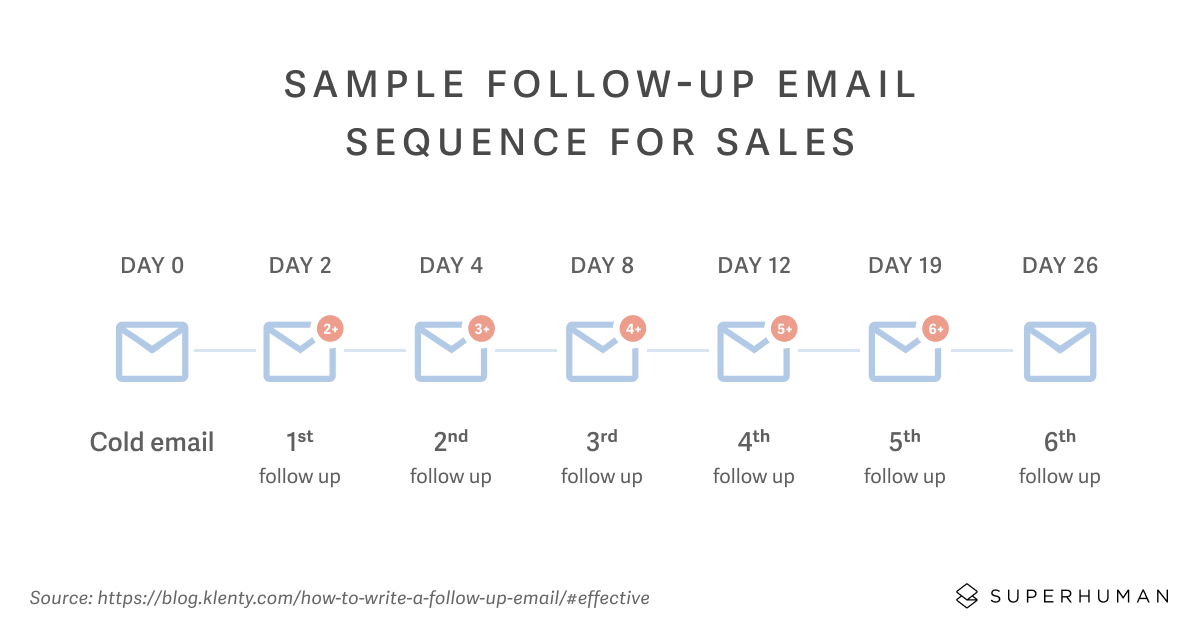
Email should be treated as part of the sales process rather than as an isolated writing task. A follow-up message should have a reason for being sent, a specific audience, a clear connection to the previous interaction, and an appropriate next action.
An effective email outline can include the context, relevant problem, useful insight, proposed action, supporting resource, and call to action. The structure can be shortened for simple follow-ups or expanded when a prospect needs additional information.
Personalization should be meaningful rather than cosmetic. Replacing a first name is not the same as adapting a message to the prospect’s industry, business problem, previous conversation, or stated priority.
Follow-up timing should reflect the sales situation. A high-priority opportunity may require a tighter sequence than a low-intent lead. The outline should define when the next message is appropriate and what new information it should provide.
Good follow-up also includes stopping rules. If a prospect repeatedly shows no interest, continuing to send the same message can waste time and damage the relationship. The sales process should define when to pause, recycle, or close an opportunity.
Practical Sales Planning Sample
Consider a hypothetical software company that sells workflow automation to growing professional-service firms. Its annual sales objective is translated into quarterly goals, target account segments, pipeline requirements, and specific acquisition activities.
The audience section identifies operations leaders and department managers who are experiencing repetitive administrative work. Their primary concerns include process consistency, employee time, reporting visibility, and implementation effort.
The value proposition focuses on simplifying repetitive workflows while giving managers clearer visibility into process status. The sales presentation then demonstrates a current-state workflow, identifies friction points, shows the proposed process, and explains how implementation would work.
The sales process might contain qualification, discovery, workflow assessment, demonstration, proposal, review, negotiation, and close. Each stage has a defined purpose and a documented next step.
The measurement section tracks qualified opportunities, stage movement, proposal activity, conversion, sales-cycle duration, and revenue. If proposals increase but closes remain flat, the team investigates the cause rather than simply increasing activity.
How to Build Your Own Digital Sales Outline
Step 1: Define the Commercial Goal
Write the primary sales outcome first. Decide whether the outline is intended for a campaign, product launch, account strategy, quarterly plan, annual strategy, presentation, or individual opportunity.
Define the timeframe and ownership. A plan without an owner can become a shared document that nobody is responsible for executing.
Choose one primary outcome and a small number of supporting outcomes. Too many priorities can make the document difficult to use because every activity appears equally important.
Connect the goal to a measurable business result where possible. This creates a basis for reviewing progress later and prevents the outline from becoming purely descriptive.
Finally, write the goal in language that a salesperson can act on. If a representative cannot tell what the goal means for their daily work, the goal needs more operational detail.
Step 2: Define the Buyer
Document the customer segment, buyer role, common problem, desired outcome, decision criteria, likely objections, and purchasing environment.
If multiple people influence the purchase, document their roles separately. The user, economic buyer, technical evaluator, manager, and procurement participant may have different priorities.
Record the language customers use when describing the problem. This can become useful source material for presentations, landing pages, email messaging, and discovery questions.
Identify buying triggers. A prospect may become more interested after a new hire, product launch, growth period, operational failure, budget change, regulatory development, or strategic initiative.
Finally, identify poor-fit customers. A strong sales outline should help the team focus attention where the product has a realistic chance of producing value.
Step 3: Map the Sales Journey
List the stages from initial contact to purchase and, when relevant, retention or expansion. Avoid creating stages simply because they sound professional.
For each stage, define the objective. A prospecting stage might aim to establish relevance, while discovery aims to understand needs and qualification.
Define what must be known before the opportunity can move forward. This prevents representatives from advancing deals based solely on optimism.
Assign ownership. If a proposal requires input from sales, product, finance, or implementation teams, the outline should identify who contributes and when.
Finally, define the next action for every stage. A pipeline without clear next actions tends to become a list of names rather than a system for generating decisions.
Step 4: Build the Messaging Structure
Create the central message before writing individual sales assets. The message should explain the buyer’s situation, problem, desired outcome, solution, value, and reason to act.
Then adapt that message for each channel. A sales presentation may use several slides, while an email may need only a few sentences.
Prepare answers to common objections. Pricing, implementation effort, switching costs, integration, timing, internal approval, and competitive alternatives are common areas that may require clarification.
Use evidence carefully. Demonstrations, examples, customer stories, product comparisons, process diagrams, and transparent assumptions can make the sales message easier to evaluate.
Keep the message buyer-centered. The strongest outline is rarely the one that contains the most information about the seller. It is the one that makes the buyer’s decision easier.

Step 5: Add Metrics and Review Rules
Select metrics that correspond to the sales objective. If the goal is pipeline creation, measure qualified opportunities and pipeline value. If the goal is conversion, monitor movement between relevant stages.
Define the review frequency. Some information may be reviewed weekly, while broader strategy may be evaluated monthly or quarterly.
Use comparisons that reveal change. Current results become more meaningful when compared with a previous period, target, segment, channel, or defined benchmark.
Document what action should follow a weak result. A metric is more useful when it has a corresponding decision rule, such as investigating a bottleneck, changing an audience segment, revising messaging, or improving qualification.
Review the outline itself. Sales plans should evolve when the market, offer, buyer behavior, product, pricing, or sales process changes.

Choosing the Right File Format
Different sales activities benefit from different formats. A document is generally better for detailed strategy and narrative explanations. A spreadsheet is stronger for structured data, calculations, forecasts, and tracking.
A presentation is more appropriate when the outline must guide a meeting or persuade an audience. A PDF can be useful when the content needs to preserve its layout for sharing or review.
Cloud-based documents can be valuable when several team members need to collaborate. The important question is not which format is fashionable but which format matches the work being performed.
It is also possible to maintain a master sales outline in one format and repurpose selected information into others. For example, a sales plan can become a presentation outline, a spreadsheet can provide charts for the presentation, and the presentation can inform follow-up emails.
A mature sales system therefore treats formats as connected outputs rather than isolated files. The same underlying strategy should remain consistent even when its presentation changes.
Common Mistakes to Avoid
Making the Template Too Generic
A template should provide structure without removing context. A document filled with broad statements such as “identify customers” or “increase revenue” is unlikely to help a sales representative make better decisions.
Customize important fields for the product, buyer, market, and sales cycle. The more specific the commercial environment, the more specific the template should become.
Confusing Activity With Strategy
More calls, emails, meetings, or presentations do not automatically mean better sales performance. Activity should be connected to a defined customer segment, objective, and stage of the sales process.
Ignoring Lost Opportunities
Lost deals contain useful information. Document why opportunities were lost, whether the reason was confirmed, and whether the pattern appears repeatedly. This can reveal issues in qualification, pricing, positioning, timing, or product fit.
Overloading the Dashboard
Too many metrics make prioritization harder. Focus on the measurements that help the team understand performance and choose the next action.
Failing to Define the Next Step
A meeting that ends without a clear next action can leave the opportunity inactive. Every meaningful sales interaction should conclude with a documented action, owner, and expected timing.
Best Practices for a High-Quality Digital Sales Outline
Keep the structure consistent while allowing the content to change. This creates familiarity for the team without forcing every customer or campaign into exactly the same story.
Write for the person who will actually use the template. If representatives need to consult it during a sales call, make the relevant fields easy to scan. If executives use it for quarterly planning, emphasize goals, risks, resources, and performance.
Separate required fields from optional fields. A short mandatory checklist encourages adoption, while optional sections can capture deeper information when the opportunity justifies it.
Use examples carefully. A hypothetical example can demonstrate how a field should be completed, but it should be clearly treated as an example rather than as evidence of actual performance.
Review the template periodically. When a new objection appears repeatedly, add it. When a field is never used, question whether it belongs. When the sales process changes, update the corresponding stages and instructions.
Practical Solution: Turn the Outline Into a Working Sales System
Start by creating one master digital sales outline template with a simple structure: objective, target customer, customer problem, value proposition, sales stages, messaging, assets, follow-up, metrics, risks, and next actions.
Next, create a short version for individual sales opportunities. This version should contain only the information needed to understand the account, identify the buyer’s priorities, prepare the presentation or proposal, and determine the next action.
Then create a data layer. A spreadsheet or CRM can hold structured fields such as lead source, segment, stage, expected value, target date, owner, last activity, next activity, and outcome. The outline provides context while the data layer provides tracking.
Build a presentation from the same strategy. Start with the customer’s situation, explain the problem, present the solution, demonstrate value, provide evidence, address implementation concerns, and finish with a clear commercial next step.
Create follow-up messages that continue the same story. Each message should add something useful rather than simply asking whether the prospect has made a decision. A useful follow-up might clarify an implementation question, provide a relevant example, summarize a decision, or confirm an agreed next action.
Set a review routine. During a weekly review, examine active opportunities and immediate bottlenecks. During a monthly review, examine conversion and pipeline patterns. During a quarterly review, evaluate the overall strategy, audience, positioning, resources, and targets.
Finally, keep the template editable. A sales outline should improve as the team learns. Treat changes as part of the sales process rather than as evidence that the original template failed.
Reference Examples
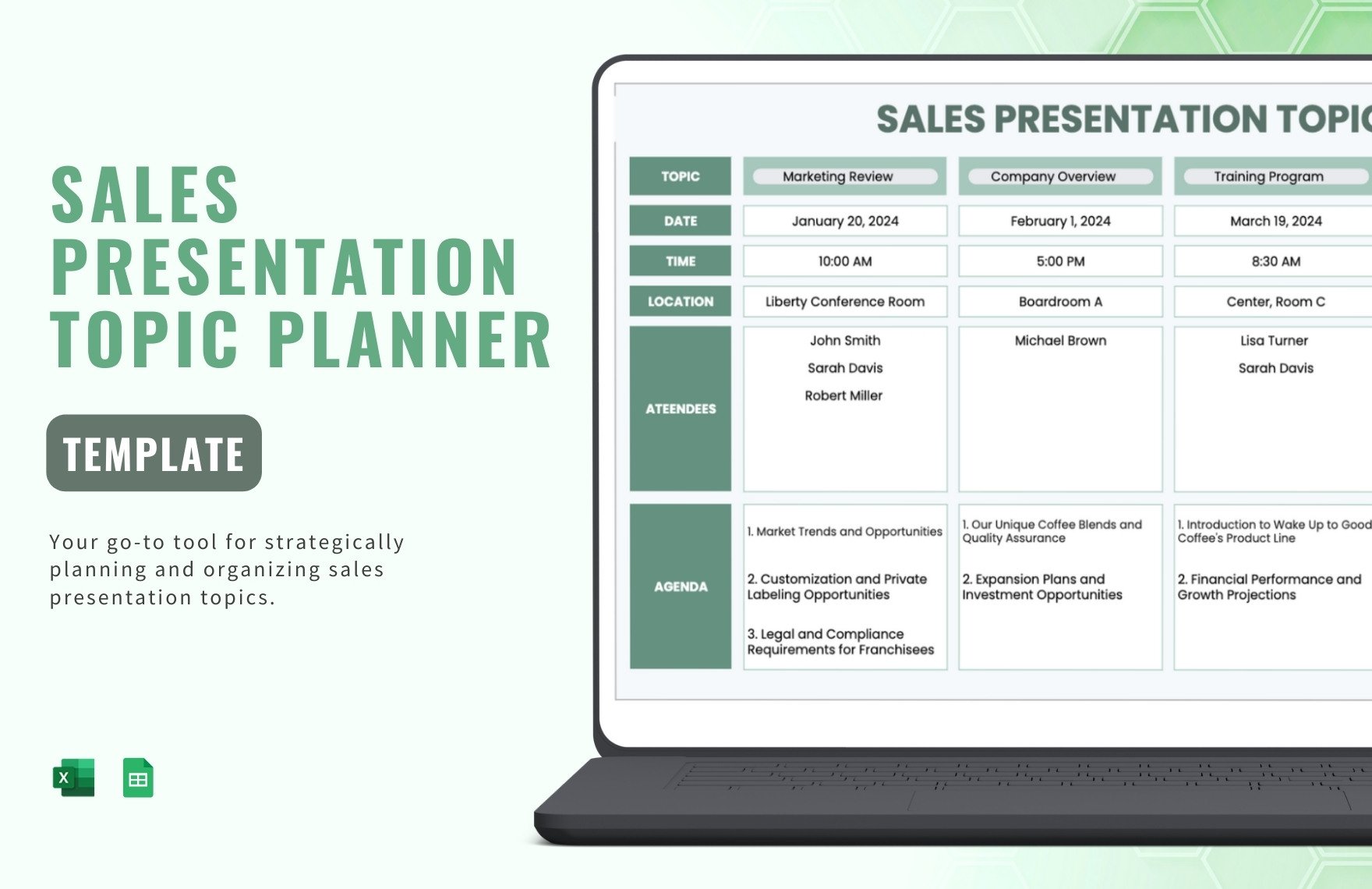
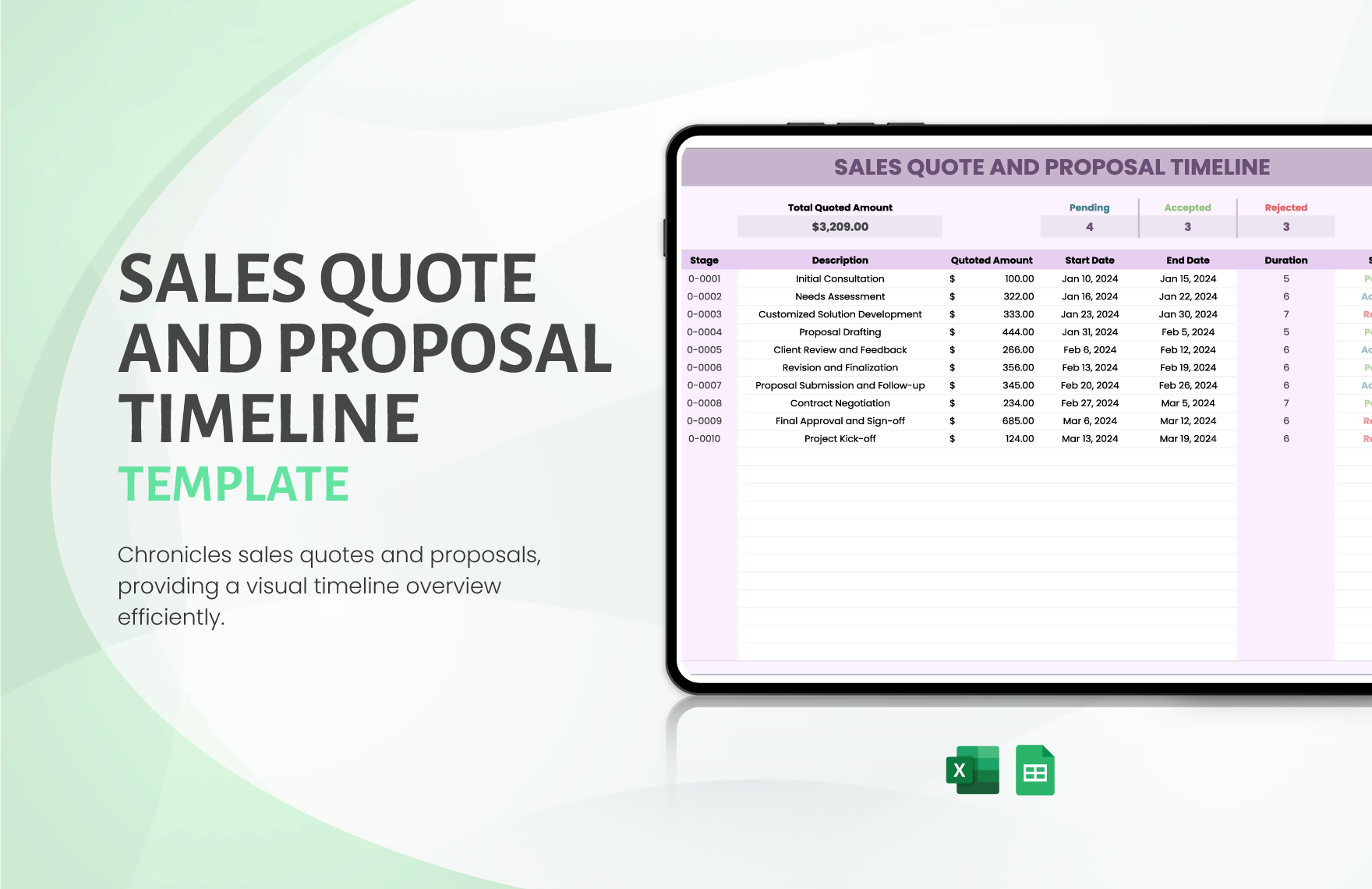
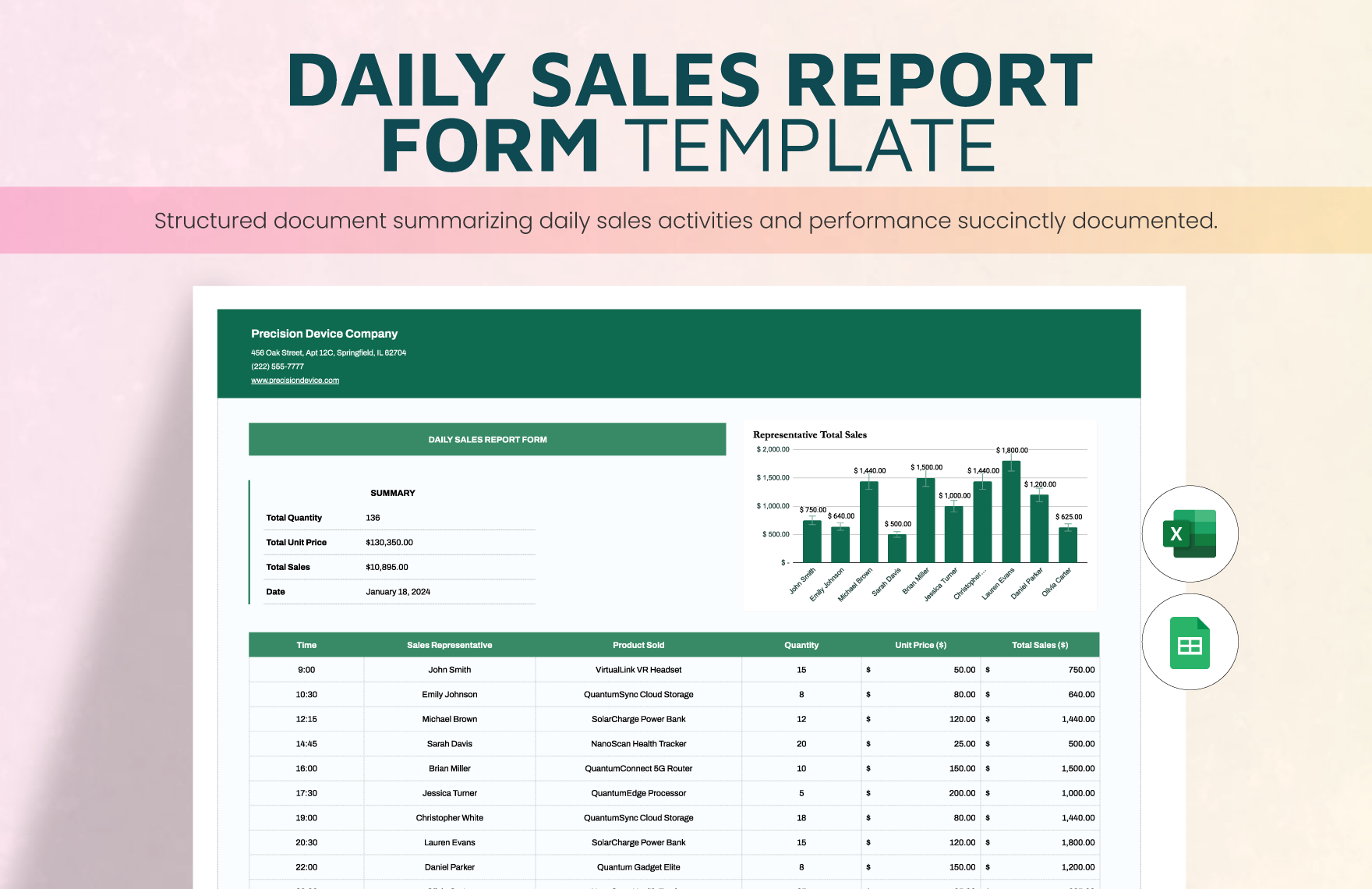
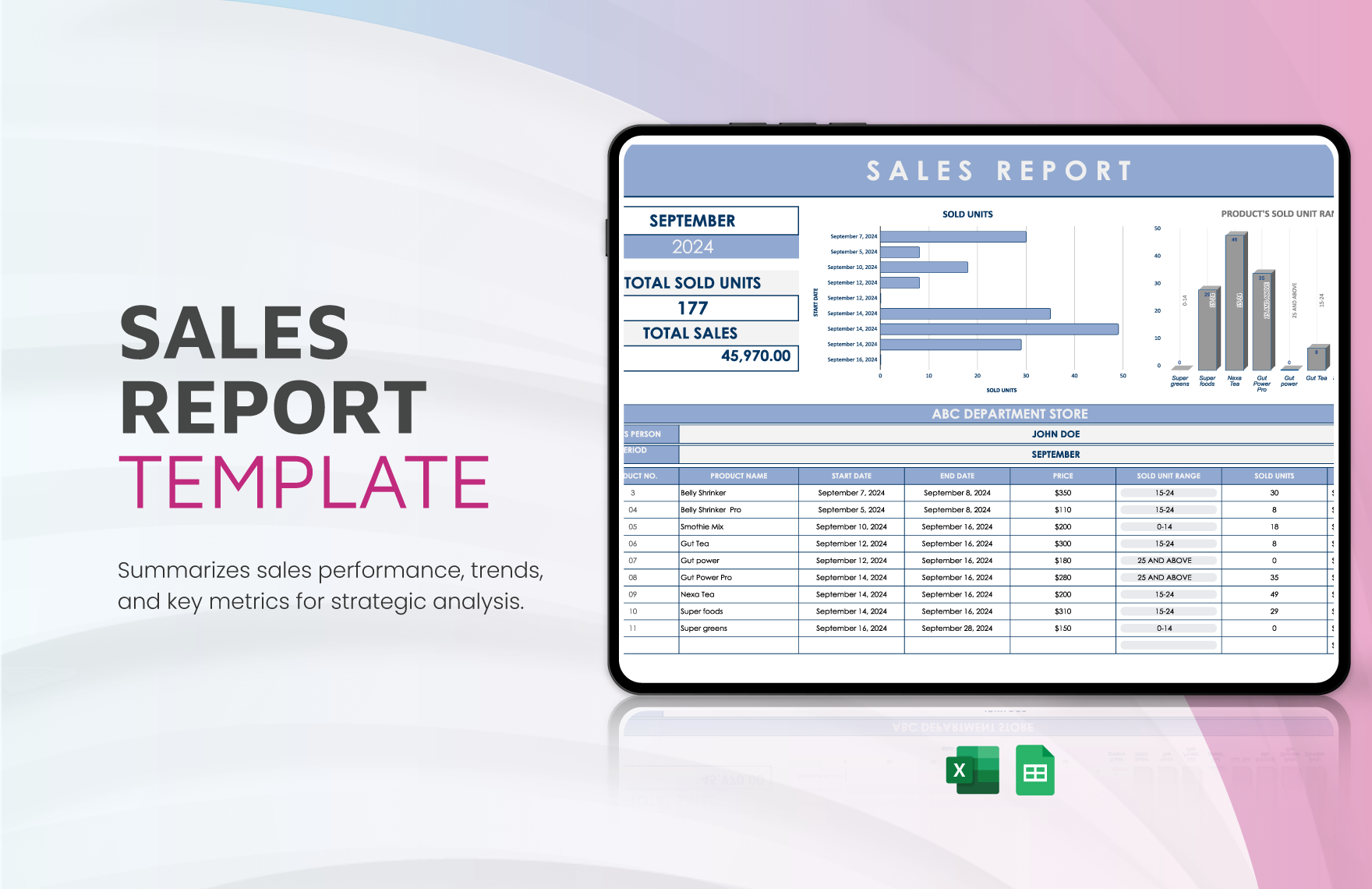
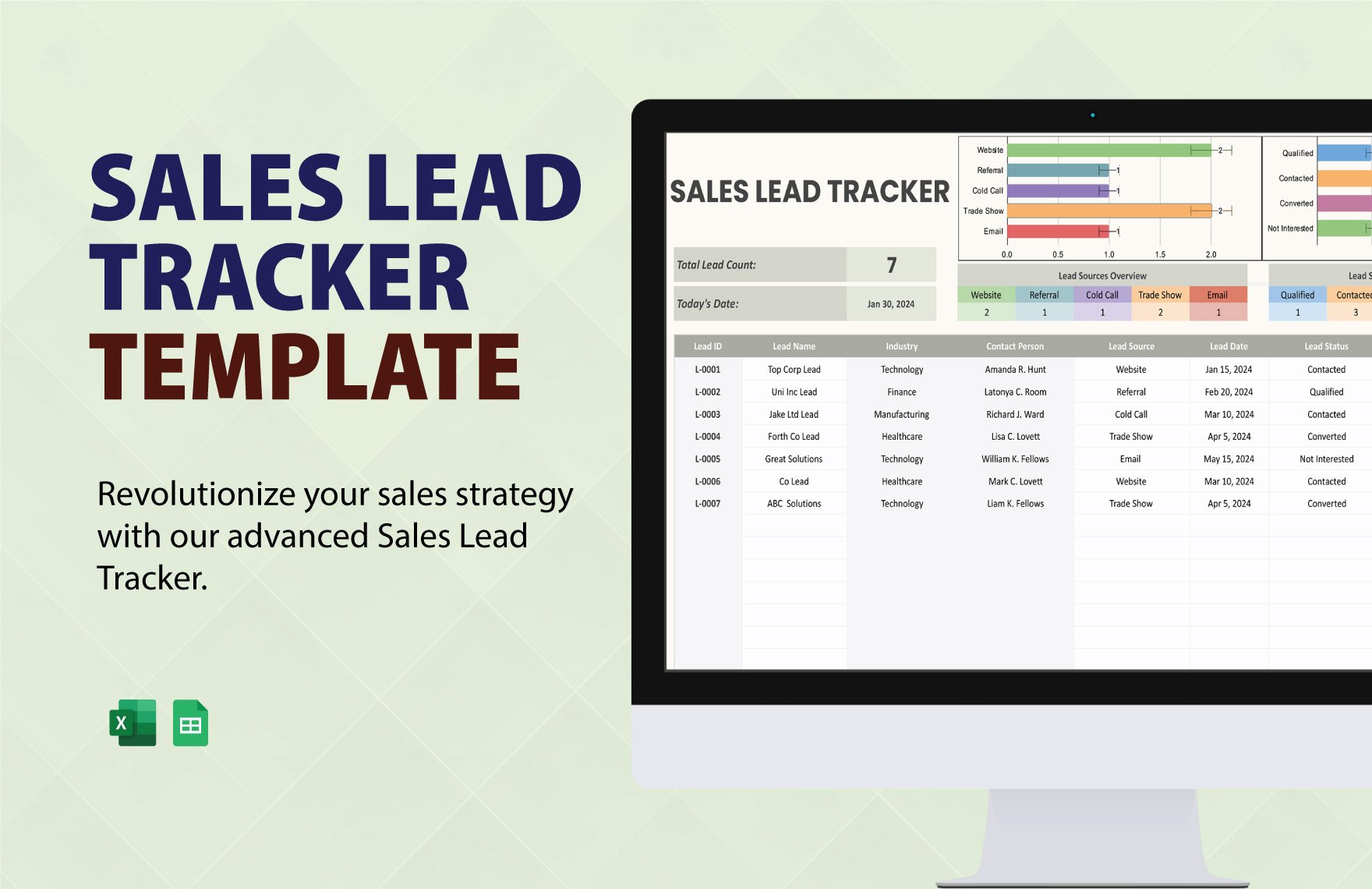
The following reference examples illustrate different ways sales planning, reporting, presentations, forecasting, email follow-up, and digital template structures can be represented visually. Each reference corresponds to one of the required phrases in the same order provided.
digital sales outline template free
Source: Template.net
digital sales outline template pdf
Source: Template.net
digital sales outline template free download
Source: Template.net
digital sales outline template google docs
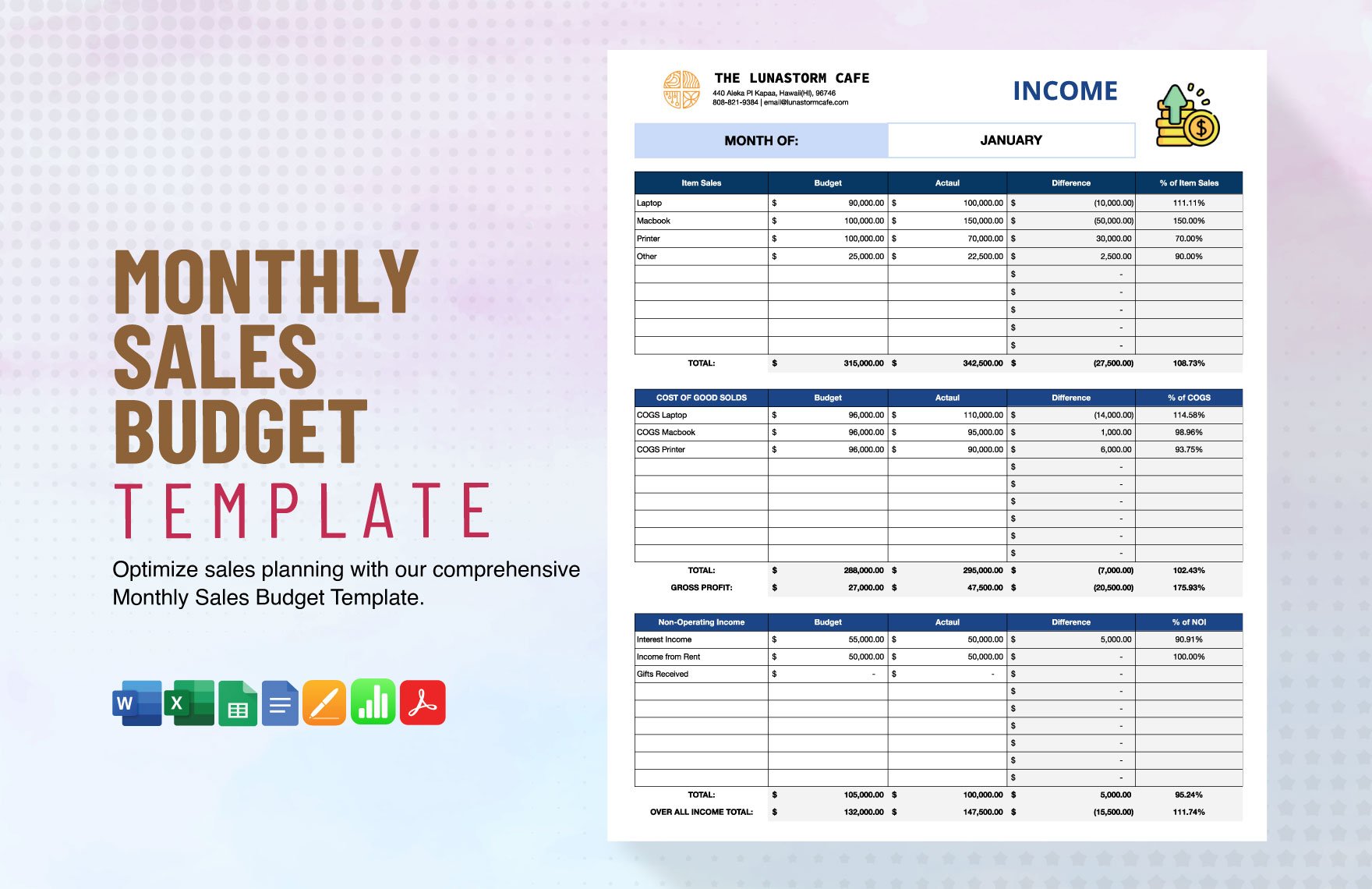
Source: Template.net
digital sales outline template word
Source: Template.net
digital sales outline template powerpoint
Source: Infografolio
digital sales outline template excel
Source: Template.net
digital sales outline template word document
Source: Template.net
email outline template for sales
Source: Superhuman
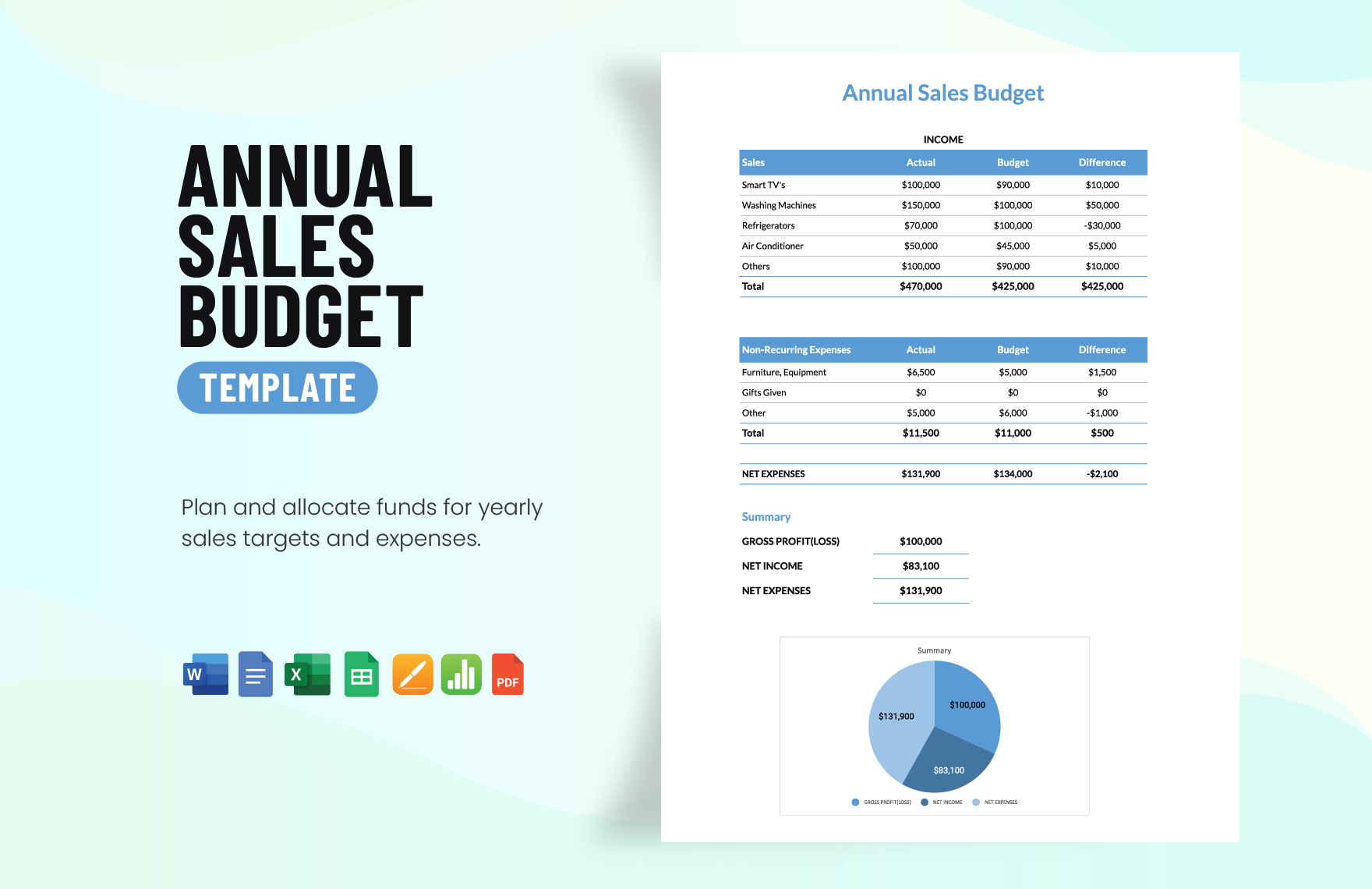
sales planning sample outline
Source: Template.net
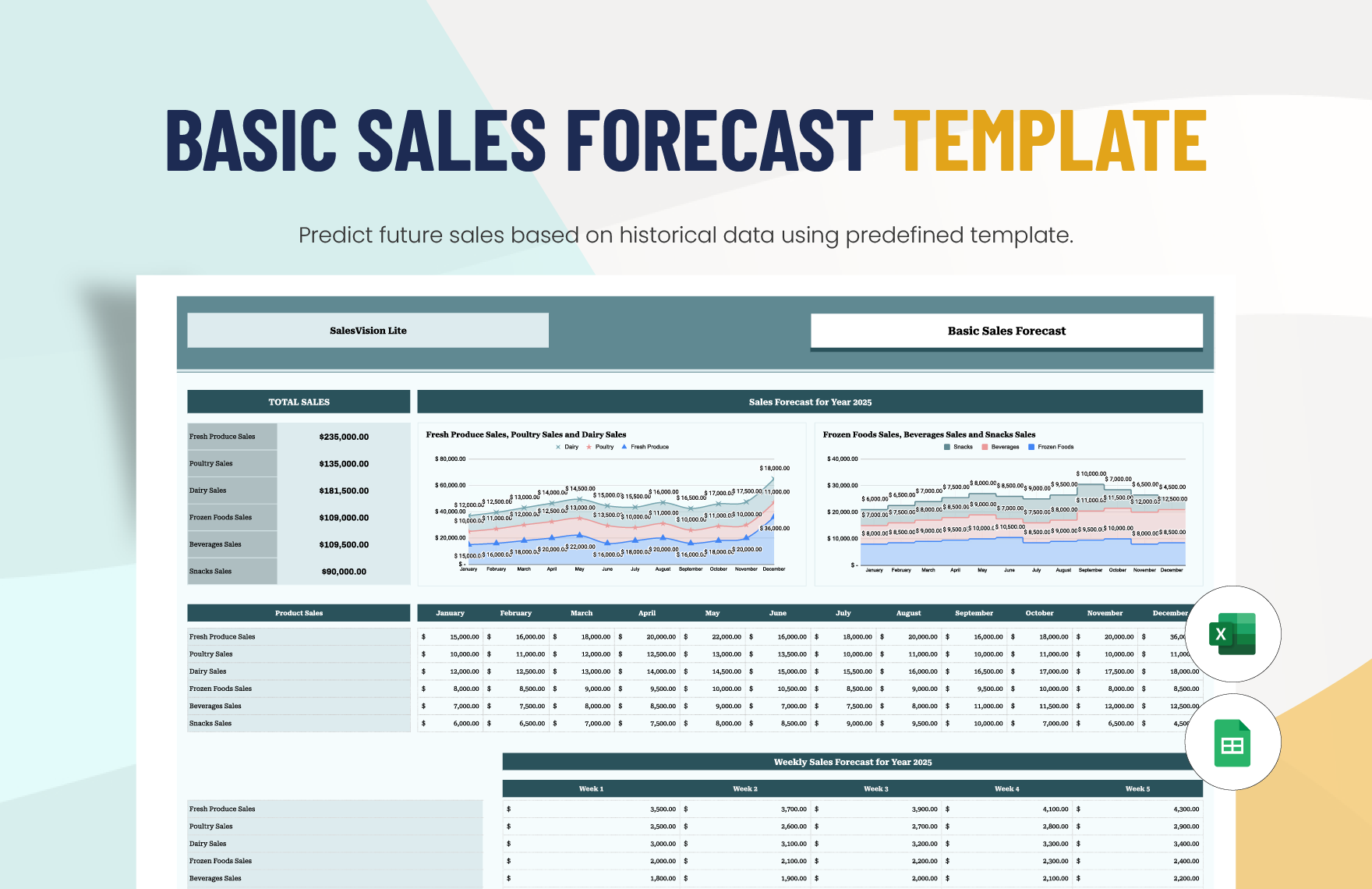
online sales presentation template
Source: Template.net
digital template to sell
Source: Template.net
Frequently Asked Questions
What should a digital sales outline template include?
At minimum, include the sales objective, target customer, customer problem, value proposition, sales process, messaging, sales assets, follow-up actions, performance measures, responsibilities, and next steps. More detailed versions can include forecasts, budgets, objections, competitive positioning, implementation plans, and account-specific information.
Can a digital sales outline template be used by a small business?
Yes. Small businesses can use a simplified version containing the target customer, offer, sales message, lead sources, sales stages, follow-up plan, and a few important metrics. A simple template is often more useful than a complex system that is difficult to maintain.
Should the sales outline be different for B2B and B2C?
Usually, yes. B2B sales may require more information about decision-makers, procurement, implementation, stakeholders, budgets, and longer sales cycles. B2C selling may emphasize product discovery, price, convenience, trust, promotions, customer experience, and faster purchasing decisions.
How often should a sales outline be updated?
Review it whenever the sales process, product, market, pricing, customer segment, or messaging changes. Even when nothing major changes, periodic reviews can identify sections that are outdated, unused, or no longer connected to current sales priorities.
What is the best format for a sales outline?
There is no universal best format. Documents work well for detailed planning, spreadsheets are useful for structured data and forecasting, and presentations are useful for communicating strategy. Many organizations benefit from using these formats together while maintaining one consistent underlying sales strategy.
How can a sales outline improve presentations?
The outline provides the strategic foundation for the presentation. It helps the seller identify the buyer’s problem, choose the most relevant benefits, select appropriate evidence, prepare for objections, and end with a clear next action instead of filling slides with unrelated company information.
What metrics belong in a digital sales outline template?
Useful metrics can include revenue, qualified opportunities, pipeline value, stage conversion, response rates, sales-cycle duration, average deal value, win rate, customer acquisition measures, and retention-related measures. Select only the metrics that support the decisions the sales team needs to make.
Can the same outline be used for email and presentations?
The underlying strategy can be shared, but the communication format should be adapted. An email should be concise and action-oriented, while a presentation can use a longer narrative with visual evidence, demonstrations, comparisons, and discussion points.
How do I prevent a sales template from becoming too complicated?
Separate essential fields from optional information. Keep the core version short enough for routine use and place detailed analysis, historical data, or supporting research in secondary sections. If a field does not influence a decision or action, consider removing it.
Conclusion
A well-designed digital sales outline template turns scattered sales activities into a coherent process. By defining the objective, identifying the right customer, clarifying the value proposition, mapping the sales journey, organizing research, preparing presentations and follow-up, and measuring meaningful results, sales teams can create a repeatable system that is easier to execute and improve. The strongest template is not necessarily the most elaborate one; it is the one people can use consistently, understand quickly, and adapt as customer needs and sales conditions change.
