The best spreadsheet is not simply a table filled with numbers. It separates inputs from calculations, keeps assumptions visible, groups related costs, and produces a summary that someone else can understand without rebuilding the math. That structure is especially useful when several people contribute quantities, prices, labor rates, supplier information, or project changes.
Spreadsheet-based estimating is flexible because the same basic framework can be adapted to construction, consulting, manufacturing, event planning, household budgeting, maintenance work, and many other activities. Microsoft Excel is particularly useful for formula-driven estimates, while Google Sheets is convenient when several people need to edit or review the same workbook.
A useful estimate should also distinguish between an estimate, a budget, and an actual cost record. An estimate predicts what something is expected to cost. A budget establishes an approved financial plan. Actuals record what was ultimately spent. Keeping these concepts separate prevents a spreadsheet from becoming confusing as a project develops.
This guide explains how to design an estimate template spreadsheet from the ground up, what columns and formulas to use, how to adapt it for construction and concrete work, how monthly budget and expense tracking can fit into the same system, and how to avoid common spreadsheet errors.

What Is an Estimate Template Spreadsheet?
An estimate template spreadsheet is a reusable worksheet designed to calculate expected costs from structured inputs. Instead of creating a new calculation sheet for every project, you establish a consistent format with fields for descriptions, quantities, units, rates, subtotals, adjustments, and final totals.
The simplest model uses a quantity multiplied by a unit cost. For example, if a project requires 250 units of a material at $12 per unit, the direct cost is calculated as 250 × $12. More sophisticated models add labor, equipment, subcontractors, taxes, overhead, contingency, discounts, and profit.
A good template also documents the basis of each number. A quantity might come from a drawing, site measurement, purchase order, historical record, or supplier quotation. A labor rate might come from an internal rate sheet. A material price might come from a current supplier quote. Recording the basis makes later review much easier.
Templates are valuable because estimates are often repeated. A contractor may prepare dozens of bids using similar trades and cost categories. A small business may quote recurring services using the same labor and material assumptions. A household may track monthly spending using recurring categories. Reusability reduces formatting work and encourages consistency.
The spreadsheet can also become a control document after the estimate is approved. Actual spending can be entered beside the original estimate, allowing the user to calculate variance and identify categories that are running above or below plan.

Why Use an Estimate Template Spreadsheet?
The main advantage is transparency. A client, manager, estimator, or project owner can trace a total back to individual line items. Instead of presenting one unexplained figure, the spreadsheet shows how quantities, rates, and adjustments contribute to the final result.
A second advantage is speed. Once the workbook contains formulas, repeating a calculation becomes a matter of changing inputs rather than rebuilding the entire model. A new quantity can update a subtotal automatically. A changed labor rate can flow through multiple affected items when the workbook is designed with centralized rates.
A third advantage is scenario testing. An estimator can duplicate a worksheet or change assumptions to compare different materials, labor arrangements, quantities, or project scopes. This makes the spreadsheet useful before a final price is committed.
Another benefit is accountability. When estimated and actual amounts appear together, a team can identify why a project differs from its original plan. The purpose is not merely to label something as over budget. The more useful question is what caused the difference and whether the underlying estimating assumption should be improved.
Finally, a spreadsheet can preserve institutional knowledge. When recurring items, standard units, supplier rates, production assumptions, or typical labor requirements are documented properly, future estimates can start from a known structure rather than from memory.

Core Components of an Estimate Template Spreadsheet
A professional workbook normally starts with an information area containing the project name, client, estimate number, preparation date, estimator, project location, and estimate validity period. These fields help distinguish one estimate from another, especially when several versions are circulating.
The main estimating table should contain one row for each cost item or clearly defined work package. Common columns include cost code, category, description, quantity, unit, unit rate, extended cost, tax treatment, markup, and notes. Not every project needs every column, but each field should have a clear purpose.
Quantity and unit must be compatible. If a rate is quoted per square meter, the quantity should be measured in square meters. If labor is priced per hour, the quantity should represent hours. Mixing units is one of the easiest ways to create a spreadsheet that looks correct while producing an incorrect total.
The extended cost column is usually formula-driven. A basic formula is quantity multiplied by unit rate. For labor, the calculation might be hours multiplied by an hourly rate. For equipment, it could be rental days multiplied by a daily rate. More complex items can use formulas that combine several inputs.
A notes column is often underestimated. It can document supplier assumptions, inclusions, exclusions, waste allowances, specification references, delivery conditions, or reasons for using a particular rate. These notes can save substantial time when an estimate is reviewed weeks or months later.

Recommended Spreadsheet Structure
A practical workbook can be divided into several worksheets rather than forcing everything onto one page. A small project may need only an Estimate and Summary sheet. A larger workbook can include Inputs, Materials, Labor, Equipment, Subcontractors, Assumptions, Actual Costs, and Dashboard sheets.
The Summary sheet should remain easy to read. It can show direct materials, direct labor, equipment, subcontractors, indirect costs, contingency, overhead, taxes, estimated cost, markup, and proposed price. The detailed calculations should remain elsewhere so the summary does not become overloaded.
An Inputs or Rates sheet is useful for centralized assumptions. For example, an estimator could maintain hourly labor rates, common material prices, equipment rates, tax rates, and standard waste factors in one location. Formulas can then retrieve those values instead of requiring rates to be typed repeatedly.
An Actual Costs sheet becomes useful once work begins. Each transaction can include date, vendor, category, description, amount, project phase, payment status, and notes. The Summary sheet can then compare original estimated amounts with actual spending.
An Assumptions sheet is particularly useful for complex work. It should explain what the estimate includes, what it excludes, which quantities are provisional, which prices are based on quotations, and what conditions could cause the final cost to change.

How to Build an Estimate Template Spreadsheet Step by Step
Step 1: Define the Purpose
Begin by deciding exactly what the workbook is estimating. A construction estimate requires different fields from a consulting proposal or household budget. The purpose determines which categories, units, formulas, and summaries are necessary.
Write down the intended decision before designing the sheet. The decision might be whether to accept a project, what price to quote, whether a renovation is affordable, how much funding is needed, or whether current spending is still aligned with the original plan.
Next, define the level of detail. A preliminary estimate might use broad categories such as sitework, structure, finishes, and services. A detailed bid may require individual line items for every significant material, labor activity, equipment charge, and subcontracted package.
Do not create more detail than the decision requires. Excessive detail increases data-entry time and creates more opportunities for inconsistent assumptions. The right level of detail is enough to make the estimate defensible and actionable.
Finally, decide whether the workbook will be used only once or repeatedly. A reusable template deserves stronger validation, protected formulas, standardized categories, and clearly marked input cells because the same structure will influence many future estimates.

Step 2: Create the Line-Item Table
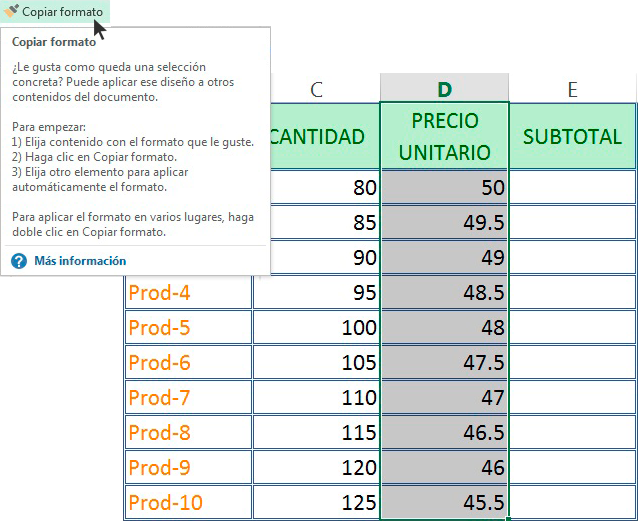
Start the main table with a simple row structure. A useful generic arrangement is Category, Description, Quantity, Unit, Unit Rate, Direct Cost, Adjustment, and Notes. Additional fields can be added only when they support a real calculation or reporting need.
Group similar items together. Construction work might be organized by site preparation, foundation, framing, roofing, mechanical, electrical, plumbing, finishes, and external works. A service business might group items by service type, staff role, deliverable, or project phase.
Use consistent naming conventions. If one row says “Concrete Slab” and another says “Slab Concrete,” reporting becomes harder. A controlled list of categories can prevent spelling variations from creating separate totals in summary formulas.
Keep quantities as numeric values whenever possible. Avoid typing units directly into numeric cells, such as “250 m2,” because the unit belongs in a separate column. This makes formulas, sorting, filtering, and data validation more reliable.
Use notes for context instead of embedding explanations into numeric fields. For example, a quantity can remain 250 while the notes explain that it came from a drawing measurement and includes a specified allowance.
Step 3: Add Formulas
The most important formula is usually the extended line-item cost. If quantity is in column C and unit rate is in column E, a basic formula might be =C2*E2. The exact cell references depend on the workbook design.
Subtotals can use SUM formulas across a defined range. Category totals can use SUMIF or SUMIFS when the workbook contains a category column. These functions allow the summary page to collect costs without manually selecting every row.
Lookup formulas can be useful when a central rate table exists. A selected material code or labor classification can retrieve the corresponding unit rate. This reduces duplicate data entry and makes global rate updates easier.
Variance is normally calculated by comparing actual cost with estimated cost. A simple model is actual minus estimate. Another useful measure is variance percentage, which divides the difference by the estimate when the estimated value is not zero.
Formulas should be visible enough for review. Avoid building a complicated chain of hidden calculations when several simple helper columns would make the logic easier to audit.

Using Rates, Quantities, and Units Correctly
Unit rates should always be tied to a clearly defined unit. A material rate could be per bag, kilogram, cubic meter, square meter, sheet, or linear meter. Labor may be hourly, daily, or task-based. Equipment can be priced per hour, shift, day, or project.
Rates should also specify what is included. A supplier price may exclude delivery, taxes, unloading, or handling. A labor rate may or may not include payroll burden, insurance, travel, supervision, or tools. If the scope of the rate is unclear, the estimate can become misleading.
Quantities should be traceable to their source. In construction, that might mean a drawing reference, takeoff worksheet, field measurement, or quantity survey. In business services, it could be the number of hours, deliverables, users, locations, or transactions involved.
Rounding rules should be consistent. An estimate may calculate precise intermediate values while displaying rounded currency amounts. The spreadsheet should avoid repeatedly rounding intermediate calculations unless the business process requires it.
When assumptions are uncertain, use an explicit allowance rather than hiding uncertainty inside a unit rate. This makes later adjustments easier and helps reviewers understand which parts of the estimate are firm and which are provisional.
Labor Cost Estimating
Labor is often easier to understand when broken into activities rather than entered as one large amount. For example, a construction estimate could separate excavation, formwork, reinforcement, concrete placement, finishing, cleanup, and supervision.
Each labor line can include estimated hours, number of workers, hourly rate, and extended cost. If three workers are expected to spend eight hours on a task at a loaded rate of $30 per hour, the labor calculation is 3 × 8 × $30.
A loaded labor rate should be defined carefully. Depending on the business, it may include only wages or may also include payroll taxes, benefits, insurance, travel, supervision, and other labor-related costs.
Do not automatically add overhead to a loaded labor rate if overhead has already been included. Double counting is a common spreadsheet problem because different people may interpret the rate differently.
Historical project data can improve labor assumptions over time. Comparing estimated hours with actual hours provides a feedback loop that helps identify consistently optimistic or conservative estimates.

Material Cost Estimating
Material estimating begins with quantity and unit cost, but a professional workbook should consider more than the purchase price. Delivery, handling, waste, minimum order quantities, taxes, storage, and price changes can affect the effective cost.
For repeat estimating, create a material rate table with a unique item code, description, unit, current rate, supplier, date checked, and notes. This separates the rate database from individual estimates and makes price maintenance easier.
Waste allowances should be explicit. A material may require additional quantity because of cutting, breakage, spoilage, packaging, installation conditions, or normal handling losses. The allowance should be based on the type of work rather than inserted as an arbitrary number.
Supplier quotations should be stored or referenced when possible. A note such as “supplier quote dated September 5” provides more context than a rate entered without explanation.
For volatile materials, consider showing the price date and an escalation assumption. This does not guarantee the future price, but it makes the uncertainty visible and easier to discuss.

Equipment, Subcontractors, and Other Costs
Equipment costs can be calculated using rental periods, operating hours, quantity, or project allowances. A spreadsheet should distinguish rental cost from fuel, operator labor, delivery, mobilization, and other associated charges when those items are material to the estimate.
Subcontractor costs can be recorded as quoted amounts or as calculated quantities and rates. When subcontractor quotes are available, the estimate should identify the scope covered by each quote so that gaps and overlaps can be detected.
Indirect costs may include permits, insurance, temporary facilities, administration, site utilities, financing-related charges, or other project-specific expenses. The correct categories depend on the project and local business practices.
Contingency is different from a hidden markup. A contingency is an allowance for defined uncertainty, while markup and profit are pricing decisions. Keeping these concepts separate makes the estimate easier to explain and revise.
Exclusions deserve equal attention. If the estimate does not include design fees, certain taxes, owner-supplied materials, abnormal site conditions, or specific optional work, the spreadsheet should say so clearly.
Estimate Template Spreadsheet for Construction Projects
Construction is one of the strongest use cases for an estimate template spreadsheet because projects contain many cost categories and require detailed relationships between quantities, unit rates, labor, materials, equipment, subcontractors, and project phases.
A construction workbook should normally begin with project information and scope. The detailed estimate can then be divided into cost codes or phases. This structure makes it easier to compare the estimate with later job-cost reports.
Construction estimating often requires quantity takeoff information. The spreadsheet should not hide the relationship between the measured quantity and the cost. A reviewer should be able to determine whether the quantity came from area, length, volume, count, labor hours, equipment hours, or another basis.
For residential projects, room-based or phase-based organization may be appropriate. For commercial projects, cost codes and trade divisions may provide better control. For small repair jobs, a simple itemized estimate can be more efficient than a highly detailed construction cost system.
A construction spreadsheet should also make changes visible. Revised quantities, approved changes, committed costs, actual costs, and projected final costs should not overwrite the original estimate. Keeping the original baseline allows the team to understand how the project evolved.

Concrete Estimating With a Spreadsheet
Concrete work benefits from a dedicated estimating structure because volume, dimensions, reinforcement, formwork, placement, finishing, equipment, delivery, and labor can all influence the final cost.
A basic concrete quantity calculation begins with dimensions. For a rectangular slab, length multiplied by width multiplied by thickness produces volume. The spreadsheet can convert the result into the unit used by the supplier or estimator.
The next step is to connect quantity to material cost. Concrete mix, reinforcement, forms, aggregate, additives, delivery, pumping, and finishing supplies can be listed separately when they are priced independently.
Labor should be tied to activities such as preparation, placing, finishing, curing-related work, formwork, reinforcement installation, and cleanup. Equipment can be included as separate lines for pumps, mixers, compactors, saws, or other machinery.
Concrete estimates should document assumptions such as thickness, reinforcement specification, waste allowance, access conditions, placement method, finishing requirements, and delivery conditions. These assumptions can have a significant effect on the result even when the basic volume calculation is straightforward.

Estimate Template Spreadsheet in Excel
Excel is well suited to estimating because it supports formulas, tables, data validation, conditional formatting, charts, lookup functions, and structured references. Microsoft also provides free templates for budgeting and planning, which can serve as starting points for customized workbooks.
An Excel estimate should separate editable inputs from formulas. One simple approach is to place assumptions and rates in dedicated sections and use formulas to retrieve them. This reduces the risk of accidentally changing a calculation while entering new information.
Named ranges or Excel Tables can improve readability in larger workbooks. Structured formulas are often easier to understand than long chains of cell references, particularly when the workbook is expected to be maintained by several people.
Data validation can restrict categories, units, status fields, and other inputs to predefined choices. This helps prevent inconsistent labels from breaking summary reports.
Conditional formatting can highlight missing rates, negative variances, unusually large quantities, or cost categories that exceed a selected threshold. The purpose should be to direct attention to exceptions rather than decorate the spreadsheet.

Estimate Template Spreadsheet in Google Sheets
Google Sheets is useful when estimating requires collaboration. Team members can review the same workbook, enter information from different locations, and discuss changes without passing multiple spreadsheet files back and forth.
Google Sheets also works well for lightweight project tracking. A construction manager can maintain a budget, a business owner can track recurring expenses, or a small team can compare planned costs with actual spending in a shared document.
Templates can be copied and customized rather than rebuilt from an empty sheet. Google provides a Template Gallery with categories such as budgets and other document types, making it possible to start from a predefined structure.
When using shared spreadsheets, permissions should be managed carefully. People who only need to review information do not necessarily need editing access. Protecting formula ranges can also reduce accidental changes.
Google Sheets is particularly useful for workflows where the estimate is part of a larger collaboration process. However, the spreadsheet should still follow the same principles of clear inputs, controlled formulas, documented assumptions, and version awareness.

Monthly Budget and Expense Estimating
An estimate template spreadsheet is not limited to one-time project estimates. The same logic can be adapted to recurring financial planning, where expected monthly income and expenses are compared with actual results.
A monthly budget normally separates fixed costs from variable expenses. Rent, subscriptions, scheduled payments, and regular service costs may be relatively predictable, while groceries, transport, entertainment, maintenance, and discretionary spending can vary more widely.
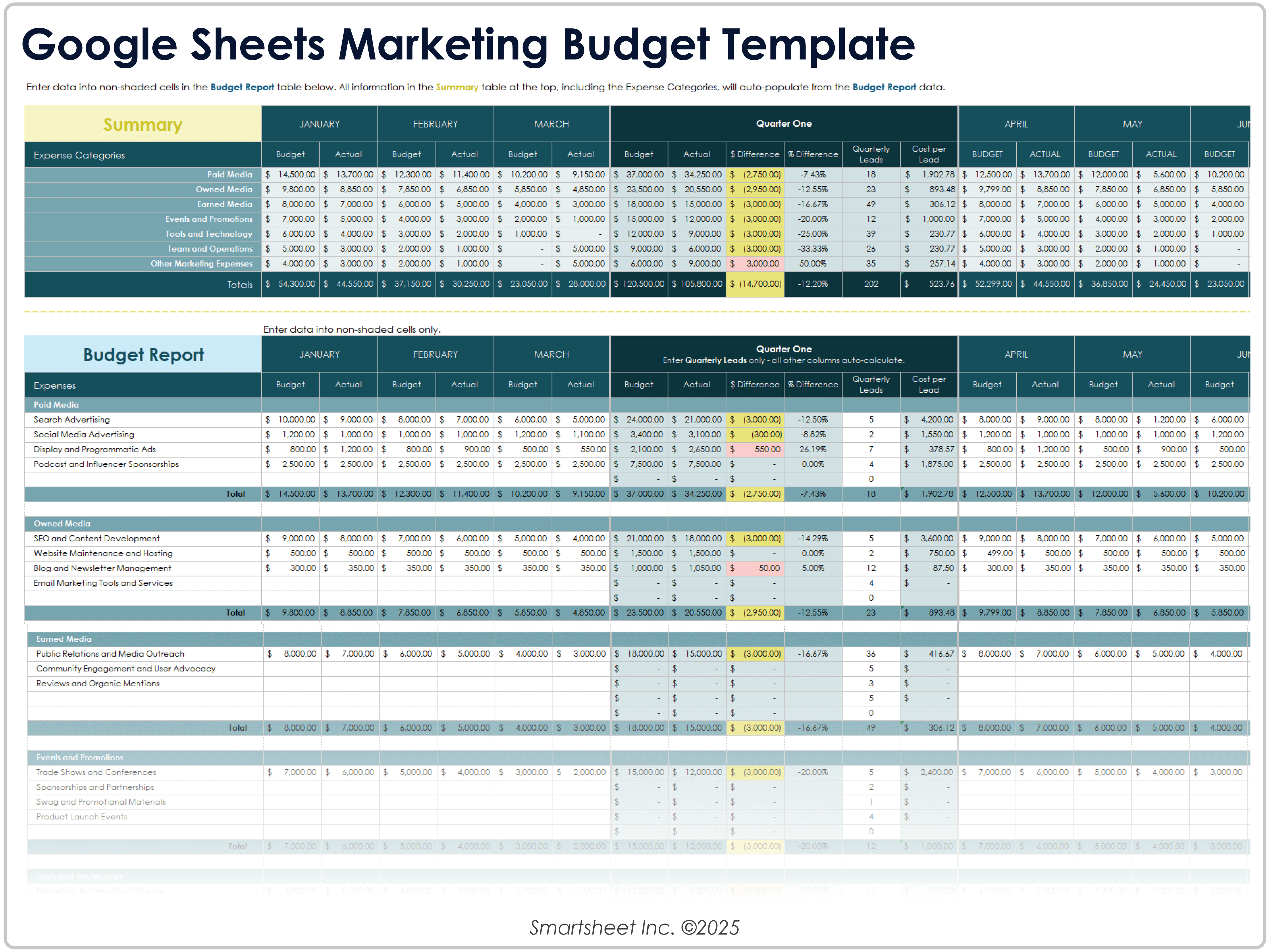
Each month can use columns for budget, actual, and variance. This makes the workbook useful for both planning and review. The user can see not only what was expected but also how actual spending differs from the plan.
Recurring expenses should be entered consistently. If one month records a subscription under “Software” and another records the same charge under “Entertainment,” annual analysis becomes less reliable.
Monthly tracking can also support cash-flow planning. An expense may be affordable on an annual basis but create a short-term cash shortage if several large payments occur during the same month.
How to Compare Estimated and Actual Costs
The estimate becomes more useful when it remains visible after the project starts. Create separate columns for original estimate, approved changes, revised estimate, committed cost, actual cost, and projected final cost when the project requires that level of control.
The original estimate should not be overwritten simply because a new number becomes available. Preserving the baseline allows the team to understand whether the difference came from a changed scope, an inaccurate quantity, a price increase, productivity issues, or another cause.
Variance analysis should be performed at the right level. A total project variance may look acceptable while one trade is significantly over budget and another is significantly under budget. Category-level analysis can reveal these offsetting effects.
Use notes or change records to explain significant movements. A revised material specification, additional work, supplier price change, or schedule change can make a variance reasonable even when the original estimate was accurate.
Over time, the variance history becomes a source of estimating intelligence. Repeated differences can reveal systematic weaknesses in rates, quantities, labor assumptions, production expectations, or scope interpretation.
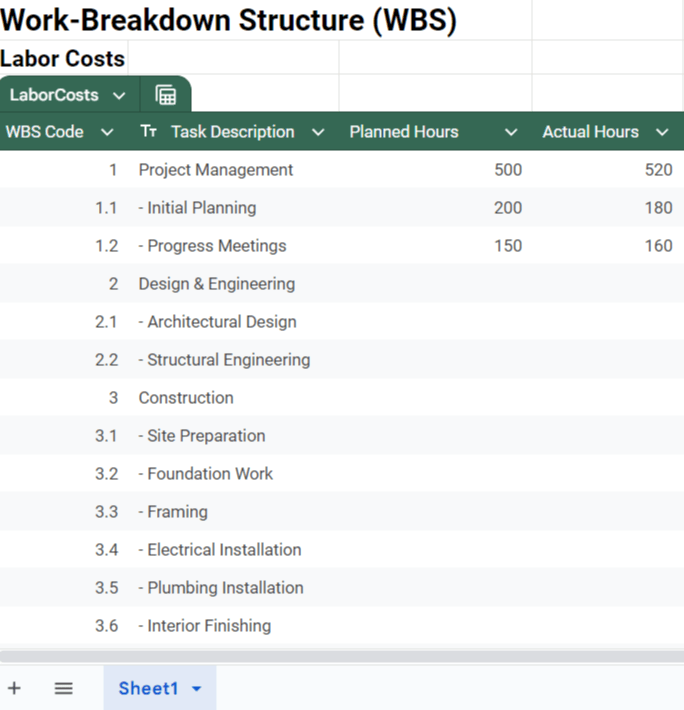
Practical Example: Small Construction Estimate
Consider a hypothetical small renovation project with site preparation, demolition, framing, electrical work, finishing materials, labor, equipment, and disposal. The numbers in this example are illustrative rather than market-rate recommendations.
The estimator could create one row for each major work package. Site preparation might have a quantity of one project allowance, while flooring might be measured in square meters and painting might be measured in square meters of finished surface.
Suppose the flooring quantity is 80 square meters and the assumed installed rate is $35 per square meter. The extended estimate is $2,800. The spreadsheet can then separate the rate into material and labor if the estimator needs greater detail.
If actual flooring cost later reaches $3,000 because the selected product changes, the spreadsheet should not simply replace the original $2,800. Instead, it should record the original amount, the change, the reason, and the revised expected total.
This approach creates a useful audit trail. The final project cost can then be explained as the result of the original scope plus documented changes rather than as an unexplained difference between two totals.

Practical Example: Monthly Expense Estimate
Imagine a hypothetical monthly household budget with income, housing, utilities, groceries, transportation, subscriptions, savings, and discretionary spending. The estimate sheet can begin with planned amounts for each category.
At the end of the month, actual transactions can be summarized into the same categories. The variance column then shows where spending exceeded or fell below the plan.
If groceries were planned at $400 and actual spending reached $455, the variance is $55 over the planned amount. The spreadsheet can then record a note explaining whether the difference resulted from a special purchase, price change, hosting guests, or an inaccurate initial assumption.
For recurring budgets, the same categories can be repeated across twelve monthly columns. A separate annual summary can total each category and compare the annual plan with annual actual spending.
This structure demonstrates that an estimate template spreadsheet can serve both project-based and recurring financial planning needs, provided that the categories and formulas match the decision being supported.
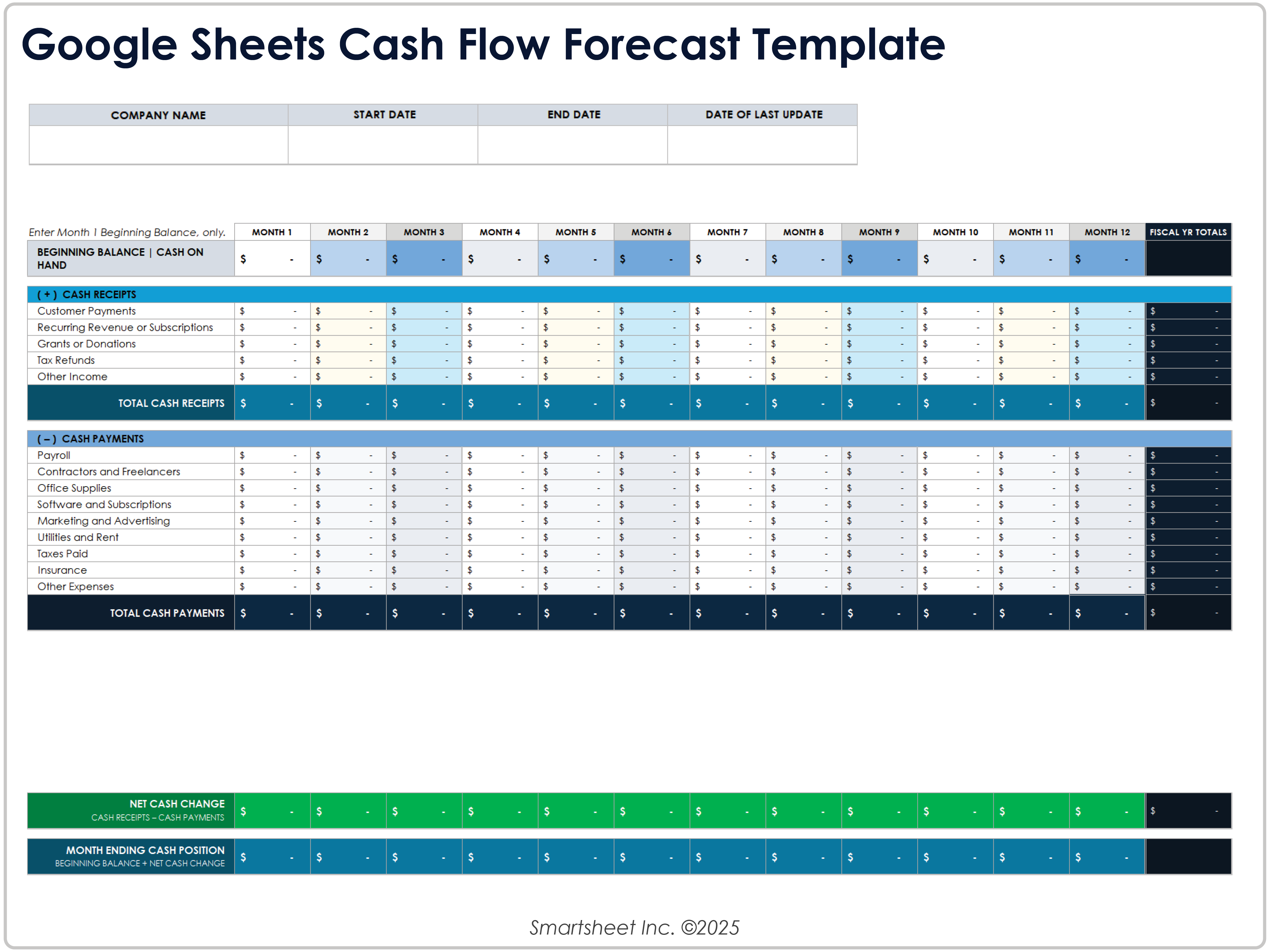
Useful Spreadsheet Formulas
The most useful formula is usually the line-item extension, such as quantity multiplied by rate. SUM then produces subtotals and totals. These simple formulas form the foundation of many estimating workbooks.
SUMIF and SUMIFS are valuable when costs need to be summarized by category, phase, vendor, cost code, or another condition. They allow a detailed transaction list to feed a clean summary without manually selecting individual cells.
IF formulas can handle conditional logic. For example, a line may receive a tax calculation only when the item is marked taxable. Another IF statement can flag an item when actual cost exceeds a defined threshold.
XLOOKUP or other lookup functions can connect a line-item code to a rate database. This is particularly useful when an organization maintains standard labor or material rates separately from project estimates.
Formula simplicity should remain a priority. A clever formula is not automatically a good formula if another person cannot understand, test, or maintain it. A transparent workbook is usually more valuable than an overly sophisticated one.
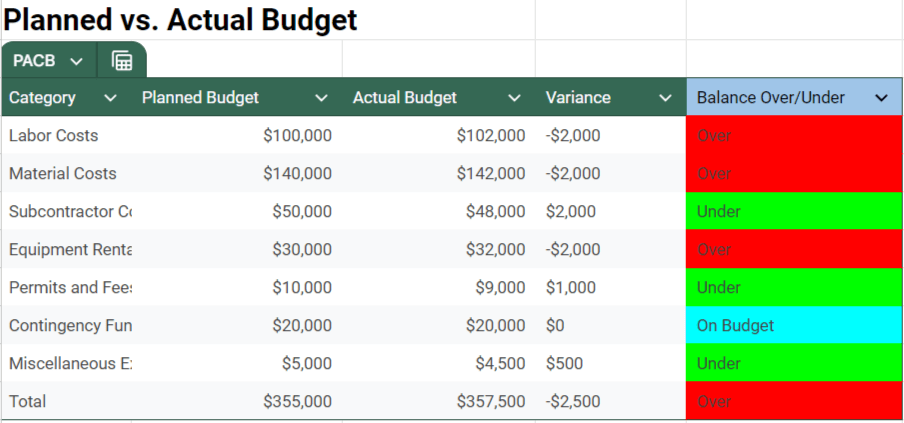
Common Mistakes in Estimate Spreadsheets
One common mistake is hard-coding totals. If a total is typed manually instead of calculated from line items, the workbook can become inaccurate as soon as an input changes.
Another mistake is mixing inputs and formulas in the same cells. A user may overwrite a formula while updating a rate, and the error may not be discovered until the estimate is already being used for a decision.
Inconsistent units are another major risk. A quantity in square meters cannot be multiplied by a rate per square foot without conversion. The spreadsheet should make the unit basis obvious and consistent.
Missing indirect costs can make an estimate appear attractive while hiding the true cost of delivering the work. Depending on the context, delivery, permits, insurance, administration, equipment, disposal, financing, or other indirect expenses may need separate consideration.
Finally, users sometimes overwrite the original estimate with revised figures. This destroys valuable information about how the project or budget changed. Maintain a baseline and document revisions instead.
Best Practices for a Professional Estimate Template Spreadsheet
Use a consistent visual hierarchy. Input cells, calculated cells, totals, warnings, and notes should be visually distinguishable without relying on excessive colors.
Keep the main estimating table rectangular and predictable. Avoid merged cells inside data tables because they can interfere with filtering, sorting, formulas, and later data processing.
Freeze header rows when the workbook is long. This keeps column names visible while reviewing hundreds of line items and reduces the chance of entering information into the wrong field.
Add a revision date and estimate version. When several estimates exist, a clear version identifier prevents users from confusing an earlier assumption with the latest approved information.
Test the workbook before relying on it. Change several quantities, rates, categories, and assumptions and confirm that every dependent total updates correctly. Testing should include zero values, blank cells, unusually large values, and changed categories.
How to Make an Estimate Easier to Audit
An auditable estimate explains where important numbers came from. Each significant quantity should have a source, and each unusual rate should have a reason or supporting reference.
Use separate assumptions rather than hiding adjustments inside formulas. If a 10 percent allowance is applied, show the allowance as a visible input. This makes the effect easy to understand and change.
Protect cells containing important formulas if the spreadsheet will be shared widely. Users should be able to edit intended inputs without accidentally damaging the calculation structure.
Consider adding a checks section. It can flag missing unit rates, negative quantities, blank categories, zero quantities with nonzero costs, or differences between detail totals and summary totals.
Document the meaning of important fields. A short explanation such as “Loaded labor rate includes payroll burden and standard benefits” can prevent different users from applying the same rate inconsistently.
Practical Solution: Build a Reusable Estimating Workflow
The most practical approach is to treat the estimate template spreadsheet as a small system rather than a formatted page. Begin with a clean input structure, establish reliable rates, calculate line-item costs, summarize them by category, and document the assumptions that influence the result.
For a new project, first create the project header and define the scope. Then perform the required quantity collection or measurement. Enter quantities without rounding away useful precision, assign consistent units, and connect each item to a documented rate.
Next, review labor, material, equipment, subcontractor, indirect, and contingency requirements. Check for exclusions and potential scope gaps before applying markup or producing a client-facing total.
After the estimate is reviewed, save a baseline version. If the project proceeds, begin recording actual costs separately. Update projected final costs as new information arrives rather than rewriting the original estimate.
Finally, perform a post-project review. Compare estimates with actual results, identify recurring differences, update the rate library, and improve the template where the same error or omission appears more than once.
Choosing Between a Simple and Advanced Template
A simple estimate template is appropriate when the project contains a limited number of cost items and the main goal is to present a clear total. It may contain a project header, line-item table, subtotal, tax, and final price.
An intermediate workbook can add separate material and labor sections, category summaries, actual costs, variance calculations, and an assumptions page. This structure works well for recurring projects and small teams.
An advanced workbook may include centralized rate databases, cost codes, change orders, committed costs, projected final costs, dashboards, scenario analysis, and automated validation. Such systems require stronger controls because more formulas and dependencies create more ways for errors to occur.
The correct level is the simplest structure that reliably supports the decision. A small repair estimate does not need an enterprise-style dashboard, while a multi-phase construction project may quickly outgrow a single worksheet.
Templates should evolve with the workflow. If users repeatedly create side calculations outside the workbook, that is a sign that the template may be missing a useful field, calculation, or supporting worksheet.

How to Organize Monthly and Annual Estimates
For recurring budgets, one effective structure is to maintain a transaction log and a separate summary. The transaction log records individual expenses, while the summary groups those transactions into monthly and annual categories.
A monthly estimate can include planned income, planned expenses, savings, and expected cash balance. Actual figures can be entered later without changing the original plan.
An annual summary should show totals by category rather than only a single annual figure. This allows users to identify categories that consistently exceed their plans and categories where estimates are consistently too high.
Seasonal expenses should be considered separately from ordinary recurring expenses. Insurance renewals, annual subscriptions, maintenance, school costs, or planned purchases may create spikes that are easy to miss in a simple monthly average.
The same principle applies to businesses. A monthly estimate should reflect payment timing, not only annual profitability. A business can have positive annual results while still experiencing periods of tight cash flow if receipts and payments occur at different times.
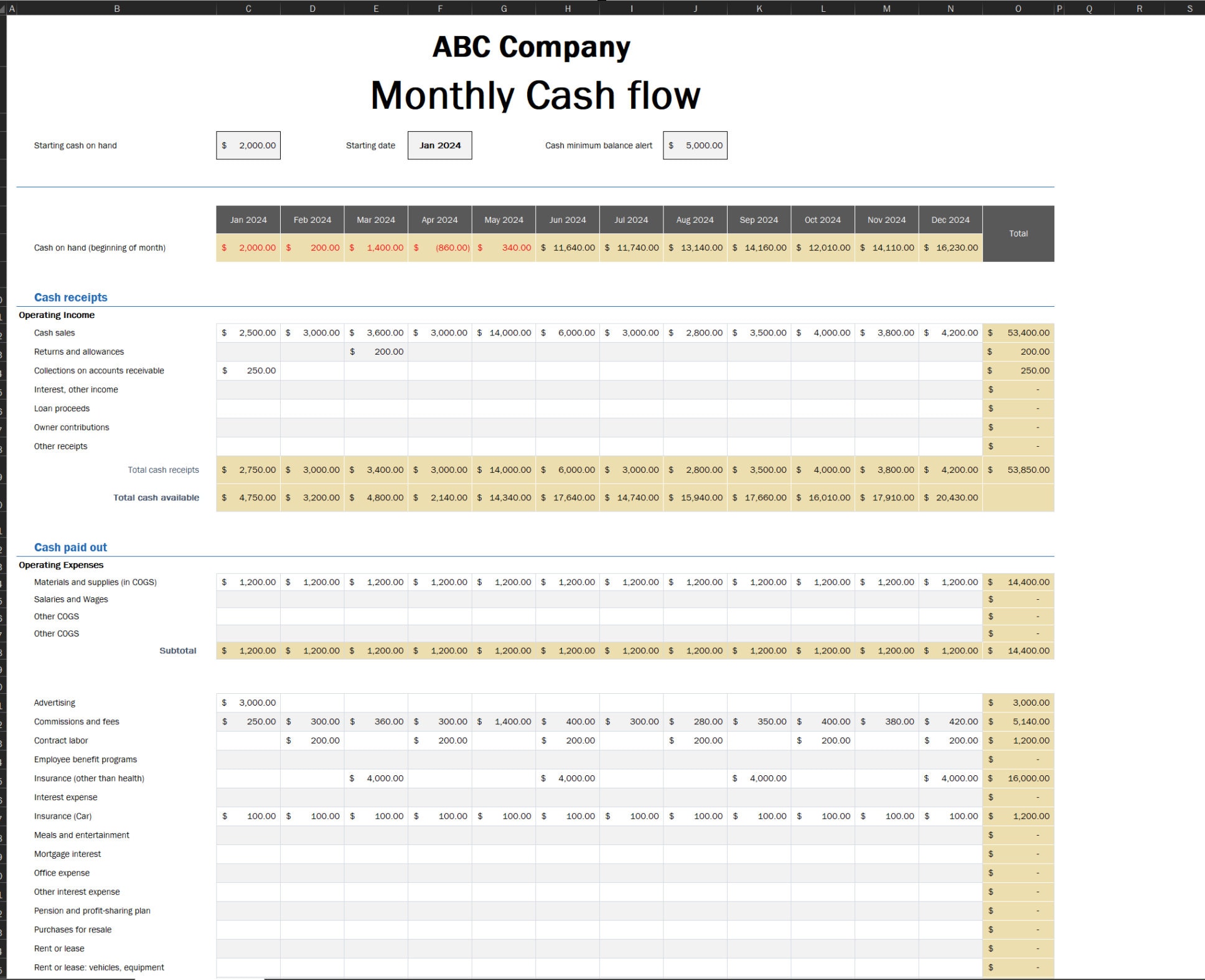
Reference Examples
The following examples illustrate different spreadsheet layouts and visual approaches relevant to estimating, project budgets, construction costs, monthly planning, and expense tracking. They are examples of spreadsheet presentation rather than universal formats or official requirements.
estimate template spreadsheet free download
Source: Vertex42
estimate template spreadsheet excel
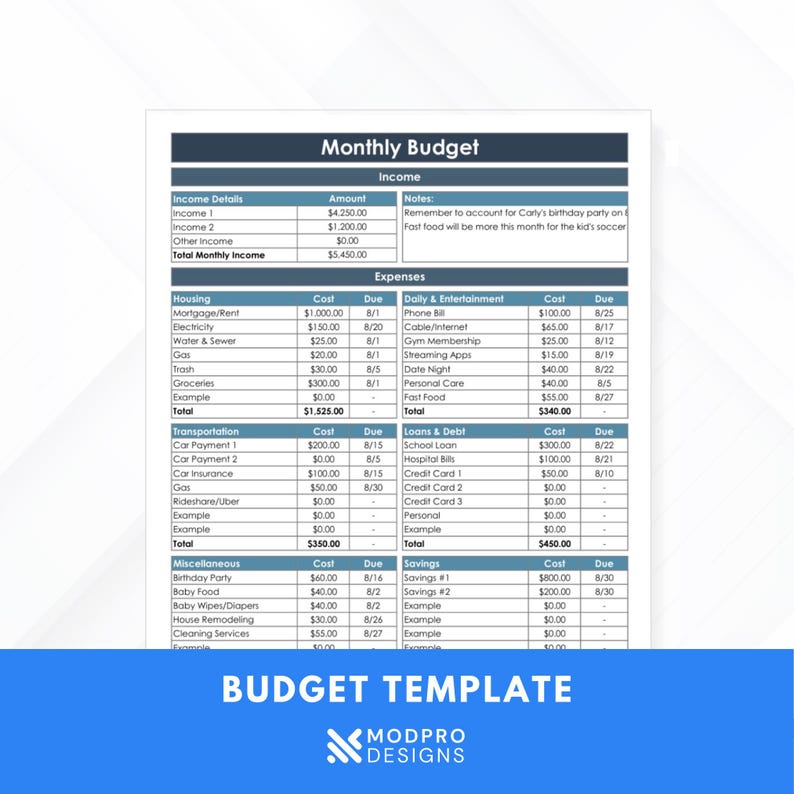
Source: Etsy
estimate template spreadsheet for construction

Source: Spreadsheet.com
estimate template spreadsheet google sheets
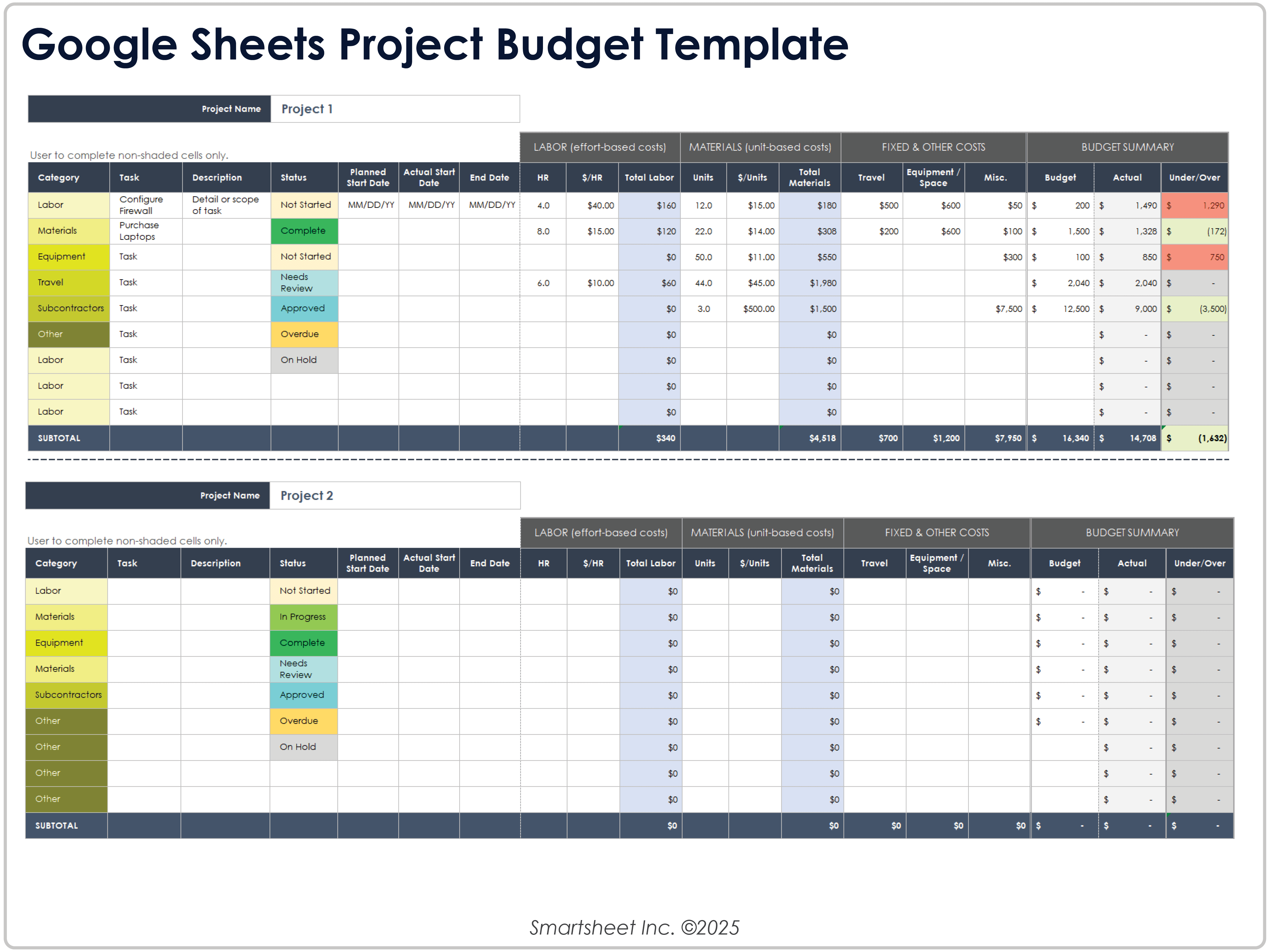
Source: Smartsheet
estimate template spreadsheet free
Source: Downtobid
estimate template spreadsheet monthly budget
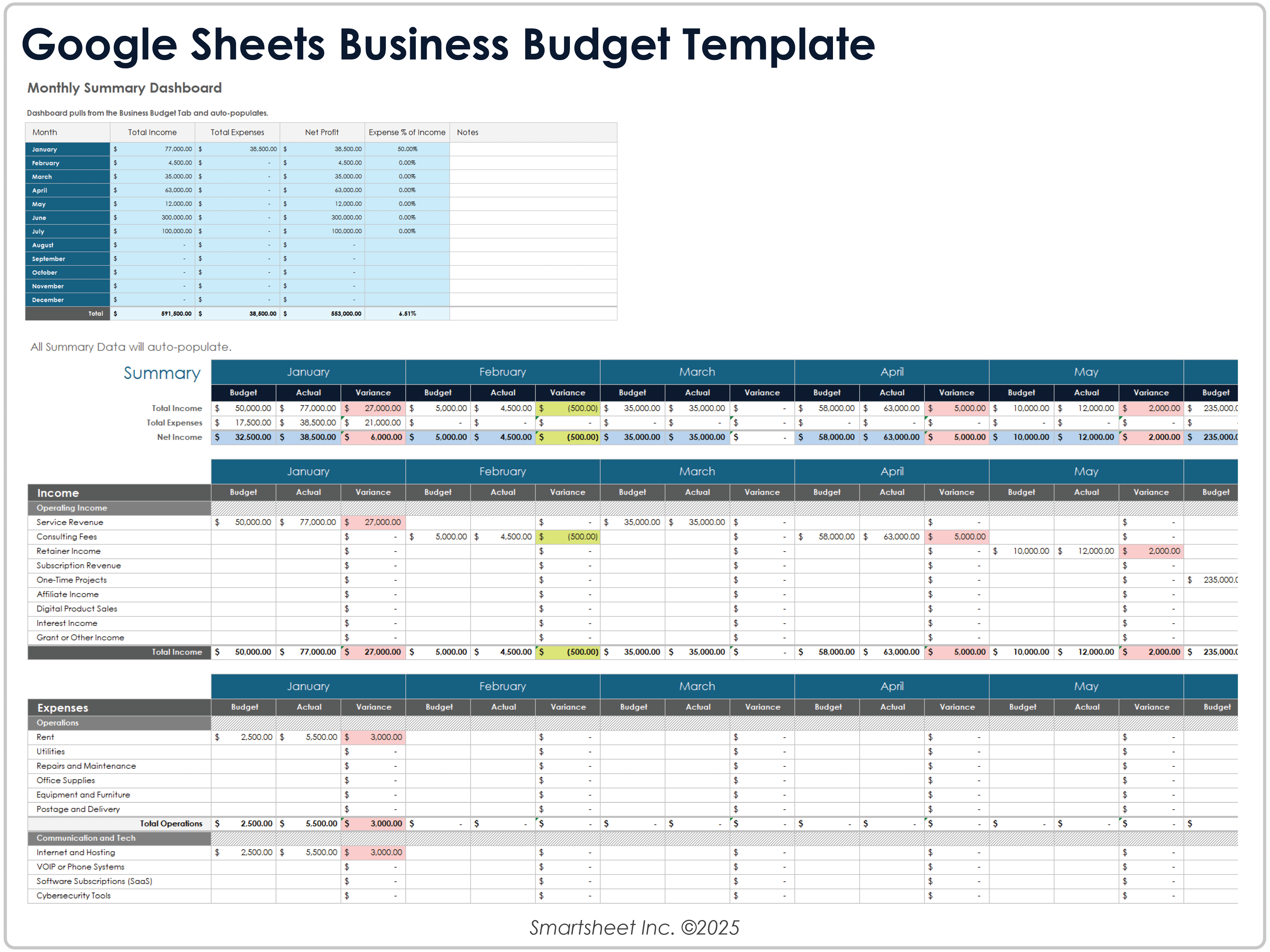
Source: Smartsheet
estimate template spreadsheet monthly expenses
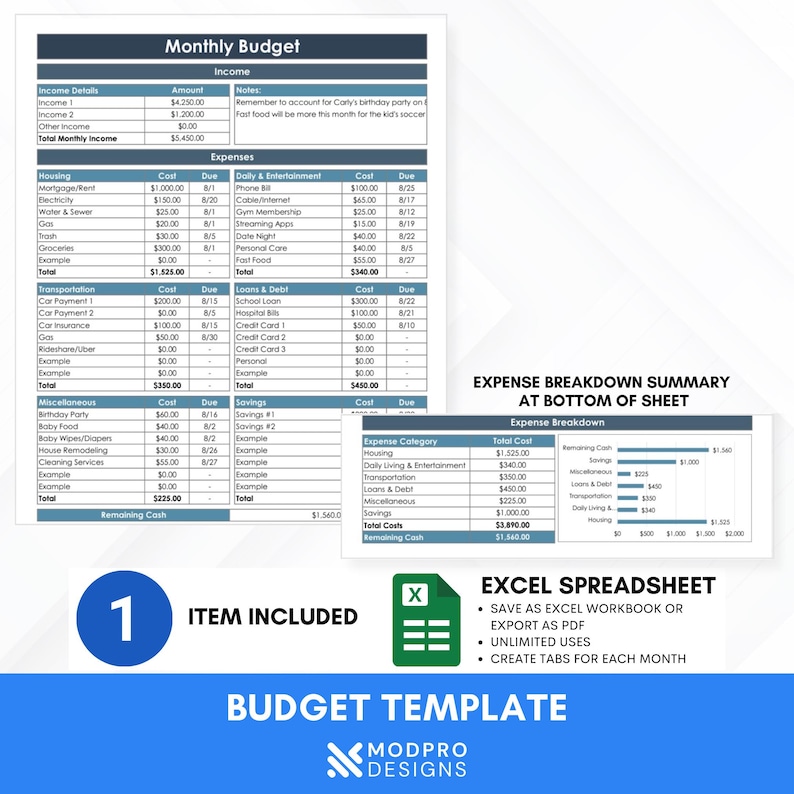
Source: Etsy
concrete estimate template spreadsheet
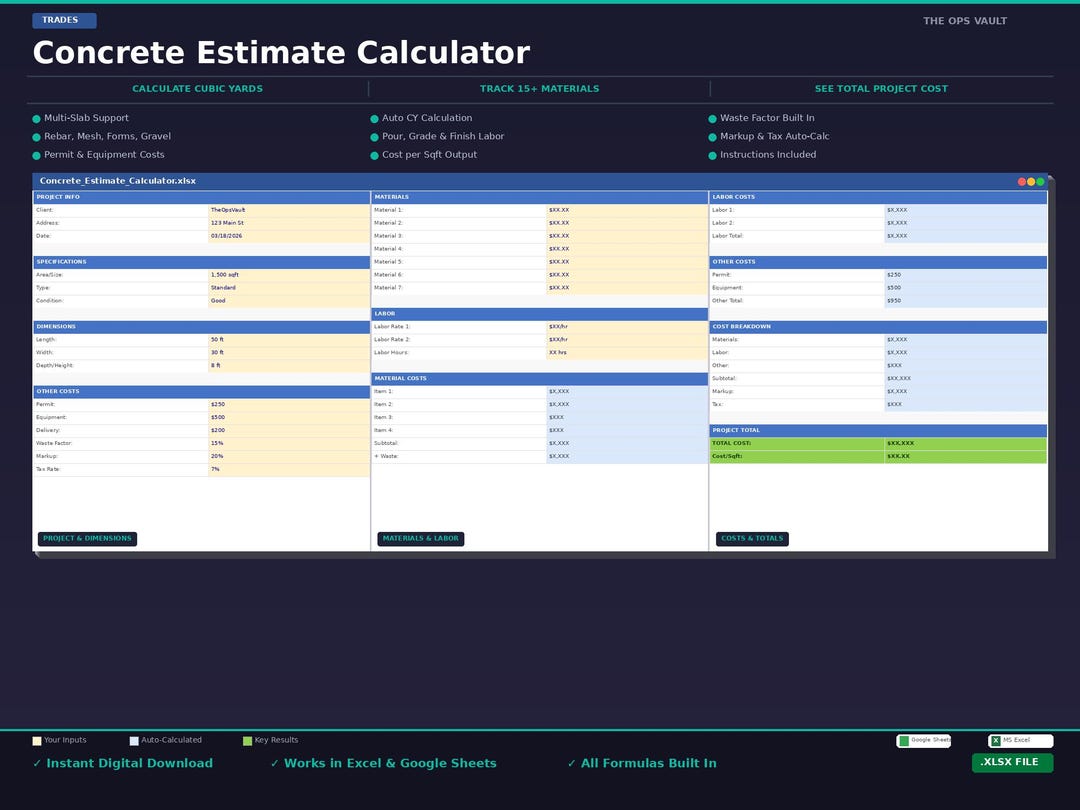
Source: Etsy
cost estimate spreadsheet template
Source: Wikimedia Commons
Frequently Asked Questions
What is an estimate template spreadsheet used for?
It is used to calculate and organize expected costs using structured inputs such as quantities, units, rates, labor hours, materials, equipment, and other project expenses. It can also compare estimated costs with actual spending after work begins.
Can I use an estimate template spreadsheet for construction?
Yes. Construction estimates are well suited to spreadsheets because work can be separated into phases, trades, cost codes, materials, labor, equipment, subcontractors, indirect costs, and other project-specific categories.
What columns should a basic estimating spreadsheet contain?
A practical basic layout includes category, description, quantity, unit, unit rate, extended cost, and notes. Larger projects may add labor, material, equipment, tax, markup, actual cost, variance, status, and source information.
Is Excel better than Google Sheets for estimating?
Neither is universally better. Excel is powerful for advanced workbook design and complex calculations, while Google Sheets is particularly useful for shared editing and cloud-based collaboration. The better choice depends on the workflow and users.
How do I prevent formula errors?
Separate inputs from formulas, protect important calculation cells, use data validation, test formulas with different inputs, keep units consistent, and periodically reconcile detailed totals with summary totals.
Should actual costs replace estimated costs?
No. Keep the original estimate as a baseline and record actual costs in separate fields. If the expected final cost changes, record the revised projection rather than deleting the original estimate.
How should I handle uncertain costs?
Use clearly identified allowances, contingencies, or provisional amounts where appropriate. Document the reason for the uncertainty so reviewers can understand which assumptions may need revision.
Can a monthly budget use the same spreadsheet principles?
Yes. Monthly budgeting can use planned amounts, actual expenses, variance calculations, recurring categories, and annual summaries. The main difference is that the time dimension becomes central to the workbook.
How detailed should a construction estimate be?
The detail should match the project’s size, risk, and decision requirements. Small jobs can use concise line items, while complex projects benefit from cost codes, work packages, quantity takeoffs, detailed labor and material calculations, and change tracking.
What makes an estimate template reusable?
A reusable template has consistent categories, clear input areas, reliable formulas, documented assumptions, standardized units, validation rules, and a summary that can be reused without rebuilding the calculation structure.
Conclusion
A strong estimate template spreadsheet is more than a convenient calculator. It is a structured estimating system that connects quantities, rates, assumptions, direct costs, indirect costs, and final decisions in a way that can be reviewed and updated. The most effective templates keep inputs separate from formulas, preserve the original baseline, document uncertainty, and make important differences visible.
For construction, the workbook can organize labor, materials, equipment, subcontractors, phases, quantities, and change orders. For concrete work, it can connect dimensions and quantities to materials, reinforcement, placement, equipment, and labor. For household or business planning, the same principles can support monthly budgets, recurring expenses, cash-flow planning, and actual-versus-planned comparisons.
The best approach is to begin with the simplest structure that solves the real problem, then add complexity only when it improves accuracy or decision-making. A carefully designed estimate template spreadsheet can save repetitive work, improve transparency, preserve estimating knowledge, and provide a reliable foundation for better financial planning.
When the spreadsheet is maintained as a living record rather than a one-time calculation, its value increases over time. Actual results can improve future assumptions, recurring errors can be corrected in the template, and each completed project can make the next estimate more consistent and easier to defend.
Whether the goal is a project quote, a construction budget, a concrete calculation, or a monthly financial plan, the essential principle remains the same: make every important number traceable, make every assumption visible, and let the spreadsheet do the repetitive arithmetic so the user can focus on making sound decisions.
That is what makes an estimate template spreadsheet practical: it turns scattered cost information into a repeatable, understandable, and maintainable process.
Used thoughtfully, an estimate template spreadsheet can become a dependable part of project planning and financial control, provided that its rates, quantities, assumptions, formulas, and actual results are reviewed regularly and adapted to the specific work being estimated.
