A payroll manager cover can help present payroll documents in a professional, organized, and easy-to-manage format. Whether you manage payroll for a small business, a growing company, or a larger organization, a clear cover page gives your payroll files a consistent structure from the start.
Payroll management involves more than calculating employee salaries. It can include tracking working hours, overtime, bonuses, deductions, tax information, benefits, payment dates, and payroll reports. A well-designed payroll manager template can bring these details together while making important documents easier to identify and maintain.
This guide explains what a payroll manager cover should include, how to organize payroll documents, and how a ready-to-use template can make routine payroll administration more efficient.
What Is a Payroll Manager Cover?
A payroll manager cover is a professional front page used to organize and identify payroll-related documents. It can be placed at the beginning of a payroll management file, binder, report, or digital document collection.
The cover usually contains essential information such as the company name, payroll period, department, document title, manager information, and reporting year. Depending on the organization, it may also include a document reference number or other internal identification details.
A good cover page does not need to be complicated. Instead, it should make the payroll file easy to recognize and understand at a glance.
Why a Payroll Cover Page Matters
Payroll records often contain many types of information. Without a consistent filing system, finding a specific document can take unnecessary time. A payroll manager cover provides a simple visual starting point for organizing those records.
It can help you:
- Identify payroll documents quickly.
- Separate different payroll periods.
- Keep employee payroll records organized.
- Create a consistent filing system.
- Present payroll reports in a professional format.
- Make physical and digital payroll files easier to manage.
What Should Be Included in a Payroll Manager Template?
A useful payroll manager template should include the information needed to identify and manage payroll records without adding unnecessary complexity. The exact design can vary depending on company size and payroll requirements.
Company Information
Start with the basic company details. This section can include the business name, department, office location, contact information, or internal payroll department name.
Keeping company information on the cover makes the document easier to identify when it is stored with other administrative records.
Payroll Period
The payroll period is another important element. Clearly indicate whether the file covers a weekly, biweekly, semimonthly, monthly, or other payroll cycle.
You can also include the beginning date, ending date, and payment date. This makes it easier to distinguish one payroll cycle from another.
Payroll Manager Details
Adding the payroll manager or responsible employee can improve accountability. Depending on your internal process, you may include the manager’s name, department, position, or approval information.
Document Reference Information
For organizations handling many payroll files, a document reference number can make records easier to locate. A simple reference system can be especially useful when payroll documents are stored digitally.
For example, a company could use a structure such as the year, department, and payroll period. The exact naming system should match the organization’s existing recordkeeping process.
How to Use a Payroll Manager Cover
Using a payroll manager cover is straightforward. The key is to make it part of a consistent payroll filing process.
1. Choose the Payroll Period
First, determine the payroll period covered by the document. Enter the relevant dates clearly so the file can be identified later.
2. Add Company and Manager Information
Enter the company name and the name of the person responsible for payroll management. Check the details before saving or printing the document.
3. Organize Supporting Payroll Records
Place relevant documents behind the cover. These may include payroll summaries, employee information, earnings records, deductions, overtime records, payment schedules, and other internal reports.
4. Review the File Before Finalizing
Before filing the payroll documents, check that the dates, employee information, totals, and supporting records are complete. A simple review can help reduce administrative mistakes.
5. Store the File Securely
Payroll records may contain sensitive employee and financial information. Store them using the organization’s approved security and document-retention procedures. For digital files, use appropriate access controls and secure storage.
For physical documents, keep payroll files in a controlled location with access limited to authorized personnel.
Benefits of Using a Payroll Manager Template
A reusable template can save time because you do not have to create the same document structure from scratch for every payroll cycle.
Improves Organization
A consistent format gives every payroll file the same basic structure. As a result, employees responsible for payroll administration can identify documents more easily.
Saves Administrative Time
Once a template is prepared, you can reuse its layout for future payroll periods. This reduces repetitive formatting work and allows more time for reviewing payroll information.
Creates a Professional Appearance
A clean cover page gives payroll reports a more structured appearance. This can be useful when documents need to be reviewed internally or presented as part of an organized administrative record.
Supports Consistent Recordkeeping
Consistency is important when maintaining recurring payroll documentation. Using the same cover format can make files easier to sort, archive, and retrieve.
Payroll Manager Template vs. Blank Payroll Documents
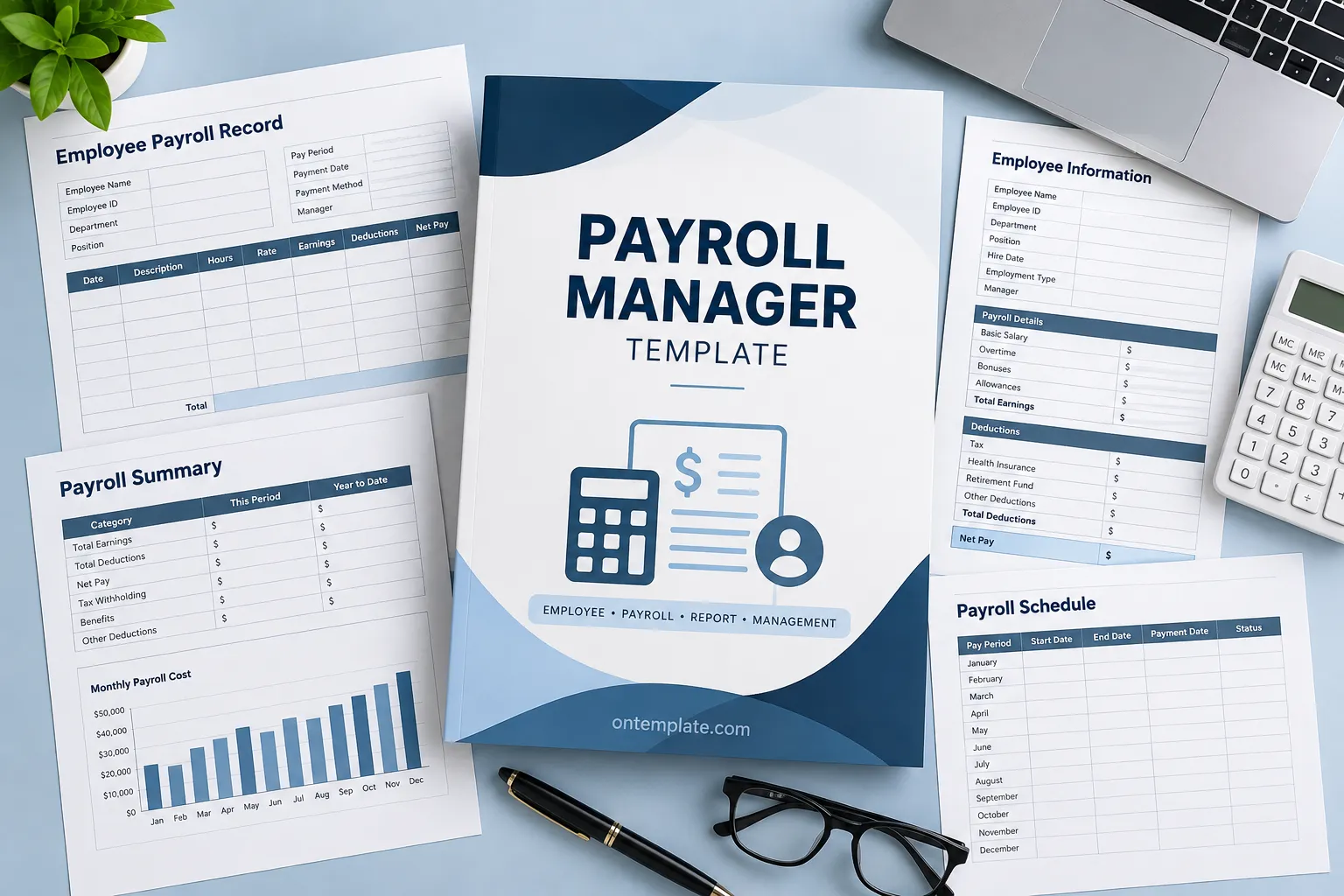
A blank payroll document gives you a place to enter information, but it may not provide enough structure for organizing an entire payroll file. A payroll manager template can combine identification, organization, and presentation in one reusable format.
For example, a payroll management file may contain several sections:
- Payroll manager cover page.
- Employee payroll records.
- Payroll summary.
- Earnings and deductions.
- Overtime information.
- Payment schedule.
- Year-to-date payroll information.
This structure makes the payroll file easier to navigate. It also provides a logical sequence for reviewing information.
Tips for Creating an Effective Payroll Manager Cover
The best payroll cover is clear rather than crowded. Keep the design focused on information that helps identify and manage the document.
Use Clear Headings
Use descriptive headings such as Payroll Manager, Payroll Period, Employee Information, or Payroll Summary. Clear labels allow users to find important information quickly.
Keep the Layout Simple
A simple layout is easier to print, read, and update. Avoid adding decorative elements that make important information difficult to see.
Use Consistent Formatting
Use the same fonts, heading styles, spacing, and field structure throughout your payroll documents. Consistent formatting creates a more professional document system.
Leave Enough Space for Information
If the template will be printed, make sure fields provide enough writing space. For digital documents, provide clearly labeled areas for typing information.
Review Sensitive Information
Before sharing or printing a payroll file, review the information it contains. Payroll documents can include confidential employee and financial details, so they should only be distributed through approved channels.
Who Can Use a Payroll Manager Cover?
A payroll manager cover is useful for many types of organizations. Small businesses can use it to create a simple payroll filing system, while larger companies can use standardized covers as part of a broader administrative workflow.
It can be useful for:
- Payroll managers.
- Human resources departments.
- Small business owners.
- Office administrators.
- Accounting teams.
- Finance departments.
- Administrative assistants.
- Businesses maintaining recurring payroll reports.
How a Payroll Cover Fits Into a Payroll Workflow
A payroll manager cover works best when it is part of a complete workflow. Start by collecting approved employee and payroll information. Next, calculate or review earnings, deductions, and other applicable payroll details according to your organization’s process.
After the payroll information has been reviewed, organize the supporting records behind the cover. Add the relevant payroll period and document information. Finally, save or file the completed records using your standard naming, storage, security, and retention procedures.
This approach creates a repeatable process. It also makes it easier to locate payroll information when it needs to be reviewed later.
Make Payroll Administration More Organized
Payroll administration requires accuracy, consistency, and careful organization. While a cover page does not replace payroll software or formal accounting procedures, it can make the surrounding documentation much easier to manage.
A well-structured payroll manager cover gives every payroll file a clear identity. When combined with employee records, payroll summaries, payment schedules, and supporting documents, it can create a practical system for recurring payroll administration.
For businesses that regularly prepare payroll reports, using a reusable template can also reduce repetitive formatting tasks. Instead of starting with a blank page every time, you can work from a consistent structure and update only the information that changes.
Conclusion
A payroll manager cover is a simple but useful tool for organizing payroll documentation. It can identify the payroll period, company, responsible manager, and supporting records while providing a consistent structure for recurring payroll files.
When creating or choosing a payroll manager template, focus on clarity, usability, consistent formatting, and secure document handling. Include the information your organization actually needs, and keep the layout simple enough to use for every payroll cycle.
With the right template and a consistent filing process, payroll documentation can become easier to organize, review, and maintain.
