Daily financial recording is especially useful when transactions happen frequently. A business may receive cash, card payments, bank transfers, digital-wallet payments, and customer deposits while also paying suppliers, employees, delivery providers, utilities, and other operating costs. A well-designed template brings these activities into one organized system.
The right format does not have to be complicated. A simple worksheet can capture the date, description, category, payment method, income, expense, and running balance. A more advanced version can add sales quantities, accounts receivable, accounts payable, inventory information, budget comparisons, and automatically calculated summaries.
This guide explains how to design and use a daily finance record effectively, how to choose between spreadsheet and printable formats, how to analyze the information you collect, and how to turn daily entries into useful financial decisions. The examples are illustrative rather than financial advice or claims about any particular business.
A consistent recording routine also makes later reporting easier. When transactions are entered close to the time they occur, there is less dependence on memory and fewer opportunities to overlook small payments. The value of a template therefore comes less from its appearance and more from the quality and consistency of the information recorded in it.

What Is a Daily Finance Record Template?
A daily finance record template is a reusable document or spreadsheet designed to capture financial transactions for a particular day. At its simplest, it works like a transaction journal: every relevant inflow and outflow is entered with enough detail to explain what happened and how it affected the available balance.
The template can be used for personal finances or business operations. A household might record salary income, groceries, transportation, subscriptions, transfers, and savings. A small business might record sales, supplier purchases, wages, rent, delivery costs, customer collections, refunds, and bank deposits.
The most useful templates separate transaction facts from calculations. For example, the user records a date, description, category, payment method, and amount. Formulas can then calculate totals, net movement, and running balance. This separation makes the record easier to review and reduces unnecessary manual arithmetic.
A daily record is also different from a monthly budget. A budget describes what you plan to receive or spend, while a transaction record documents what actually happened. Combining the two allows you to compare planned amounts with actual results and identify variances.
For businesses, the daily record can also become the source for more detailed reporting. Repeated entries can be summarized by product, payment method, expense category, customer, or day. Over time, the resulting dataset can support cash-flow reviews, sales analysis, budgeting, and management reporting.
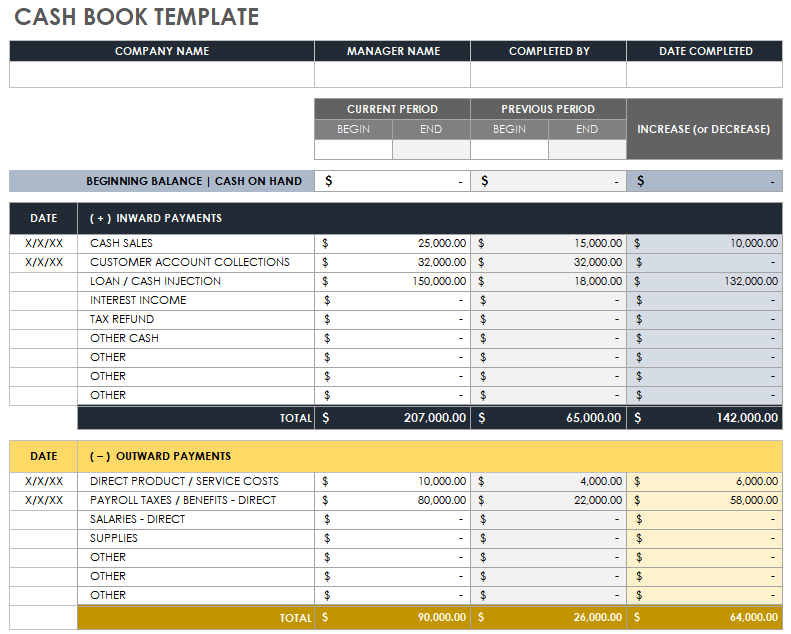
Why Daily Financial Recording Matters
Financial problems often become difficult to understand when transactions are recorded inconsistently. A business may know its monthly sales total but still struggle to explain why cash was low on a particular day. Daily records add the transaction-level detail needed to investigate those situations.
Frequent recording can improve visibility into cash availability. If the opening balance is known and each inflow and outflow is captured, the running balance provides a practical view of the money that should remain available. This is particularly useful for businesses that operate with narrow cash margins.
Daily records also reveal patterns that can disappear inside monthly totals. For example, a shop might discover that sales are strongest on certain weekdays while delivery expenses rise on others. A service provider might notice that several recurring subscriptions are being charged on different dates throughout the month.
Another benefit is accountability. When every payment has a date, description, category, and supporting reference, another person can understand the transaction without asking the original recorder to reconstruct the story. This is useful when records are reviewed by an owner, manager, bookkeeper, accountant, or financial administrator.
Finally, daily recording creates a better foundation for analysis. Accurate analysis depends on accurate underlying data. A sophisticated dashboard cannot compensate for missing transactions, duplicated entries, inconsistent categories, or unclear descriptions. A simple template used consistently can therefore be more valuable than a complex system that nobody maintains.
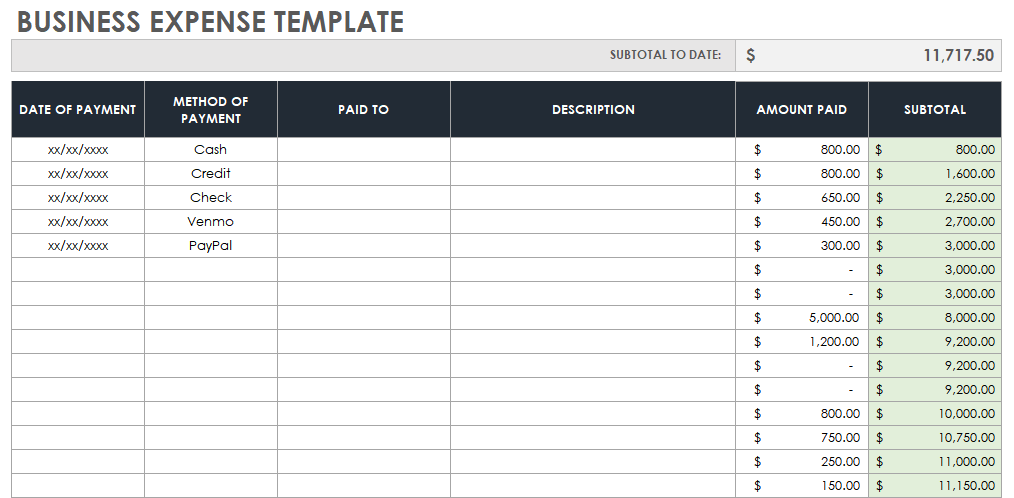
Core Components of a Daily Finance Record
A strong template begins with a small set of fields that explain each transaction. The first is the date, which establishes when the financial activity occurred. If timing matters, a separate time field can be added, although most basic records only need the transaction date.
The next field is a description. Good descriptions are specific enough to distinguish similar transactions. “Supplier payment” is less useful than “Packaging supplier — order 1048.” For personal finance, “Groceries — supermarket” is generally more informative than simply “Shopping.”
Category is another important field. Consistent categories make later analysis possible. Typical business categories include sales, inventory, payroll, rent, utilities, marketing, transportation, bank fees, and miscellaneous expenses. Personal categories might include housing, food, transport, education, entertainment, insurance, and savings.
The amount should be clearly identified as money in or money out rather than relying only on positive and negative signs. A separate payment-method field can distinguish cash, bank transfer, debit card, credit card, mobile payment, or other methods. This becomes especially important when the reported balance must be reconciled with several accounts.
A running balance is valuable when the record is intended to monitor cash. It can be calculated as opening balance plus total inflows minus total outflows. Additional fields such as receipt number, customer, vendor, reference number, notes, and reconciliation status can be added when the workflow requires them.
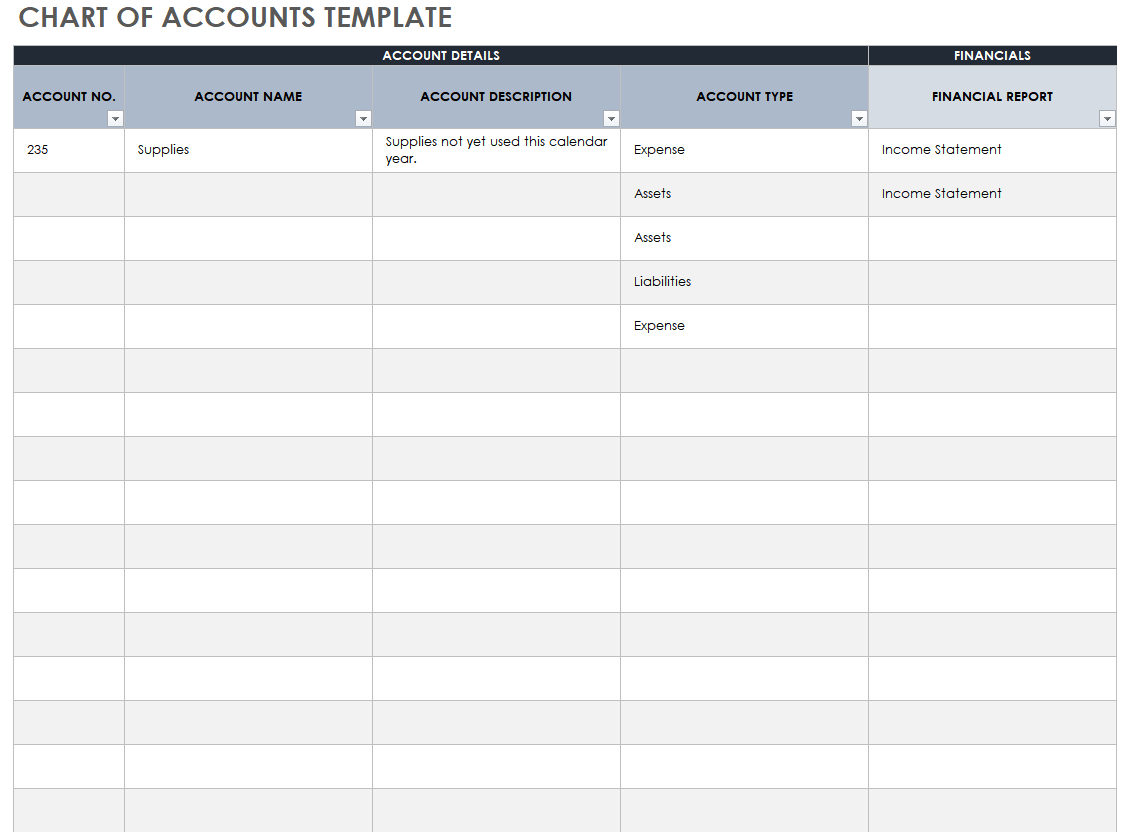
Daily Finance Record Fields for Different Users
For personal finances
A personal record usually benefits from simplicity. The essential fields can be Date, Description, Category, Payment Method, Income, Expense, and Balance. Adding too many accounting fields can discourage daily use, particularly for someone who only wants to understand spending habits and cash availability.
Personal users may also add a savings-goal field, recurring-payment indicator, or budget category. These additions allow the same record to support both transaction tracking and budgeting. For example, an expense of $40 for groceries can be compared with a planned weekly grocery allowance.
People with multiple accounts should consider adding an Account field. The same transaction record may then distinguish checking, savings, cash wallet, credit card, or digital payment account. Transfers between accounts should be identified as transfers rather than income or expenses to avoid distorting totals.
For households, a Person or Household Member field can be useful. It allows spending to be reviewed without creating separate workbooks. However, categories should remain standardized so that the combined data can still be summarized accurately.
A personal template should ultimately make financial behavior easier to understand. If entering one transaction takes too long, the system is likely to be abandoned. The best design captures enough detail to answer useful questions while keeping everyday data entry practical.

For small businesses
Business records usually need more detail because transactions affect operations as well as cash. A useful business template may include customer or vendor, product or service, payment method, tax treatment where relevant, transaction reference, and account or category.
A small retailer may need to connect sales with quantities and product categories. A freelancer may care more about client, project, invoice number, payment status, and service type. A restaurant may need sales by payment method and expense records for ingredients, packaging, labor, delivery, and utilities.
Businesses should also distinguish revenue from cash collection. A sale made on credit can create revenue while the cash is received later. Recording these concepts separately helps prevent confusion between business performance and immediate cash availability.
Supplier payments can similarly be tracked through accounts payable rather than treated as a simple list of cash expenses. If an invoice is received today but paid later, the record should preserve the relationship between the obligation and the eventual payment.
The template should match the business model rather than copy an accounting workbook designed for another industry. A small service business generally needs fewer operational fields than a retailer with inventory, multiple sales channels, returns, and daily stock movements.

Daily Income and Expense Tracking
The central purpose of a daily financial record is to capture the movement of money. Income represents money received or, depending on the reporting method, amounts recognized as revenue. Expenses represent money spent or costs recognized under the chosen accounting approach. A template should make the distinction visible.
For a cash-focused record, a basic formula is straightforward: closing cash equals opening cash plus cash received minus cash paid. This calculation should be applied consistently. If transfers between accounts are included, they should normally be treated separately so that the same money is not counted as both income and expense.
Expense categories should be stable over time. If one day uses “Fuel,” another uses “Transportation,” and a third uses “Vehicle,” the resulting reports may split the same type of cost into separate groups. A controlled category list prevents this problem.
Income categories should receive the same attention. A business may separate product sales, service income, delivery income, interest, refunds received, and other receipts. The appropriate categories depend on the reporting purpose and should remain understandable to anyone reviewing the file.
When a transaction is uncertain, use a notes field rather than inventing a category. It is better to flag an item for later review than to introduce an inaccurate classification that could distort a financial report.
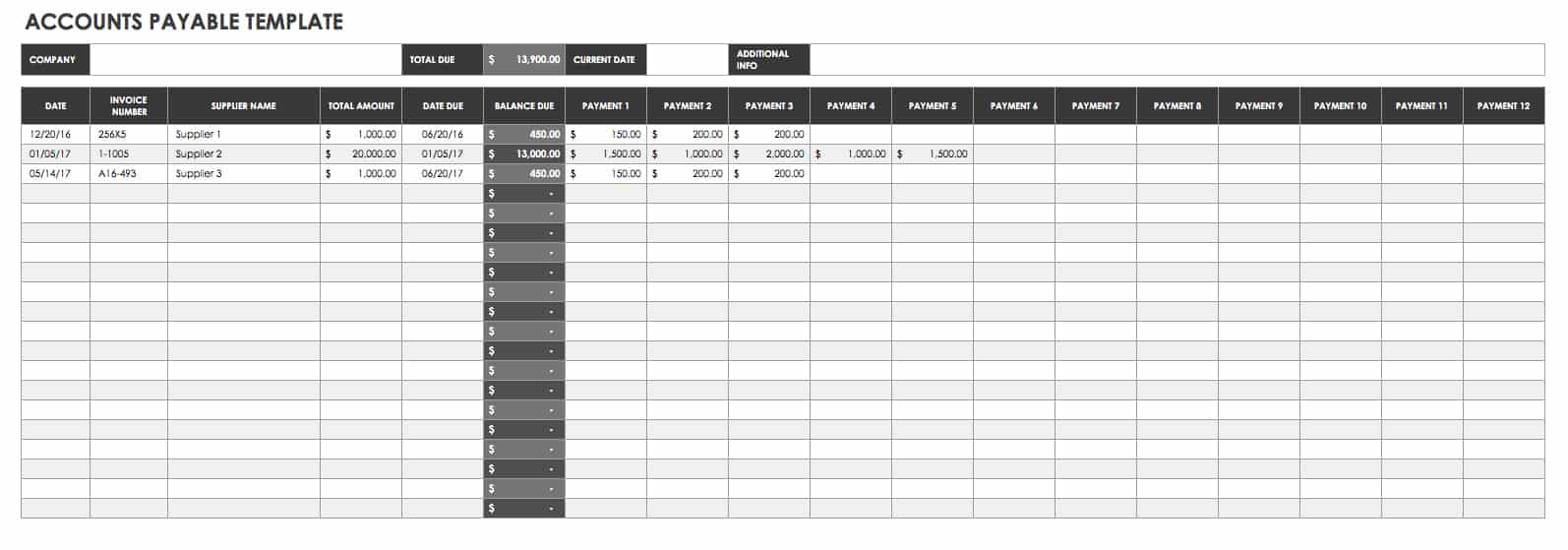
How to Create a Daily Finance Record Template
Start by defining the purpose of the record. Decide whether it is primarily for personal spending, business cash management, daily sales, expense control, or a broader financial reporting process. The purpose determines which fields are necessary and which would only add clutter.
Next, create the transaction table. A practical starting structure is Date, Description, Category, Account, Payment Method, Money In, Money Out, and Running Balance. Add Reference, Customer, Vendor, or Notes only when those fields have a clear use.
Then establish the opening balance. For a cash record, the opening balance should represent the amount available at the beginning of the reporting period. If the template is used each day, the previous day’s verified closing balance can become the next day’s opening balance.
After that, add formulas for totals and balances. The daily income total should sum the money-in column, while the daily expense total should sum the money-out column. The net movement can be calculated by subtracting expenses from income. The closing balance can then be derived from opening balance plus net movement.
Finally, test the template with several hypothetical transactions before relying on it. Enter an income transaction, an expense, a transfer, and a zero-value or blank row. Check that formulas behave correctly and that adding rows does not accidentally exclude new transactions from the totals.

How to Use a Daily Finance Record Step by Step
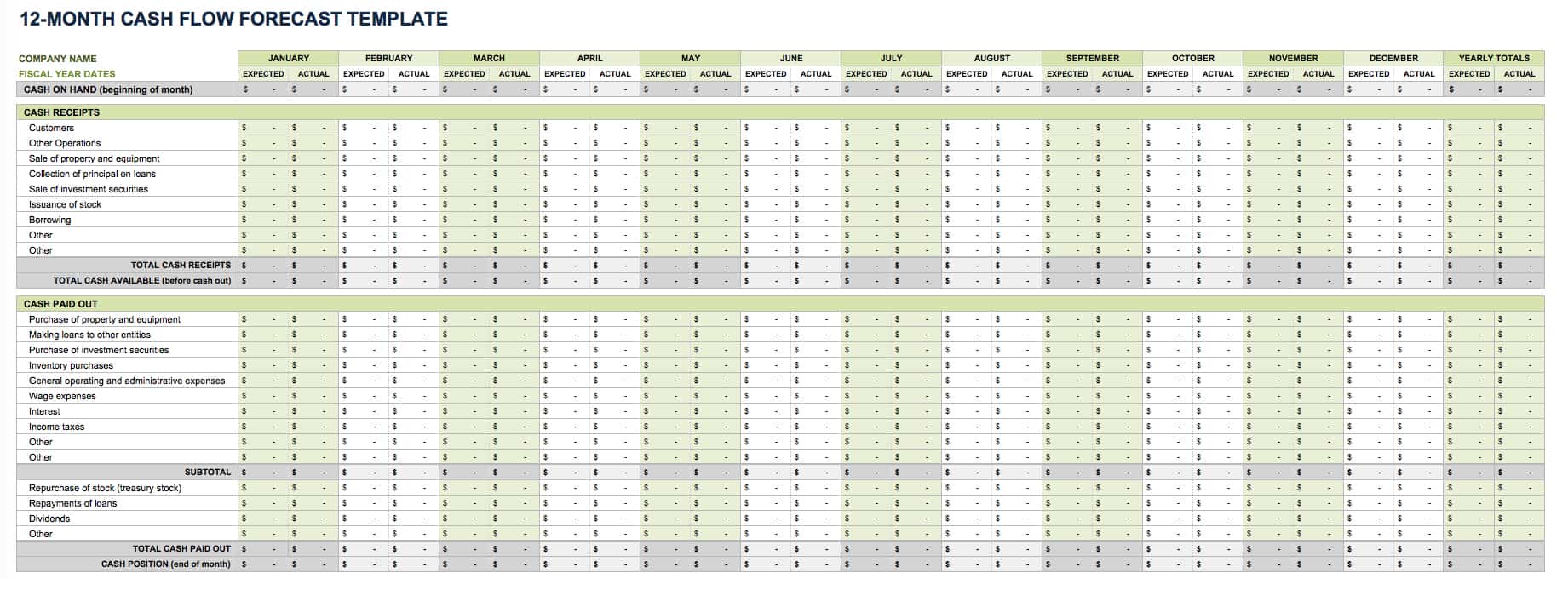
1. Begin with the opening position
Enter the verified opening balance at the beginning of the day. If you maintain separate cash and bank records, identify the account clearly rather than combining balances without explanation. A combined view can be created later through a summary sheet.
Check that the opening balance agrees with the previous record. If it does not, investigate the difference before adding new transactions. Starting from an incorrect balance can cause every subsequent running balance to be wrong even when individual entries are accurate.
For a business with several locations or cash drawers, consider using a separate record for each location and a consolidated summary. This makes it easier to determine where a discrepancy originated.
For personal finances, the opening balance can simply represent the amount available in the selected account or wallet. If the record covers all personal finances, document which accounts are included so the total is not misunderstood.
A verified opening balance gives the rest of the day’s record a reliable starting point. It also makes end-of-day reconciliation easier because the expected closing position can be calculated independently of the physical cash count.
2. Record transactions as they happen
Enter transactions as close to the event as practical. Immediate recording reduces the risk of forgotten purchases, missing receipts, and unclear descriptions. If real-time entry is impractical, establish a consistent catch-up period, such as a short review at the end of each business day.
Use one row per transaction rather than combining unrelated activities into a single amount. Separate entries allow categories and payment methods to be analyzed later and make discrepancies easier to investigate.
Descriptions should answer the basic question, “What was this money for?” A useful entry might say “Office supplies — printer paper” rather than “Supplies.” For a customer payment, include the customer or invoice reference when appropriate.
Do not change transaction amounts merely to make the balance look correct. If the balance is wrong, investigate the underlying transaction list. A transparent correction is more useful than an unexplained adjustment.
Where supporting documents exist, record a reference number or note that allows the receipt, invoice, or statement to be located. The template itself does not need to store every document, but it should provide enough information to connect the transaction to its evidence.
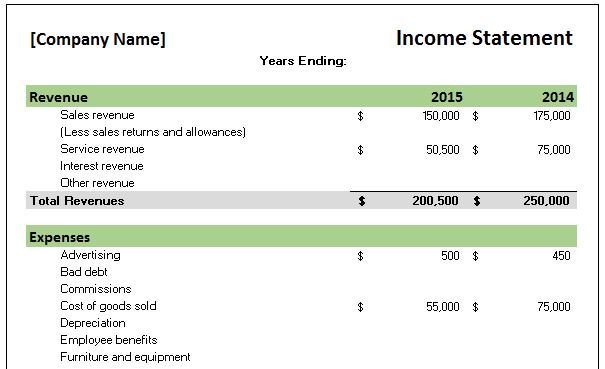
3. Categorize consistently
Choose categories before the record becomes large. A category system that works for ten transactions may become confusing after several hundred, so think about the reports you will eventually want to create.
Keep categories mutually understandable. For example, a business might use “Advertising” for paid promotional campaigns and “Sales commissions” for commission payments. If an expense could fit multiple categories, establish a written rule and use it consistently.
Subcategories can provide additional detail without creating dozens of top-level categories. “Transportation” could contain fuel, public transit, parking, and vehicle maintenance. This structure makes summaries easier to read while preserving detail for analysis.
Avoid changing category names casually. If a category is renamed, older transactions should either be updated or mapped consistently during reporting. Otherwise, a yearly analysis can accidentally treat one category as several unrelated categories.
Periodically review the category list. Remove categories that are never used, combine categories that are too similar, and add new ones only when the distinction provides meaningful analytical value.
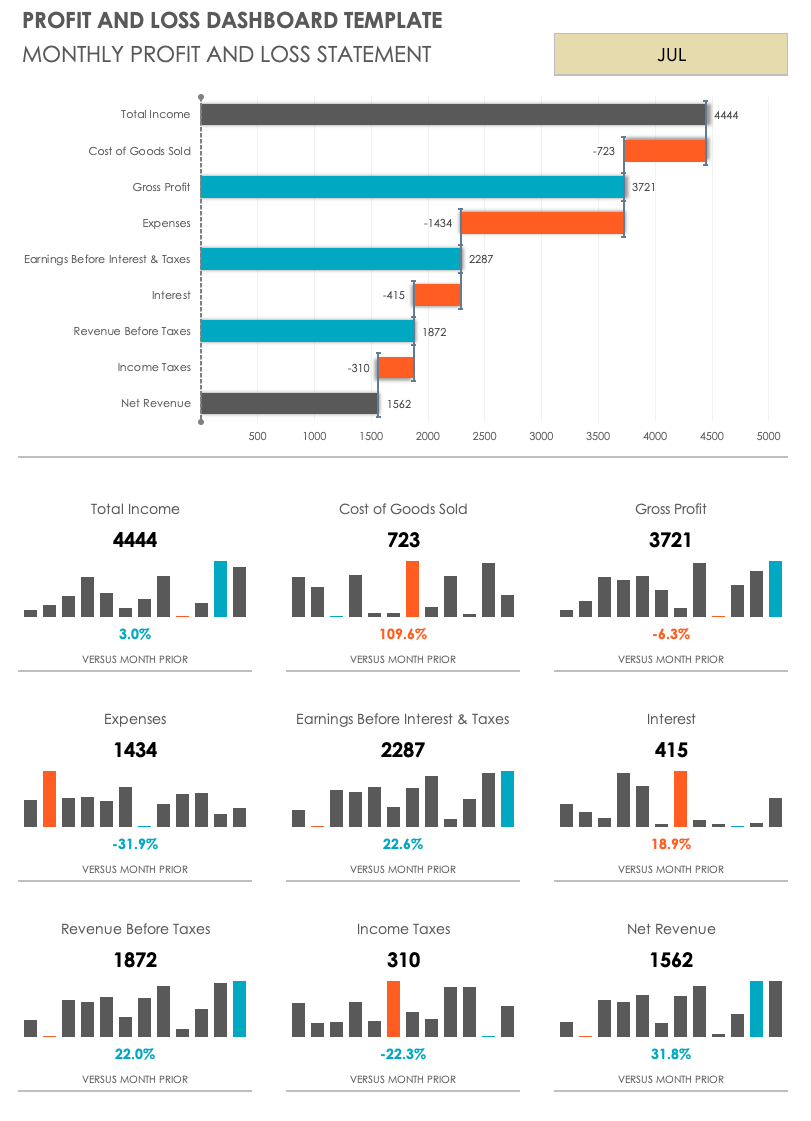
Daily Finance Record Template Excel vs. Google Sheets
A spreadsheet is one of the most flexible ways to build a daily financial record. Microsoft Excel is well suited to structured workbooks, formulas, tables, pivot tables, charts, filters, and offline workflows. It is a strong choice when the user already works extensively with desktop spreadsheets.
Google Sheets is particularly useful when several people need access to the same record or when the information must be available across devices. A shared sheet can support collaboration without creating multiple copies of the same workbook.
The choice should be based on workflow rather than the assumption that one platform is universally better. A solo business owner who works offline may prefer Excel, while a distributed team may benefit from cloud-based access. Both can support the same fundamental transaction structure.
When using either platform, protect formula cells from accidental editing where appropriate. Use data validation for categories and payment methods, freeze header rows, apply consistent number formats, and separate input areas from summary calculations.
The most important consideration is not the software itself but whether the record remains accurate, accessible, understandable, and regularly updated. A basic workbook that is maintained every day is usually more useful than a sophisticated file that is updated sporadically.

Using a Daily Financial Report
A daily financial report is usually a summary rather than the transaction log itself. The underlying record contains individual entries, while the report turns those entries into information that can be reviewed quickly.
A simple report might show opening balance, total income, total expenses, net cash movement, closing balance, and the number of transactions. A business-oriented version may also show sales by payment method, largest expense categories, outstanding customer balances, and unusual transactions.
Daily reporting should focus on decisions. If a report shows that expenses increased, the next question should be why. If sales decreased, management may need to investigate customer volume, product availability, pricing, seasonality, or another operational factor.
Reports can also compare the current day with a reference period. A single day’s number may have little meaning without context. Comparing it with recent averages, a budget, a previous weekday, or another appropriate benchmark can reveal whether the result is ordinary or unusual.
However, comparisons should be interpreted carefully. A Friday may naturally have higher sales than a Monday for some businesses. A utility payment may occur only once a month. The goal is to identify meaningful patterns rather than react to every daily fluctuation.
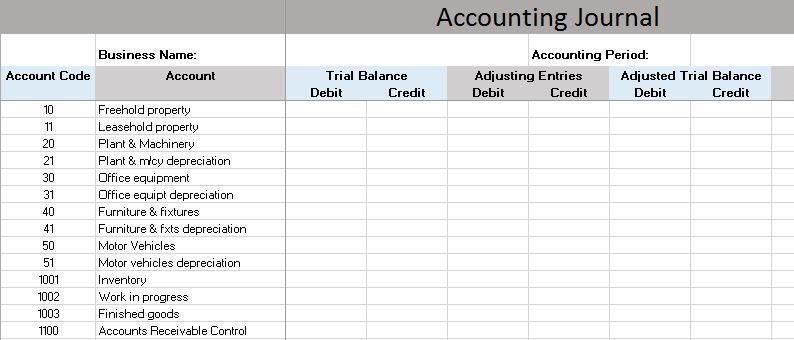
Daily Sales Records and Financial Records
A daily sales record focuses specifically on sales activity, while a broader financial record covers all relevant financial transactions. The two can work together. Sales information can feed revenue totals, while expense information explains the costs associated with operating the business.
A useful sales record may include date, product or service, quantity, unit price, discount, gross sales, payment method, and customer or order reference. For businesses with many products, product identifiers and categories can support later analysis.
Suppose a small food business sells five menu items during a day. Recording each item separately makes it possible to calculate units sold, revenue by product, and average transaction value. The owner can then compare the results with ingredient costs and other daily expenses.
Payment methods should be separated when settlement timing differs. Cash may be immediately available, while card or platform payments may settle later. Treating all sales as immediately available cash can create misleading conclusions about the amount actually available for same-day spending.
Returns, refunds, discounts, and cancellations should also have clear treatment. If these items are simply deleted from the record, the history becomes difficult to audit. Keeping a visible adjustment trail makes the sales data easier to reconcile with deposits and reports.

How to Analyze Data Collected From Daily Records
The first level of analysis is descriptive: how much money came in, how much went out, and what the resulting balance was. This is the foundation for more advanced analysis because it establishes the basic financial movement for the period.
The next level is categorization. Group transactions by expense type, income source, customer, product, payment method, or account. This helps identify which parts of the operation are responsible for most of the financial activity.
Trend analysis can then compare multiple days. Look for recurring patterns rather than isolated numbers. A rising expense category over several weeks may deserve attention, while a single unusual purchase may simply be a one-time event.
Variance analysis compares actual results with a budget or expectation. For example, if a daily marketing allowance is $50 and actual spending is $80, the variance is $30 above plan. The number itself does not prove that the spending was wrong; it indicates that an explanation may be useful.
Cash-flow analysis should also consider timing. A business can appear profitable while experiencing a temporary cash shortage if customer payments arrive later than supplier obligations. Daily records help reveal these timing differences when receivables and payables are tracked properly.
Reconciliation: The Step That Prevents Silent Errors
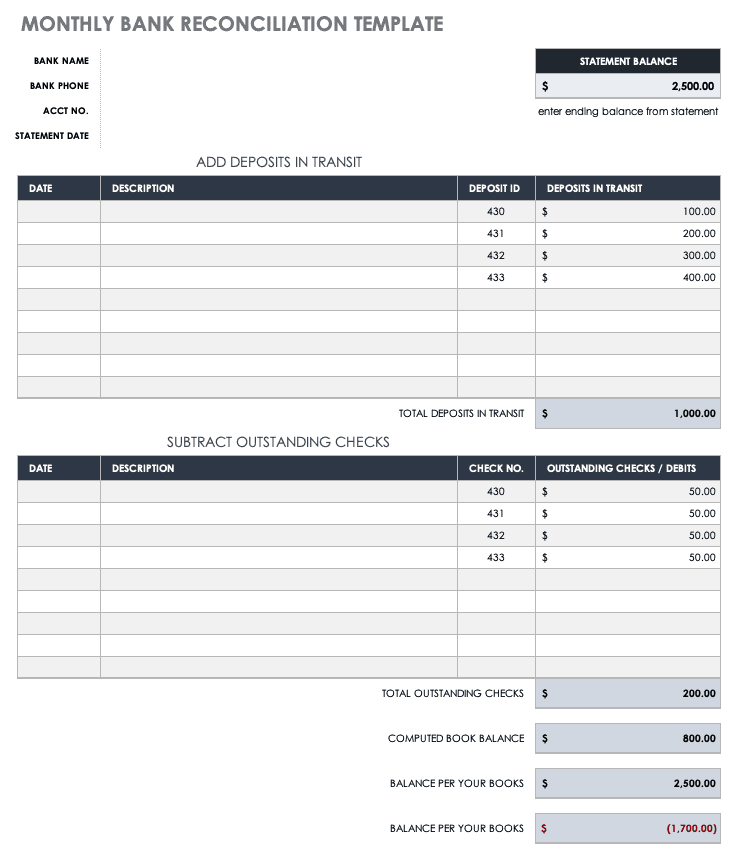
Reconciliation means comparing the recorded financial activity with an independent source, such as a bank statement, cash count, payment-platform report, or point-of-sale report. The purpose is to identify missing, duplicated, delayed, or incorrectly recorded transactions.
For cash, the physical amount should be compared with the expected balance from the template. Differences may result from unrecorded purchases, change given incorrectly, refunds, cash withdrawals, or simple counting mistakes.
For bank accounts, compare transaction dates, descriptions, amounts, and references with the statement. Bank processing dates may differ from transaction dates, so the template should provide enough information to explain timing differences.
Digital payment systems create another reconciliation opportunity. A business may record gross sales while the payment provider deposits a net amount after fees. The record should make the relationship between the sale, fee, and settlement understandable.
Reconciliation should be treated as a routine control rather than an emergency procedure. A short review at the end of each day or reporting period can prevent small discrepancies from accumulating into a difficult investigation later.
Using Budget Comparisons With Daily Records
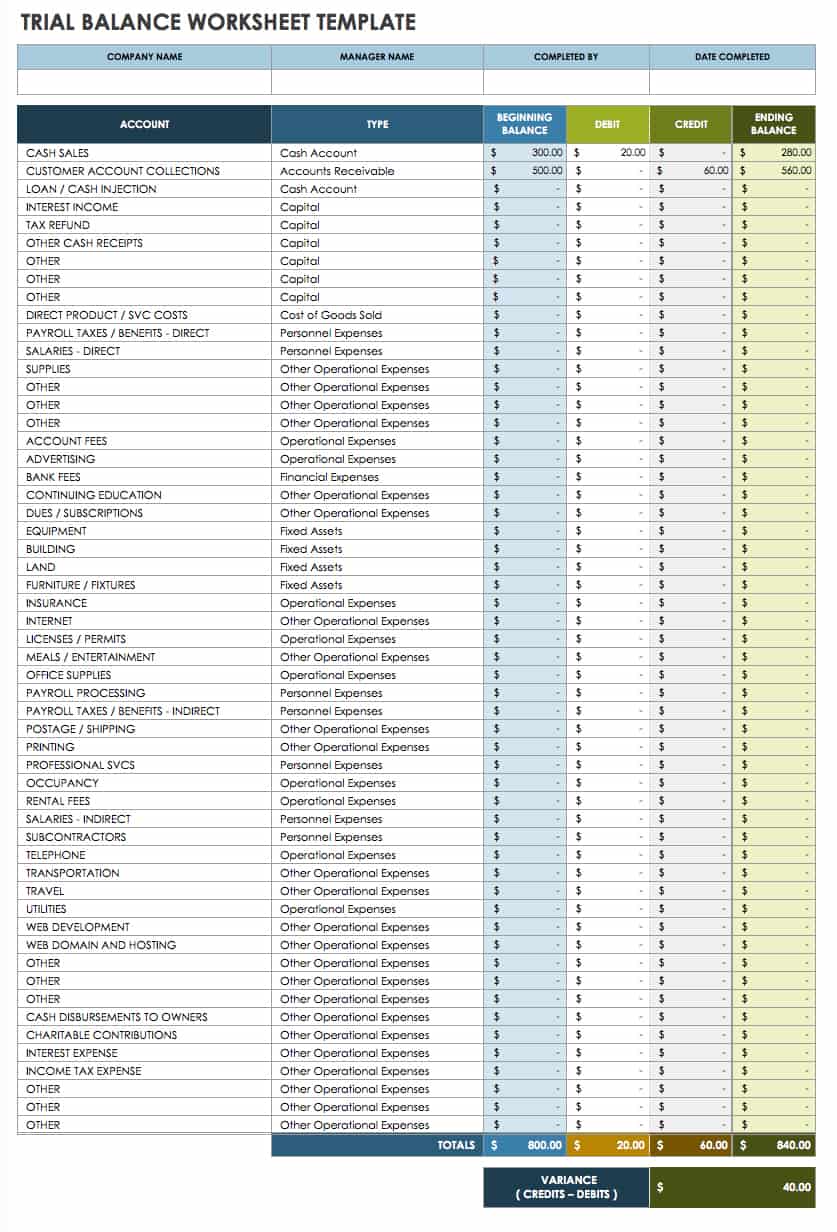
A daily finance record becomes more useful when actual transactions can be compared with planned amounts. A budget creates a reference point, while the transaction record shows what actually happened.
For example, a hypothetical business might plan to spend $300 on supplies during a week. If the daily records show $120 spent on Monday and $110 on Tuesday, management can recognize that most of the planned amount has already been used early in the period.
Budget comparisons should account for timing. A business may intentionally purchase inventory in bulk on one day rather than spreading purchases evenly. The daily variance may therefore be large even though the weekly or monthly result is reasonable.
For personal finance, budget comparisons can help identify categories where spending repeatedly exceeds the planned amount. The goal is not necessarily to eliminate every variance but to understand why it occurs and whether the budget remains realistic.
Use a consistent calculation such as actual minus budget for expense variance. Clearly label whether a positive result means overspending or favorable performance, because the interpretation depends on the type of metric being measured.
Daily Finance Record Template PDF and Printable Workflows
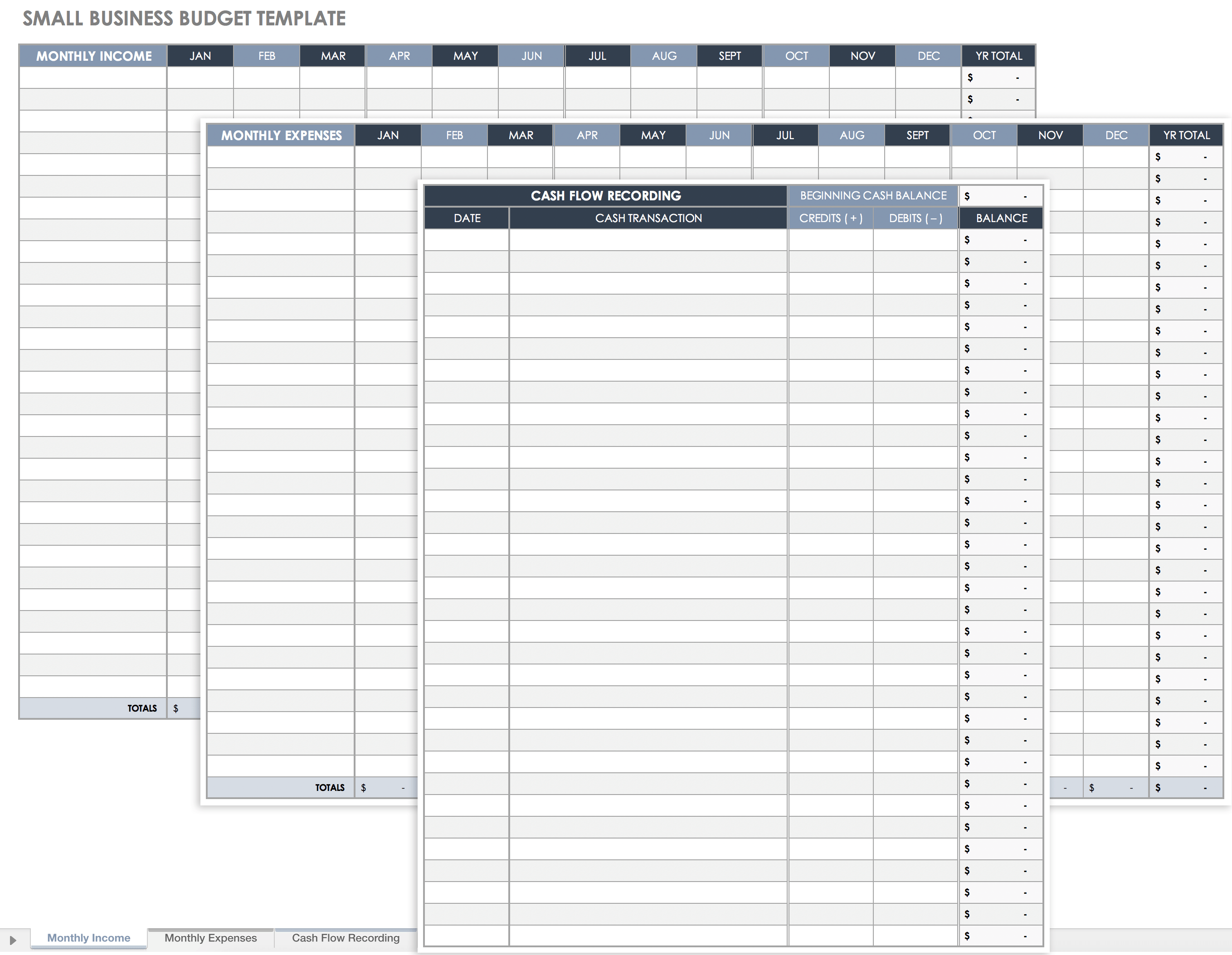
Paper-based recording can still be useful in environments where digital entry is inconvenient. A printable worksheet can be carried to a shop counter, used during a field assignment, or completed when access to a computer is limited.
A printable format should prioritize writing space. Columns that work well on a screen may become too narrow on paper, so a printable version should normally contain fewer fields. Date, description, income, expense, payment method, and notes may be enough for many basic workflows.
At the end of the day, paper entries can be transferred into a digital master record. This creates a two-stage process: temporary capture followed by standardized digital entry. The transfer should be performed carefully so that every handwritten transaction is accounted for.
A PDF can also be useful for distributing a standardized blank form, but the existence of a PDF version does not automatically make a template appropriate for every jurisdiction, tax system, or accounting requirement. Local rules and professional requirements should be checked separately when they apply.
When a printable record is used, keep completed pages organized by date and period. If the information is later entered into a spreadsheet, mark the paper record as transferred or reconciled so that it is not accidentally entered twice.
Common Mistakes When Maintaining Daily Finance Records
One common mistake is entering transactions in batches from memory several days later. This increases the chance that small purchases, cash payments, and transaction details will be forgotten. A short daily recording routine is generally easier to maintain.
Another mistake is using inconsistent categories. If the same expense is classified differently across days, summaries become unreliable. Establish a small category dictionary and use it consistently.
Duplicating transactions is also common when records from several systems are combined. For example, a sale may appear in a point-of-sale report and a bank statement. Importing both as income without identifying the relationship can double-count the transaction.
Transfers are frequently misclassified. Moving $500 from checking to savings does not create $500 of new income. It moves existing funds from one account to another. Identifying transfers separately helps maintain accurate totals.
Finally, users sometimes build templates that are too complicated. Every additional field creates a maintenance cost. A field should earn its place by helping with reconciliation, analysis, reporting, compliance, or decision-making.
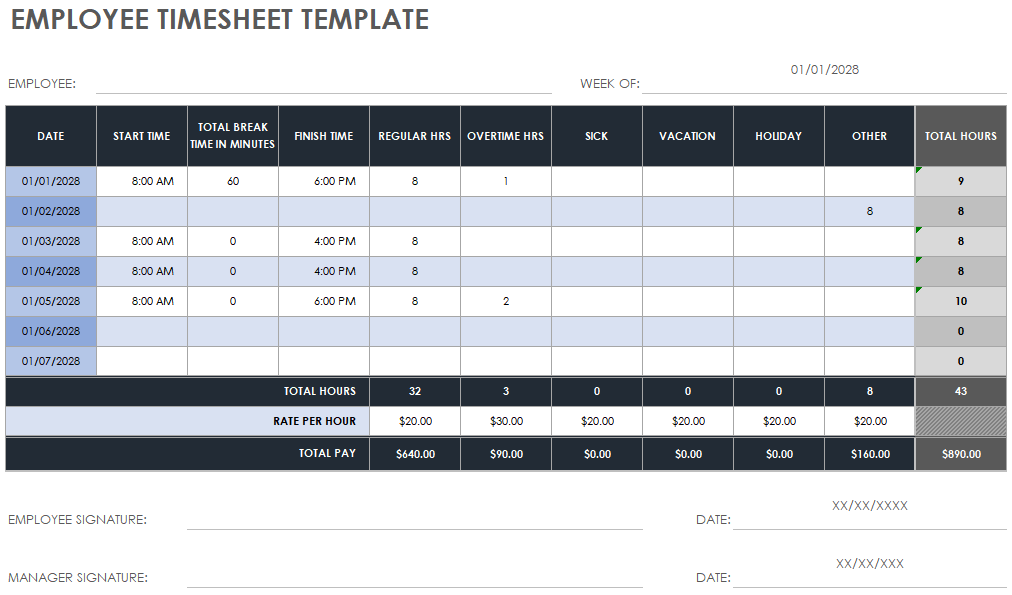
Best Practices for Reliable Daily Records
Use one consistent format throughout the reporting period. Avoid changing columns or category definitions halfway through a month unless there is a documented reason. Consistency makes later comparisons much easier.
Use clear transaction descriptions. A description should allow another person to understand the transaction without needing extensive background information. Where relevant, include an invoice, order, customer, vendor, or receipt reference.
Protect formulas and summary areas from accidental editing. Input cells should be visually distinct from calculated cells, especially in shared spreadsheets. This simple separation can prevent users from overwriting formulas.
Back up important records. A financial workbook should not exist only in one location, particularly when it represents business activity. Use an appropriate storage and backup process that matches the sensitivity of the information.
Review the record regularly rather than waiting until the end of the month. Frequent review makes errors easier to identify because the transactions are still recent and the circumstances surrounding them are easier to remember.
Designing a Useful Daily Record Dashboard
A dashboard should summarize the information that matters most rather than reproduce the entire transaction table. Useful headline metrics may include total income, total expenses, net movement, closing balance, number of transactions, and outstanding amounts.
Charts can make patterns easier to recognize. A daily income-versus-expense chart can show whether cash movement is generally positive or negative. A category chart can reveal which expenses consume the largest share of spending.
Payment-method summaries are useful for businesses with multiple collection channels. If cash, bank transfers, cards, and digital platforms are tracked separately, the dashboard can show how much was received through each channel and whether the amounts reconcile with settlement records.
A dashboard should not replace the transaction log. It should sit above it. When a number looks unusual, the user should be able to trace the figure back to the transactions that produced it.
Keep dashboard metrics stable. If the main indicators change every week, users may find it difficult to understand trends. Add new measures only when they answer a recurring management question or improve the quality of a decision.
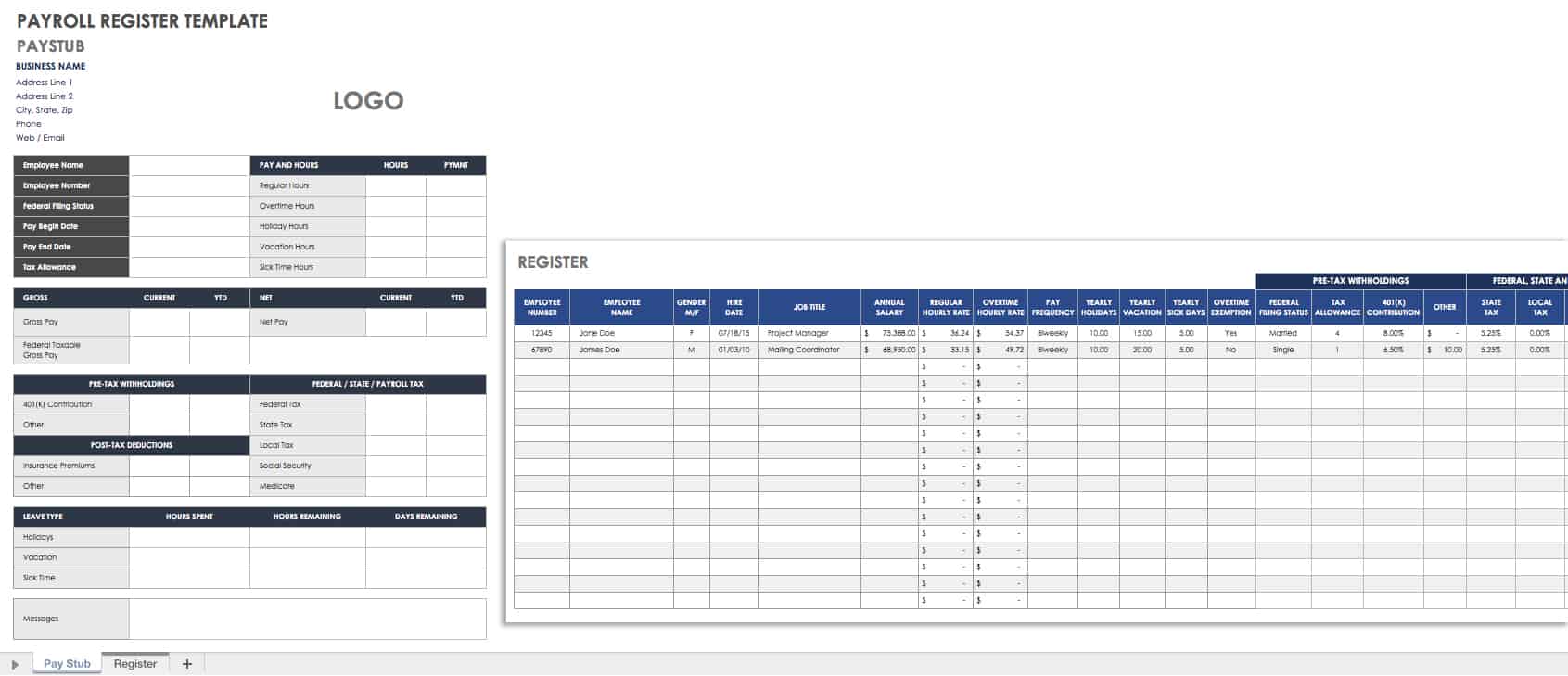
Practical Examples of Daily Finance Records
Consider a hypothetical freelance designer who begins the day with $1,200 available in a business account. During the day, the designer receives $600 from a client and spends $75 on software and $40 on transportation. The daily record would show the individual transactions rather than simply entering a final balance.
The opening balance is $1,200. The total income is $600 and total expenses are $115, producing net movement of $485. The hypothetical closing balance is therefore $1,685, assuming no other transactions occurred and all amounts refer to the same account.
Now consider a hypothetical retail shop. It records $900 in cash sales, $700 in card sales, and $450 in digital-platform sales. During the day, it pays $500 for inventory and $100 for local delivery expenses. The record can separate sales by channel while still calculating the overall movement.
The owner can then investigate whether the cash received matches the physical cash count and whether card and platform settlements are expected to arrive immediately or later. This distinction prevents sales performance from being confused with available cash.
These examples show why a daily finance record is more than a list of numbers. The structure connects individual transactions with a financial explanation, making it possible to move from “what happened?” to “why did it happen?” and eventually to “what should we do next?”
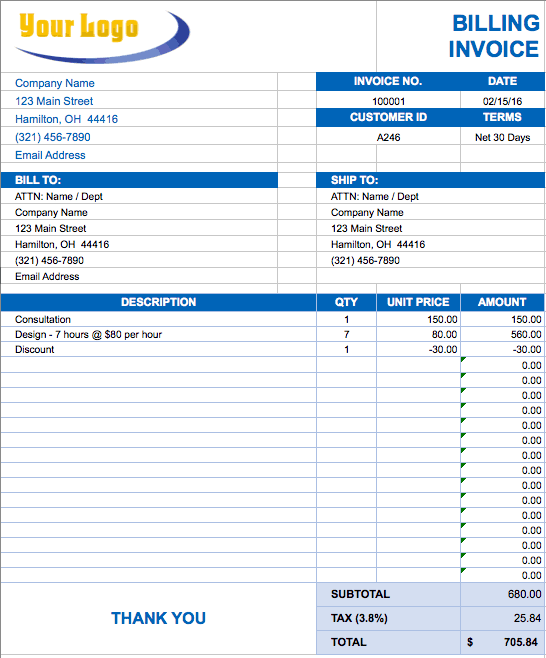
How to Improve Data Collection and Record Quality
Good financial records begin with good data collection. Establish a single routine for capturing transactions regardless of whether they originate from cash, bank accounts, cards, digital wallets, invoices, or payment platforms.
Use standardized names for accounts and categories. If different employees enter transactions, provide short definitions for common categories so that the same type of transaction is classified consistently.
Use validation rules where supported by the spreadsheet platform. A dropdown list for categories can reduce spelling differences and prevent accidental creation of dozens of nearly identical labels.
Consider separating raw transaction data from reporting calculations. The transaction sheet should contain the underlying entries, while summary sheets should calculate totals from that source. This design reduces the risk of manually changing a summary number without changing the supporting data.
Finally, create a simple exception process. Unclear transactions, missing receipts, unexplained differences, and unusual amounts should be marked for review rather than silently ignored. A small “Review Status” field can make unresolved items visible.
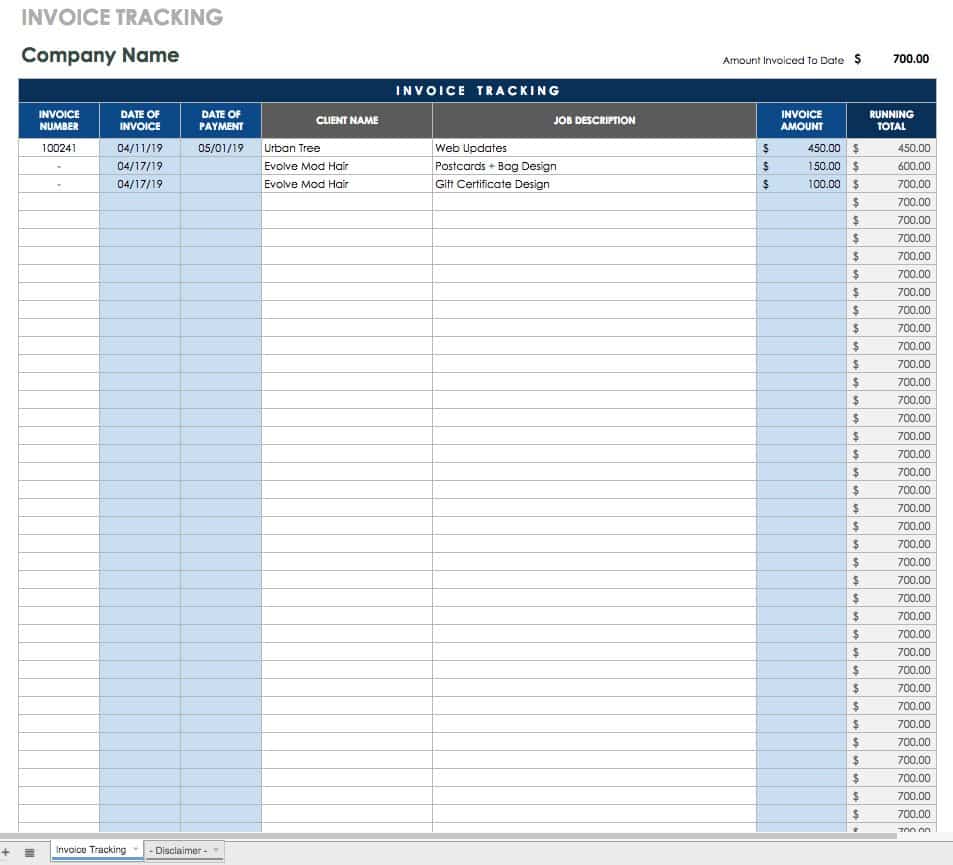
Practical Solution: Build a Daily Finance Workflow That Takes Minutes
The most practical solution is to combine a simple transaction log, a consistent category system, automatic calculations, and a short reconciliation routine. You do not need a complex accounting workbook to establish a dependable daily process.
Step 1: Create one master transaction table. Use Date, Description, Category, Account, Payment Method, Money In, Money Out, Reference, and Notes as the starting fields. Remove any field that has no practical use in your workflow.
Step 2: Establish controlled categories. Create a short list that matches your actual income and expense types. Avoid creating a new category every time a transaction looks slightly different.
Step 3: Automate calculations. Add formulas for daily income, daily expenses, net movement, and running balance. If the workbook contains multiple accounts, calculate each account separately before creating a consolidated view.
Step 4: Record transactions every day. Enter transactions close to the time they occur or use a defined end-of-day routine. Keep descriptions specific and retain references to receipts or invoices where appropriate.
Step 5: Reconcile the closing position. Compare the calculated balance with the relevant bank statement, cash count, payment-platform report, or other independent source. Investigate differences before carrying the balance forward.
Step 6: Review the day’s results. Look at income, expenses, net movement, unusual transactions, and important variances. The purpose is not to overanalyze every day but to catch problems while they are still easy to explain.
Step 7: Produce periodic summaries. At the end of the week or month, summarize the daily records by category, payment method, product, customer, or account. Use these summaries for budgeting, planning, and management decisions.
Step 8: Keep the system sustainable. Protect formulas, back up the file, maintain clear naming conventions, and periodically review whether the template still matches the way money actually moves through the business or household.
This workflow turns the daily finance record template into a repeatable control system rather than a document that is completed only when someone remembers to update it. The objective is dependable information with minimal administrative friction.
Reference Examples
The following reference examples illustrate different visual approaches to financial records, spreadsheets, sales tracking, reporting, and personal money management. They are examples of document or spreadsheet layouts rather than endorsements of any particular template provider.
daily financial report template
Source: Smartsheet
daily finance record template excel
Source: UDL Virtual / Webflow-hosted example
daily finance record template google sheets
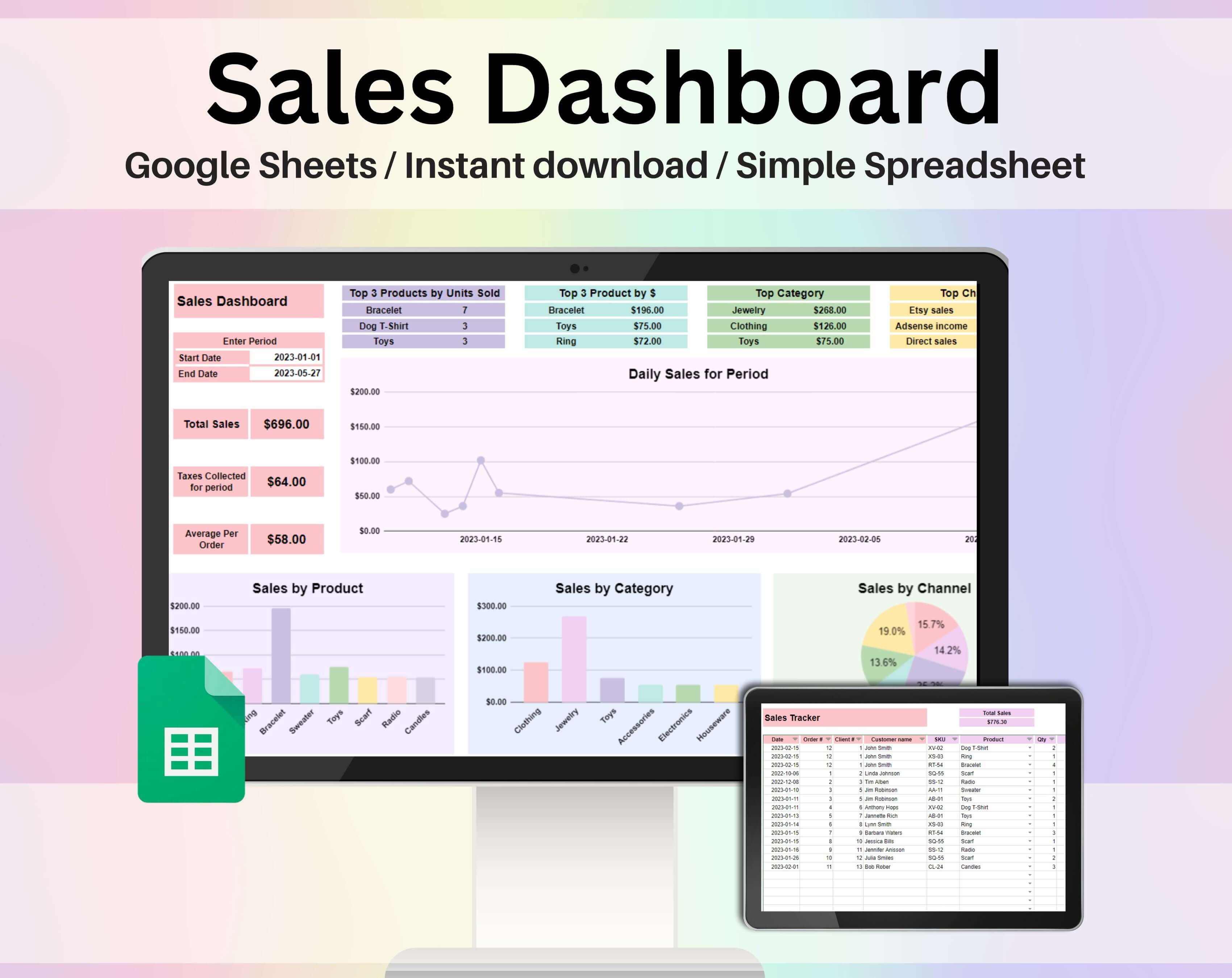
Source: My Productive Life Co.
daily finance record template free download
Source: Smartsheet
daily finance record template free
Source: Creative Cashflow / Ko-fi
daily finance record template pdf
Source: Smartsheet
daily finance record template google docs
Source: Smartsheet
daily finance record template excel free
Source: Smartsheet
daily finance record template free printable

Source: Venngage
daily record sheet template
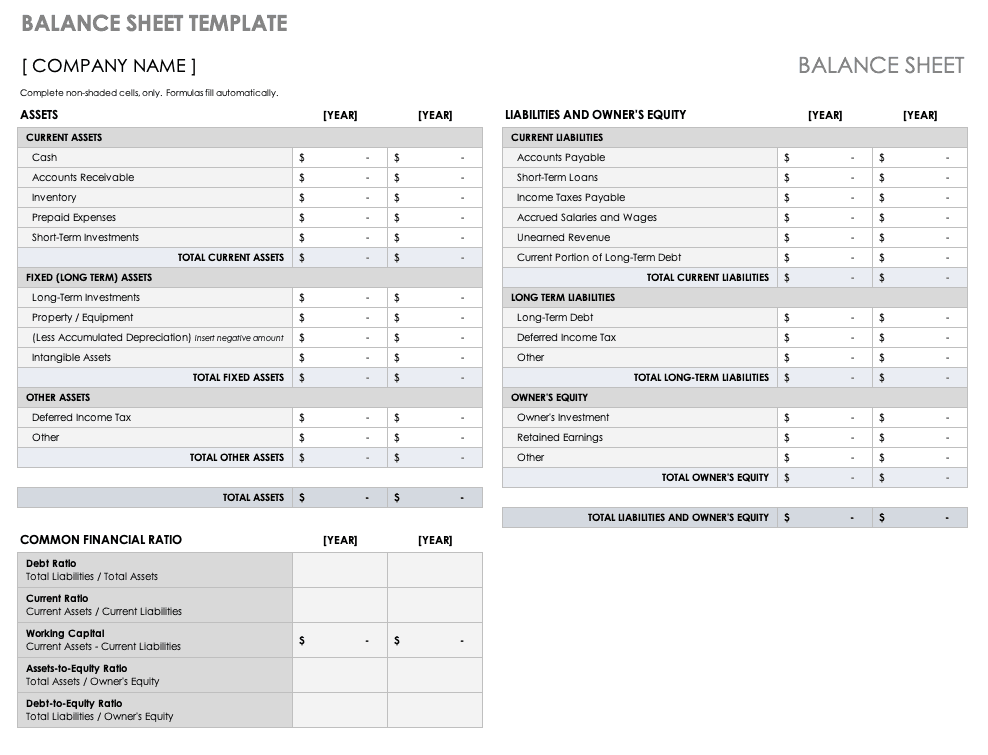
Source: Smartsheet
daily sales record template

Source: Filipino Spreadsheets / Ko-fi
personal financial record keeping template
Source: KJUN Studio
Frequently Asked Questions
What should a daily finance record template include?
A practical template should usually include the date, transaction description, category, account or payment method, money in, money out, and running balance. Depending on the use case, it may also include customer, vendor, invoice, receipt, product, project, or notes fields.
Is a daily finance record useful for personal finances?
Yes. A simple daily record can help individuals understand where money goes, compare spending with a budget, monitor cash availability, identify recurring expenses, and review spending patterns over time. It can be kept as a spreadsheet or printable worksheet.
Should income and expenses be recorded separately?
Usually, yes. Separate money-in and money-out fields make calculations and analysis clearer. They also reduce the risk of confusing revenue with expenses or making errors when calculating the net movement for a day.
Can Excel be used for daily financial records?
Yes. Excel can handle transaction tables, formulas, filters, data validation, charts, pivot tables, and summary reports. A well-structured workbook can support both simple daily tracking and more advanced analysis as the dataset grows.
Can Google Sheets be used for a daily finance record?
Yes. Google Sheets can provide a shared, cloud-based environment for recording transactions and reviewing financial summaries. It is particularly useful when multiple authorized users need access to the same workbook.
What is the difference between a daily record and a daily financial report?
The record contains the underlying transactions, while the report summarizes those transactions. A record might contain every sale and expense, whereas a report might show total sales, total expenses, net movement, closing balance, and significant variances.
How often should daily financial records be reconciled?
The frequency depends on transaction volume and risk. High-volume businesses may benefit from daily reconciliation, while lower-volume workflows may reconcile at another consistent interval. The important principle is to compare the record with an independent source before discrepancies become difficult to investigate.
Should transfers between accounts be treated as income?
Generally, an internal transfer is not new income. It moves money from one account to another. Recording it as income can inflate financial totals, so transfers should normally have their own transaction type or category.
Can a printable record replace accounting software?
A printable record can be useful for basic tracking, but it may not provide the controls, automation, reporting, audit trail, or accounting functionality required by a particular business. The appropriate system depends on transaction volume, complexity, reporting needs, and applicable requirements.
Conclusion
A well-designed daily finance record template provides a practical foundation for understanding financial activity one transaction at a time. By recording income, expenses, balances, categories, payment methods, and supporting references consistently, individuals and businesses can create cleaner financial records and make later analysis much easier. Whether the system is maintained in Excel, Google Sheets, a printable document, or another suitable format, the essential principles remain the same: record transactions accurately, categorize them consistently, reconcile important balances, review meaningful variances, and use the resulting information to make better financial decisions.
