For a small company, scheduling may begin with a notebook, a calendar, or a basic spreadsheet. As the workload grows, however, informal systems can become difficult to maintain. A properly structured schedule can separate recurring work from one-time activities, identify responsible people, expose overloaded days, and make changes easier to communicate. It can also provide a practical bridge between strategic plans and everyday execution.
The right format depends on the purpose. A daily schedule is useful for time-sensitive appointments and tasks, while a weekly schedule provides a broader view of workloads. A spreadsheet can calculate hours and totals, a shared online sheet can support collaboration, a Word document can create a printable planning sheet, and a PDF can provide a fixed version for distribution or posting.
This guide explains how to design, select, customize, and maintain a simple business schedule template. It covers the essential fields, different file formats, employee scheduling, weekly planning, project timelines, business-plan milestones, common mistakes, practical examples, and a workflow that small businesses can use immediately.
The objective is not simply to fill boxes on a calendar. A useful schedule should help the business answer practical questions: What must happen? When should it happen? Who owns it? What depends on it? How much capacity is available? What changes when a priority moves? Once those questions are reflected in the structure, a simple template can become a lightweight operating system for everyday work.
What Is a Simple Business Schedule Template?
A business schedule template is a pre-structured planning document used to organize activities by date, time, employee, project, department, or priority. The word “template” is important because the basic layout is reusable. Instead of redesigning a schedule each period, the business updates dates, assignments, tasks, and other variable information while keeping the underlying structure intact.
A simple version usually contains only the information required to make the schedule understandable. Depending on the use case, that may include a date range, time period, activity or task, person responsible, status, deadline, and notes. More advanced schedules can add formulas, labor-cost calculations, shift codes, priority fields, dependencies, or automatic date calculations.
The strongest designs follow the principle of minimum necessary information. If a manager only needs to know which employee is assigned to which shift, adding ten unrelated columns makes the schedule harder to use. Conversely, if a project requires dependencies and milestones, a basic list of tasks may be too limited. Simplicity should therefore mean clarity, not lack of useful detail.
A schedule can also serve different levels of business activity. At the individual level, it may organize a person’s workday. At the team level, it can coordinate shifts, meetings, and assignments. At the project level, it can show milestones and dependencies. At the strategic level, it can translate business-plan goals into dates, owners, and measurable actions.
The most effective template is therefore the one that matches the decision the schedule is supposed to support. If the primary question is “Who works when?”, use an employee-oriented layout. If the question is “What happens during the week?”, use a weekly task grid. If the question is “How do initiatives progress over several months?”, use a milestone or timeline format.

Why Businesses Use Simple Schedules
Scheduling creates visibility. Without a shared schedule, work often exists in separate emails, messages, notebooks, calendars, and personal task lists. That fragmentation makes it difficult to see the complete workload. A central schedule brings related activities into one view so that people can understand priorities and timing more quickly.
A schedule also improves coordination. When two activities require the same person, room, vehicle, machine, or other resource, a visible timetable makes the conflict easier to detect. The schedule can then be adjusted before the conflict disrupts operations. This is particularly useful for service businesses, retail teams, agencies, contractors, consultants, and businesses with appointment-based work.
Another benefit is accountability. Assigning an owner to a task changes a vague intention into a defined responsibility. Instead of writing “prepare promotion,” a schedule might specify “Marketing team — prepare campaign draft — Tuesday — review by Thursday.” The added clarity makes follow-up easier without requiring a complex project-management system.
Schedules can also support workload balancing. If one employee has twelve major activities while another has only three, the difference may not be obvious from separate task lists. A consolidated schedule can reveal uneven distribution and encourage managers to reassign work before deadlines become urgent.
Finally, a reusable template saves preparation time. Once the layout has been tested, the business can duplicate it for the next day, week, month, project, or operating cycle. The template becomes a standard operating format, which reduces the variation that occurs when every employee creates a schedule differently.

Essential Components of a Business Schedule
The first component is the planning period. State whether the document covers a day, week, month, quarter, or project phase. A schedule without a clear period can become ambiguous when it is printed, copied, or shared. For a weekly schedule, include the week beginning date. For a project schedule, include the project name and planning window.
The second component is the activity field. Use concise descriptions that explain the actual work. “Client call” is more useful than “call,” while “review supplier quote” is more useful than “supplier.” The description should be short enough to scan but specific enough that another person understands the intended action.
The third component is timing. Depending on the purpose, timing can be represented as a date, start and end time, time block, deadline, or duration. Hourly schedules work well for appointments and shifts, while date-based schedules are usually better for projects and longer business initiatives.
The fourth component is ownership. A schedule should make responsibility obvious. The owner can be an employee, department, role, contractor, or project team. If several people are involved, identify the primary owner first and use notes for supporting participants when necessary.
The fifth component is status or notes. A simple status system such as Planned, In Progress, Complete, Delayed, and Cancelled can make a schedule more useful during the work period. Notes should be reserved for information that affects execution, such as dependencies, preparation requirements, location details, or special instructions.

How to Choose the Right Schedule Format
Excel is usually a strong choice when the schedule requires calculations, structured tables, filtering, or repeated numerical updates. A spreadsheet can calculate total hours, summarize assignments, compare planned and actual time, and provide a flexible working environment. It is particularly useful when the schedule contains many employees or recurring shifts.
Google Sheets is useful when several people need access to the same working document. A shared spreadsheet can reduce the problem of maintaining multiple versions. Google also provides a template gallery for Sheets, and its documentation explains how users can open templates and create organizational templates where supported.
Word works well when the schedule is primarily a formatted document rather than a calculation tool. It is useful for printable daily plans, meeting timetables, staff instructions, and schedules that need explanatory text. Word layouts can be easier for some teams to edit when the document contains narrative instructions alongside a schedule table.
PDF is best treated as a distribution or presentation format rather than the primary working format. A PDF can preserve a finalized layout when the schedule is printed, posted, emailed, or shared with people who should not edit the original. The editable source should generally remain in Excel, Sheets, Word, or another working application.
A paper schedule still has a place in environments where employees work away from computers or where a visible wall schedule is convenient. In those cases, design for readability first. Use large headings, clear day labels, sufficient writing space, and a simple legend rather than trying to reproduce every feature of a digital spreadsheet.

Daily, Weekly, and Monthly Business Schedules
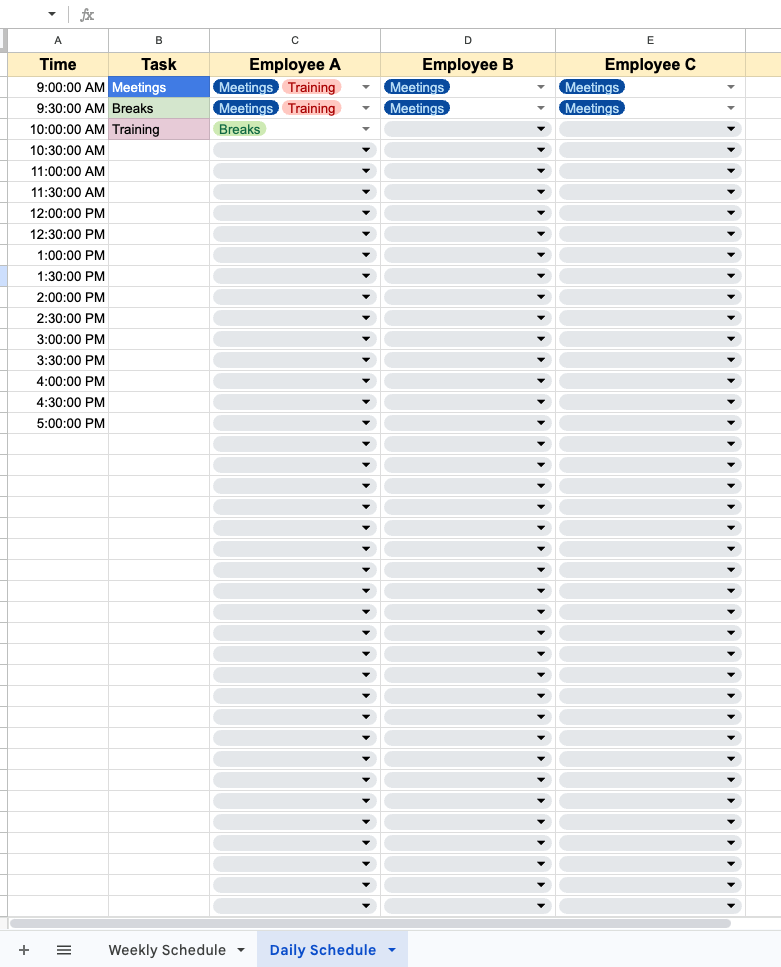
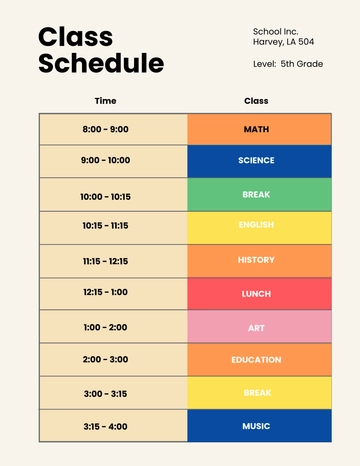
A daily schedule is appropriate when timing matters. Examples include client appointments, production activities, service calls, meetings, deliveries, and staff coverage. A daily layout often uses half-hour or hourly rows and can include a notes column. The shorter the time interval, the more precise the schedule becomes, but excessive detail can also make it harder to scan.
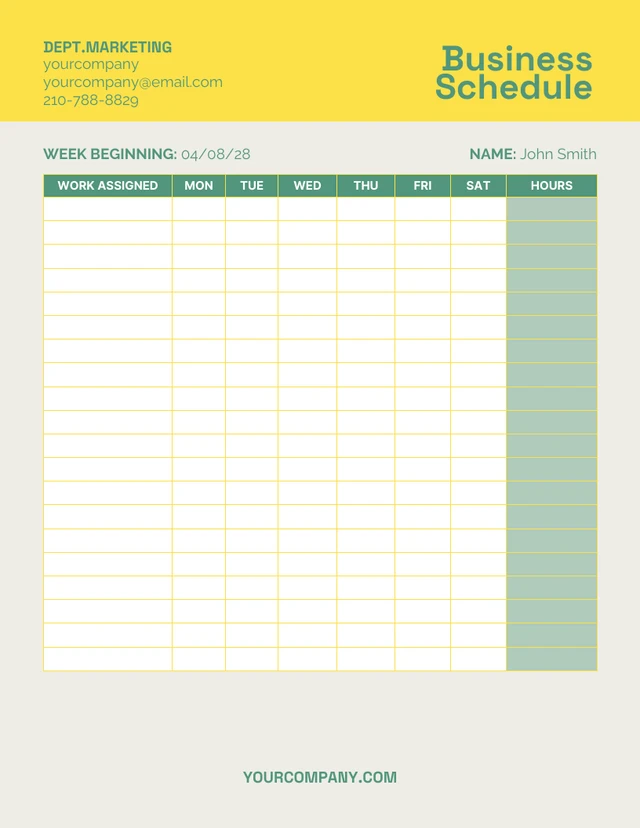
A weekly schedule is often the best starting point for small businesses. It provides enough detail to organize immediate work while preserving a broader view of the workload. A manager can see meetings, employee assignments, deadlines, recurring responsibilities, and major deliverables across several days without becoming overwhelmed by a full monthly calendar.
A monthly schedule is better for recurring events, major deadlines, staffing rotations, campaigns, maintenance, reporting cycles, and other activities that need to be seen across a longer period. Monthly layouts usually sacrifice hourly detail in exchange for a wider view of dates and commitments.
Many businesses benefit from using more than one level. For example, a monthly schedule can show major deadlines, a weekly schedule can translate those deadlines into assignments, and a daily schedule can specify the actual time blocks required to complete the work.
The key is to connect the levels. If a major project deadline appears on the monthly schedule but never appears in weekly and daily planning, the schedule is only a calendar. A useful scheduling system carries important commitments from the high-level view into actionable work.

How to Create a Simple Business Schedule Template
Start by defining the purpose in one sentence. For example: “This schedule coordinates customer appointments and employee coverage for the coming week.” That sentence determines which fields belong in the template and which fields can be removed.
Next, choose the time horizon. If the business operates around recurring weekly patterns, begin with a weekly layout. If the main problem is appointment timing, begin with a daily hourly grid. If the goal is project implementation, use a date-based timeline rather than a conventional calendar.
Create the header before adding detailed rows. The header might include business name, department, schedule period, manager, location, and document version. A clear header helps identify the schedule when it is printed or downloaded and prevents confusion when several schedules are stored together.
Add only the columns required for the workflow. A basic employee schedule could include Employee, Role, Date, Start, End, Break, Total Hours, and Notes. A project schedule might use Task, Owner, Start Date, Due Date, Status, Dependency, and Notes. A meeting schedule might use Date, Time, Meeting, Participants, Location, and Action Items.
Finally, test the template with realistic example information. A blank template may look clean but still fail during actual use. Enter several employees, overlapping tasks, a changed deadline, and a cancelled activity. If the schedule becomes confusing under those conditions, simplify or restructure it before making it the standard version.

Building a Weekly Business Schedule
A strong weekly schedule starts with fixed commitments. Enter appointments, operating hours, recurring meetings, deadlines, and other activities that cannot easily move. These items establish the framework around which flexible work can be placed.
After fixed commitments, add high-priority work. A task that affects revenue, customers, compliance, production, or an important deadline should generally receive attention before lower-impact administrative work. Priority should influence placement, not merely appear as a decorative label.
Next, assign realistic durations. If a task normally takes ninety minutes, do not reserve twenty minutes simply because the calendar looks crowded. A schedule that has no capacity for actual work creates a false sense of productivity and forces unfinished tasks into later days.
Include transition and preparation time when it matters. A meeting at 10:00 does not necessarily mean the employee can complete another unrelated task until 9:59. Travel, setup, review, customer communication, and follow-up can all consume real capacity.
End the weekly planning process with a capacity review. Look across the full week and ask whether each person has enough time to complete the assigned work. If every day is filled to 100 percent, even a small interruption can cause the schedule to fail. A useful schedule leaves enough flexibility to absorb normal business variation.

Employee Scheduling and Workload Management
Employee scheduling requires more than placing names beside tasks. The schedule should reflect availability, required coverage, skills, shift length, breaks, and operational demand. Even a small team benefits from a consistent method because informal scheduling can lead to accidental gaps or overlapping assignments.
For a service business, start with customer demand. Identify the periods that require coverage and then assign qualified employees. This is more effective than simply giving everyone an equal number of hours because staffing needs may change throughout the day.
For project teams, assign work according to responsibility and capacity. A technical task should not be assigned to someone simply because their schedule appears empty if they do not have the necessary skills. The schedule should show both time availability and ownership suitability.
Breaks and non-working periods should be represented when they materially affect coverage. In a small retail or service operation, one employee leaving for a break may change whether the business has enough front-line coverage. In an office environment, breaks may not need detailed tracking unless the schedule is specifically designed for hourly workforce management.
Keep schedule changes visible. If a shift is moved, a task is reassigned, or an appointment is cancelled, update the shared working schedule rather than relying on a separate message as the only record. The goal is to maintain one reliable current version.

Using Excel for Business Scheduling
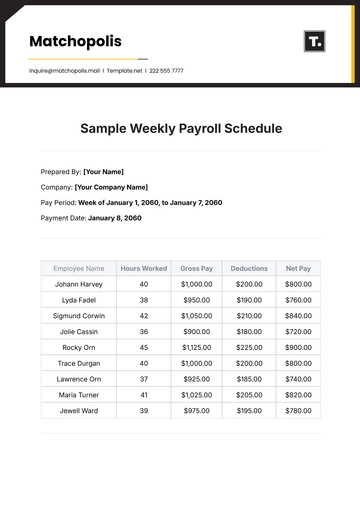
Excel is especially useful when scheduling involves calculations. A simple table can include start and end times, while formulas calculate hours. A manager can then total hours by employee, compare staffing levels, or estimate labor costs when appropriate inputs are available.
Use consistent data types. Store dates as dates and times as times rather than entering inconsistent text such as “morning,” “9-ish,” and “09:00 AM” in the same column. Consistency allows formulas, sorting, filtering, and other spreadsheet functions to work reliably.
Color coding can improve scanning when used sparingly. For example, a business might use one visual treatment for meetings, another for customer work, and another for internal administration. Color should support the schedule’s logic rather than become decoration.
Dropdown lists can also reduce inconsistent entries. A Status column could use Planned, In Progress, Complete, and Delayed. An employee or department field could use a controlled list. Standardized entries make filtering and reporting more reliable.
Protect formulas and calculation cells when the schedule is shared with multiple editors. Users should be able to update assignments without accidentally overwriting formulas that calculate totals. A separate “Instructions” area can explain which cells are editable and which should not be changed.

Using Google Sheets for Collaborative Scheduling
Google Sheets can be effective when the schedule needs frequent collaborative updates. The shared nature of an online spreadsheet means employees can work from the same document rather than circulating separate copies.
Begin with a clean weekly grid. Put days across the top and time or task categories down the side. Keep the layout stable so returning users do not have to relearn the structure each week.
Use notes, comments, or dedicated fields carefully. If important scheduling decisions are buried in comments while the main table remains outdated, users may still misunderstand the current plan. The visible schedule should contain the information needed for routine execution.
Google Sheets also supports features such as checkboxes and notification rules. These can be useful for marking completion or receiving change notifications, although the schedule should remain understandable even without advanced features.
For recurring use, save a clean master version and create working copies for each period. This prevents completed schedules from being overwritten and preserves a consistent structure. If a major improvement is made to the master template, document the change so future schedules use the improved version.

When a PDF Schedule Makes Sense
PDF is useful when the schedule is intended to be read rather than continuously edited. A finalized staff roster, event timetable, visitor schedule, or weekly operations sheet can be exported as a PDF so recipients see the same layout regardless of the application they use.
Before exporting, check page orientation. A schedule with seven day columns or many hourly fields often works better in landscape orientation. A document with long notes may require portrait orientation or a larger paper size.
Check the print area as well. A spreadsheet can look organized on screen but break across several pages when printed. Adjust margins, scaling, row heights, and column widths so the important information remains readable.
A PDF should normally represent an approved version. If the schedule changes frequently, distribute a fresh version rather than asking people to manually mark changes on an old PDF. Include the schedule period and, when useful, a revision date so readers can identify the current version.
For public-facing or customer-facing documents, remove internal notes that are not intended for external readers. A working schedule may contain employee information or operational details that should not appear in a broadly distributed copy.

Creating a Schedule in Word
Word is practical for businesses that need a schedule alongside written instructions. A manager can create a table with dates and assignments, then place preparation notes, policies, meeting objectives, or special instructions beneath it.
Keep tables simple. Too many merged cells can make editing difficult, especially when the schedule needs to be extended. A straightforward grid with consistent headings is usually easier to maintain than a highly decorative design.
Use heading styles for sections such as Weekly Overview, Daily Assignments, Priority Tasks, and Notes. This makes the document easier to scan and provides a consistent structure when the schedule is copied for another period.
Word is also useful for printable schedules because the page layout is visible during editing. This can make it easier to control margins, spacing, headers, and footers before creating a final document.
When the schedule becomes heavily numerical or requires automatic calculations, however, a spreadsheet is usually more appropriate. Word should be chosen because the document format adds value, not simply because it is familiar.

Scheduling Meetings, Appointments, and Events
Meeting schedules should make the purpose and timing of each meeting clear. At minimum, include the date, start time, end time, meeting name, and participants or responsible group. A location or meeting method can be added when relevant.
Do not fill the calendar with meetings simply because time is available. Meetings consume preparation, participation, and follow-up capacity. A good business schedule protects blocks of uninterrupted work where employees need them.
For recurring meetings, define a standard duration and purpose. If a weekly meeting regularly takes thirty minutes, do not reserve two hours simply because the calendar has open space. Consistent durations make the schedule easier to interpret and improve forecasting.
For customer appointments, include enough information to distinguish the appointment without exposing unnecessary confidential details. An appointment code, customer initials, service type, or responsible employee may be more appropriate than storing sensitive information in a widely shared schedule.
For business events, add preparation milestones. The event itself is only one point in the timeline. Registration, materials, venue preparation, communications, staffing, equipment checks, and post-event follow-up may all require scheduled work before and after the event.

Project Scheduling and Milestones
A project schedule differs from a simple weekly calendar because tasks often depend on one another. If Task B cannot begin until Task A is completed, the schedule should make that relationship visible. Otherwise, a delay in one activity may not be recognized as a threat to later deadlines.
Milestones are useful for representing meaningful points rather than every minor action. Examples include approval received, prototype completed, campaign launched, contract signed, testing finished, or customer delivery completed.
For longer projects, a timeline or Gantt-style view can complement the basic schedule. A Gantt view places activities across a time axis, making durations, overlaps, and dependencies easier to see than a simple task list.
Keep project schedules connected to actual owners. A timeline with dates but no responsibility can describe what should happen without making clear who is expected to make it happen.
Review project schedules regularly. Dates that were reasonable when the project began may become unrealistic after scope changes, staffing changes, supplier delays, or new customer requirements. A schedule is a planning instrument, not a permanent prediction.

How to Use a Business Schedule for Capacity Planning
Capacity planning asks whether the available people, time, equipment, or other resources are sufficient to complete planned work. Even a simple schedule can provide an early warning when demand is greater than capacity.
Start with available working time rather than theoretical time. If an employee has a seven-hour productive day after normal breaks and unavoidable administrative duties, do not schedule eight hours of focused work and assume the extra hour will somehow disappear.
Then account for fixed commitments. Meetings, customer service, reporting, travel, maintenance, and recurring administrative activities reduce the capacity available for project work. Including these activities produces a more realistic schedule.
Compare planned work against available capacity. If a team has twenty hours available but the schedule contains thirty hours of estimated work, the problem is visible before the deadline. Management can then reduce scope, extend timing, add resources, or change priorities.
Capacity planning is especially valuable for small businesses because a single unavailable person can have a significant effect. The schedule should make critical dependencies and single-person responsibilities visible so contingency plans can be created before an absence becomes a crisis.
Practical Examples of Simple Business Schedules
Consider a small marketing agency with five employees. Its weekly schedule could include client meetings, campaign production, content review, reporting, internal meetings, and deadlines. Each activity could have an owner and a target completion time.
For example, Monday might focus on campaign planning and client communication, Tuesday on content production, Wednesday on design and review, Thursday on revisions and approvals, and Friday on reporting and next-week preparation. The exact arrangement is hypothetical, but the structure shows how recurring workflows can become predictable.
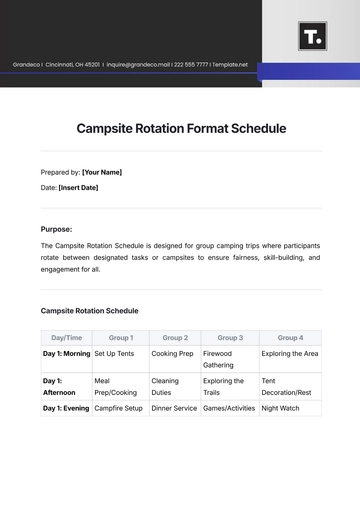
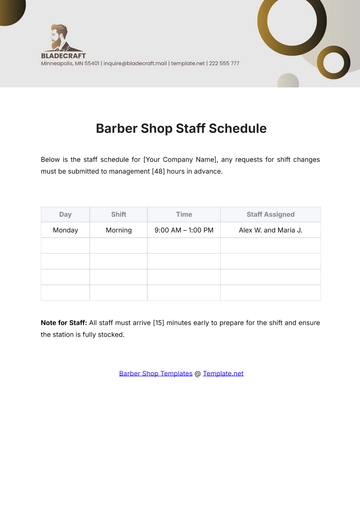
A retail store could use a different structure. Its schedule might place employee names in rows and days of the week in columns, with shift start and end times in each cell. A notes field could identify training, stock counts, deliveries, or other activities that affect coverage.
A consulting business may prefer an appointment schedule. Each day can be divided into time blocks, with client meetings and project work placed beside preparation and follow-up periods. The purpose is not to fill every minute but to protect enough time for both delivery and business administration.
A small manufacturer could use a production schedule containing work order, machine, operator, start time, estimated duration, completion target, and status. This format allows the manager to see both the sequence of work and the resources required to complete it.
Using a Business Schedule With a Business Plan
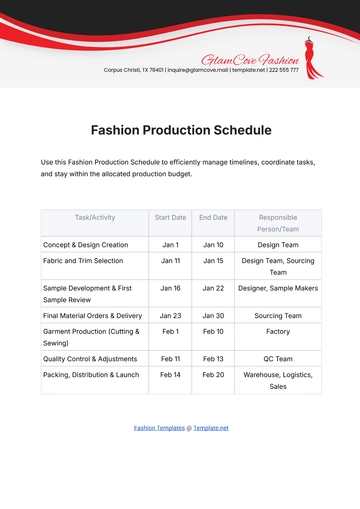
A business plan describes direction, but execution requires dates and ownership. A schedule can convert broad goals into milestones. For example, a business plan might state an intention to launch a new service, while the schedule identifies research, pricing, supplier selection, testing, promotion, training, and launch activities.
Each strategic objective should be broken into manageable actions. “Increase customer retention” is not a scheduling item by itself. More useful scheduled actions might include reviewing customer feedback, designing a retention offer, preparing communication materials, launching a pilot, and reviewing results.
Use milestone dates carefully. A milestone should represent something that can be checked objectively. “Improve marketing” is difficult to verify, while “complete campaign landing page” is concrete enough to assign and review.
Assign responsibility to strategic activities just as you would to routine tasks. A business goal without an owner can remain a statement of intent. A goal with an owner, deadline, and next action becomes easier to manage.
A business schedule should also support review. When a milestone is completed, the team can evaluate whether the result supports the original business objective. If not, the next phase can be adjusted rather than automatically continuing according to an outdated plan.
Common Business Scheduling Mistakes
One common mistake is creating an overly complicated template. A schedule with excessive fields may appear professional but can become difficult to maintain. If employees skip fields because they are inconvenient, the extra complexity reduces data quality.
Another mistake is scheduling without estimating duration. A list of ten tasks may look manageable until the actual time required is considered. Duration estimates do not need to be perfect, but they should be realistic enough to expose obvious capacity problems.
A third mistake is ignoring dependencies. If a task depends on approval, delivery, customer feedback, or another employee’s work, that relationship should be reflected in the schedule. Otherwise, a seemingly minor delay can create a chain of missed deadlines.
A fourth mistake is failing to maintain the schedule. A perfect template is useless if nobody updates it. Decide who owns schedule maintenance, how often it is reviewed, and where the current version is stored.
A fifth mistake is confusing the schedule with a task archive. Completed historical information can be valuable, but the active schedule should remain easy to scan. Move old information to an archive or historical sheet when it begins to obscure current work.
Best Practices for Maintaining a Simple Schedule
Use consistent naming. If one person writes “Client Mtg,” another writes “Customer meeting,” and another writes “CM,” the schedule becomes harder to search and interpret. A small vocabulary of standard terms improves consistency.
Keep dates and times standardized. Choose one date format and one time format for the entire document. Consistency matters especially when the schedule is shared between people who may use different regional conventions.
Use a clear status system. A few well-defined statuses are usually better than many variations. If the business needs more detail, add a notes field rather than creating ten different status categories.
Review the schedule at a predictable time. A weekly business schedule might be prepared late in the previous week or at the beginning of the current week. A project schedule may need a shorter review cycle when deadlines are close.
Keep a clean master template. Do not repeatedly modify a completed schedule and save it over the original template. A master copy should remain blank and ready for the next planning period.
Practical Solution: Build a Reusable Simple Business Schedule
The most practical solution for many small businesses is to create one master schedule with a deliberately simple structure and then adapt it for daily, weekly, or project-specific use. Begin with a weekly format because it provides enough context for most operational decisions without requiring a complicated system.
Create a header containing the business name, department or team, week beginning date, schedule owner, and revision date. Under the header, create columns for Day, Time, Task or Activity, Owner, Priority, Status, and Notes. If employee shifts are the main purpose, replace Priority with Shift or Role.
Next, add recurring activities. These might include weekly meetings, reporting, inventory checks, customer follow-ups, content publishing, payroll preparation, maintenance, or other predictable work. Recurring activities should be easy to copy from one period to another.
Then add fixed commitments and deadlines. Place customer appointments, deliveries, launch dates, regulatory deadlines, supplier visits, and important meetings before flexible tasks. These items form the constraints around which the remaining work must be planned.
After that, add priority work and assign owners. Do not assign more work than the available capacity reasonably allows. If the schedule becomes crowded, move low-priority work, redistribute assignments, or change deadlines before the week begins.
Step 1: Define the Planning Objective
Write down what the schedule must accomplish. A staffing schedule, appointment schedule, project schedule, and executive calendar may all use similar layouts, but they answer different questions. Defining the objective prevents unnecessary fields from entering the template.
If the objective is staff coverage, prioritize employee, role, shift, break, and hours information. If the objective is project delivery, prioritize task, owner, start date, deadline, dependency, and status. If the objective is executive planning, prioritize meetings, decisions, strategic tasks, and preparation periods.
The objective should also determine the level of detail. A manager may need a high-level weekly view while an employee may need an hourly daily view. Do not force everyone to use the most detailed version when a simpler view is sufficient.
Write the objective in the template instructions if multiple people will maintain the schedule. A short statement such as “Use this sheet to coordinate weekly customer service coverage” can prevent users from turning the document into an unrelated task list.
Review the objective whenever the schedule changes significantly. If the business starts using the template for a different purpose, it may be better to create a new version than continue adding fields to the old one.
Step 2: Establish Rules for Updates
A reusable schedule needs simple maintenance rules. Decide who can edit the template, who approves major changes, and where the current working version is stored. These decisions become more important as the number of users increases.
Set a regular review point. A weekly schedule can be reviewed before the week starts and briefly updated during the week. A project schedule may require more frequent reviews when work is changing rapidly.
Define how changes are represented. For example, a delayed task might remain in the original position but receive a Delayed status and a new date. Another business might prefer moving the task immediately. Either approach can work if everyone follows the same rule.
Do not rely on private messages as the permanent record of scheduling changes. If a schedule changes because of an employee absence, customer request, supplier delay, or management decision, update the shared schedule so the current state remains visible.
Archive completed schedules rather than deleting them immediately. Historical schedules can help explain what happened during a previous period, compare planned and actual work, or inform future planning.
Step 3: Add a Weekly Review Process
A schedule becomes more valuable when it is reviewed rather than merely stored. At the end of each planning cycle, compare completed work with planned work. Identify tasks that were repeatedly postponed, completed later than expected, or removed from the schedule.
Look for recurring bottlenecks. If customer approvals repeatedly delay production, the schedule may need an earlier approval step. If one manager repeatedly becomes the bottleneck for reviews, approval responsibilities may need to be redistributed.
Compare planned capacity with actual capacity. If a team consistently needs more time than originally estimated, future schedules should reflect that reality. Historical experience can make future planning more accurate without requiring complicated forecasting software.
Review recurring activities as well. Some meetings or reports may remain on a schedule simply because they have always existed. Periodic review creates an opportunity to remove work that no longer contributes enough value.
Finally, update the template when the workflow changes. A schedule should evolve with the business while retaining enough consistency that employees still recognize its basic structure.
Reference Examples
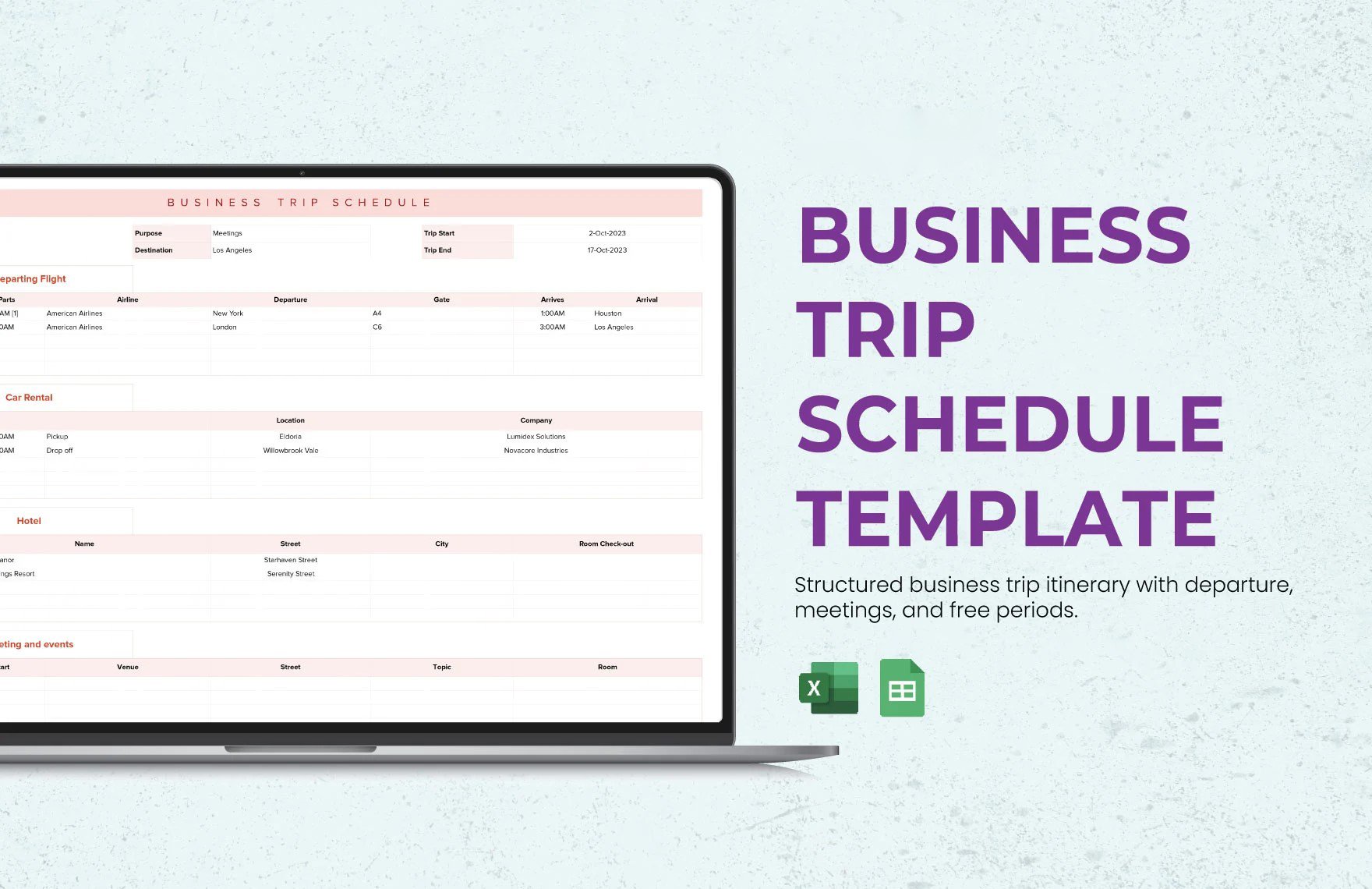
The following reference examples illustrate different visual approaches to business schedules, work schedules, spreadsheets, document layouts, and planning formats. They are examples of the types of structures that can be adapted to a business workflow; they should not be interpreted as universal official requirements.
simple business schedule template excel
Source: Template.net
simple business schedule template free
Source: Venngage
simple business schedule template google sheets
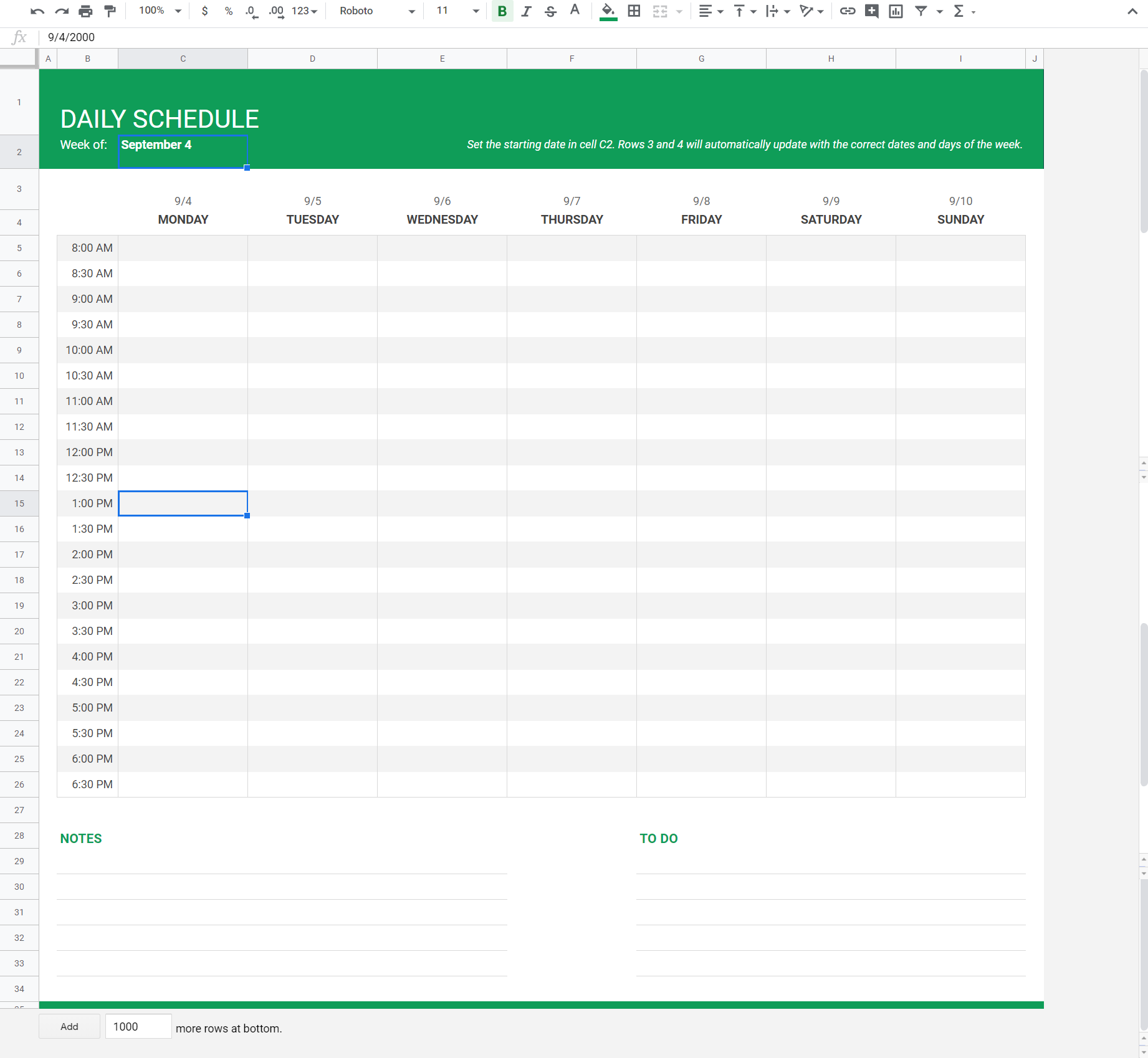
Source: Coupler.io
simple business schedule template pdf
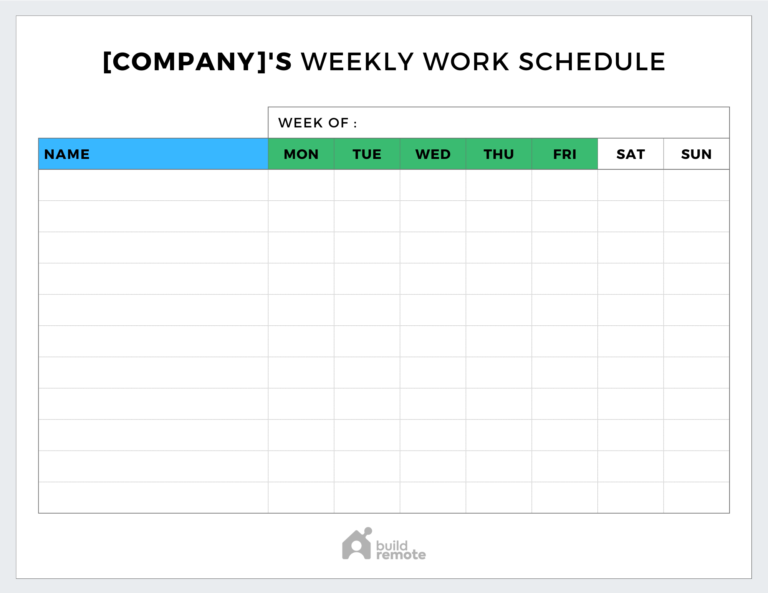
Source: Buildremote
simple business schedule template free download

Source: Smartsheet
simple business schedule template word
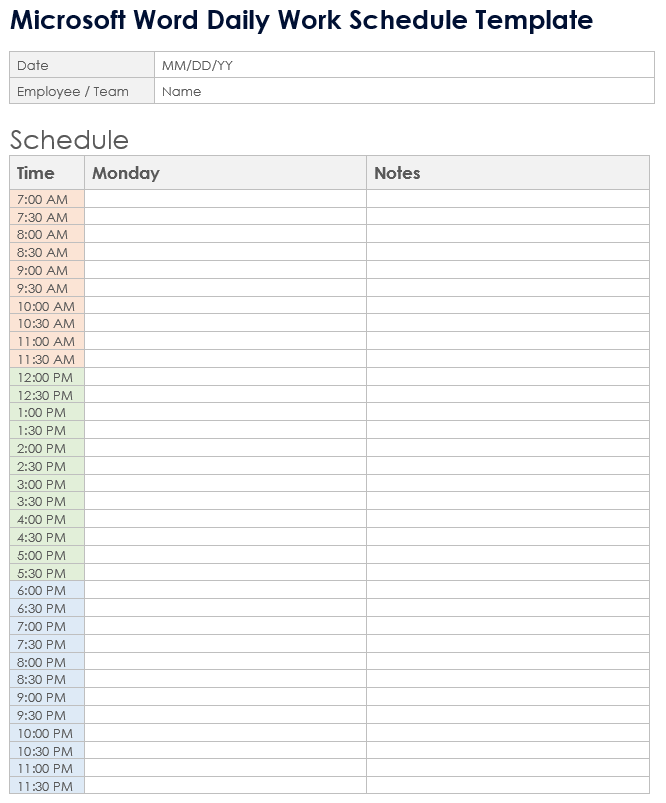
Source: Smartsheet
simple business schedule template google docs
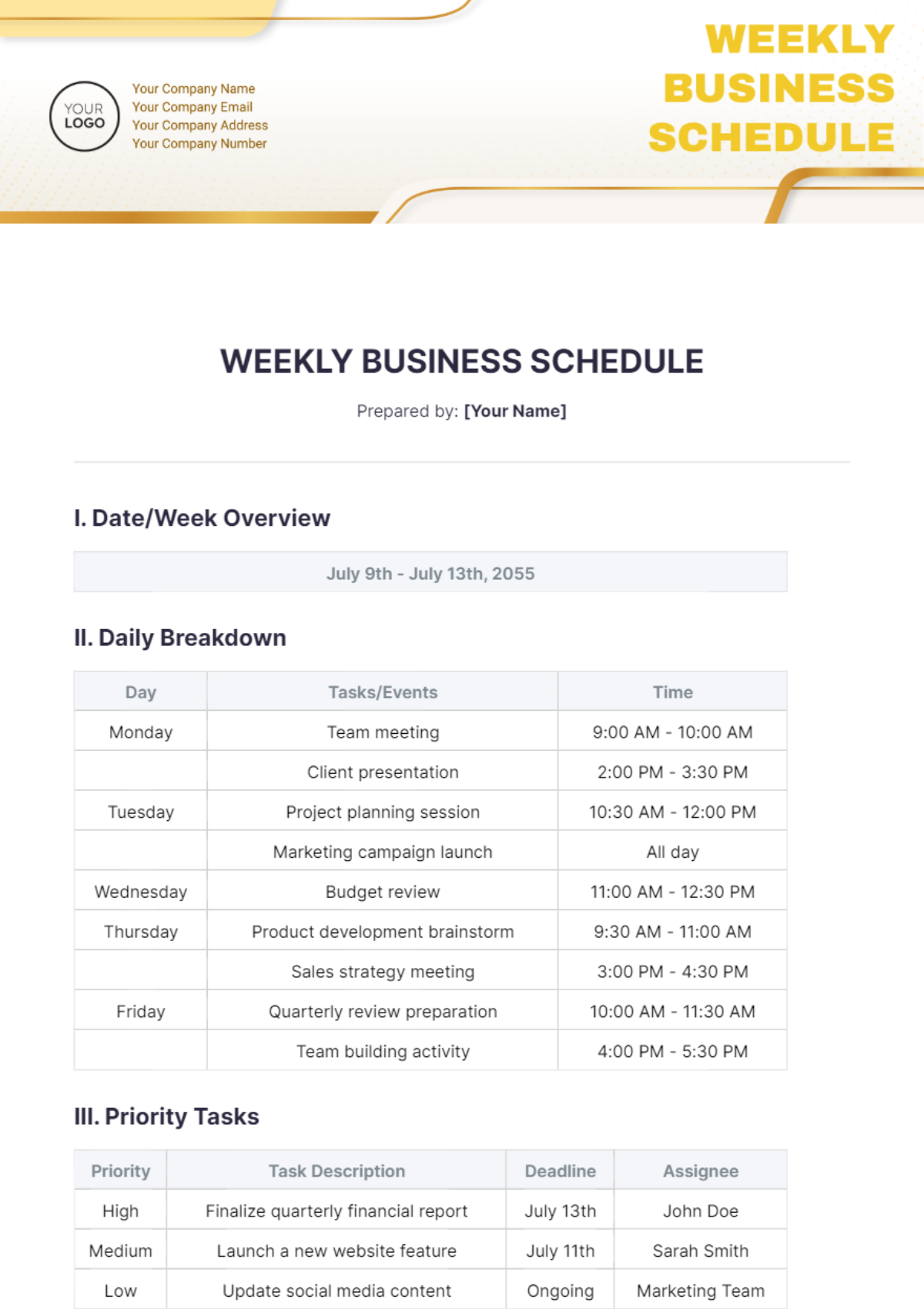
Source: Template.net
weekly business schedule template
Source: Gumroad
business work schedule template
Source: Homebase
small business excel template free schedule
Source: Gumroad
free simple schedule template
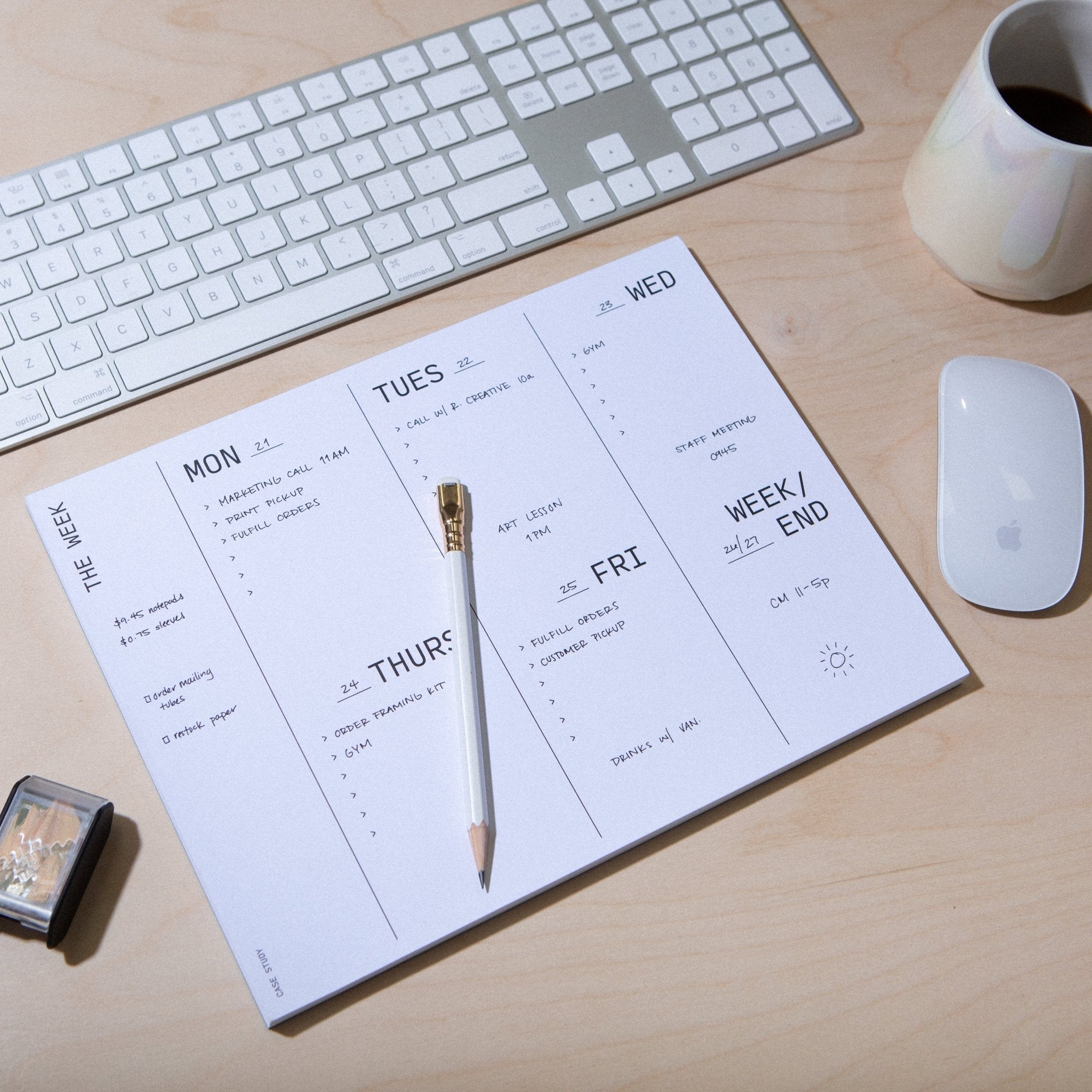
Source: Creative Case Study
business plan schedule example
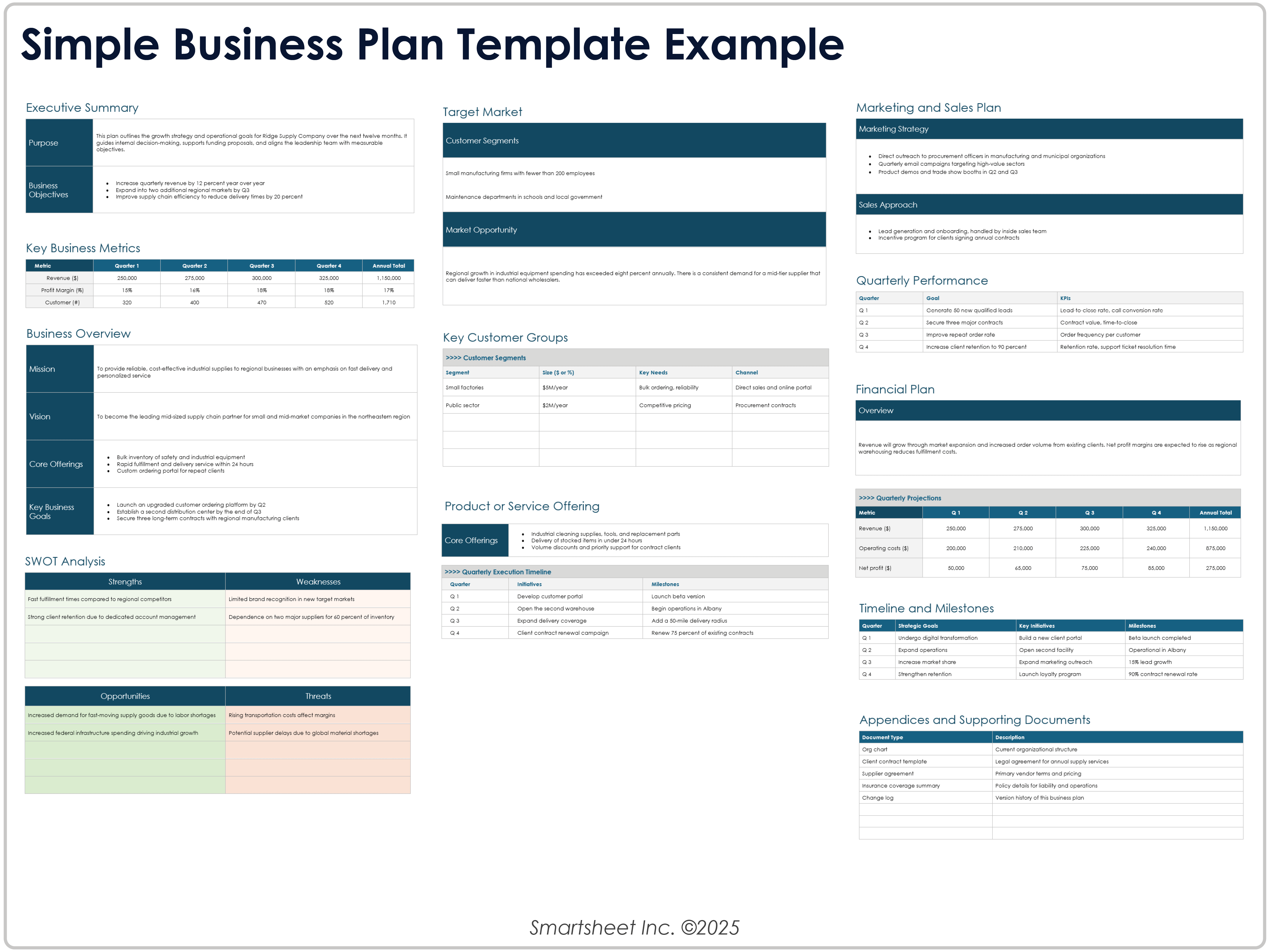
Source: Smartsheet
Frequently Asked Questions
What is the best simple business schedule template?
The best template is the one that matches the actual scheduling problem. For employee coverage, use a staff or shift grid. For appointments, use a time-based schedule. For projects, use tasks, dates, owners, and dependencies. For strategic initiatives, use milestones and timelines. Avoid selecting a template because it looks attractive if its structure does not support the information you need to manage.
Should a small business use Excel or Google Sheets for scheduling?
Both can work well. Excel is particularly useful when formulas, calculations, and local file management are important. Google Sheets is convenient when several people need to work on a shared schedule. The better choice depends on how the business collaborates and how much calculation the schedule requires.
Can a business schedule include employee hours?
Yes. An employee schedule can include start time, end time, breaks, total hours, role, location, and notes. If hours are used for payroll or compliance purposes, the business should also follow any applicable employment, recordkeeping, privacy, and payroll requirements rather than relying on a generic template alone.
Is a weekly schedule better than a daily schedule?
Neither is universally better. A weekly schedule provides broader context and is useful for balancing work across several days. A daily schedule provides more precision for appointments, shifts, and time-sensitive activities. Many businesses use a weekly overview together with a more detailed daily plan.
What should a simple business schedule contain?
At minimum, include the planning period, activity or task, timing, and responsible person. Add status, priority, duration, location, or notes only when those fields support actual decisions. A template should remain easy to understand without requiring extensive instructions.
How often should a business schedule be updated?
Update it whenever a material scheduling change occurs. In addition, establish a regular review cycle. A weekly operating schedule might be reviewed daily and formally refreshed each week, while a long-term project schedule might be reviewed at a weekly project meeting or whenever milestones change.
Can a simple business schedule template be used for projects?
Yes, especially for smaller projects. Add task names, owners, start dates, due dates, status, and dependencies. For larger or highly interdependent projects, a dedicated project-management system or Gantt-style schedule may provide better visibility than a basic calendar.
How do I keep a schedule from becoming too complicated?
Start with the minimum information required to make decisions. Test the schedule with real work, remove fields nobody uses, standardize repeated values, and separate detailed historical information from the active schedule. Simplicity should make the document faster to understand and maintain.
Conclusion
A well-designed simple business schedule template does more than display dates. It creates a shared structure for deciding what needs to happen, when it should happen, who is responsible, and how work should change when circumstances shift. The most useful templates remain simple enough for everyday use while providing enough detail to prevent confusion.
For most small businesses, a weekly schedule is an excellent starting point. Build it around fixed commitments, priority work, realistic capacity, clear ownership, and a small number of useful status fields. Choose Excel when calculations matter, Google Sheets when collaboration matters, Word when document formatting matters, and PDF when a finalized version needs to be distributed or printed.
As the business grows, the schedule can evolve without becoming unnecessarily complicated. Recurring activities can be standardized, project milestones can be added, employee hours can be calculated, and strategic objectives can be translated into specific actions. The important principle is to add structure only when it improves a real decision or workflow.
Use the template as a living planning tool rather than a static calendar. Review what was completed, identify bottlenecks, compare planned capacity with actual capacity, and update the structure when the business changes. Over time, these small improvements can turn a basic schedule into a reliable operational system.
A practical schedule ultimately succeeds when people trust it. If employees know where the current information is stored, managers know who maintains it, and everyone follows the same basic rules for updates, even a simple template can provide strong visibility and coordination without the cost or complexity of a larger scheduling platform.
The best simple business schedule template is therefore not the one with the most features; it is the one that makes the right information visible at the right time, supports realistic planning, and remains easy enough for the people doing the work to maintain consistently.
