The phrase “business register” can refer to several related needs. It may mean a worksheet used to organize registration information, a checklist for preparing an application, a record of registered businesses, or a document used internally to track legal and administrative details. The right format depends on what you are trying to accomplish and where the business is being registered.
A useful template should therefore be simple without being incomplete. It should capture information such as the proposed business name, owner or director details, business structure, address, contact information, registration identifiers, business activity, filing dates, renewal dates, and supporting-document status. It should also leave enough room for notes and follow-up actions.
Official registration requirements vary by jurisdiction, business structure, industry, and location. A template is an organizational tool rather than a substitute for the government application itself. Before submitting anything, compare your completed worksheet with the current requirements of the relevant authority.
This guide explains how to design, choose, customize, and use a simple business register template. It also covers common file formats, registration workflows, practical examples, document control, mistakes to avoid, and a repeatable process that can help keep business-registration information accurate over time.
What Is a Simple Business Register Template?
A simple business register template is a structured document that helps organize information associated with a business registration or internal business record. Instead of collecting names, addresses, dates, registration numbers, ownership details, and document references in separate notes, the template places those fields into a consistent structure.
The template does not have to be complicated. For a small business, a single-page document may be enough to record the basic identity of the business and the status of its registration. A larger organization may use several linked sheets covering entities, licenses, owners, directors, filing dates, certificates, and renewal obligations.
The most useful distinction is between a registration form and a registration register. A registration form is normally submitted to an authority to request registration or a related service. A register is often maintained by the business itself to keep track of information, documents, deadlines, and status.
For example, a business owner could use a register to record the date an application was prepared, the date it was submitted, the authority that received it, the reference number, the certificate received, and the next renewal or reporting date. This creates an administrative trail that is easier to review than scattered emails and paper files.
A simple template can also become a master reference document. When business details change, the owner can update the central record and use it as a starting point for reviewing related licenses, tax registrations, banking information, contracts, and other records that may depend on the same core business data.
Why Use a Business Register Template?
Registration work often involves repeated information. A business name, address, ownership structure, contact person, and business activity may appear on several forms. Recording those details in one controlled template reduces the chance of copying inconsistent information from one document to another.
A register also makes status tracking easier. Instead of asking whether an application was submitted, whether a certificate arrived, or whether a renewal date was entered into a calendar, the business can maintain those details in one place and assign a clear status such as Draft, Ready, Submitted, Approved, Renewal Due, or Closed.
Another benefit is document organization. Registration-related paperwork can include applications, certificates, identity or ownership information, tax records, licenses, permits, payment confirmations, correspondence, and amendments. A register can provide a reference number or document location for each item without storing sensitive information unnecessarily.
Consistency becomes especially important when a business has more than one registration. A company may have a primary registration, local permit, industry license, tax registration, trade name, professional registration, or other authorization. Each may have different issuing authorities and dates, so a structured register prevents important details from being overlooked.
Good recordkeeping also supports business administration beyond registration. Accurate records can help owners prepare financial information, respond to official requests, review business performance, and understand which documents support particular transactions. A template is therefore most useful when it becomes part of a broader recordkeeping routine rather than being created once and forgotten.
Key Information to Include
The first section of a register should identify the business clearly. Common fields include the legal name, trading or operating name if different, entity type, principal business address, mailing address, telephone number, email address, website, and primary contact person. Only include fields that are relevant to the jurisdiction and purpose of the register.
The ownership section can record the names of owners, partners, directors, members, or other responsible parties, depending on the structure. A small sole proprietorship may need only one owner field, while a company register may require a more detailed ownership or management record.
The activity section should describe what the business actually does. This can be a plain-language description for internal use, while an official application may require a specific classification or industry code. Do not assume that an internal description is an acceptable substitute for an official classification.
The registration section should provide fields for the authority, application date, submission date, approval date, registration number, certificate number, license number, and expiration or renewal date when applicable. A notes field can record unusual requirements, outstanding documents, or follow-up actions.
A document-control section is particularly useful. Instead of embedding confidential documents in the register, record the document name, type, date received, storage location, and review status. This keeps the register compact while providing a clear trail to the supporting evidence.
Recommended Field Structure
| Section | Typical fields | Purpose |
|---|---|---|
| Business identity | Legal name, trading name, entity type | Defines the business being recorded |
| Contact details | Address, email, telephone, website | Provides reliable communication information |
| Ownership | Owner, partner, director, member | Records responsible parties |
| Business activity | Description, classification or industry code | Explains the nature of operations |
| Registration | Authority, number, filing date, approval date | Tracks registration status |
| Documents | Certificate, application, permit, storage location | Connects the register to supporting records |
| Renewal | Expiration date, review date, action owner | Prevents missed administrative deadlines |
Choosing the Right File Format
The best format depends on how the register will be used. A Word document is useful when the register is mostly narrative and may need signatures, explanations, or formal formatting. It works well for a one-page business information sheet or a document that will be printed and reviewed manually.
Excel is usually more useful when the register contains multiple businesses, multiple registrations, dates, status fields, or recurring updates. Spreadsheet columns make it easy to sort records by registration date, authority, status, or renewal deadline. Filters can also help users locate a particular record quickly.
Google Docs can be useful when several people need to edit a document collaboratively. Google Sheets may be even more practical for a register containing rows of businesses or registrations because multiple users can work with structured data while maintaining a shared file.
PDF is generally better suited to distribution, printing, archiving, or preserving a finished version. A PDF can show exactly how a completed document looked at a particular point in time, although an editable source file should normally be retained separately when future changes are expected.
A printable register is valuable for offices that still rely on paper files or need a physical checklist during registration. The printed version should have enough writing space, clear headings, consistent labels, and a layout that remains readable without color.
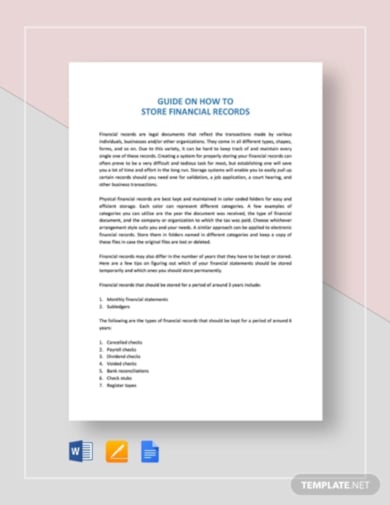
Simple Business Register Template Free Options
People searching for a simple business register template free option often want a practical starting point rather than a highly designed document. A free template can be useful when it contains the right fields, has a clean layout, and can be adapted to the user’s jurisdiction and business structure.
Before using a free template, inspect every field. A template may have been designed for a different country or a different type of business. A document that includes LLC-specific fields, for example, may not fit a sole proprietorship or another legal structure.
Free templates are most valuable when they provide a framework rather than pretending to be an official government form. The distinction matters because official registration applications can contain jurisdiction-specific declarations, fees, classifications, signatures, and supporting-document requirements that a generic template cannot reproduce reliably.
When evaluating a free resource, check whether the document is editable, whether it can be printed clearly, whether it includes unnecessary personal-data fields, and whether its terminology matches the type of business you are recording. Remove fields you do not need instead of collecting sensitive information merely because the template includes a blank box.
A good free template should save time rather than create more work. If you spend longer correcting the structure, removing irrelevant fields, and resolving unclear labels than you would spend building a simple worksheet yourself, a custom register may be the better option.

How to Build Your Own Register
Start by defining the purpose. Decide whether the document will track one business registration, multiple registrations for one business, or multiple businesses in an organization. The answer determines whether a one-page form, spreadsheet table, or multi-sheet workbook is most appropriate.
Next, identify the minimum data required to achieve that purpose. For a single-business register, the minimum may be the business name, owner, structure, address, registration authority, registration number, date registered, and document location. Additional fields can be added after the core structure works.
Use consistent labels throughout the document. If one field is called “Business Legal Name,” do not call the same field “Registered Business Name” elsewhere unless there is a meaningful distinction. Consistent wording makes the register easier to understand and reduces data-entry mistakes.
Separate permanent information from changing information. The legal business name may change rarely, while contact information, licenses, renewal dates, and responsible staff may change more frequently. Keeping these fields logically separate makes future updates easier.
Finally, test the template with a realistic example before adopting it. Enter hypothetical information for a small service business, a partnership, and a company. If the template becomes confusing for one of those scenarios, revise the structure before using it for real records.
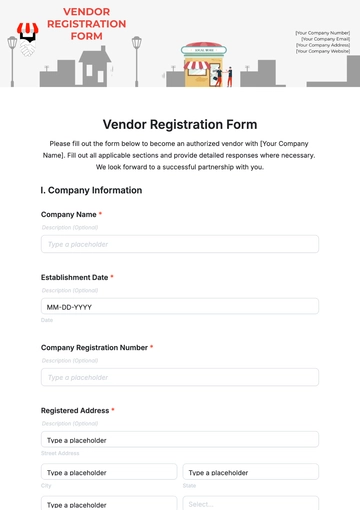
Simple Business Register Template Excel
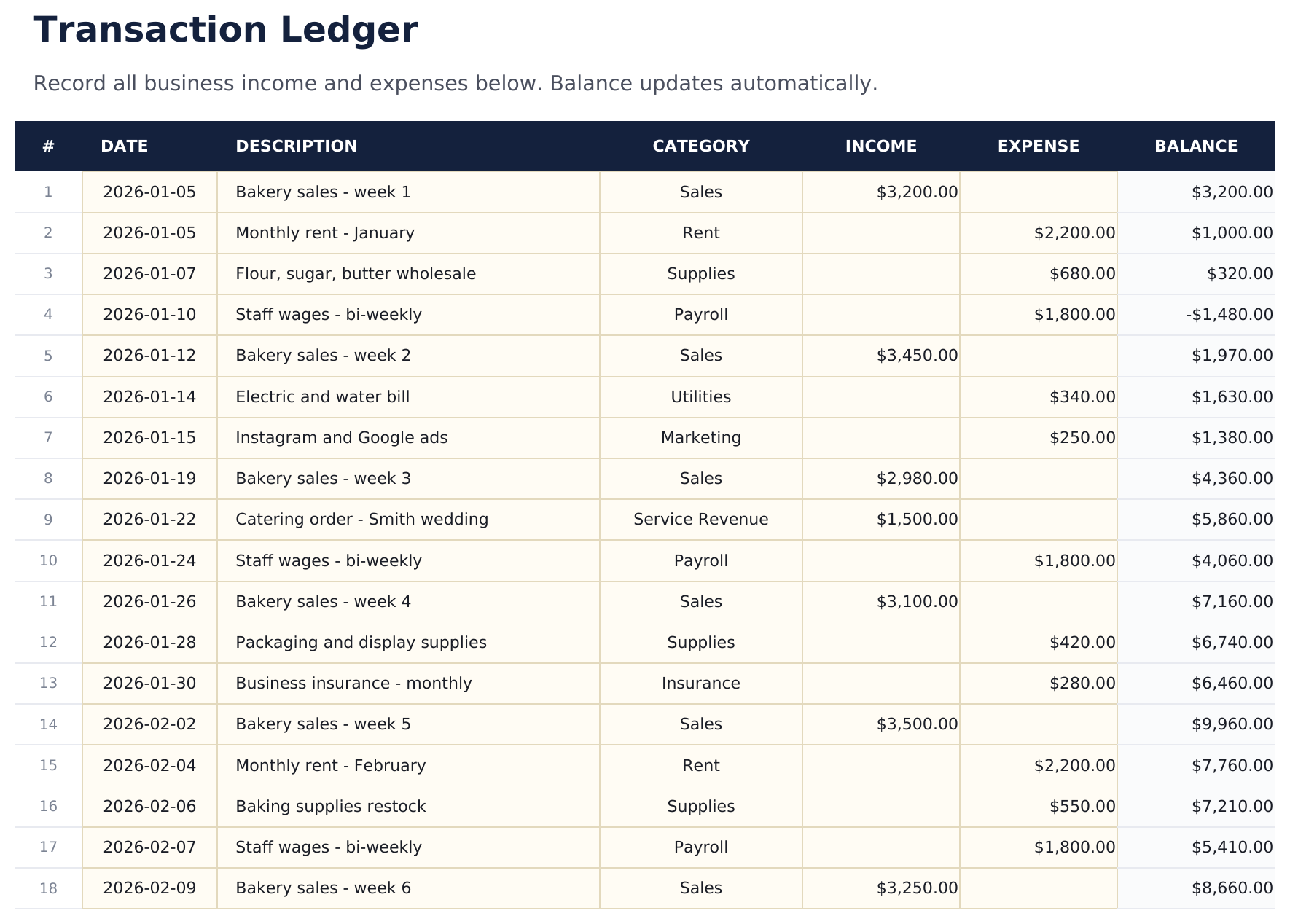
A spreadsheet is particularly effective when registration information needs to be compared or sorted. Each row can represent one registration, while columns capture the business name, registration type, authority, reference number, date, status, expiration date, and document location.
Use one row per registration rather than placing several registrations into a single cell. This makes filtering and sorting possible. For example, a user could filter the register to show only licenses that expire within a particular period or only records issued by a particular authority.
Use standardized status values. A controlled list such as Draft, Submitted, Approved, Rejected, Renewal Due, Suspended, or Closed is easier to analyze than free-form descriptions. If different staff members use different words for the same status, the register becomes difficult to maintain.
Dates should also use one consistent format. Avoid mixing formats such as 03/04/26 and April 3, 2026 when the meaning could be ambiguous. A spreadsheet can use a true date field and display it consistently without losing the underlying date value.
Do not turn the spreadsheet into an accounting system unless that is its purpose. A registration register should remain focused on registration and compliance information. Financial records, customer information, and operational data are usually better maintained in their appropriate systems.
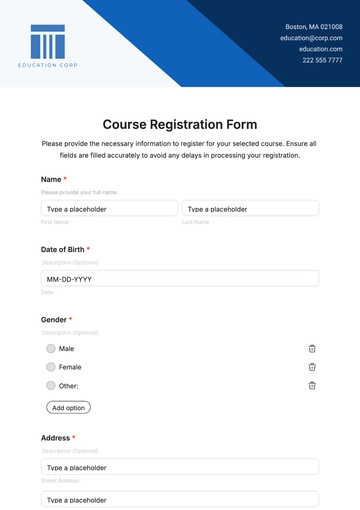
Simple Business Register Template Word
Word is useful for a document that needs a polished, formal appearance. A simple Word register can use a title, business information table, registration table, document checklist, notes section, and approval or review section.
Keep the document short enough to use. A common mistake is turning a simple register into a long questionnaire. If a field does not help identify, manage, verify, or update the registration record, it probably does not belong in the core register.
Tables are often more effective than long lines of blank text. They align labels and values and make it easier for another person to review the document. Use clear headings such as Business Information, Ownership, Registration Details, Supporting Documents, and Review History.
For printed use, leave sufficient space for handwriting. A document that looks attractive on screen can become frustrating when printed if fields are too small or information is crowded into narrow columns.
When the register is stored electronically, maintain a clear version convention. For example, an internal file might include a review date or version number in its filename. This helps distinguish the current working copy from older versions without changing the actual registration number or official identifier.
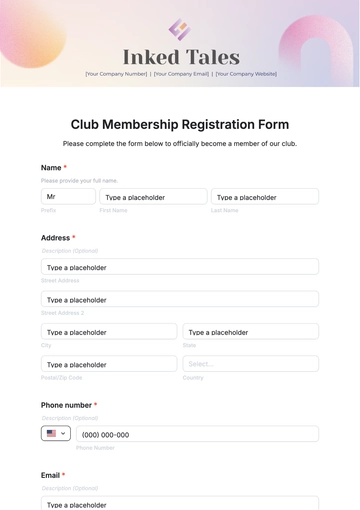
Simple Business Register Template PDF
PDF is useful when a completed register needs to be shared, printed, or archived. It can preserve page layout and reduce the risk of accidental formatting changes after the document has been finalized.
A PDF should generally be treated as a final or controlled copy rather than the only editable source. If the business expects to update its register regularly, retain the original Word, Excel, or other editable file separately and generate a new PDF when a controlled copy is needed.
When creating a PDF, inspect the document after export. Check that all fields are readable, tables have not moved to another page, dates are complete, and no confidential information was unintentionally included.
If a PDF is intended to be printed, test it on ordinary paper. Small fonts, faint borders, and excessive use of color can reduce usability. A strong printable register should remain understandable when printed in grayscale.
Do not confuse a generic PDF template with an official application. A government-issued application can have legal declarations and required fields that a general-purpose PDF does not contain. Always verify the official filing process separately.
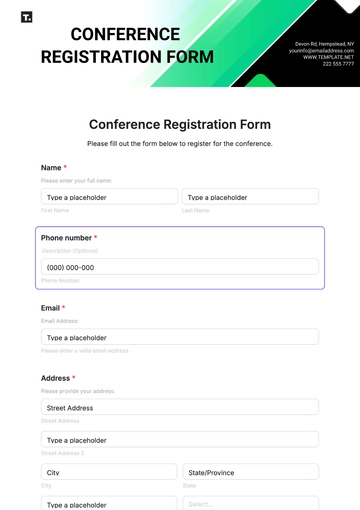
Simple Business Register Template Google Docs
Google Docs can work well for collaborative drafting, especially when several people need to review business information before the final register is approved. It is particularly useful for comments, revisions, and shared editing.
For structured records containing many rows, Google Sheets is usually more appropriate than Google Docs. A document works best when the information is primarily narrative or presented as a formal record, while a spreadsheet is better for repeated records and sorting.
Regardless of the platform, define who is responsible for maintaining the master copy. Shared editing can improve collaboration, but it can also create confusion if several people change core registration details without a review process.
Use access controls appropriate to the information being stored. Registration records can contain sensitive business and personal information, so access should be limited to people who genuinely need it.
A collaborative document should also have a review routine. When the business changes its address, ownership, activity, or legal structure, update the register and then check whether related registrations, licenses, tax records, contracts, and banking records need corresponding updates.
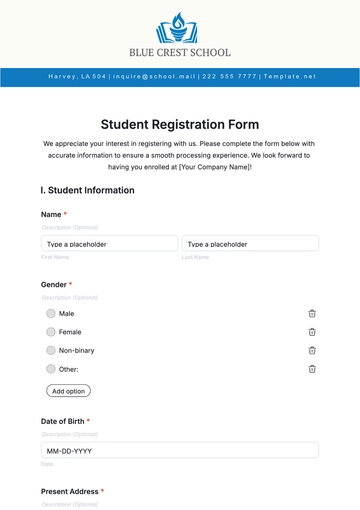
Simple Business Register Template Printable
A printable register should prioritize clarity. Use strong headings, adequate spacing, readable type, and clearly defined fields. Avoid layouts that depend on color to communicate important status information.
Consider how the paper will be used. If someone will carry it during a registration appointment, a compact checklist may be better than a multi-page document. If it will be stored in a compliance binder, a more detailed register with document references may be appropriate.
Printed registers should have a place for the review date and reviewer. This makes it possible to determine when the information was last checked without assuming that the document is still accurate simply because it exists.
Do not write sensitive information onto a printed template unless it is genuinely required. If a reference number or document location is enough to identify supporting records, avoid duplicating unnecessary personal data.
A practical printable design also includes a notes area. Registration processes do not always proceed in a perfectly linear way. A notes section can record missing documents, follow-up calls, pending payments, requested corrections, or other actions without forcing those details into unrelated fields.
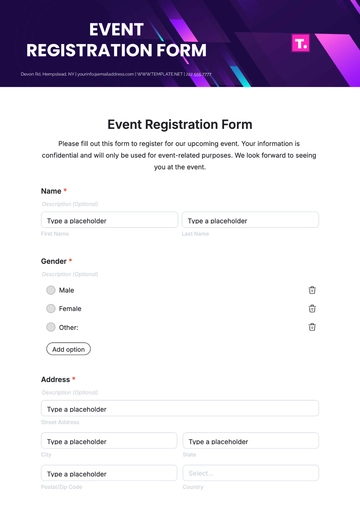
Steps to Register a Business
The exact process differs by location, but a general registration workflow can be organized into a sequence. First, determine whether the business needs formal registration and identify which authority handles the relevant process.
Second, choose the appropriate legal structure. Depending on the jurisdiction, options may include a sole proprietorship, partnership, corporation, limited-liability structure, cooperative, nonprofit organization, or another recognized form.
Third, choose and check the proposed business name. Name rules vary, and a name that is acceptable in one jurisdiction may not be available or suitable in another. Check the official name-search process before relying on a proposed name.
Fourth, prepare the required information and supporting documents. Depending on the structure, this may include addresses, ownership information, formation documents, identification, business activity details, registered-office information, or other materials.
Fifth, submit the application through the appropriate official channel, pay any applicable fee, respond to requests for correction, and retain the final certificate, registration number, or approval notice. Then enter the final details into the internal register and record any renewal or follow-up date.

How to Register for Business: A Practical Workflow
When people search for how to register for business, they may be asking about legal formation, business-name registration, tax registration, licensing, or a combination of these. The first task is therefore to identify exactly what “registration” means for the business.
Begin with the business activity and location. These factors can affect which authority is relevant and whether additional licenses or permits are required. A restaurant, professional practice, online retailer, manufacturer, and consulting business can have very different administrative obligations.
Next, prepare a registration information sheet. Put the proposed legal name, operating name, ownership details, address, contact information, business activity, and intended structure into the register before starting the official application.
Then compare the information sheet with the official application. This simple cross-check can identify missing details before submission. It also creates a consistent source for copying information into multiple related applications.
After submission, update the register immediately. Record the submission date, reference number, authority, status, payment information where appropriate, and expected next action. When approval arrives, add the final registration number and certificate details and store the supporting document in the designated record location.
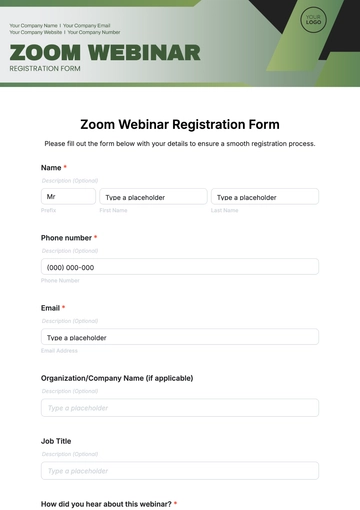
Business Registration Document Example: What It Can Contain
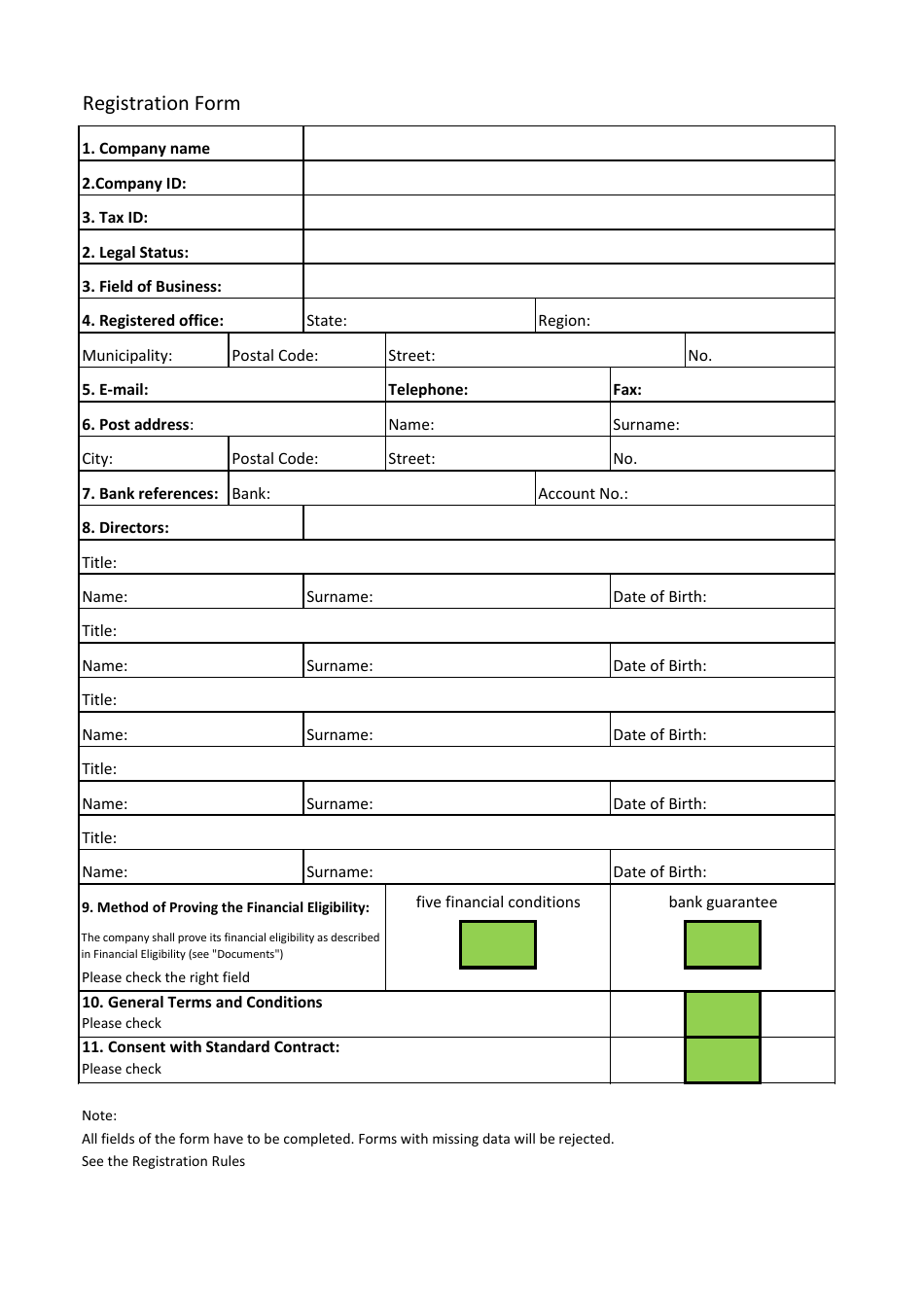
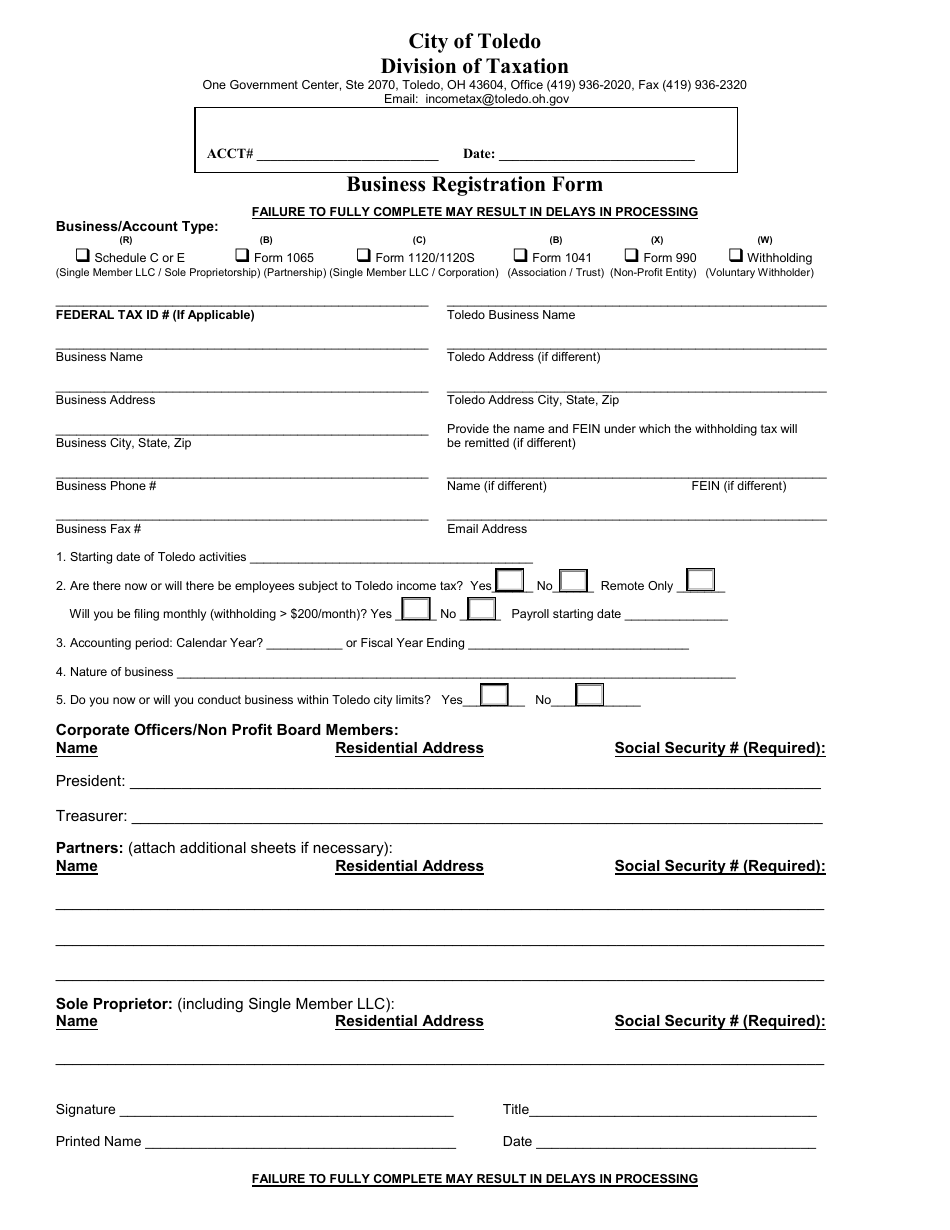
A business registration document example should be treated as an illustration rather than an official universal form. Different authorities use different names, layouts, fields, declarations, and approval mechanisms.
A typical example might begin with the registered business name and business type. It could then include the registered address, principal activity, owner or director information, contact details, registration date, and an identification or registration number.
A certificate may contain information that differs from the application. The application asks the business to provide information, while the resulting certificate or approval notice may confirm only selected details and assign an official number or date.
An internal register should therefore record both the application and the resulting document. A useful document-reference entry might include “Application submitted,” “Certificate received,” “Registration number,” “Certificate date,” and “File location.”
Never recreate an official certificate merely by copying the appearance of an example. A business should retain the genuine document issued by the relevant authority and use the template only to organize its own records.
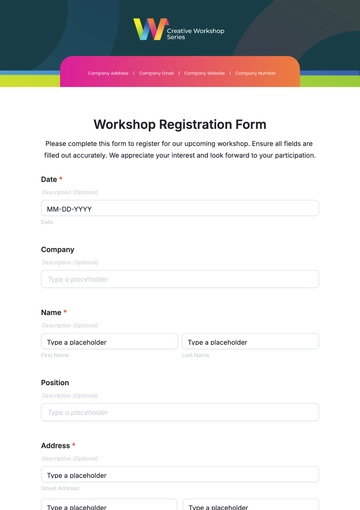
Different Ways to Register a Business
There is no single registration route that applies everywhere. Depending on the jurisdiction and structure, a business may register through an online government portal, a company registry, a local authority, a tax agency, a professional regulator, or another designated institution.
Some businesses may need more than one registration. Legal formation and operating permission can be separate processes. A company might first establish its legal identity and then obtain a local permit or industry authorization before carrying out a regulated activity.
Online registration is increasingly common because it can allow applicants to enter information, upload documents, pay fees, receive notifications, and obtain electronic certificates without visiting an office. However, online availability does not mean every process is identical.
Paper-based registration may still be used where a particular authority requires signed originals, notarized documents, or physical supporting records. Some systems combine online applications with offline verification or professional assistance.
The practical lesson is to identify the official route for the exact business structure and activity rather than assuming that a template, website, or previous business owner’s experience applies to every case.
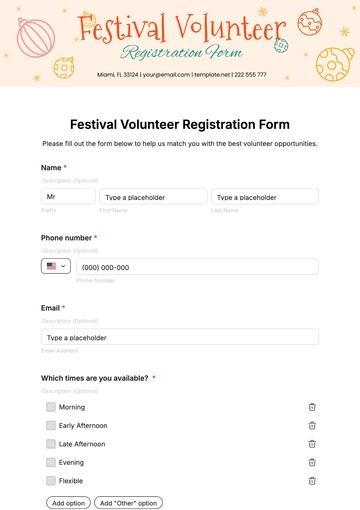
Using a Register to Collect and Check Data
A strong register separates data collection from data verification. Entering a business address is one task; confirming that the address matches the current official record is another. The register can include a verification field so those tasks are not confused.
Use a simple status such as Verified, Needs Review, or Not Applicable. For important fields, record the source used to verify the information. This might be an official certificate, current government record, signed company document, or internal approval.
Check names carefully. A legal name, trading name, brand name, and abbreviated name are not necessarily interchangeable. If the business uses several names, give each a separate field and explain the relationship between them.
Check dates with equal care. Registration date, incorporation date, application date, certificate date, license issue date, and expiration date can all be different. A register should avoid combining them into one vague “date” field.
Review identifiers character by character. Registration numbers, tax numbers, license numbers, and certificate references are often used to locate official records. One incorrect character can make a record difficult to verify, so the register should preserve them exactly as issued.
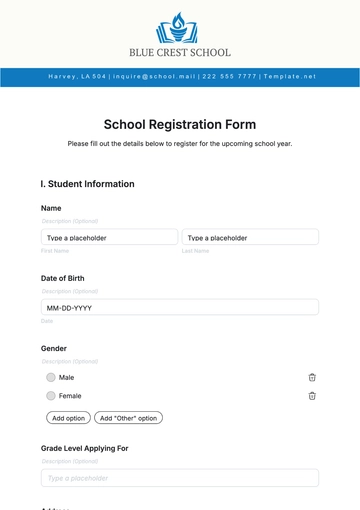
Document Management and Recordkeeping
A registration register works best when every important entry can be connected to supporting documentation. The register itself should not necessarily contain every document, but it should tell an authorized user where the evidence can be found.
Create a consistent document naming convention. A practical internal name might combine the document type, business name, date, and version. Avoid relying on generic filenames such as “certificate.pdf” or “new document.docx,” which become difficult to identify after months of accumulation.
Keep current and historical documents separate. If a business changes its address, for example, retain the previous record according to the applicable retention policy while clearly marking the current record. This preserves history without making an outdated document look current.
Back up electronic records and protect access. The appropriate security method depends on the system being used, but the principle is simple: registration information should be available to authorized users and protected from accidental loss or unauthorized modification.
Review the register periodically. A monthly, quarterly, or annual review may be appropriate depending on the complexity of the business. The review should confirm that names, addresses, responsible people, registration status, certificates, and renewal dates remain accurate.
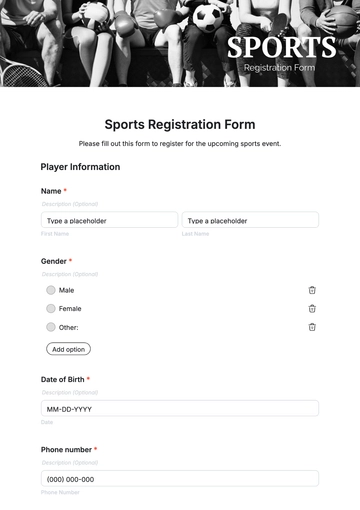
Common Mistakes to Avoid
One common mistake is using a generic template as though it were an official registration form. A template can organize information, but it does not automatically satisfy the filing requirements of a government agency or regulator.
Another mistake is collecting too much information. A register should contain enough information to serve its purpose, but unnecessary personal information increases privacy and security risks. Review each field and remove anything that is not needed.
Inconsistent terminology is another problem. If one record uses “owner,” another uses “proprietor,” and another uses “director” when they are intended to mean the same internal category, users may interpret the data incorrectly.
Failing to record changes can also undermine the usefulness of the register. A business can remain legally registered while its address, ownership, activities, or licensing situation changes. The register should have a defined process for updating these details.
Finally, do not rely solely on memory for renewal dates. Important deadlines should be tracked through the organization’s normal calendar or task system as well as recorded in the register when appropriate. The register should be a reliable reference, not the only reminder mechanism.
Practical Solution: Build a Simple Registration Control System
The most practical solution is to create one master register and use it as the control point for registration information. Start with a spreadsheet if you expect multiple registrations or frequent updates, or use a Word document if you only need a formal one-business record.
Create five core sections: Business Identity, Ownership and Contacts, Registration Details, Supporting Documents, and Review Actions. These sections cover most organizational needs without making the template unnecessarily complex.
For every registration, record the authority, application or registration type, reference number, submission date, approval date, current status, expiration date where applicable, and location of the supporting document. Add an owner for each follow-up task so responsibility is clear.
Establish a verification routine. When the register is first created, check every important field against the best available source. When the business changes, update the register and determine whether other registrations or documents must also be updated.
Finally, protect the master copy. Restrict editing to authorized users, keep a backup, preserve important historical records, and create controlled PDF or printed copies when needed for meetings, filing, or internal review.
Suggested Implementation Checklist
- Define what the register is intended to track.
- Choose Word, Excel, Google Docs, or another suitable format.
- List only the fields necessary for the intended purpose.
- Separate business identity from registration-specific information.
- Add document references without unnecessarily duplicating sensitive data.
- Use consistent status values and date formats.
- Verify important information against authoritative records.
- Assign responsibility for updates and follow-up actions.
- Record renewal or review dates where applicable.
- Review the register regularly and preserve appropriate historical records.
Reference Examples
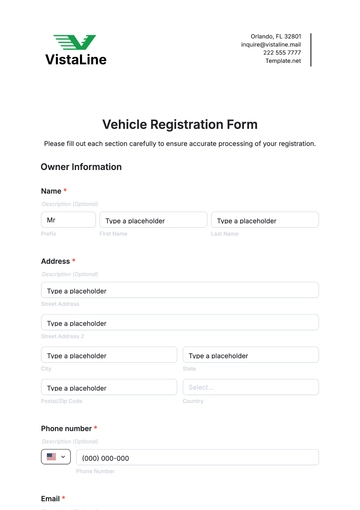
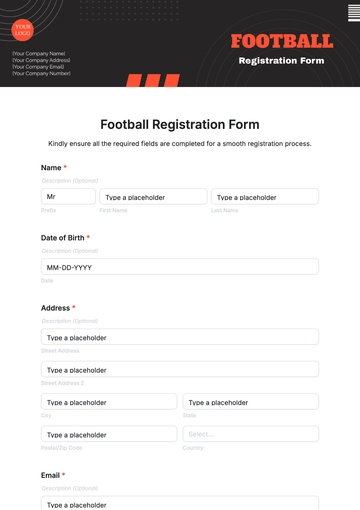
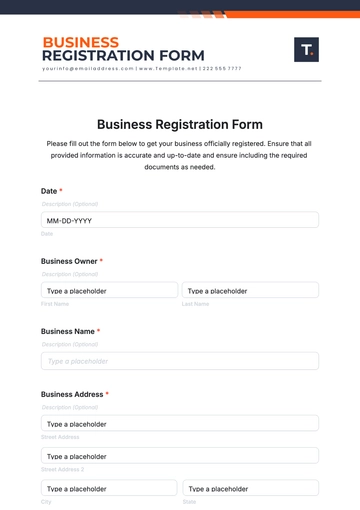
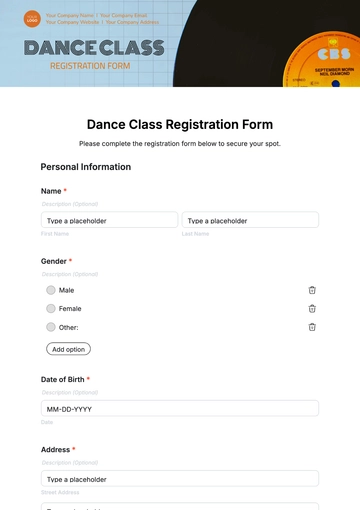
The following examples illustrate different visual approaches to registration forms, spreadsheets, checklists, certificates, and business-registration documentation. They are reference visuals rather than universal official forms, and the applicable filing requirements should always be checked with the relevant authority.
simple business register template free
Source: Template.net
simple business register template pdf
Source: TemplateRoller
simple business register template excel

Source: Worksheets Library
simple business register template word
Source: Template.net
simple business register template free download
Source: Template.net
simple business register template google docs
Source: Template.net
simple business register template printable
Source: Template.net
register a company free template
Source: Template.net
steps to register a business

Source: Cámara de Comercio de Medellín para Antioquia
how to register for business

Source: RT Union
business registration document example

Source: U.S. Securities and Exchange Commission filing archive
different ways to register a business

Source: Khatapana
Frequently Asked Questions
What is the purpose of a simple business register template?
Its purpose is to organize business identity, registration details, ownership information, document references, status, and review dates in a consistent format. It helps a business maintain an internal record and does not automatically replace an official application.
Can I use a free template for official registration?
You can use a free template to prepare and organize information, but you should not assume it is an official filing form. Always compare the information and submission process with the current instructions from the relevant authority.
Is Excel better than Word for a business register?
Excel is usually better for multiple records, sorting, filtering, dates, and status tracking. Word can be better for a formal single-business document that needs narrative information, signatures, or printing.
Can a PDF be used as a business register?
Yes. PDF is useful for a finalized or archived copy. If the register needs frequent updates, keep an editable source file as well and create new controlled PDF copies when necessary.
What should a business register contain?
At minimum, consider the business name, structure, address, responsible parties, business activity, registration authority, registration number, relevant dates, status, and supporting-document references. Add other fields only when they serve a genuine administrative purpose.
Should registration documents be stored with the register?
The register should normally reference the supporting documents rather than duplicating every document inside the same file. Use a consistent and secure document-storage system so authorized users can locate certificates, applications, permits, and related records.
How often should a business register be updated?
Update it whenever a material business detail changes or a registration event occurs. A scheduled periodic review can also help identify outdated contact details, approaching renewals, missing documents, or unresolved administrative actions.
Can one template track several registrations?
Yes. A spreadsheet is particularly useful for tracking multiple registrations. Use one row per registration and separate columns for the business, registration type, authority, reference number, dates, status, and document location.
Is a business name the same as a legal business name?
Not necessarily. A business may have a legal name, trading name, assumed name, brand name, or other operating name. Your register should distinguish between them when more than one name is used.
What is the biggest mistake when using a business registration template?
The biggest mistake is treating a generic template as though it were a universal legal form. Templates are useful for organization, but official requirements depend on jurisdiction, structure, industry, and the specific registration being requested.
Conclusion
A well-designed simple business register template gives business owners a practical way to organize registration information, monitor documents, track changes, and prepare for administrative deadlines. The best template is not necessarily the most detailed one; it is the one that captures the information needed, uses clear terminology, supports reliable verification, and remains easy to update.
Whether you choose Word, Excel, Google Docs, PDF, or a printable format, build the register around the actual needs of the business and verify official requirements separately. With consistent fields, clear document references, controlled updates, and regular reviews, a simple business register template can become a dependable part of the business’s ongoing administrative system.
