For a modern agency, emergency contact information should not be scattered across email threads, personal phones, onboarding documents, spreadsheets, and messaging applications. A well-designed template brings essential information into one controlled format. It can be maintained digitally, printed for an office emergency folder, exported to PDF, or adapted into an online form depending on the agency’s workflow.
The most useful approach is to treat the template as an operational document rather than a simple phone-number list. It should distinguish emergency services from internal responders, building contacts, management contacts, technology providers, clients, and alternative contacts. It should also include ownership information, update dates, escalation rules, and a clear indication of which information is intended for immediate use.
This guide explains how to create and use a digital marketing agency first responder contact template, what fields belong in it, how different file formats compare, how to protect sensitive information, and how to adapt the document for office, remote-work, client-service, and childcare-related situations. The examples are practical models rather than claims that any specific organization requires one particular format.
The research behind this guide also reflects common structures found in emergency contact forms, business continuity documents, employee forms, communication worksheets, and caregiver information sheets. Official and professional examples consistently emphasize accurate names, relationships or roles, multiple communication methods, update procedures, and accessible records. The best template therefore combines simplicity during an emergency with enough detail to support responsible decision-making.
What Is a Digital Marketing Agency First Responder Contact Template?
A digital marketing agency first responder contact template is a reusable document designed to organize contact information that may be needed during an emergency or serious operational disruption. The word “first responder” can refer to emergency services such as police, fire, and ambulance personnel, but an agency’s internal first-response structure may also include trained employees, office managers, building security, facilities contacts, IT support, executives, or designated incident coordinators.
The template should not be confused with a formal emergency response plan. A response plan explains what the organization does. A contact template primarily explains who can be contacted and how. The two documents work best together: the response plan defines procedures, while the contact record provides the communication directory needed to execute those procedures.
For a marketing agency, the contact list may have an additional operational layer. An incident could affect advertising campaigns, social media publishing, client websites, cloud accounts, analytics systems, payment platforms, domain services, email systems, or public-facing communications. A contact template can therefore contain both safety contacts and business-continuity contacts, provided the information is clearly separated.
One important design principle is that an emergency document should remain usable when people are stressed. A dense database may contain more information, but a responder-facing sheet should prioritize the few details that can be understood immediately. Names, roles, phone numbers, locations, escalation order, and alternative contact methods should be visually prominent.
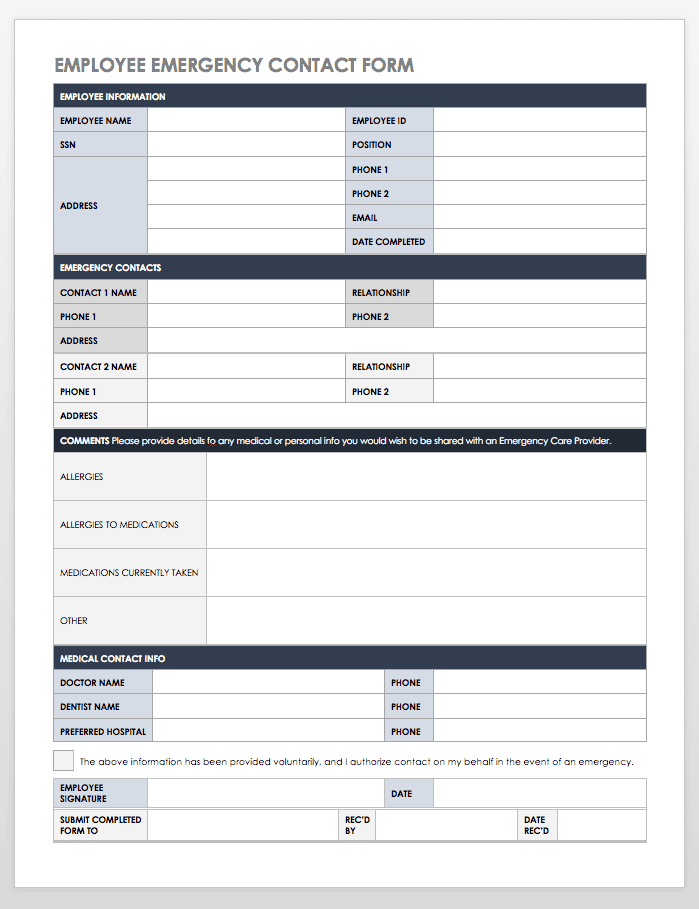
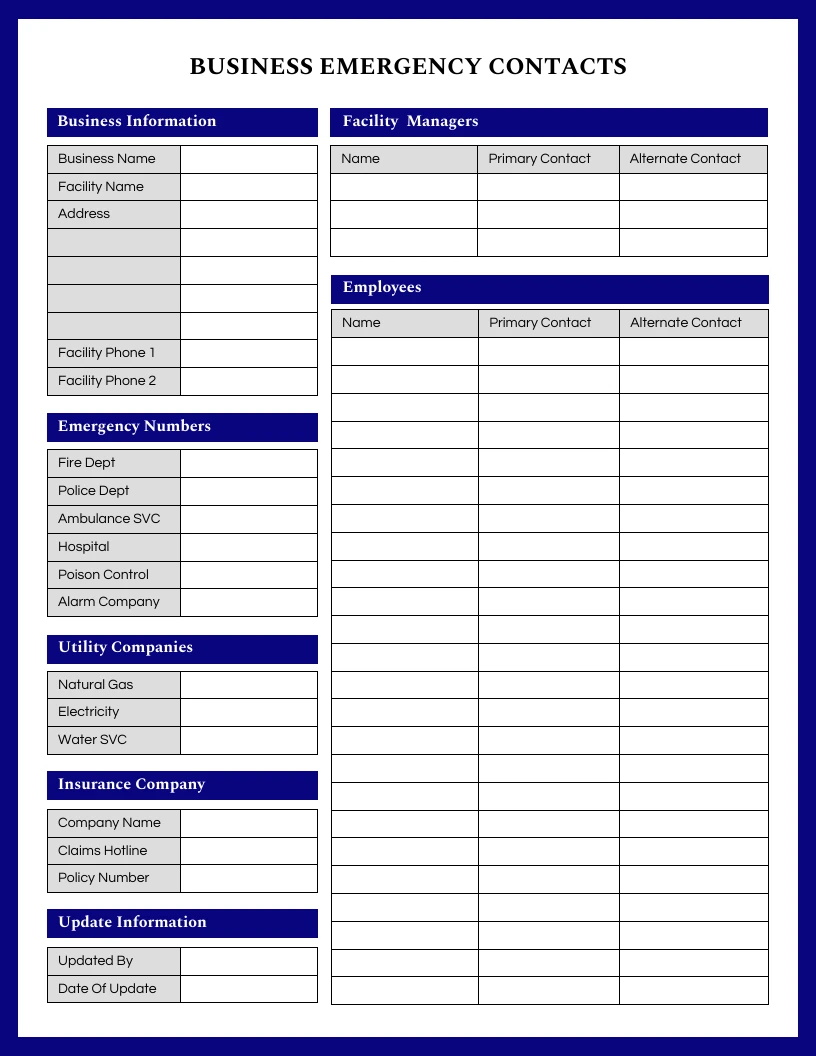
Examples from workplace and emergency forms commonly include primary and secondary contacts, relationships, phone numbers, email addresses, medical or special instructions where appropriate, and authorization or update fields. Business continuity templates also commonly organize key suppliers, alternative contacts, insurance details, utilities, and other useful telephone numbers. These structures can be adapted to an agency without copying any particular source document.
Why an Agency Needs a Dedicated Contact Template
Digital agencies often operate with distributed teams, contractors, freelancers, clients in multiple locations, and cloud-based infrastructure. That flexibility creates efficiency during normal operations but can make emergency communication more complicated. If a key person is unavailable, another employee needs to know where authoritative contact information is stored and which contact should be called first.
A dedicated document also reduces dependency on individual memory. Employees may know a client’s account manager but not the client’s emergency contact. A social media manager may know the campaign team but not the hosting provider. An office administrator may know the building manager but not the agency’s technology escalation contact.
The template becomes particularly useful when an incident crosses departmental boundaries. Consider a hypothetical example in which a client’s website is compromised shortly before a major advertising campaign launches. The marketing team may need to stop traffic, the technical team may need to secure access, the account team may need to notify the client, and leadership may need to approve external communications. A contact structure makes those transitions faster and less dependent on informal knowledge.
Another benefit is continuity. If the primary contact cannot answer, the template should identify a backup. If a phone number is unavailable, the record can specify another channel. If an agency has multiple offices, the document can identify the relevant location. This is much more useful than a single “emergency contact” field.
The document should also have an owner. Someone must be responsible for checking whether information remains accurate. A contact template without an update process gradually becomes unreliable, even if its original design was excellent.
Core Components of a Strong Contact Template
The first section should identify the organization or location. Include the agency name, office address if applicable, main telephone number, general email address, document owner, and date last reviewed. If the agency operates remotely, the location section can identify the registered office, primary operating location, or relevant jurisdiction rather than pretending that one physical location applies to everyone.
The next section should define emergency services. Instead of assuming that one national emergency number is appropriate everywhere, the template can provide fields for the local emergency number, police, fire, ambulance, poison or medical advice service where relevant, and building security. Local numbers should be entered and verified for the specific location before publication.
Internal contacts should follow. Useful fields include name, job role, primary phone, alternative phone, email, responsibility, and escalation priority. A simple priority such as Primary, Secondary, and Executive Escalation can be easier to use than a complex scoring system.
Business continuity contacts can be placed in a separate section. Depending on the agency, this may include hosting providers, domain registrars, IT support, managed service providers, building management, insurance contacts, key vendors, payment providers, telecommunications providers, and major client contacts. Not every employee needs access to every one of these details.
Finally, include maintenance information. Fields such as “last verified,” “verified by,” “next review,” and “change required” turn the document from a static list into a controlled operational record. A spreadsheet can hold more detailed data, while a one-page emergency sheet can present only the most important information.
Example Field Structure
- Organization or office name
- Physical location or operating region
- Emergency services
- Primary internal responder
- Secondary internal responder
- Management escalation
- Facilities or building contact
- IT or cybersecurity escalation
- Key vendor contacts
- Important client escalation contacts
- Alternative communication method
- Last verification date
- Document owner
Designing the Template for Speed and Clarity
Emergency documents should be designed for scanning rather than leisurely reading. Use descriptive headings, short field labels, consistent spacing, and sufficient contrast. A responder or employee should be able to find a phone number without reading several paragraphs of instructions first.
Tables work well because they keep names, roles, and contact methods aligned. However, tables should not become so wide that they are difficult to read on a phone or printout. If the template is intended for both screen and paper use, test it in both environments before adopting it.
Color can help distinguish sections, but it should not carry essential meaning by itself. For example, a red heading may visually indicate emergency services, while a blue heading may indicate internal contacts. The same sections should still have clear text labels so that the document remains understandable in grayscale and accessible to users with color-vision differences.
Another important consideration is hierarchy. The most urgent contacts should appear first. Secondary contacts can follow, and administrative details should be lower on the page. Avoid placing decorative logos or large branding elements above information that someone may need immediately.
A good template also leaves enough white space for handwritten changes when a printed copy is used. Digital records can contain structured fields, but physical emergency folders often need practical room for annotations, replacement numbers, or temporary instructions.
For agencies that maintain a broader business-continuity system, the contact template can act as the quick-reference layer while a longer continuity document contains procedures, dependencies, recovery priorities, and detailed instructions. This separation keeps the emergency sheet short without sacrificing operational depth elsewhere.
Practical Example: Agency Emergency Contact Sheet
Imagine a hypothetical 15-person digital marketing agency with one physical office and several remote employees. Its quick-reference sheet could begin with emergency services and the building address. The next block could identify the operations manager, managing director, and office safety coordinator.
A second block could list technology escalation contacts. Rather than storing passwords or security credentials in the document, it could identify the responsible IT administrator and the approved secure system where credentials are managed. This distinction is important because a contact directory should not become an accidental password repository.
A client escalation block could contain only clients for whom rapid notification is genuinely necessary. For each client, the agency could identify an account lead, backup account lead, and approved emergency communication channel. This avoids exposing an unnecessarily large customer database to employees who do not need it.
A final maintenance block could record the document owner and review date. For example, a hypothetical agency might require the operations manager to review the sheet quarterly and whenever an employee changes role. That is a recommended workflow, not a universal legal requirement.
The resulting document might fit on one or two pages, while the agency’s full continuity workbook contains more detailed vendor, technology, insurance, and recovery information. This layered approach balances accessibility with completeness.
How to Create the Template Step by Step
Start by defining the purpose. Decide whether the document is primarily for employee safety, office emergencies, business continuity, client escalation, or a combination of these. If several purposes are involved, separate them into clearly labeled sections instead of placing everything into one undifferentiated list.
Next, identify information owners. HR may own employee emergency records, operations may own office and facilities information, IT may own technology escalation contacts, and account management may own client escalation records. The template should indicate who maintains each section.
Then gather the data from authoritative internal sources. Avoid copying numbers from old documents simply because they already exist. Ask each responsible owner to confirm the information. Contact details should be treated as data that needs verification, not as permanent facts.
After collecting the data, determine the minimum information required for each contact. A typical entry might contain name, role, phone, alternate phone, email, responsibility, and escalation level. If a contact is external, include organization name and location when necessary for identification.
Finally, test the finished document. Ask someone who did not create it to locate the primary responder, backup responder, emergency services, and technology escalation contact. If the person cannot find those details quickly, the layout needs improvement. Usability testing is more valuable than adding decorative design.
Choosing Between Free, Paid, and Custom Templates
A free template can be a sensible starting point when the agency has straightforward requirements. Free emergency contact examples are widely available in printable, Word, spreadsheet, and online-form formats. The main advantage is speed: the structure already exists and only needs adaptation.
Paid templates can provide more polished typography, multiple layouts, editable components, or specialized formatting. However, paying for a template does not automatically make it appropriate for an agency. The actual fields, data controls, usability, and maintenance process matter more than visual sophistication.
A custom template is preferable when the agency has complex operations. For example, a large agency may need separate records for offices, production facilities, client escalation, technology incidents, vendor emergencies, and executive communications. A custom system can reflect those workflows without forcing unrelated information into one page.
The right choice is therefore based on operational complexity. A small agency may need one concise document and one controlled spreadsheet. A larger agency may need a structured database or form system with a printable emergency view. The visual template is only one component of the overall process.
Regardless of the format, avoid using a template without reviewing its assumptions. A generic form may contain medical fields, addresses, or other information that are unnecessary for your particular purpose. Collect only information that has a legitimate operational reason for being stored.
PDF, Word, Google Docs, Excel, and HTML: Which Format Works Best?
PDF is strong for distribution and printing because the layout is relatively stable. It is useful when the agency needs a read-only reference copy or a printable emergency sheet. A PDF should generally be generated from an approved source document rather than manually edited each time a phone number changes.
Microsoft Word is useful for organizations that want editable layouts, branded headers, tables, and straightforward document maintenance. Word can be a practical master document when the contact list is small and a designated administrator is responsible for updates.
Google Docs can be useful for collaborative editing, especially when several authorized staff members need to maintain a shared document. However, permissions should be carefully controlled. A public sharing link is inappropriate for sensitive emergency information simply because it is convenient.
Excel or another spreadsheet is better when there are many contacts or structured fields. It can support columns for role, priority, phone, email, location, verification date, and owner. The spreadsheet should still have a clean emergency-facing view rather than forcing a responder to interpret a large data table.
HTML is useful when the information needs to be displayed inside an internal portal, intranet, or secure operations dashboard. A web-based version can support responsive layouts and easier navigation, but it introduces additional security and access-control considerations. HTML should therefore be treated as an interface to controlled information rather than an invitation to publish sensitive contacts publicly.

How to Build an Effective Excel Contact Structure
An Excel version should use one row per contact and consistent columns. A practical structure might include Contact Name, Organization, Role, Category, Primary Phone, Alternate Phone, Email, Location, Priority, Responsible Department, Last Verified, and Notes.
Categories are useful because they allow users to filter the dataset. Examples include Emergency Services, Internal Response, Facilities, IT, Vendor, Client, Insurance, and Executive. A category field is generally more reliable than relying on cell colors alone.
Use data validation where appropriate. For example, Priority could have a controlled list such as Primary, Secondary, and Escalation. Status could contain Active, Verify, and Archived. This reduces inconsistent spelling and makes filtering more dependable.
The workbook can contain separate sheets for the master contact database, emergency quick-reference view, update log, and instructions. Sensitive details should be restricted to the people who genuinely need access. The emergency quick-reference sheet can contain less information than the master database.
Do not store passwords, API keys, authentication codes, or security secrets in a general emergency contact spreadsheet. Contact information identifies people and organizations; credentials are security secrets and belong in appropriate credential-management systems.
Email and Communication Workflows
An email-oriented contact structure should identify the approved email address for urgent communication without implying that email is always appropriate during a crisis. Phone or other real-time channels may be more suitable when immediate action is required.
The template can record preferred communication order. For example, a hypothetical internal escalation might specify phone first, secure messaging second, and email for documentation. The exact order should reflect the organization’s actual procedures rather than a generic assumption.
For client communication, the agency should distinguish between a person authorized to receive information and a person authorized to make decisions. Those roles may be different. An account manager may coordinate communication while a client executive approves a business decision.
Email addresses should also be checked for accuracy. Shared inboxes can be useful when a team must monitor messages rather than relying on one employee. However, shared inbox access should be controlled so that confidential information is not unnecessarily exposed.
For major incidents, the contact template can be paired with pre-approved communication messages. The contact sheet answers “who do we contact?” while the message template answers “what information should we communicate?” Keeping these two functions separate makes both documents easier to maintain.
UK Considerations
Organizations operating in the United Kingdom should adapt emergency contact information to the relevant UK location rather than importing a template designed for another country. Emergency numbers, local services, building contacts, and organizational procedures should be verified for the specific premises and jurisdiction.
A UK agency may also operate with employees or contractors in several regions. In that situation, a single emergency sheet may be supplemented by location-specific pages. Each page can identify the applicable office, emergency services, building management, and local escalation contacts.
Privacy is particularly important when an emergency record contains personal contact details. The agency should determine why each field is collected, who needs access, how the information is protected, and when obsolete information is removed or archived.
A useful approach is to separate general emergency service information from personal employee emergency contacts. The former may be appropriate for a broader office audience, while personal contact information should normally have more restricted access.
Do not describe a template as a legal requirement merely because it resembles an official form. An example layout is not the same thing as a statutory requirement. Where a specific regulatory, employment, insurance, or safety obligation applies, the agency should verify the current requirement with an appropriate authoritative source.
Adapting the Template for Babysitters and Childcare
The same design principles can be adapted to family and childcare situations. A caregiver needs quick access to parent contacts, emergency services, medical information that the parents have chosen to provide, allergies, medication instructions, home address, and relevant routines.
A childcare version should be shorter than a general business continuity workbook. The babysitter should not have to search through unrelated information to find a parent’s phone number or a child’s medical instruction.
It is also useful to include alternative contacts. If the primary parent cannot answer, the caregiver should know who the backup person is and how that person can be reached. The relationship should be clearly labeled so that the caregiver understands who they are contacting.
For children, information such as allergies, medications, bedtime routines, food restrictions, and pediatrician contact details may be operationally relevant. Such information is sensitive and should be shared only with people who genuinely need it for the caregiving responsibility.
A well-designed childcare sheet can therefore resemble an emergency contact template while adding practical household instructions. The key is to keep urgent contact information visually separate from routine notes.

Understanding Template Size, Width, and Layout
Page size affects how useful the final document will be. A4 is common internationally, while US Letter is common in the United States and some other markets. If the document will be printed in multiple countries, producing both versions can avoid unnecessary scaling.
For a one-page emergency reference, portrait orientation is usually easy to print and file. Landscape orientation can be useful when the contact table contains several columns such as name, role, primary phone, alternate phone, email, and escalation level.
Width should be determined by content rather than decoration. A table with too many narrow columns can force phone numbers or email addresses to wrap awkwardly. In a digital document, responsive HTML may solve some width issues, but the underlying information hierarchy should remain simple.
Margins also matter. A document intended for printing should leave enough space for printers that cannot print to the absolute edge. A document intended for mobile viewing should prioritize readable text and avoid requiring horizontal scrolling.
The safest design is to create a master layout, test it on the intended devices and paper sizes, and then export the approved versions. This prevents small formatting changes from accidentally hiding important contact information.

Data Collection and Verification
Collect contact data from the person or organization responsible for the information whenever possible. Copying information from old spreadsheets creates a chain of uncertainty because nobody knows whether the original source was accurate.
Each record should have an owner. If the contact is a client escalation contact, the account team may own verification. If it is a building manager, operations may own it. If it is an employee’s personal emergency contact, the employee or HR function may be responsible according to the organization’s established process.
Verification should include more than checking whether a field is populated. Confirm that the number is current, the person’s role is correct, the organization is still relevant, and the contact is still authorized for the intended purpose.
Maintain a review history when practical. A simple last-verified date provides useful context. A change log can be even better for larger teams because it shows what changed, who changed it, and when.
Do not over-collect. Emergency documents sometimes accumulate fields because every possible scenario is added to the form. Excessive data makes the document harder to use and increases privacy exposure. The best field is one that has a clear operational purpose.
Analyzing the Contact System
Once the contact database exists, analyze it for gaps. Look for contacts without alternative communication methods, departments with no backup person, clients with only one escalation route, and records that have not been verified recently.
A simple gap analysis can classify records as complete, needs verification, or missing. This is more useful than measuring the number of contacts alone. Ten accurate contacts with defined responsibilities may be more valuable than fifty outdated entries.
Another useful measure is dependency concentration. If every emergency decision depends on one person, the organization has a single point of failure. Adding a trained backup or alternate contact reduces that dependency.
Agencies can also review whether their emergency contact information is accessible from more than one approved location. If the only copy is stored on a laptop inside an inaccessible office, it may not be useful during a building incident.
The objective is not to build the largest possible contact directory. The objective is to build a contact system that remains accurate, accessible, secure, and understandable under pressure.
Common Mistakes to Avoid
One common mistake is treating the document as a one-time project. Contact information changes frequently. Employees leave, vendors change representatives, phone numbers are replaced, and client responsibilities move between teams.
Another mistake is putting sensitive information into an unrestricted document. Personal addresses, medical details, private phone numbers, and other confidential information should not automatically be visible to everyone who can access the agency’s shared drive.
A third mistake is relying on one communication channel. Email is useful for documentation but may not be the fastest method during an urgent incident. Phone numbers, alternative contacts, and approved backup channels provide greater resilience.
A fourth mistake is using unclear role descriptions. A name without context forces the reader to guess why that person should be contacted. Labels such as Operations Lead, IT Escalation, Building Manager, Client Executive Contact, or HR Contact are more actionable.
Finally, avoid turning the emergency sheet into a complete operations manual. Procedures, recovery plans, credentials, detailed vendor contracts, and technical instructions belong in controlled supporting documentation. The quick-reference contact sheet should remain focused.
Best Practices for Professional Use
Keep one approved master version. Multiple unofficial copies create confusion about which list is current. If a printed copy is necessary, identify its version or review date so users can distinguish it from an obsolete copy.
Use role-based ownership. Every section should have someone accountable for maintenance. This creates a clear path for corrections and reduces the likelihood that everyone assumes someone else is responsible.
Separate emergency information from credentials. A contact record may tell an employee who to call for IT security assistance, but it should not contain passwords, recovery codes, private keys, or other secrets.
Design for accessibility. Use descriptive headings, readable type, sufficient contrast, logical tab order in digital forms, and labels that make sense without color. If the document is printed, make sure important numbers remain legible in grayscale.
Review the document after organizational changes. New offices, new clients, mergers, employee departures, vendor changes, and technology migrations are all natural triggers for a contact review.
Practical Solution: Build a Two-Layer Contact System
The most practical solution for many digital marketing agencies is a two-layer system. Layer one is a concise emergency quick-reference document. Layer two is a controlled master contact database containing additional operational information.
Begin with the quick-reference document. Limit it to the information someone might need immediately: emergency services, agency address, primary responder, backup responder, management escalation, building contact, IT escalation, and the most important external contacts. Keep it short enough to scan quickly.
Next, create the master database. Include detailed fields such as department, role, organization, multiple phone numbers, email, responsibility, location, verification date, owner, status, and notes. Restrict access according to business need and keep sensitive personal information out of the general emergency sheet.
Then establish an update workflow. Assign section owners, define a review frequency appropriate to the organization, and require updates whenever a significant staffing, client, office, or vendor change occurs. The workflow is more important than the exact software used.
Finally, test the system. Give a colleague the quick-reference document and ask them to locate several important contacts without assistance. Test the process from a phone as well as a computer. Print the document and verify that it remains readable. If the user has to interpret complicated tables before finding the correct number, simplify the layout.
Recommended Operating Workflow
- Define the purpose and audience of each contact record.
- Identify owners for employee, facilities, technology, client, and vendor information.
- Collect contact details from authoritative sources.
- Separate primary and backup contacts.
- Record preferred communication methods.
- Restrict sensitive information to authorized users.
- Maintain a dated verification record.
- Publish a concise emergency-facing version.
- Keep the detailed master record separately.
- Test the contact workflow periodically and after major changes.
This approach also makes it easier to adapt the system to different formats. The master data can support an Excel workbook or secure database, while the quick-reference view can be exported as PDF, Word, or HTML. The format becomes a delivery choice rather than the foundation of the process.
For smaller agencies, even a well-maintained spreadsheet and one-page reference document can provide substantial practical value. Larger organizations may eventually benefit from a dedicated form or information-management platform. In either case, the principles remain the same: accurate data, clear responsibility, appropriate access, backup contacts, and a layout designed for rapid use.
Reference Examples
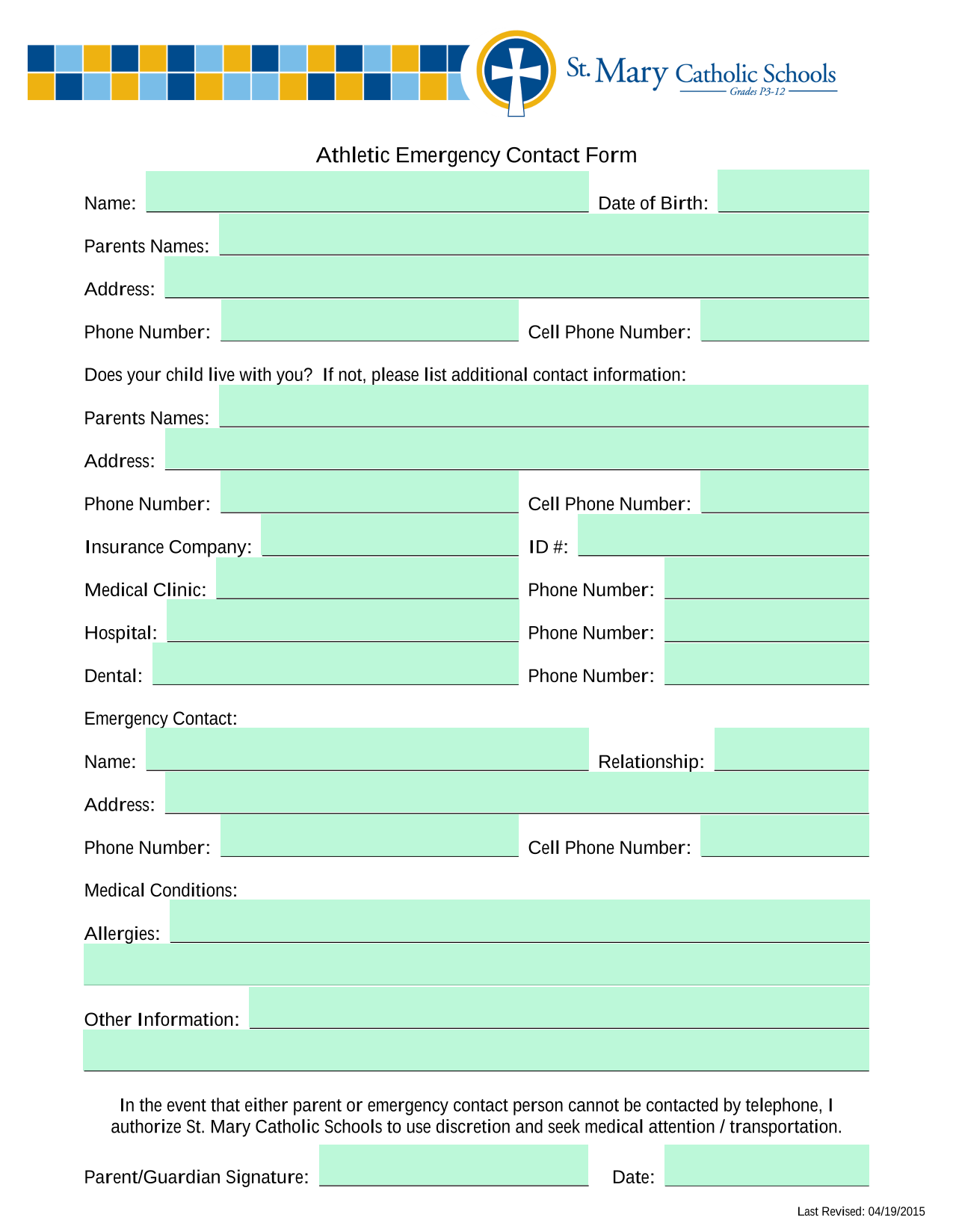
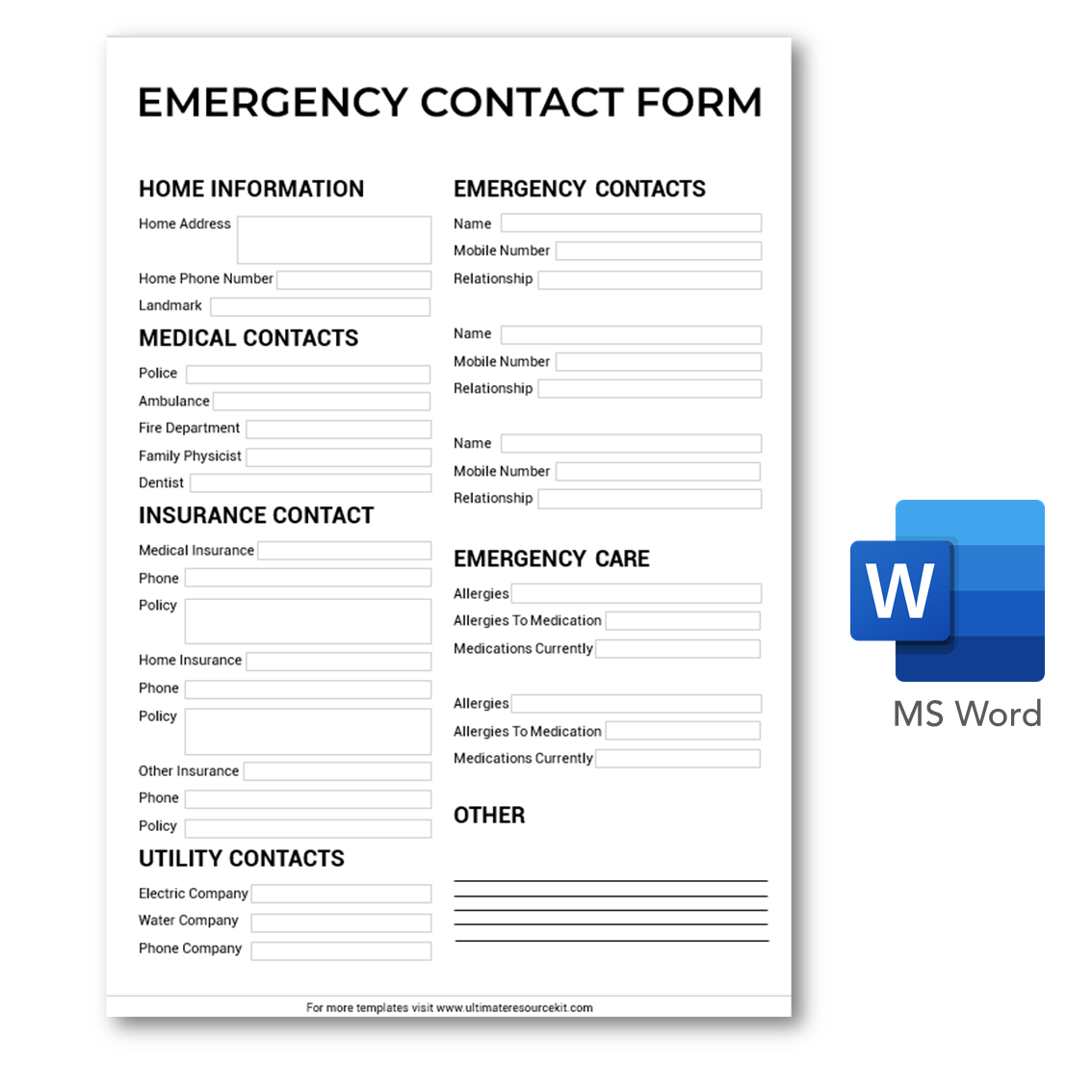
The following visual references illustrate different approaches to emergency contacts, business continuity, caregiver information, medical details, communication planning, and structured contact records. They are examples for design research rather than universal requirements.
digital marketing agency first responder contact template free
Source: Ready & Prepped
digital marketing agency first responder contact template pdf
Source: Smartsheet
digital marketing agency first responder contact template google docs
Source: TypeCalendar
digital marketing agency first responder contact template free download
Source: Ultimate Resource Kit
digital marketing agency first responder contact template word
Source: MapadaPalavra template example
digital marketing agency first responder contact template excel
Source: Smartsheet
digital marketing agency first responder contact template email

Source: Emergency Communications Plan Worksheet example
digital marketing agency first responder contact template uk
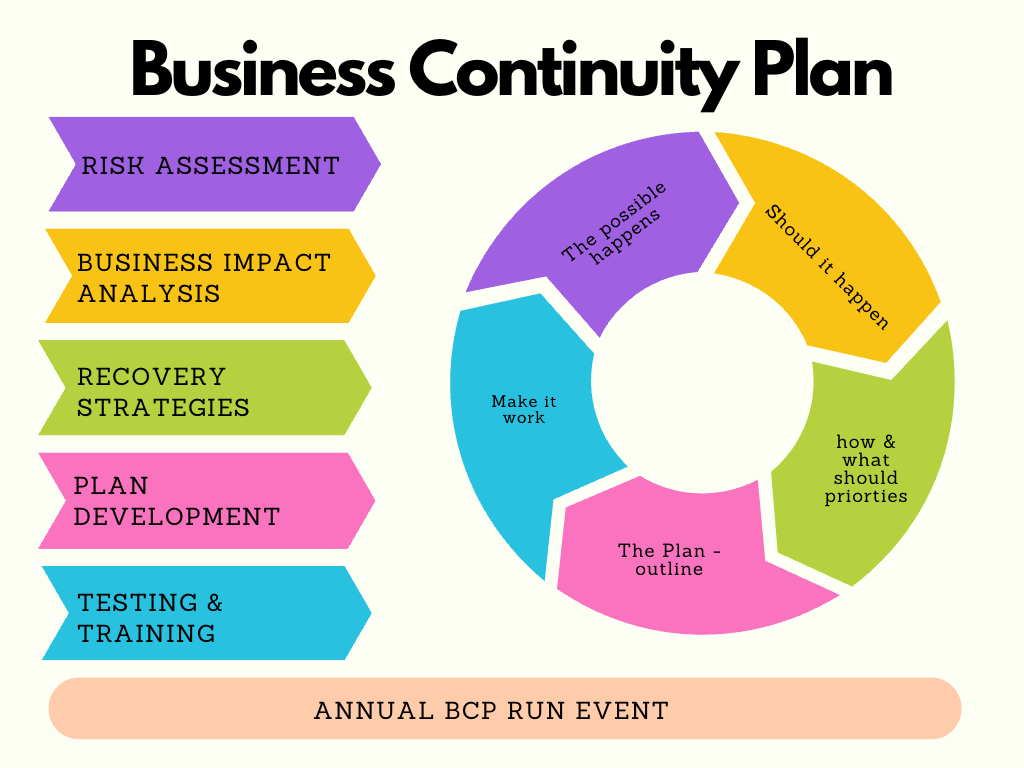
Source: Avid for Life
digital marketing agency first responder contact template for babysitter
Source: Plan Print Land
digital marketing agency first responder contact template size
Source: The Traveler’s Nest
digital marketing agency first responder contact template html
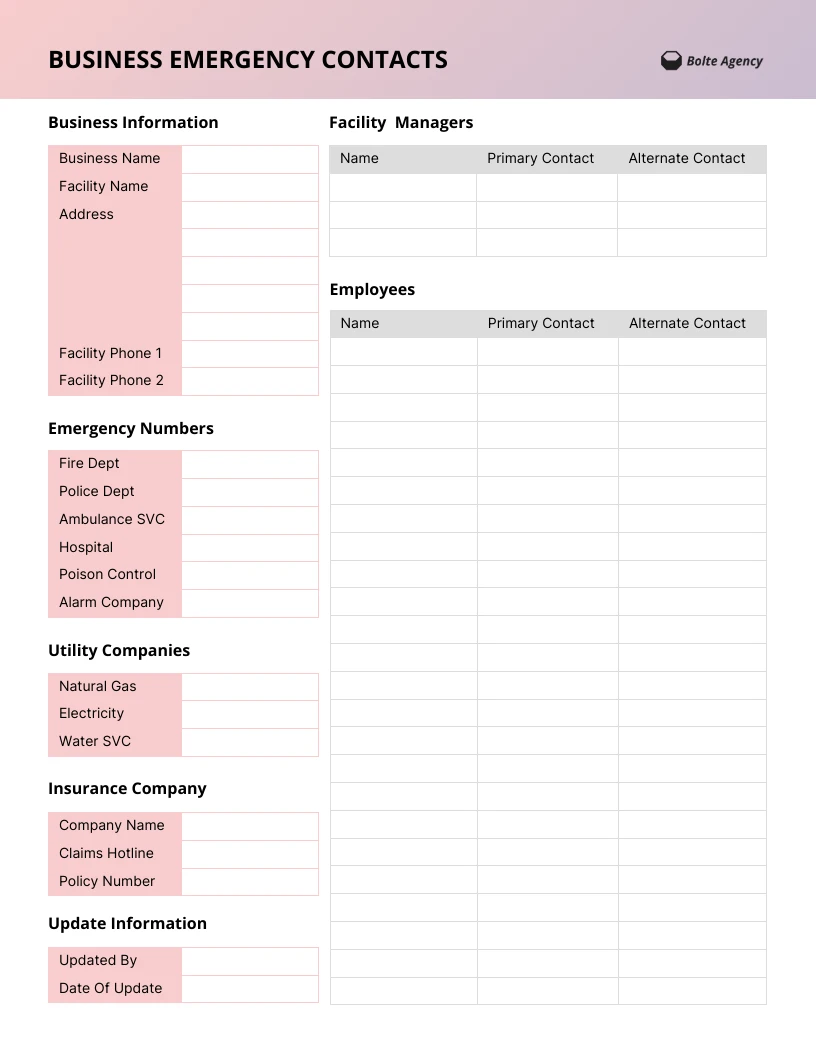
Source: Venngage
digital marketing agency first responder contact template width
Source: Anvil form example
Frequently Asked Questions
What should a digital marketing agency first responder contact template contain?
At minimum, include emergency services, the agency or site location, primary and secondary internal responders, management escalation, and relevant facilities or technology contacts. Larger organizations can add vendors, clients, insurance contacts, and communication channels.
Should the contact template be a PDF or an editable document?
Both can be useful. An editable Word, Google Docs, or spreadsheet file can serve as the controlled master, while a PDF can provide a stable reference copy for approved distribution or printing.
Is Excel suitable for an emergency contact system?
Yes. Excel is particularly useful when the agency has many contacts or needs filtering, sorting, verification dates, categories, and ownership fields. A simplified emergency view should still be created so users do not have to navigate a complex workbook during an incident.
Can the template be created in HTML?
Yes. HTML can present a responsive emergency directory inside a secure internal portal. Access controls should be considered carefully before placing personal or confidential contact information online.
How often should emergency contacts be reviewed?
There is no universal review interval for every organization. A sensible approach is to review the records on a recurring schedule appropriate to the agency and immediately after significant staffing, office, vendor, or client changes.
Should employee medical information be included?
Only when there is a legitimate operational reason and an appropriate process for collecting and protecting it. A general contact directory should not automatically contain sensitive medical information. If such information is necessary, access should be appropriately restricted.
What is the difference between an emergency contact list and a business continuity plan?
An emergency contact list identifies people and communication routes. A business continuity plan describes how critical operations will continue or recover during disruption. The contact list is often one supporting component of the larger continuity system.
Can a babysitter use the same type of template?
The structure can be adapted for childcare, but the fields should change. A babysitter-oriented sheet may prioritize parents’ phone numbers, backup contacts, emergency services, home address, allergies, medications, doctors, routines, and special instructions.
Conclusion
A digital marketing agency first responder contact template is most effective when it is treated as an operational tool rather than a decorative document. The strongest system combines a concise emergency-facing reference with a controlled master record, clearly assigned ownership, backup contacts, secure access, regular verification, and a format that works on both screens and paper. Whether the final version is maintained in Word, Excel, Google Docs, PDF, email workflows, or HTML, the goal remains the same: make accurate contact information available to the right person quickly and responsibly. A carefully designed digital marketing agency first responder contact template can therefore become a practical part of workplace safety, business continuity, client communication, and everyday operational resilience.
