Unlike a basic personal planner, a healthcare schedule often has several layers operating at the same time. Nurses may work day, evening, or night shifts; physicians and advanced practitioners may have different clinic or procedure blocks; patients may have appointments that require specific rooms or resources; and administrative or support activities may have to occur around clinical work. A well-designed template gives each of these elements a defined place without turning the document into an unreadable wall of information.
This guide explains how to choose, build, customize, and use a weekly hospital schedule Template for real-world planning. It covers staff scheduling, patient appointments, provider availability, hourly layouts, spreadsheet formats, printable versions, document formats, review procedures, common mistakes, and practical workflows. It also explains why a template should be treated as a planning control rather than simply a blank calendar.
Current template resources illustrate several useful design patterns. Healthcare-specific examples commonly organize staff by department, shift, role, or assigned unit, while general weekly schedule designs provide hourly grids, Monday-through-Sunday columns, and reusable fields. :contentReference[oaicite:0]{index=0} The best choice depends on whether the main problem is workforce coverage, appointments, provider availability, or a combination of all three.
For most organizations, the strongest approach is to begin with one standardized weekly structure and then create focused views for nurses, providers, patients, and administrative teams. The underlying information can remain consistent while the presentation changes according to the user’s needs. That approach makes the schedule easier to maintain, easier to review, and less likely to become outdated when assignments change.
What Is a Weekly Hospital Schedule Template?
A weekly hospital schedule template is a reusable framework for organizing activities and assignments across seven days. Depending on its purpose, it may contain employee names, departments, shift times, patient appointments, provider availability, rooms, responsibilities, notes, or coverage indicators. The template provides the structure; the scheduling team supplies the current information.
The important distinction is between a template and a completed schedule. A template is designed to be reused. It should contain stable headings, standard terminology, consistent time formats, and fields that make sense every week. A completed schedule contains the actual dates, people, shifts, appointments, and assignments for a particular planning period.
A hospital may need several related schedules rather than one enormous document. A nursing unit can use a staffing grid, an outpatient clinic can use an appointment calendar, and a medical group can use a provider availability view. A central weekly schedule can then summarize the information that managers need without exposing unnecessary patient details.
The value of the template is therefore consistency. When every week’s schedule follows the same structure, managers can compare weeks more easily, identify missing information faster, and train new coordinators without explaining a different spreadsheet design every time.
Healthcare scheduling also requires judgment. A template cannot determine whether a particular clinical area has enough qualified staff for its workload, whether a provider is appropriately assigned to a procedure, or whether an appointment should be moved. Those decisions belong to authorized personnel and should follow the organization’s policies, professional requirements, and applicable laws.
Why Weekly Scheduling Matters in Healthcare
Hospitals operate continuously, while many outpatient services operate within defined clinic hours. This makes weekly planning useful because it provides a manageable horizon: long enough to see patterns and short enough to make practical corrections. Managers can examine weekends, night coverage, planned leave, clinic sessions, procedures, and other commitments before the week begins.
A schedule also acts as a communication tool. When employees, supervisors, and operational teams refer to the same published version, there is less opportunity for conflicting information to circulate through separate spreadsheets, messages, handwritten notes, or informal conversations. A structured schedule can become the authoritative planning view for the period.
Another advantage is workload visibility. A person may technically have an assignment every day while still having an uneven distribution of difficult shifts, late finishes, weekends, or specialized duties. A weekly view makes those patterns easier to see than a collection of isolated daily notes.
Patient-facing schedules have a different purpose. Their primary concern is the sequence and timing of visits, procedures, consultations, tests, or other services. A useful patient schedule should make appointment duration and resource requirements clear enough to support smooth flow without displaying unnecessary confidential information.
Provider scheduling sits between these two worlds. It needs to show when a clinician is available, what type of service is being delivered, and where appointments can fit. Provider calendars can become especially useful when several clinicians share rooms, equipment, support staff, or procedure spaces.
Key Components of a Strong Weekly Hospital Schedule Template
The first component is a clear date range. Every schedule should identify the week it represents, preferably with a specific start date and end date. This prevents an otherwise well-designed document from being reused without updating the dates.
The second component is ownership. Include a responsible department, manager, coordinator, or scheduling office where appropriate. This gives users a clear route for reporting changes or questions without placing personal contact information into public copies.
The third component is a consistent staff identification structure. Useful fields may include employee name, role, department, unit, shift, start time, end time, break, and notes. Nursing-specific scheduling examples commonly distinguish roles and departments while tracking daily assignments and weekly hours. :contentReference[oaicite:1]{index=1}
The fourth component is time. A schedule should use one consistent time convention, such as 7:00 AM–3:00 PM or 07:00–15:00. Mixing formats such as “7-3,” “7 AM–3 PM,” and “0700–1500” in the same document creates unnecessary interpretation work.
The fifth component is a notes or exception area. Not every operational detail belongs inside the main grid. A controlled notes section can record approved changes, special coverage instructions, room restrictions, training periods, or other information that helps explain the schedule.
Coverage and Skill Mix
For clinical staffing, names alone are not enough. The schedule should make relevant roles visible so supervisors can review the composition of each shift. A row that shows “three staff members” does not communicate the same information as a row that distinguishes registered nurses, practical nurses, nursing assistants, technicians, or other authorized roles.
Coverage should be reviewed against the requirements of the specific unit rather than against a universal number. Different services have different operational needs, and staffing decisions may depend on patient volume, acuity, skills, competencies, workload, and local requirements.
A useful template can therefore include a daily coverage summary beneath or beside the staff grid. This does not replace clinical judgment, but it makes potential shortages easier to spot before the schedule is published.
Managers should also distinguish between scheduled staff and available staff. Someone listed in a roster is not necessarily available for every shift. Approved leave, training, restrictions, second assignments, or other commitments can change actual coverage.
The most reliable schedule is one that reflects verified availability rather than assumptions carried over from the previous week.
Choosing the Right Format
The format should follow the workflow rather than the other way around. Spreadsheet formats are useful when calculations, filtering, copying, and editing are important. PDF is useful when the schedule is being distributed as a fixed version. Word is useful when the schedule needs to sit inside a formal document. Google Sheets is useful when authorized team members need shared access and controlled collaboration.
A weekly hospital schedule template excel layout is particularly useful when the organization wants formulas for weekly hours, overtime flags, coverage totals, or other calculations. Spreadsheet-based schedules can also make it easier to sort staff by department or role and create separate tabs for different units.
However, spreadsheets should be designed carefully. Excessive merged cells, inconsistent formulas, hidden columns, complicated conditional formatting, and multiple competing tabs can make a simple schedule harder to maintain. The best spreadsheet is usually the one a new coordinator can understand without extensive training.
A weekly hospital schedule template pdf is better suited to a finalized, read-only distribution copy. A PDF can preserve the layout when it is printed or opened on different devices, but it should not be treated as the master editing file unless the workflow has been specifically designed around PDF editing.
A weekly hospital schedule template free can be a good starting point for a small clinic, department, or pilot workflow. “Free,” however, does not automatically mean suitable for clinical operations. Review the fields, license terms, privacy implications, and whether the structure actually fits the workflow before adopting it.
A weekly hospital schedule template free download is most useful when the file can be edited locally and the organization understands where the master version will live. Downloading multiple slightly different copies can create version-control problems, so one approved master should normally be designated.
A weekly hospital schedule template google sheets approach can support controlled collaboration. Google Sheets-style layouts are particularly helpful when authorized schedulers need to make changes from different locations. Access permissions, edit history, and a defined publishing process should still be used for operational schedules.
A weekly hospital schedule template printable is valuable for areas where staff routinely consult a posted schedule or where a paper copy is needed during handoffs or daily operations. The print version should remain legible in grayscale if possible and should avoid extremely small text.
A weekly hospital schedule template word is useful when the schedule needs a formal document appearance. Word can work well for simple tables, departmental memos, or schedules that are printed after editing. It becomes less efficient when the document requires extensive calculations or frequent collaborative changes.
Spreadsheet Versus Document
The practical choice can be summarized by the type of work involved. Use a spreadsheet when the schedule is data-heavy, frequently revised, or dependent on calculations. Use a document when presentation and printing matter more than automation.
For organizations that need both, maintain the editable schedule in the most appropriate master format and produce a PDF or print version for distribution. This reduces the temptation to edit several copies independently.
The master file should have a clear naming convention. A practical example is “Emergency_Weekly_Roster_2026-09-14” rather than “final schedule new revised 2.” The exact naming convention should follow the organization’s document-management policy.
File permissions should also reflect responsibility. Not everyone who needs to view a schedule needs permission to edit it. Separating editing rights from viewing rights can reduce accidental changes.
Finally, document who is responsible for publishing the official version. A schedule is only useful when staff know which version is authoritative.
Building a Weekly Hospital Schedule Step by Step
Step 1: Define the Scheduling Objective
Start by deciding what the schedule is supposed to solve. A staff roster is different from an appointment schedule, and a provider availability calendar is different from a hospital-wide operational overview.
If the primary issue is staffing, emphasize people, roles, departments, shifts, and hours. If the issue is patient flow, emphasize appointment times, service types, providers, rooms, and duration. If the issue is provider utilization, emphasize availability blocks and booked time.
Do not put every possible field into the template simply because there is room. Additional information increases maintenance effort and can make the schedule harder to scan.
A useful rule is that every field should answer a practical question. “Who is working?” requires names. “Where are they working?” requires units. “When are they working?” requires times. “What should the team know?” requires controlled notes.
Once the purpose is clear, the rest of the design becomes much easier.
Step 2: Build the Seven-Day Framework
Create columns for Monday through Sunday if the workflow follows a standard seven-day week. Include the week start date and, where useful, the date below each weekday.
For 24-hour services, decide whether each day should contain three standard shift bands, individual start and end times, or a detailed hourly grid. A three-band view is easier to scan, while a detailed time grid provides greater precision.
For outpatient services, a Monday-to-Friday layout may be sufficient for the main appointment grid, with weekend columns retained if the practice operates on weekends. The template should reflect actual operating patterns rather than an arbitrary design convention.
Time intervals should be consistent. A clinic that books 30-minute consultations should not use a grid designed around 60-minute blocks unless appointments can genuinely span those larger intervals.
Before publishing, check that every date corresponds to the correct weekday. A single date mismatch can make an otherwise accurate schedule operationally dangerous.
Step 3: Add Staff and Roles
Enter the active roster from an approved source rather than typing names from memory. This reduces spelling differences and helps prevent inactive or transferred staff from appearing on the schedule.
Group people in a way that helps the reviewer. Common approaches include grouping by department, unit, role, or shift. Choose one primary structure and use it consistently.
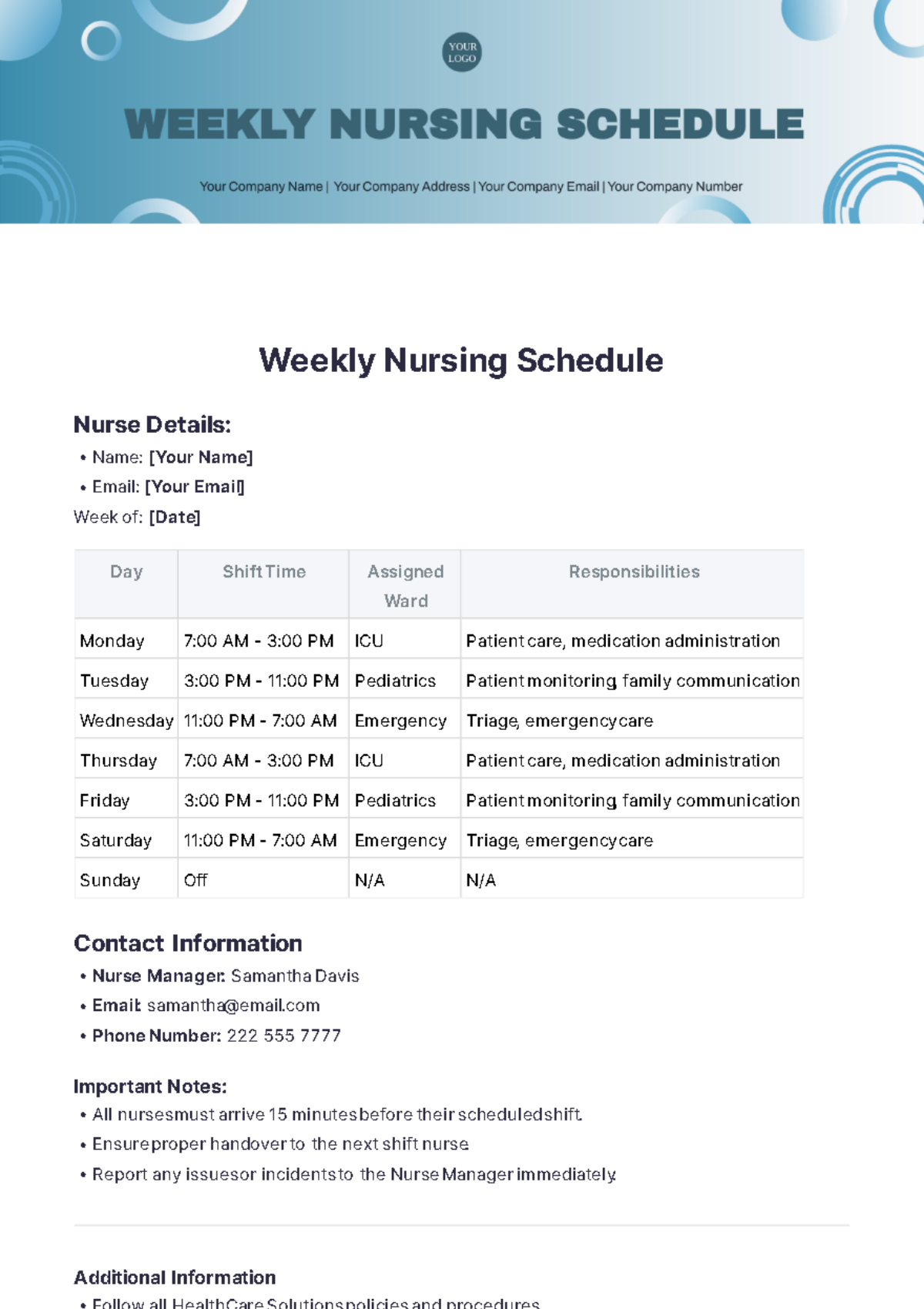
For nursing teams, a weekly hospital schedule template for nurses should normally make shift assignments, unit placement, role, and weekly workload easy to inspect. Nursing schedule examples commonly include daily shift information, assigned wards, responsibilities, and manager notes. :contentReference[oaicite:2]{index=2}
Do not assume that a visually balanced schedule is clinically appropriate. The scheduling reviewer should confirm that the assigned staff have the required qualifications and authorization for their duties.
Where float or cross-unit staff are used, make the assignment explicit. Otherwise, staff may see a person’s name but not understand where that person is expected to work.
Shift times should be entered in a way that makes overnight assignments unambiguous. For example, “11:00 PM–7:00 AM” is clearer than simply writing “Night.”
Break information can be useful for workload planning, but the template should not be interpreted as a substitute for applicable break policies or employment requirements. Those requirements vary by jurisdiction and organization.
Weekly hours can be calculated automatically in a spreadsheet, but totals should be reviewed before the schedule is released. Formula errors can create a false sense of accuracy.
When a schedule changes after publication, the change should be documented according to the organization’s process. A new master copy should replace outdated versions rather than allowing several unofficial versions to remain in circulation.
The goal is not merely to produce a full grid. The goal is to produce a schedule that people can confidently interpret.
Using the Template for Patient Scheduling
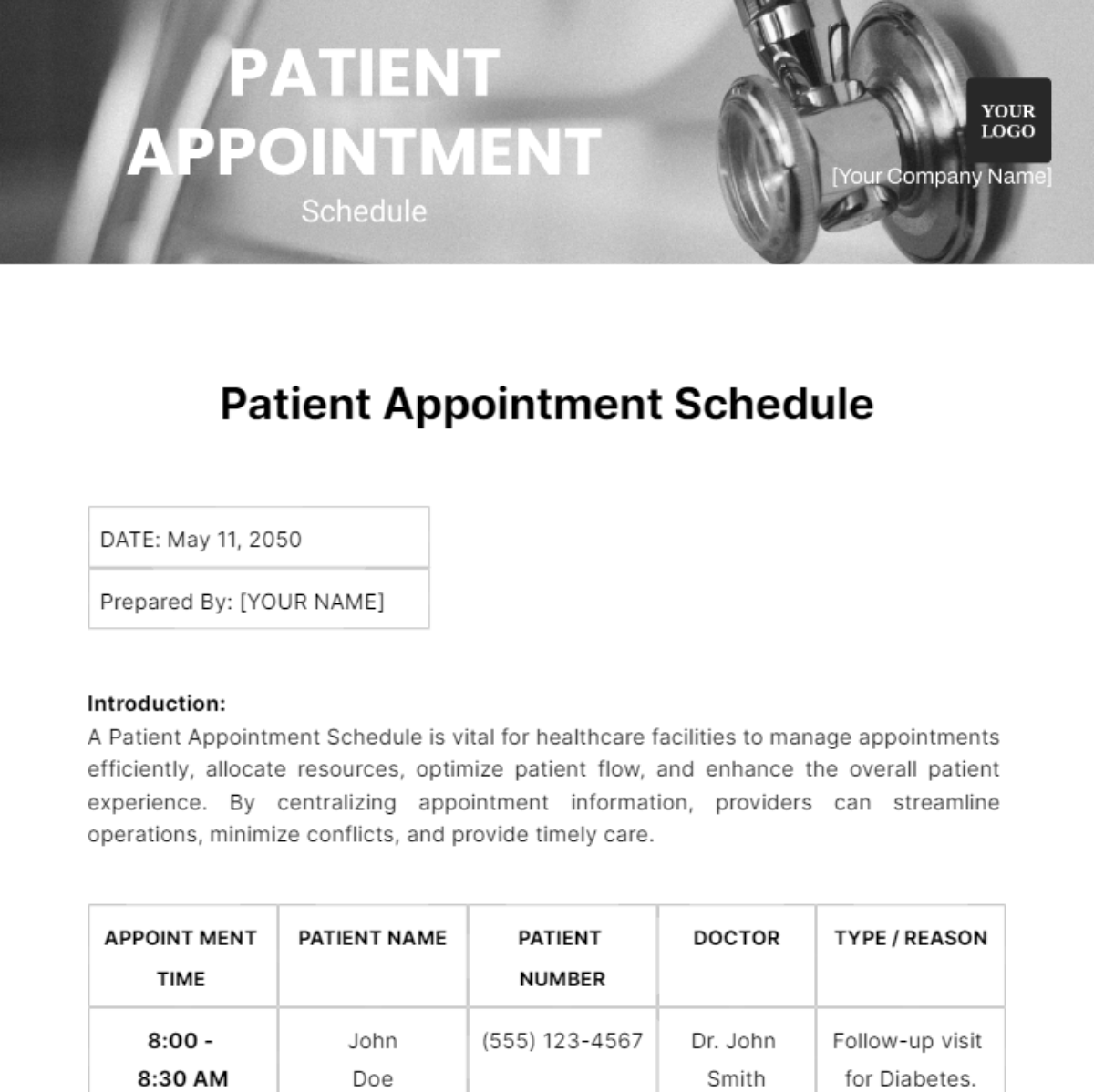
A weekly patient schedule template focuses on visits rather than employee shifts. It can include date, appointment time, provider, service type, duration, room, status, and operational notes. The exact fields depend on the practice and should be designed to minimize unnecessary exposure of patient information.
A related schedule template for patients may be intended for patient-facing use rather than internal operations. Patient-facing versions should generally contain only information the patient needs, such as appointment date, time, department, location, preparation instructions, and contact information.
Internal schedules may require additional operational information, but access should be limited appropriately. A schedule containing identifiable health information should be handled according to applicable privacy and security requirements.
Appointment duration matters as much as appointment time. A schedule that shows only 9:00 AM, 9:30 AM, and 10:00 AM does not necessarily reveal whether the appointments require 20, 30, or 60 minutes.
Resource dependencies should also be considered. A patient may need a particular room, imaging resource, clinician, assistant, or procedure space. If two appointments depend on the same resource, the template should make the conflict visible.
Healthcare scheduling templates available online demonstrate several approaches, including hourly appointment grids, patient appointment tables, provider columns, and calendar-style layouts. :contentReference[oaicite:3]{index=3}
For an outpatient setting, a good weekly patient schedule can therefore be divided into appointment slots and operational blocks. Appointment slots represent booked care, while operational blocks represent preparation, documentation, breaks, meetings, or other activities that affect availability.
Do not fill every minute simply because the grid allows it. A schedule without realistic transition time can look efficient while producing delays throughout the day.
When cancellations occur, use a consistent status system. For example, a scheduling team might use “Booked,” “Cancelled,” “Rescheduled,” “No-show,” and “Open,” provided these definitions are appropriate to the organization’s workflow.
The schedule should also identify the process for filling open slots. That process may involve a waitlist, another provider, a later appointment, or simply leaving the slot open.
Creating a Weekly Schedule Template With Hours
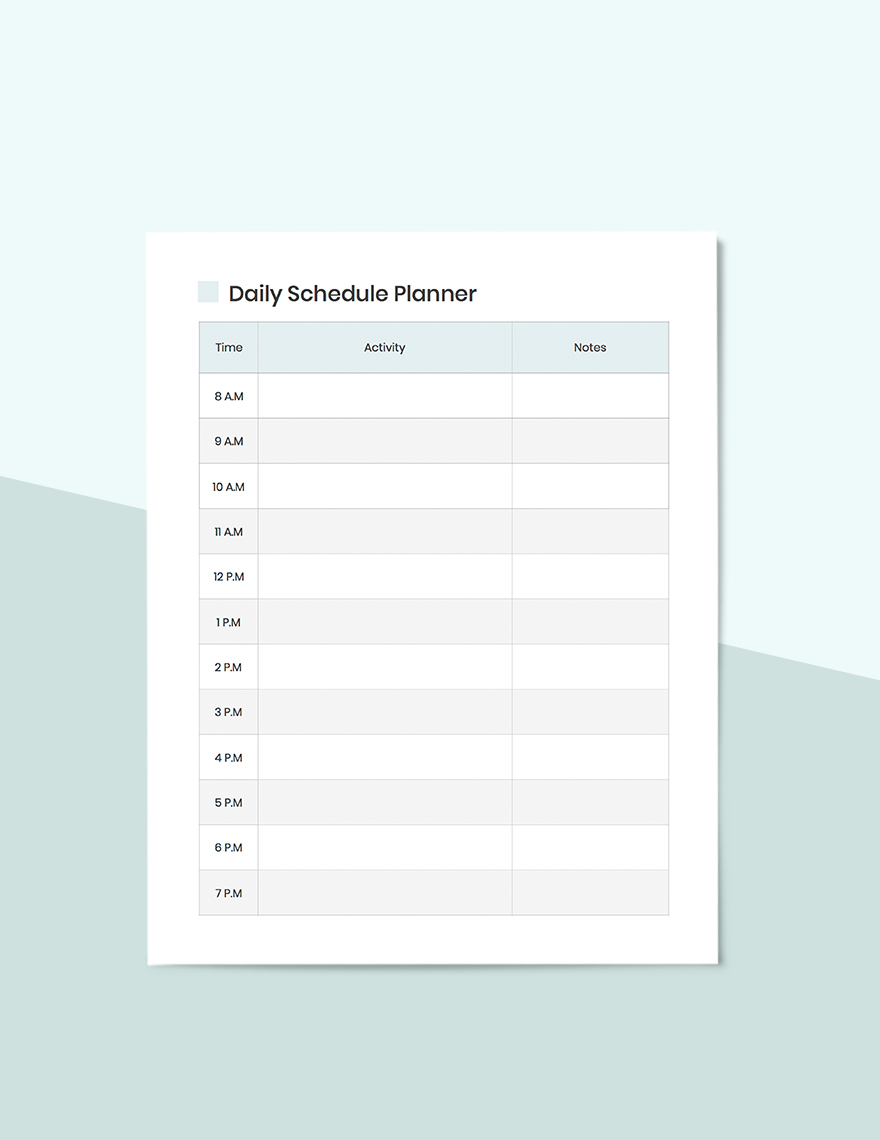
A weekly schedule template with hours is useful when exact time visibility is more important than simple shift labels. Hourly schedules are especially useful for outpatient clinics, procedure rooms, therapy services, diagnostic services, and departments with predictable appointment blocks.
An hourly layout can use one-hour intervals, 30-minute intervals, or smaller increments. The correct interval depends on the shortest meaningful appointment or operational activity that needs to be displayed.
Smartsheet’s weekly schedule examples demonstrate how a Monday-through-Sunday grid can combine configurable start times and intervals with hourly rows. :contentReference[oaicite:4]{index=4} Similar hourly layouts can be adapted to healthcare by replacing generic activities with appointments, procedures, rounds, handoffs, or other approved categories.
For a hospital, an hourly grid should not be confused with a staffing roster. One shows what is happening over time; the other shows who is assigned to work. They can complement one another, but combining both into one massive table may make the document difficult to read.
A better design is often a linked set of views: staffing on one sheet, appointments on another, and a concise weekly operational summary for management.
Example Hourly Structure
| Time | Monday | Tuesday | Wednesday | Thursday | Friday |
|---|---|---|---|---|---|
| 7:00–8:00 | Opening / handoff | Opening / handoff | Opening / handoff | Opening / handoff | Opening / handoff |
| 8:00–9:00 | Clinic block | Clinic block | Procedure block | Clinic block | Clinic block |
| 9:00–10:00 | Appointments | Appointments | Procedure block | Appointments | Appointments |
| 10:00–11:00 | Appointments | Follow-ups | Procedure block | Appointments | Follow-ups |
| 11:00–12:00 | Documentation | Appointments | Recovery / turnover | Appointments | Documentation |
The table above is a hypothetical planning example, not a recommended staffing requirement. Its purpose is to show how a time-based schedule can distinguish activities rather than simply listing names.
Hourly grids should remain readable when printed. If the organization requires 15-minute intervals, landscape orientation and larger page dimensions may be necessary.
Digital schedules can use filters or separate views to reduce visual overload. Printed schedules cannot provide those conveniences, so the print layout should be simplified before distribution.
The best hourly schedule is therefore not necessarily the most detailed one. It is the one that provides enough resolution to support decisions without forcing users to interpret an excessive number of tiny cells.
When an hourly schedule is used with appointments, consider reserving space for buffers between blocks. Those buffers can represent cleaning, room turnover, preparation, handoff, documentation, or other operational activities as appropriate.
Practical Examples of Weekly Hospital Scheduling
Example 1: General Nursing Unit
Imagine a hypothetical 24-hour inpatient unit that uses three shift bands. The schedule contains one section for registered nurses, one for practical nurses, and one for support staff. Each day shows start and end times, assigned unit, and a weekly hours total.
The supervisor first verifies the roster, then checks approved leave and availability. After that, assignments are made according to the unit’s operational requirements. The schedule is reviewed for gaps, unexpected concentrations of shifts, and obvious conflicts.
A final PDF can then be generated for the staff area while the spreadsheet remains the controlled master file. If a change occurs, the master is updated first and a new published copy is produced.
This workflow is more reliable than editing a printed copy with handwritten changes because the official digital version remains available for reconciliation.
The example illustrates why the schedule is both a planning tool and a communication artifact.
Example 2: Outpatient Clinic
A hypothetical specialty clinic might have three providers, four examination rooms, two nurses, and a shared procedure room. The weekly schedule could show provider sessions on one sheet and patient appointments on another.
Each appointment includes a start time, expected duration, provider, room, and service type. Procedure appointments are given enough operational space to avoid conflicts with ordinary consultations.
The clinic manager can compare provider availability with booked appointments and identify unused blocks. This can help with operational planning without automatically assuming that every unused block should be filled.
At the end of the week, the team can review recurring scheduling problems, such as repeated room conflicts or appointment blocks that consistently run late.
That review turns the schedule from a static calendar into a source of operational learning.
Example 3: Multi-Department Hospital Overview
A larger hospital may need a weekly overview covering emergency services, inpatient units, surgery, outpatient clinics, diagnostics, and support operations. A single detailed grid would become too large.
Instead, each department can maintain its own detailed schedule while the central weekly overview records major staffing periods, planned procedures, service interruptions, meetings, and other events that affect multiple teams.
The central schedule should not duplicate every patient appointment. Its purpose is coordination rather than replacing department-level scheduling systems.
This layered model also makes ownership clearer. Department managers maintain their operational schedules, while a central coordination function maintains the organization-wide view.
The result is a schedule architecture that can grow without turning one spreadsheet into an unmanageable database.
Design Principles That Improve Usability
Clarity should come before decoration. A hospital schedule needs strong headings, predictable columns, readable fonts, and enough spacing to distinguish one assignment from another.
Color can help, but it should not be the only way information is communicated. A schedule should remain understandable when printed in grayscale or viewed by someone with color-vision limitations.
Use consistent abbreviations. If “OFF” means not scheduled, do not use “O,” “Off,” “REST,” and blank cells interchangeably unless those differences have defined meanings.
Keep notes concise. Long paragraphs inside schedule cells make scanning difficult. Detailed explanations should be stored in the appropriate operational documentation rather than hidden inside a tiny spreadsheet cell.
Use frozen headers in spreadsheets so that staff names and dates remain visible while scrolling. Use filters where they reduce complexity rather than adding another layer of confusion.
Protect formula cells when appropriate. A user who accidentally overwrites a weekly-hours formula can change the apparent total without realizing it.
Consider creating a legend for shift codes. A small key such as “D = Day,” “E = Evening,” and “N = Night” can save space while preserving clarity.
Finally, include a visible publication date or version identifier. Users should be able to tell whether they are looking at the current schedule.
Common Scheduling Mistakes
One common mistake is copying the previous week and changing only the dates. This can leave old assignments, leave periods, or notes in the new schedule.
Another mistake is relying on memory for availability. Scheduling should use a defined source of approved availability, leave, and assignment information.
A third mistake is treating every employee as interchangeable. Clinical roles, competencies, permissions, experience, and unit-specific requirements can matter when assignments are made.
A fourth mistake is publishing a schedule without a final review. Even a carefully constructed spreadsheet can contain an incorrect date, duplicated assignment, missing shift, or formula error.
A fifth mistake is maintaining several unofficial versions. When one person edits a spreadsheet, another edits a PDF, and a third changes a printed copy, the organization may no longer know which version is authoritative.
A sixth mistake is making the schedule too complicated. More fields do not automatically create better planning. Every additional field should justify the extra reading and maintenance burden.
A seventh mistake is ignoring change management. A schedule that was correct on Monday may become incorrect after a call-out or provider change. The workflow should explain who can modify it and how changes are communicated.
An eighth mistake is mixing internal and patient-facing information. Different audiences have different information needs and privacy considerations. Separate views are often safer and easier to understand.
How to Review a Schedule Before Publication
Start with dates. Confirm the week, weekdays, holidays, and any special operating dates.
Next, review staffing. Look for uncovered periods, duplicated assignments, unexpected overlaps, and missing roles.
Then review hours. Confirm that totals reflect the actual shift start, end, and break information used by the organization’s process.
Review providers and appointments separately. Confirm that appointments are assigned to an available provider and that required rooms or resources are not double-booked.
Finally, review exceptions. Check approved leave, training, meetings, on-call responsibilities, temporary closures, planned maintenance, and other events that could change normal operations.
A two-person review can be valuable for high-impact schedules. One person prepares the schedule while another checks it against source information. The reviewer should verify rather than simply glance at the finished grid.
After approval, publish one clearly identified version. Store the editable master according to the organization’s document-management process and distribute the appropriate read-only version to users.
When a correction is necessary, update the master and republish rather than creating an unexplained side copy.
For recurring schedules, keep a short change log if organizational policy requires it. This can help explain why an assignment changed after initial publication.
The review process should be proportionate to risk. A simple administrative schedule may need a lightweight check, while a complex clinical staffing schedule may require a more formal review.
Data Collection and Schedule Preparation
Good schedules depend on good input data. Before building the weekly grid, gather the current staff roster, roles, availability, approved leave, expected operating hours, provider sessions, room constraints, and other relevant planning information.
For patient schedules, use the organization’s approved scheduling or clinical information source rather than manually recreating information from informal messages. Manual re-entry creates unnecessary opportunities for transcription errors.
For staffing schedules, establish a cutoff time for availability requests and changes. A predictable cutoff gives schedulers enough time to construct and review the schedule.
Not every data point needs to appear on the final schedule. Collecting more information during preparation can be useful, but the published document should contain only what the intended audience needs.
Data quality also affects calculations. If one shift is entered as “7–3” and another as “07:00–15:00,” spreadsheet formulas may treat them differently unless the workbook has standardized input rules.
Use controlled values where practical. Dropdowns for department, role, shift type, and status can reduce spelling variations and improve filtering.
Before relying on automation, test the workbook with sample data. Verify that totals, warnings, and filters behave as expected.
Never assume that a formula is correct merely because it produces a plausible number. Test edge cases such as overnight shifts, empty cells, breaks, and shifts that cross midnight.
When a schedule becomes heavily dependent on manual corrections, that is a signal to reconsider the workflow rather than continually adding more formulas.
A well-designed template should reduce work, not move the same complexity into a more attractive spreadsheet.
Reporting and Weekly Review
A weekly schedule can also support operational review. At the end of the planning period, managers can compare planned assignments with actual changes and identify recurring issues.
Useful review questions include: Which shifts required last-minute changes? Which appointments were repeatedly moved? Which resources caused conflicts? Which sections of the template were rarely used? Which information was repeatedly added manually?
The purpose is not to turn the schedule into a performance-ranking tool. It is to identify process problems and improve future planning.
A manager might discover, for example, that one type of appointment regularly requires more room time than originally scheduled. That observation can lead to a template change or a scheduling-policy review.
Similarly, repeated staffing adjustments may indicate that availability is being collected too late or that the template does not clearly distinguish different assignment types.
Weekly review is most useful when it leads to a concrete change: a clearer field, better cutoff time, improved communication process, revised layout, or more appropriate scheduling system.
Documentation should remain factual. Do not invent performance statistics simply because a schedule contains numerical information. A schedule can show planned hours, but planned hours are not automatically evidence of productivity or quality.
Where metrics are used, define exactly what is being measured and keep the calculation separate from subjective interpretation.
This discipline keeps the schedule useful as an operational document rather than turning it into an unreliable source of conclusions.
When a Template Is Enough and When Software May Be Better
A template can work extremely well for a small team with stable staffing, predictable shifts, moderate appointment volume, and a clear publishing process. It is inexpensive, familiar, and easy to customize.
The limitations become more visible when many people need simultaneous edits, availability changes frequently, multiple locations share staff, or the organization needs automated notifications and approvals.
Templates also become harder to manage when a schedule depends on many interacting constraints. At that point, software may reduce manual work by maintaining availability, appointments, staffing information, and notifications in a connected environment.
That does not mean a template becomes useless. A standardized schedule can still serve as a planning model, printed fallback, review document, or transition tool during system implementation.
The decision should be based on workflow complexity rather than the number of employees alone. A small team with highly variable schedules can have greater scheduling complexity than a larger team with predictable patterns.
One useful warning sign is when schedulers spend more time correcting the template than using it. Another is when staff regularly ask which of several versions is current.
At that point, the organization should evaluate whether the problem is the template design, the process around it, or the underlying need for a more integrated scheduling system.
Practical Solution: A Simple Weekly Hospital Scheduling Workflow
The most practical solution is to build one controlled weekly master template and create specialized views from it. Start by defining the week, the responsible department, and the purpose of the schedule.
Next, load the approved roster and verify roles, units, availability, and leave. Do not start assigning shifts until the source information is reasonably current.
Build the staffing section first. Assign shifts according to the department’s operational requirements and then review coverage, role mix, hours, and obvious conflicts.
Build provider availability next. Mark clinic sessions, procedures, meetings, leave, and other periods that affect appointment capacity. Keep provider availability separate from patient details where practical.
Add patient appointments only after provider and resource availability have been established. This reduces the likelihood of placing appointments into periods that are not actually available.
Use standardized time formats throughout the workbook. If an hourly schedule is required, select one interval system and use it consistently.
Add a concise exceptions area for approved changes, important operational notes, or temporary instructions. Avoid putting sensitive patient information into a broadly distributed staffing document.
Run a final review using four checks: dates, staffing, resources, and exceptions. For complex schedules, use a second reviewer.
After approval, lock or protect the master as appropriate and publish the correct viewing version. If staff need a paper copy, create the printable version from the approved master rather than from an older file.
When changes occur, update the master first. Record the change if required, republish the current version, and make sure obsolete copies are clearly superseded or removed according to organizational policy.
At the end of the week, compare major changes against the original plan. Look for recurring scheduling problems and improve the template only when the change solves a genuine operational issue.
This workflow keeps the schedule simple enough to use while still providing the controls needed for a healthcare environment.
Reference Examples
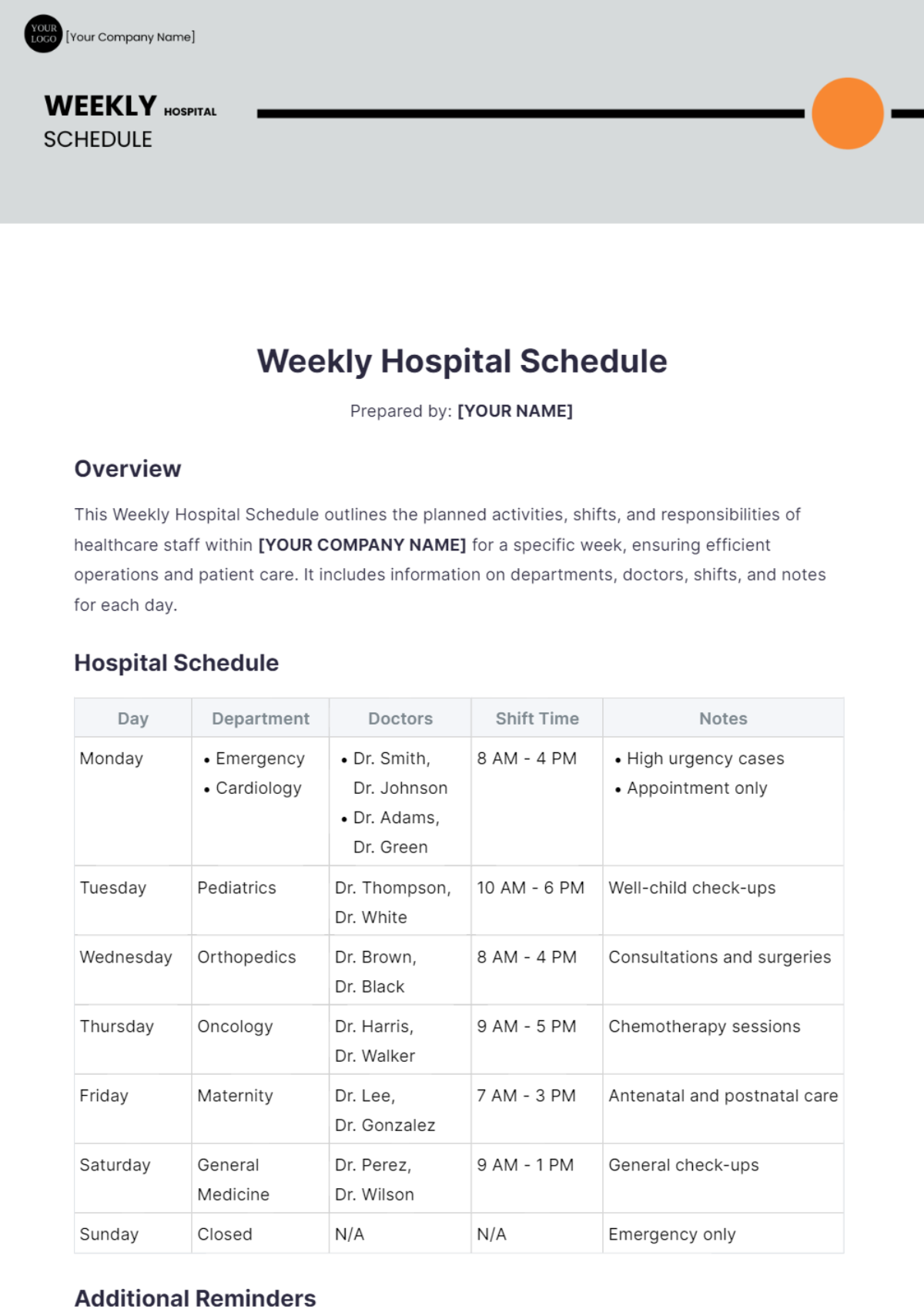
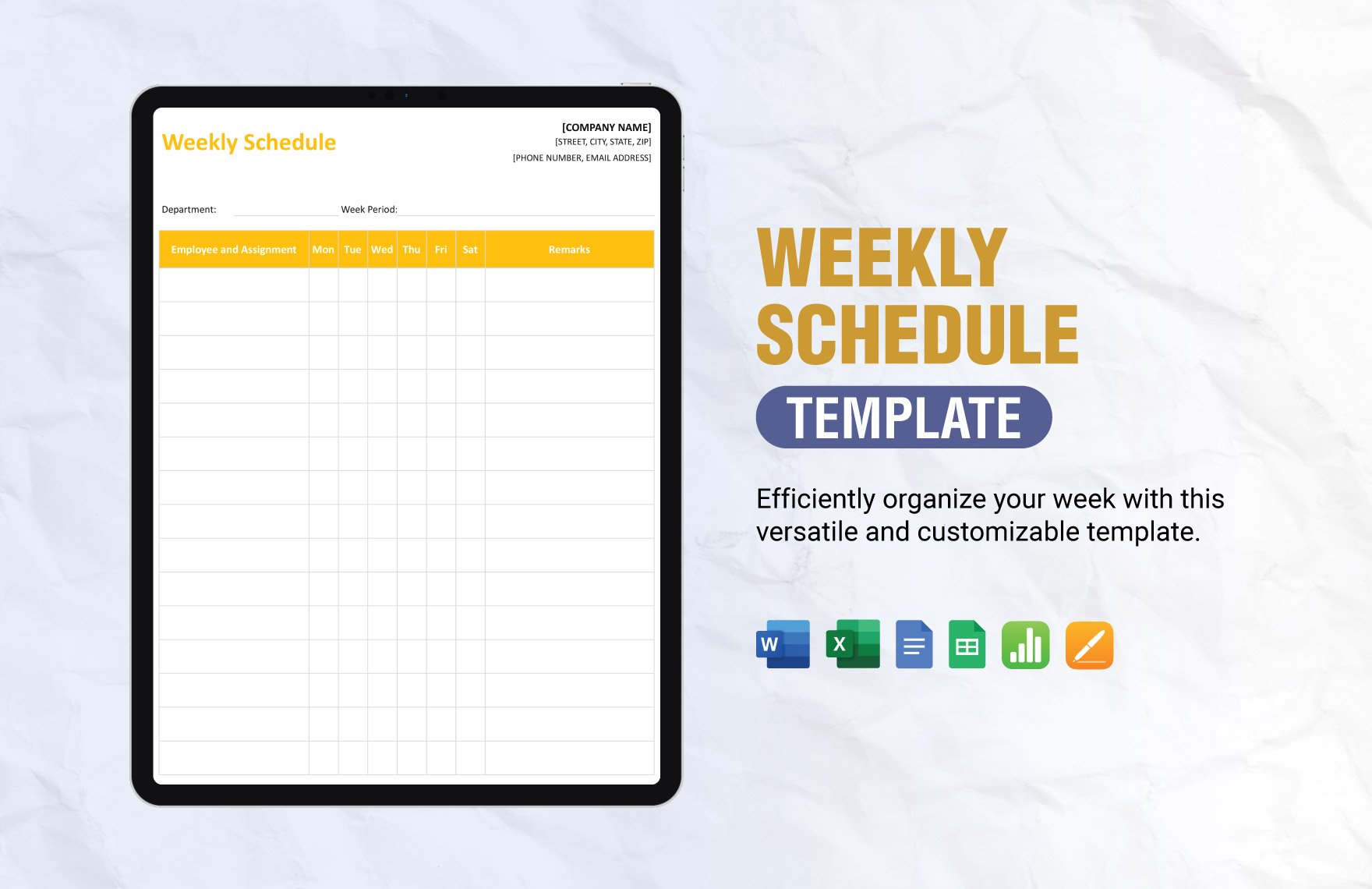
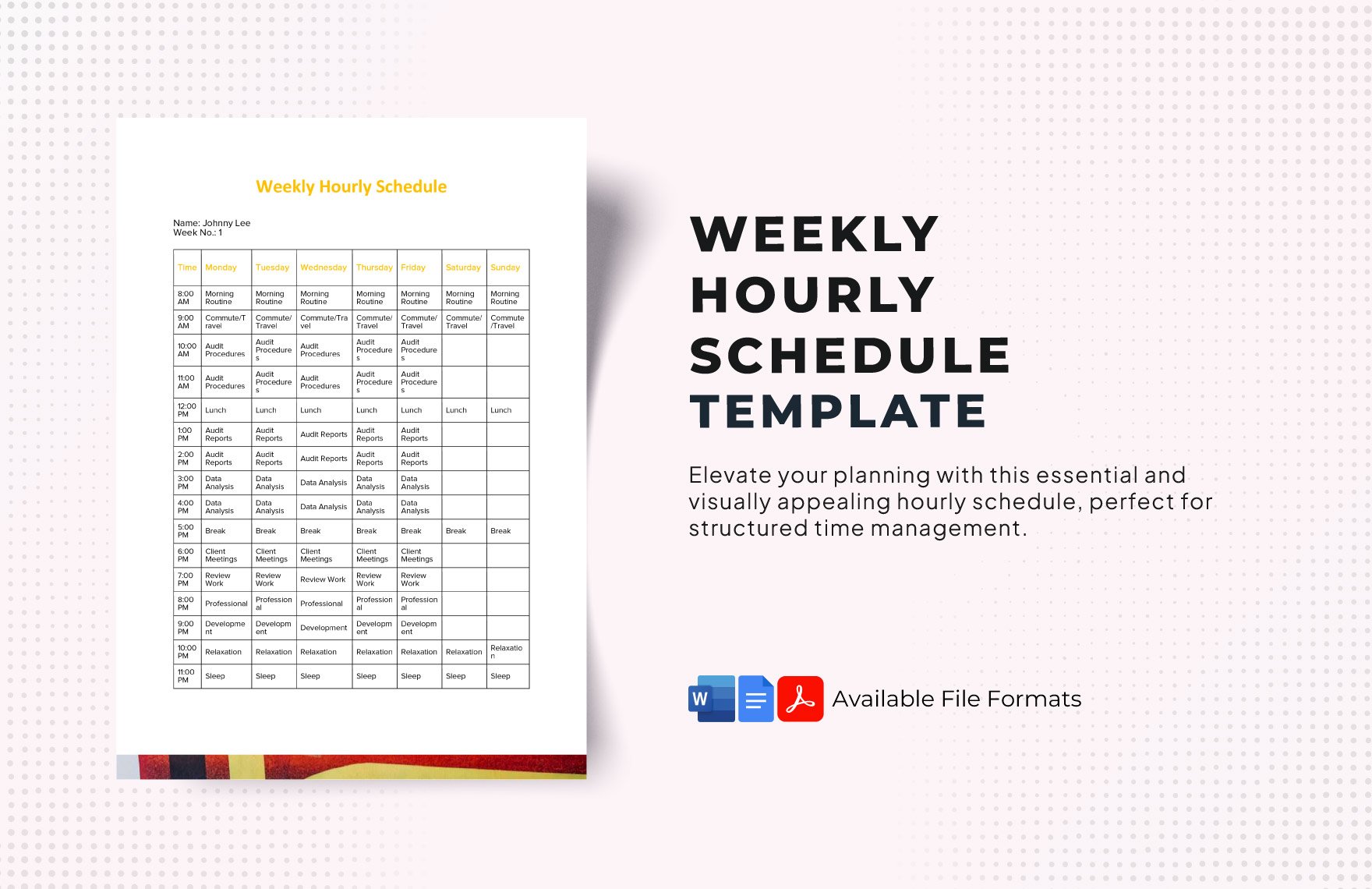
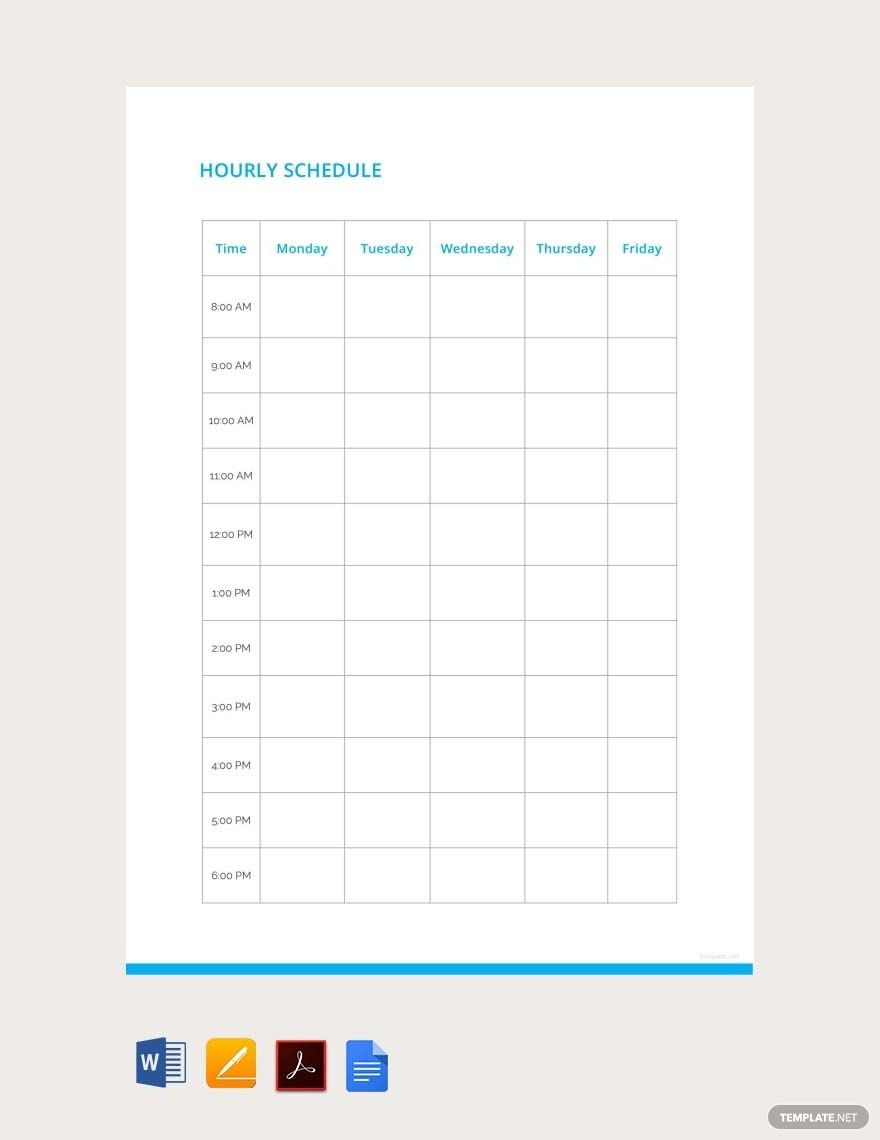
The following reference examples show different visual approaches to hospital, nursing, patient, hourly, printable, spreadsheet, and provider scheduling. They are examples of layouts and visual structures, not claims that any particular format is an official healthcare requirement.
weekly hospital schedule template
Source: Template.net
weekly hospital schedule template excel
Source: Template.net
weekly hospital schedule template pdf
Source: Template.net
weekly hospital schedule template free
Source: Template.net
weekly hospital schedule template free download
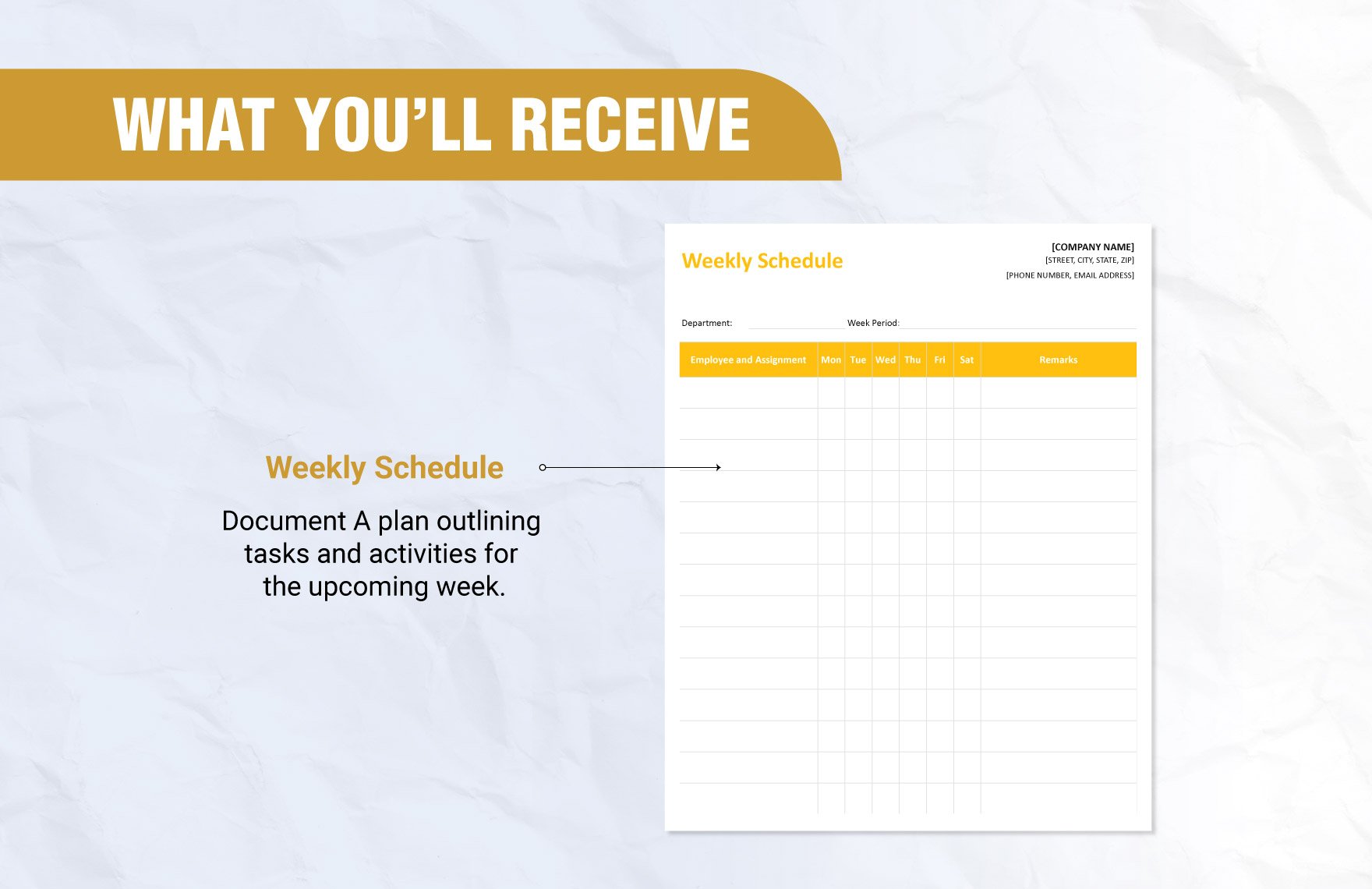
Source: Template.net
weekly hospital schedule template google sheets
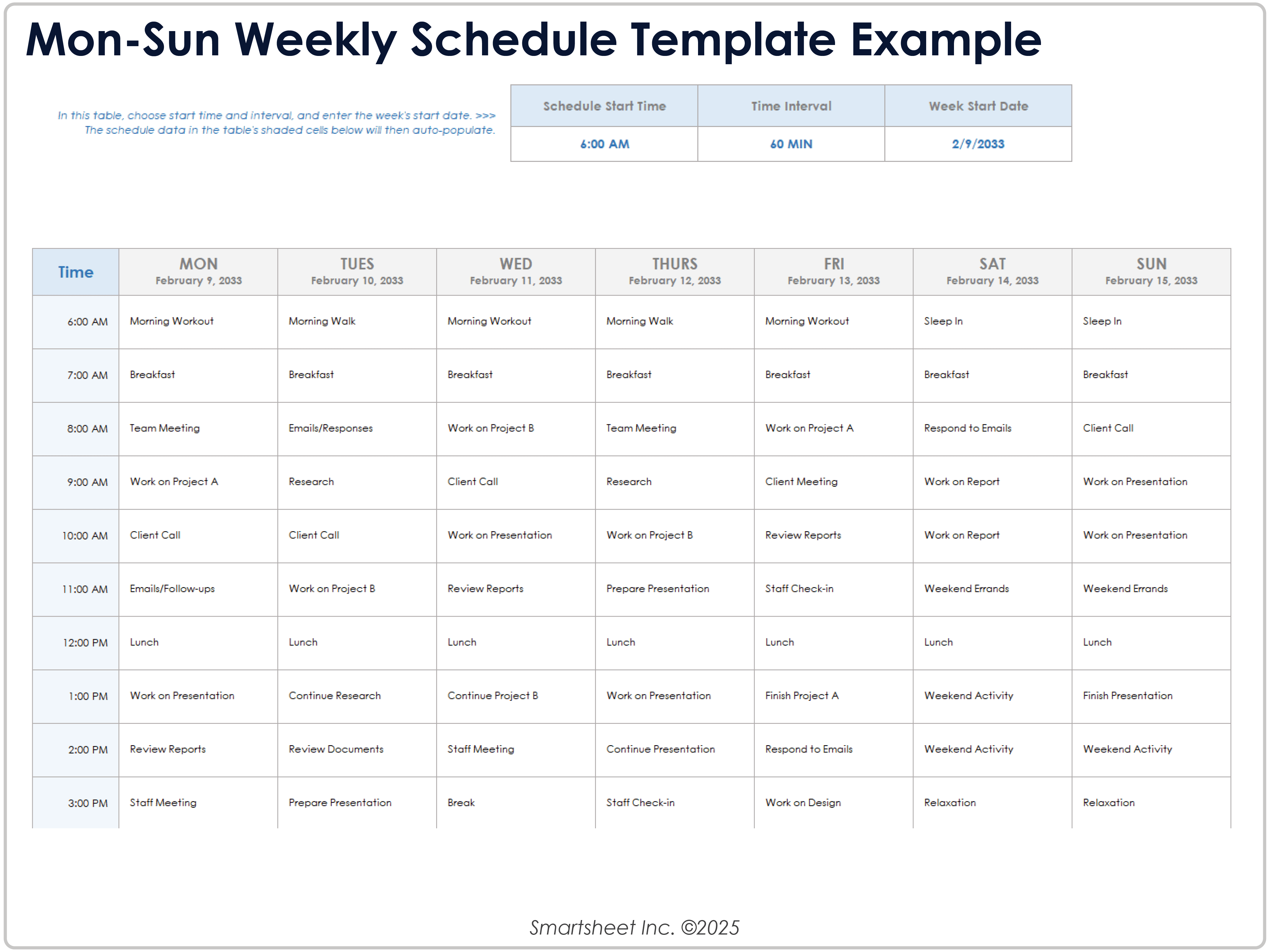
Source: Smartsheet
weekly hospital schedule template printable
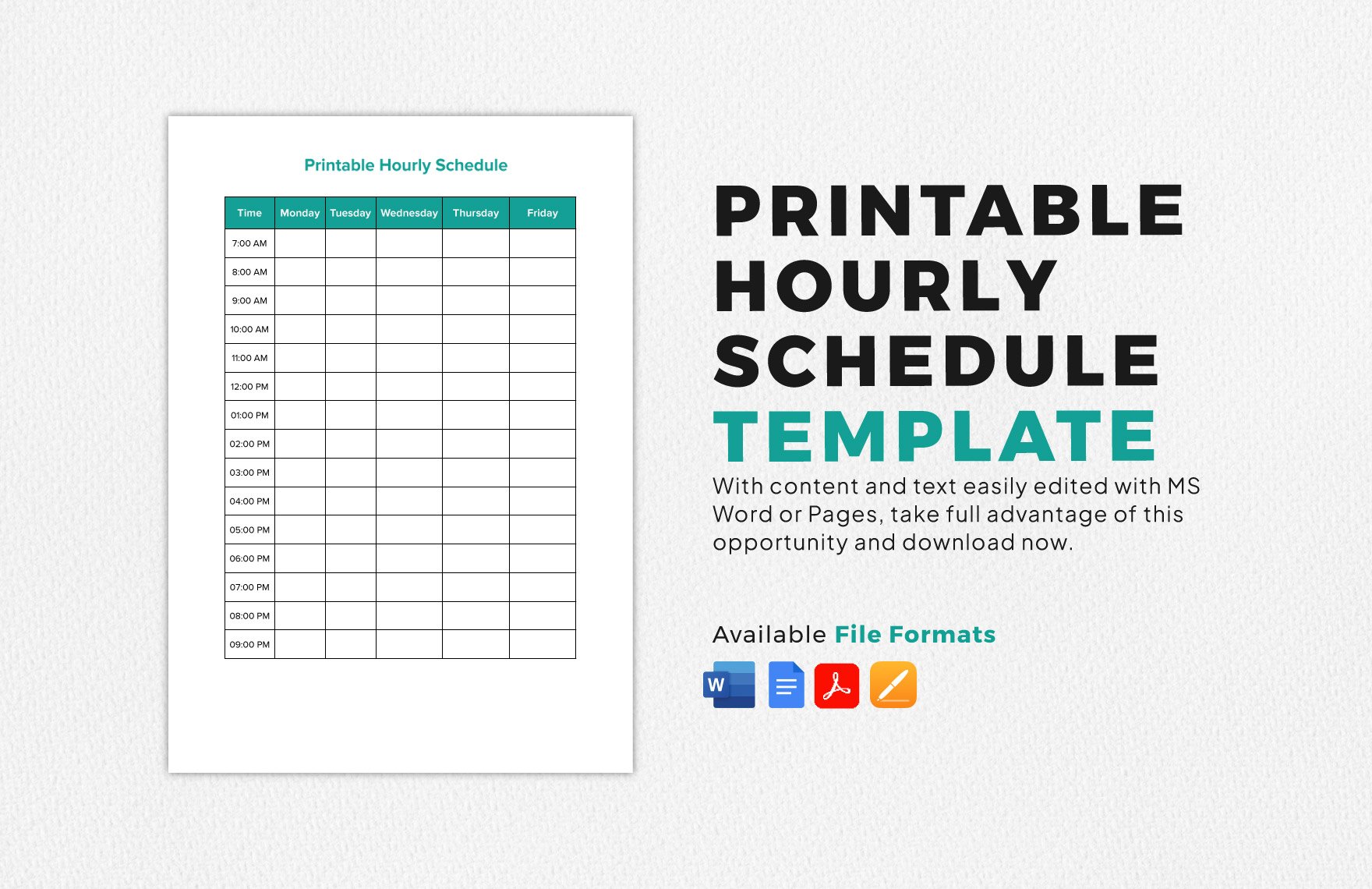
Source: Template.net
weekly hospital schedule template word
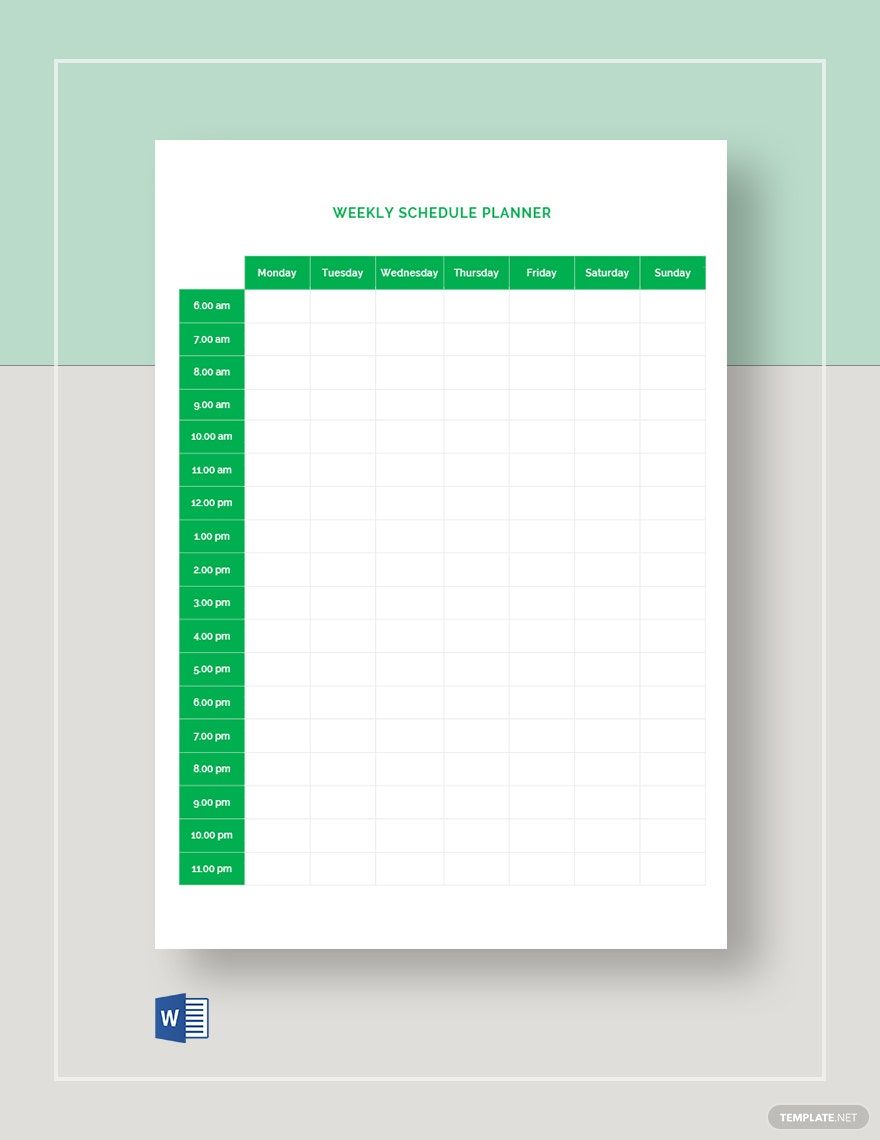
Source: Template.net
weekly hospital schedule template for nurses
Source: Template.net
weekly patient schedule template
Source: Template.net
schedule template for patients

Source: Template.net
weekly schedule template with hours
Source: Template.net
provider weekly schedule template
Source: Qualifacts
Frequently Asked Questions
What should a weekly hospital schedule template include?
A strong template usually includes the week and dates, department or unit, staff or provider names, roles, shift or appointment times, assignments, and a controlled notes area. Additional fields should be added only when they serve a clear operational purpose.
Can a weekly hospital schedule Template be used for nurses?
Yes. Nursing schedules can use a weekly grid to show shifts, units, roles, hours, and relevant assignments. A nursing-specific version should make coverage and shift timing easy to review while leaving staffing decisions to authorized clinical managers.
Is Excel a good format for hospital scheduling?
Excel can be effective for smaller or moderately complex workflows that benefit from calculations, sorting, filtering, and reusable formulas. It becomes less suitable when many users need simultaneous updates or when scheduling depends on numerous interacting constraints.
Should a hospital schedule be printed?
A printable copy can be useful where teams routinely consult paper schedules. The printed version should be generated from the approved master and should contain only the information appropriate for its audience.
How detailed should an hourly schedule be?
Use the smallest interval that is genuinely useful. If most appointments last 30 minutes, a 30-minute grid may be appropriate. If activities are scheduled by hour, an hourly grid may be clearer and easier to maintain.
What is the difference between a staff schedule and a patient schedule?
A staff schedule answers who is working, when, and where. A patient schedule primarily answers when a patient is expected, which service or provider is involved, and what resources are needed. They can be coordinated but do not need to be the same document.
How can a schedule reduce conflicts?
Use consistent fields for people, times, rooms, and resources, then review overlaps before publication. Clear ownership and a single authoritative version also reduce conflicts caused by outdated copies.
Can a free template be used in a hospital?
A free template can provide a starting structure, but it should be reviewed for suitability, privacy, security, licensing, and organizational requirements before operational use. Free availability alone does not make a template appropriate for clinical scheduling.
When should a hospital move from spreadsheets to scheduling software?
Consider a more integrated system when schedules require frequent real-time changes, many simultaneous editors, complex availability rules, multi-location coordination, automated notifications, or extensive approval workflows. The trigger should be workflow complexity rather than simply team size.
Conclusion
A well-designed weekly hospital schedule Template gives healthcare teams a repeatable way to organize staff, providers, patients, hours, resources, and operational responsibilities without rebuilding the structure every week. The strongest templates are simple enough to scan, detailed enough to support decisions, and controlled enough to prevent outdated versions from becoming the source of truth. Whether the final format is a spreadsheet, PDF, Word document, Google Sheets workbook, or printable page, the priority should remain the same: accurate information, clear ownership, appropriate privacy, consistent timing, thoughtful review, and a practical workflow for handling changes.
When creating or selecting a template, start with the actual scheduling problem rather than the file format. Build the week around verified availability, distinguish staffing from patient appointments, make provider capacity visible, use hours only where they add useful precision, and publish one approved version. A carefully implemented template can remain an effective scheduling solution for many healthcare teams, while the lessons gathered from using it can also show when a more integrated scheduling system is justified.
